1. შესავალი
Thank you for choosing the Takstar E 340 Karaoke Microphone. This manual provides essential information for the proper setup, operation, and maintenance of your microphone. Please read this manual thoroughly before using the product to ensure optimal performance and longevity.
2. პროდუქტი დასრულდაview
The Takstar E 340 is a high-quality unidirectional handheld dynamic microphone designed for clear vocal reproduction, ideal for karaoke and general speech applications. It features a robust construction and a design focused on user comfort and sound clarity.
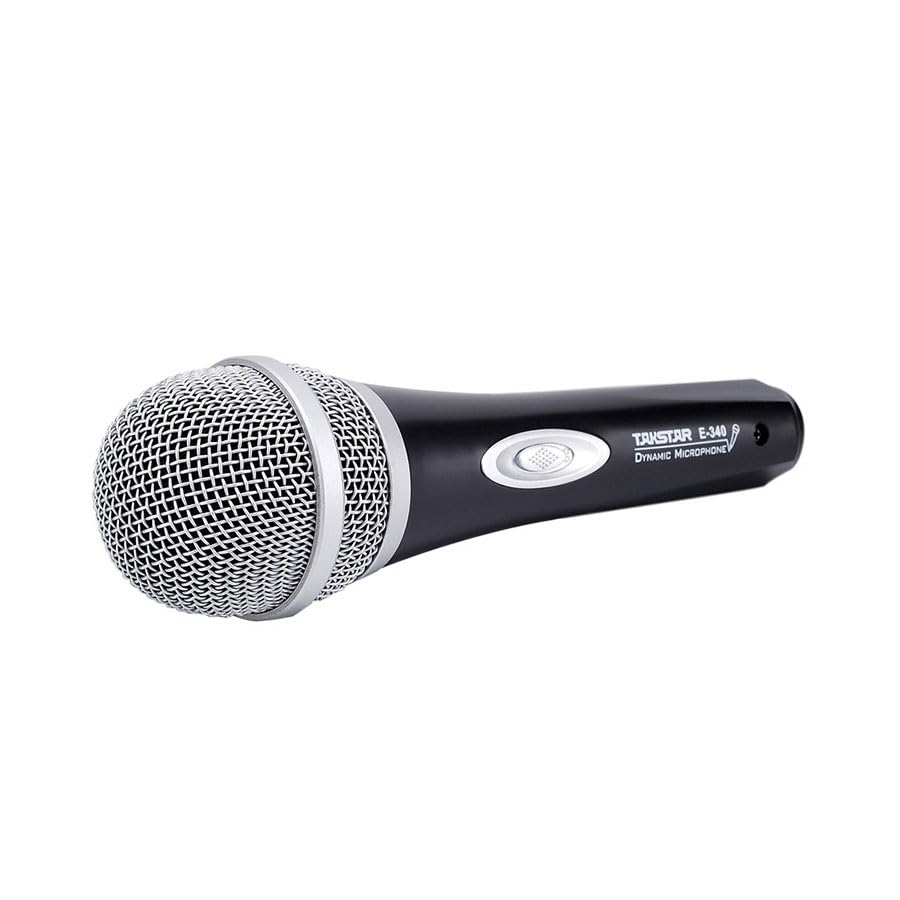
Figure 2.1: Takstar E 340 Handheld Dynamic Microphone. This image shows the full view of the microphone, highlighting its black body and silver grille.
ძირითადი მახასიათებლები:
- ცალმხრივი პოლარული ნიმუში: ფოკუსირებულია ხმაზე წინა მხრიდან, ამცირებს ფონის ხმაურს.
- დინამიური კაფსულა: Provides clear and powerful sound reproduction.
- გამძლე კონსტრუქცია: Plastic housing with a paint finish for comfortable handling and durability.
- XLR კავშირი: Utilizes a dual-core XLR cable for clear signal transmission and noise interference shielding.
- მსუბუქი დიზაინი: Ensures ease of use and portability.

სურათი 2.2: დეტალური view of the Takstar E 340 microphone highlighting its internal dynamic capsule and the robust construction. This image illustrates the quality components and design features.
კომპონენტის იდენტიფიკაცია:
- მიკროფონის ცხაური: Protects the microphone capsule and helps shape the sound.
- მიკროფონის სხეული: Houses the internal components and provides a comfortable grip.
- ჩართვის/გამორთვის ჩამრთველი: აკონტროლებს მიკროფონის სიმძლავრეს.
- XLR Output Connector: For connecting the microphone to an audio interface or karaoke machine.
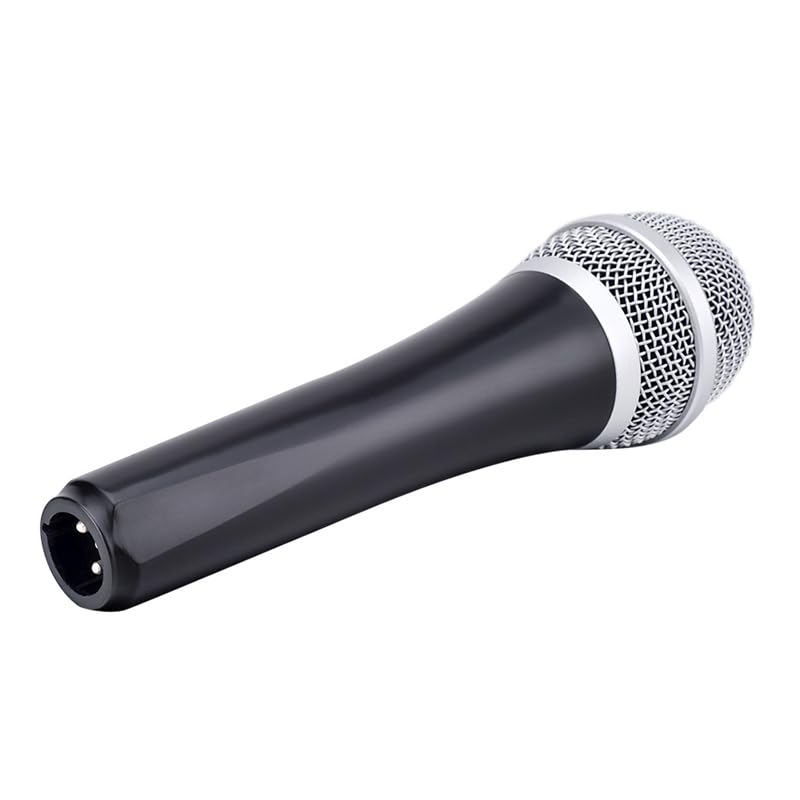
Figure 2.3: The XLR output connector located at the base of the Takstar E 340 microphone. This is where the microphone cable connects.
3. დაყენების ინსტრუქციები
- ამოალაგეთ მიკროფონი: Carefully remove the Takstar E 340 microphone and any included accessories from its packaging.
- შეაერთეთ კაბელი: Insert the XLR end of your microphone cable into the XLR output connector at the base of the microphone. Ensure it clicks securely into place.
- აუდიო მოწყობილობასთან დაკავშირება: Connect the other end of the microphone cable (e.g., 1/4-inch jack or USB Type-C, depending on your cable) to the microphone input of your karaoke machine, mixer, or audio interface.
- ჩართვა: Ensure your audio device is powered on and its volume is set to a low level before activating the microphone.
4. საოპერაციო ინსტრუქციები
- Turn On the Microphone: Locate the On/Off switch on the microphone body and slide it to the 'ON' position.
- პოზიციონირება: Hold the microphone approximately 2-6 inches (5-15 cm) from your mouth for optimal sound pickup. Experiment with distance to find the best sound for your voice and environment.
- ხმის რეგულირება: Gradually increase the volume on your connected audio device until the desired sound level is achieved. Avoid setting the volume too high to prevent feedback or distortion.
- ცალმხრივი აღება: The E 340 is a unidirectional microphone, meaning it primarily picks up sound from the front. Point the top of the microphone directly towards the sound source (your mouth) for the clearest audio.
- გამორთვა: When finished, slide the On/Off switch to the 'OFF' position and then turn off your audio device.
5. მოვლა და მოვლა
- დასუფთავება: Use a soft, dry cloth to clean the microphone body. For the grille, a soft brush can be used to gently remove dust or debris. Do not use liquid cleaners or solvents.
- შენახვა: Store the microphone in a dry, cool place away from direct sunlight and extreme temperatures. If possible, use a protective case to prevent physical damage.
- დამუშავება: Avoid dropping the microphone or subjecting it to strong impacts, as this can damage the internal components.
- საკაბელო მოვლა: Always grasp the connector, not the cable, when plugging or unplugging. Avoid bending or kinking the cable excessively.
6. Დიაგნოსტიკა
| პრობლემა | შესაძლო მიზეზი | გამოსავალი |
|---|---|---|
| ხმის გამომავალი არ არის | Microphone switch is OFF კაბელი არ არის დაკავშირებული სწორად Audio device input volume too low Faulty cable or audio device input | Slide switch to 'ON' Ensure cable is securely connected at both ends Increase input volume on audio device Test with a different cable or audio input |
| დაბალი ან დამახინჯებული ხმა | Microphone too far from sound source Input volume too high (distortion) Damaged microphone capsule | Hold microphone closer to mouth Reduce input volume on audio device Contact customer support if damage is suspected |
| უკუკავშირი (ყვირილის ხმა) | Microphone too close to speakers მოცულობა ძალიან მაღალია Microphone pointed at speakers | Increase distance between microphone and speakers Reduce overall volume Ensure microphone is not pointed directly at speakers |
7. ტექნიკური მახასიათებლები
| ფუნქცია | სპეციფიკაცია |
|---|---|
| მოდელი | E340 |
| პოლარული ნიმუში | ცალმხრივი |
| მიკროფონის ფორმის ფაქტორი | ხელის |
| წინაღობა | 600 Ohms |
| სიგნალისა და ხმაურის თანაფარდობა (SNR) | 72 დბ |
| სიხშირის პასუხი | 16 კჰც |
| აუდიო მგრძნობელობა | 54 დეციბელი |
| დაკავშირების ტექნოლოგია | UHF (via cable) |
| კონექტორის ტიპი | USB Type-C (implied for cable connection, typically XLR on mic) |
| თავსებადი მოწყობილობები | კარაოკე მანქანა |
| დენის წყარო | კაბელიანი ელექტრო |
| ნივთის წონა | 580 გ |
| პაკეტის ზომები | 24.8 x 12.6 x 8 სმ |
| სპეციალური ფუნქცია | Adjustable Headband (Note: This feature is typically associated with headsets, but listed in product specifications.) |
8. გარანტია და მხარდაჭერა
For warranty information and customer support, please refer to the documentation provided at the time of purchase or visit the official Takstar webსაიტი. შეინახეთ შეძენის დამადასტურებელი საბუთი გარანტიასთან დაკავშირებული ნებისმიერი პრეტენზიისთვის.


