1. შესავალი
The Vivitar 550 FD Speedlite is an external flash unit designed to provide additional illumination for photography. This flash features an auto thyristor system for automatic exposure control and can also be operated in manual mode. It is compatible with cameras equipped with a standard hot shoe mount, including many Canon, Nikon, and Sony models. This manual provides instructions for the proper setup, operation, and maintenance of your Vivitar 550 FD Speedlite.
2. პროდუქტის მახასიათებლები
- Dedicated Flash: Designed for specific camera systems to ensure proper synchronization.
- Automatic Flash Range: Operates effectively within a range of 3 to 40 feet (approximately 0.9 to 12 meters).
- Auto Thyristor: Automatically adjusts flash output for correct exposure based on ambient light and camera settings.
- Bounce Functionality: Allows the flash head to be angled for indirect lighting, reducing harsh shadows.
- დენის წყარო: Requires 4 AA batteries for operation.
3. დაყენება
3.1. ბატარეის მონტაჟი
The Vivitar 550 FD Speedlite requires four (4) AA batteries for power. Ensure batteries are inserted with correct polarity.
- Locate the battery compartment cover, typically on the side or back of the flash unit.
- Open the cover and insert four fresh AA batteries, matching the positive (+) and negative (-) terminals as indicated inside the compartment.
- უსაფრთხოდ დახურეთ ბატარეის განყოფილების საფარი.
სურათი 1: მხარე view of the Vivitar 550 FD Speedlite, showing the general form factor and potential battery compartment location.
3.2. ფლეშის კამერაზე დამონტაჟება
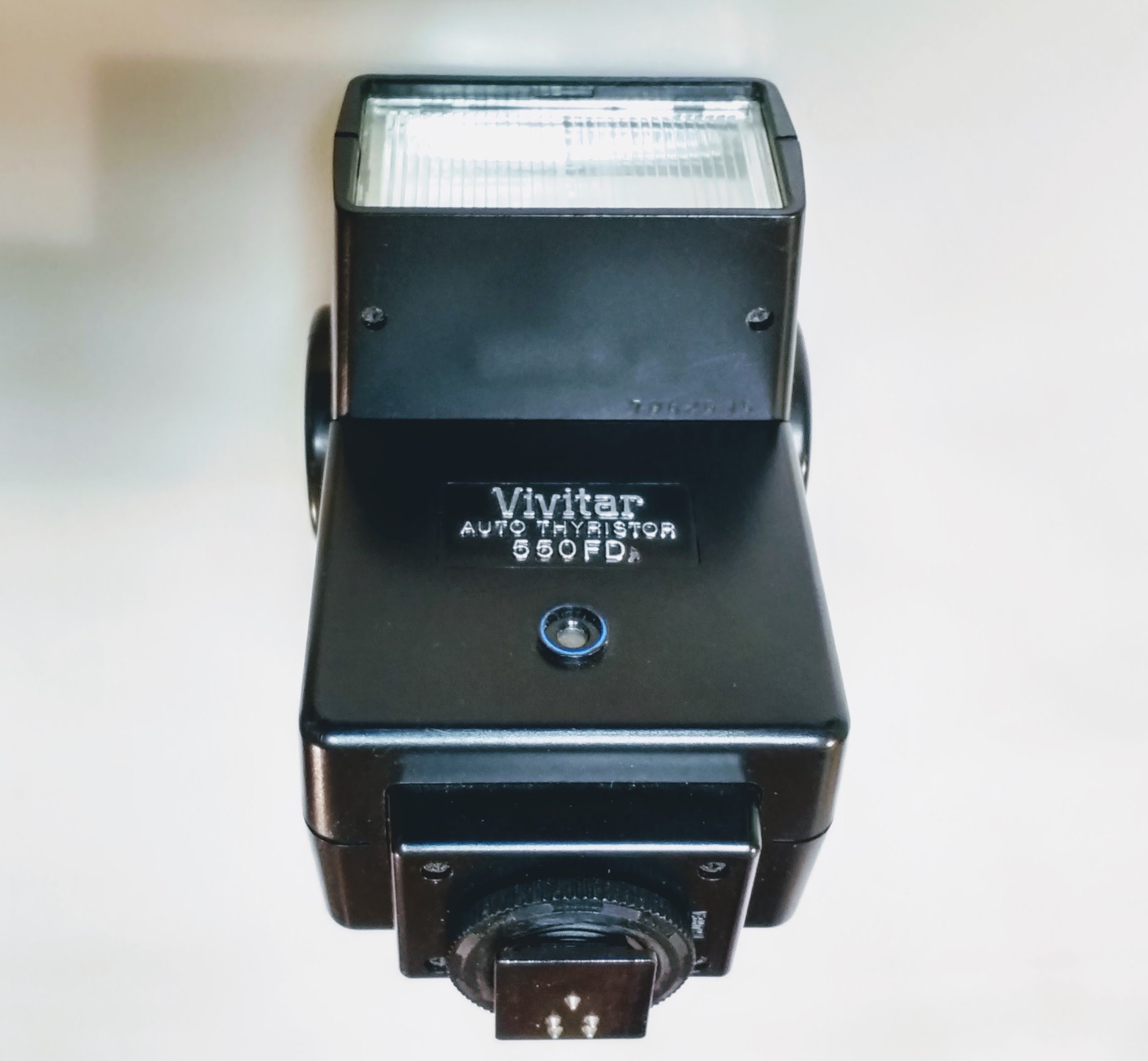
The flash unit is designed to attach to a camera's standard hot shoe mount.
- დარწმუნდით, რომ როგორც კამერა, ასევე ფლეში გამორთულია.
- ჩასვით ფლეშის სამონტაჟო ფეხი კამერის ცხელ ფეხსაცმელში.
- Secure the flash by rotating the locking ring or tightening the locking screw on the flash unit until it is firmly attached. The flash features a "LOCK" indicator for secure attachment.

სურათი 2: ზედა view of the Vivitar 550 FD Speedlite, illustrating the hot shoe mount and locking mechanism.
4. საოპერაციო ინსტრუქციები
4.1. კონტროლის მეტიview
Familiarize yourself with the controls on the flash unit:
სურათი 3: წინა view of the Vivitar 550 FD Speedlite, highlighting the control panel.
- POWER გადამრთველი: Turns the flash unit on or off.
- FILM SPEED / ISO Dial: Sets the film speed or ISO sensitivity.
- AUTOMATIC / MANUAL Selector: Switches between automatic and manual flash modes.
- f/STOP / RANGE Dial: In automatic mode, this sets the aperture and corresponding flash range. In manual mode, it may indicate guide number related settings.
- AUTO OK Indicator: Lights up when the flash has achieved correct exposure in automatic mode.
- READY / TEST Button: Lights up when the flash is fully charged and ready to fire. Pressing it fires a test flash.
- C/R Switch: Likely a control for specific camera compatibility or mode.
- TTL A1/A2/M Selector: Selects between different automatic (A1, A2) or manual (M) modes, potentially related to TTL (Through-The-Lens) metering if supported by the camera.
4.2. Automatic Mode Operation
In automatic mode, the flash's built-in thyristor sensor measures the light reflected from the subject and automatically cuts off the flash output when sufficient light has been provided for correct exposure.
- Attach the flash to your camera and power on both devices.
- დააყენეთ AUTOMATIC / MANUAL selector to "AUTOMATIC".
- დააყენეთ FILM SPEED / ISO dial to match your camera's ISO setting.
- Select an appropriate f/stop on the flash using the f/STOP / RANGE dial. This will also indicate the effective flash range. Set your camera's aperture to match this f/stop.
- დაელოდე READY / TEST indicator to light up, signifying the flash is charged.
- Take your photograph. The AUTO OK indicator will light briefly after the flash fires if the exposure was correct.
4.3. მექანიკური რეჟიმის მოქმედება
In manual mode, the flash fires at full power, and exposure is controlled by your camera's aperture and shutter speed settings.
- Attach the flash to your camera and power on both devices.
- დააყენეთ AUTOMATIC / MANUAL selector to "MANUAL".
- Consult the flash's guide number (usually found in a separate table or on the unit itself) to determine the correct aperture for a given distance and ISO.
- Set your camera's aperture and shutter speed accordingly.
- დაელოდე READY / TEST indicator to light up.
- Take your photograph.
4.4. Bounce Flash
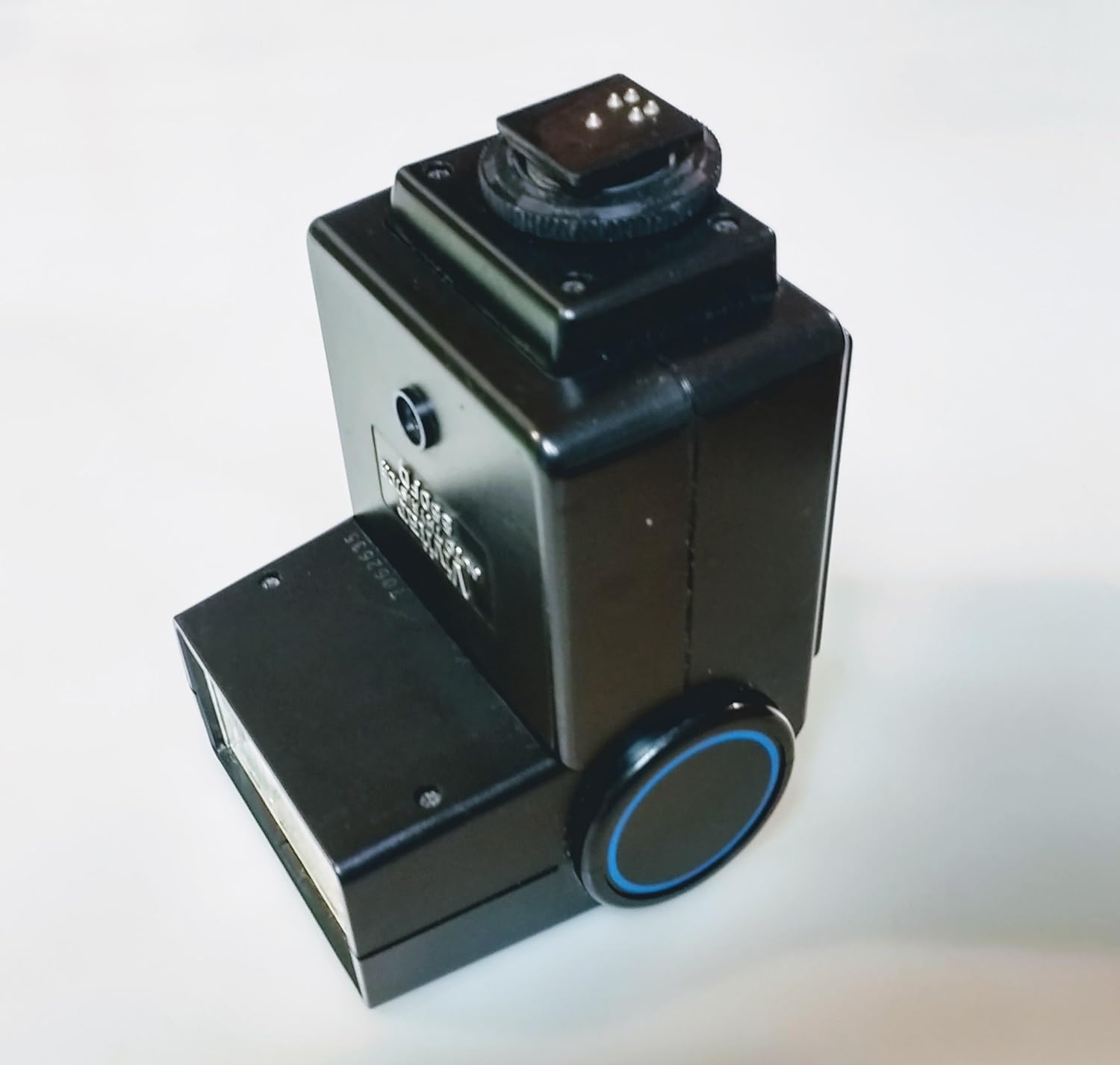
The Vivitar 550 FD Speedlite supports bounce flash, allowing you to direct the light indirectly off a ceiling or wall for softer, more natural illumination.
- Gently tilt the flash head upwards or to the side to bounce the light.
- Adjust camera settings as needed for the increased light path and diffusion.

სურათი 4: დახრილი view of the Vivitar 550 FD Speedlite, demonstrating the ability to tilt the flash head for bounce photography.
5. მოვლა
- დასუფთავება: ფლეშის გარე ზედაპირის გასაწმენდად გამოიყენეთ რბილი, მშრალი ქსოვილი. ჯიუტი ჭუჭყის შემთხვევაში, ოდნავamp cloth can be used, followed by a dry cloth. Do not use strong solvents or abrasive cleaners.
- ბატარეის მოვლა: Remove batteries if the flash will not be used for an extended period to prevent leakage and corrosion.
- შენახვა: შეინახეთ ფლეში გრილ, მშრალ ადგილას, მოარიდეთ მზის პირდაპირ სხივებს და ექსტრემალურ ტემპერატურას.
- ცხელი ფეხსაცმლის კონტაქტები: Keep the hot shoe contacts clean and free of debris to ensure proper communication with the camera.
6. Დიაგნოსტიკა
| პრობლემა | შესაძლო მიზეზი | გამოსავალი |
|---|---|---|
| ფლეში არ ანათებს. |
|
|
| Flash fires but images are too dark (underexposed). |
|
|
| Flash fires but images are too bright (overexposed). |
|
|
7. სპეციფიკაციები
- მოდელი: 550 ფდ
- ბრენდი: ვივიტარი
- მწარმოებელი: VIVITAR
- დენის წყარო: 4 AA batteries (Note: Product specifications also mention "2 AA batteries required." in some places, but "4 AA" is more consistent with typical flash units and feature bullets. User should verify.)
- Automatic Flash Range: 3 - 40 ft. (0.9 - 12.2 m)
- ფლეშის სინქრონიზაციის სიჩქარე: 1/250 წამი
- თავსებადი სამონტაჟოები: Standard Hotshoe (Canon, Nikon, Sony compatible)
- ფერი: დღის სინათლე
- პროდუქტის ზომები: 6.3 x 3.4 x 2.6 ინჩი (16 x 8.6 x 6.6 სმ)
- ნივთის წონა: 0.353 ounces (approximately 10 grams) - Note: This weight seems unusually low for a flash unit and may be a data entry error. Actual weight may be higher.
8. გარანტია და მხარდაჭერა
Specific warranty information for the Vivitar 550 FD Speedlite is not provided within this manual. For details regarding warranty coverage, technical support, or service, please refer to the documentation included with your purchase or contact Vivitar customer service directly.


