1. შესავალი
This manual provides essential instructions for setting up, operating, and maintaining your BlackBerry BB 9900 Bold Touch smartphone. Please read this guide thoroughly to ensure proper use and to maximize the device's capabilities. The BlackBerry BB 9900 Bold Touch combines a capacitive touchscreen with a full QWERTY keyboard, running on BlackBerry OS 7.
3. მოწყობილობა დასრულდაview
Familiarize yourself with the physical features of your BlackBerry BB 9900 Bold Touch.
3.1 ფრონტი View

სურათი: წინა მხარე view of the BlackBerry BB 9900 Bold Touch, highlighting the 2.8-inch touchscreen and the physical QWERTY keyboard below it. The device also features a trackpad and call/end buttons.
- სენსორული ეკრანი: 2.8-inch capacitive display for interactive navigation.
- QWERTY კლავიატურა: Full physical keyboard for efficient typing.
- Optical Trackpad: For precise navigation and selection.
- ზარის/დასრულების ღილაკები: Standard telephony controls.
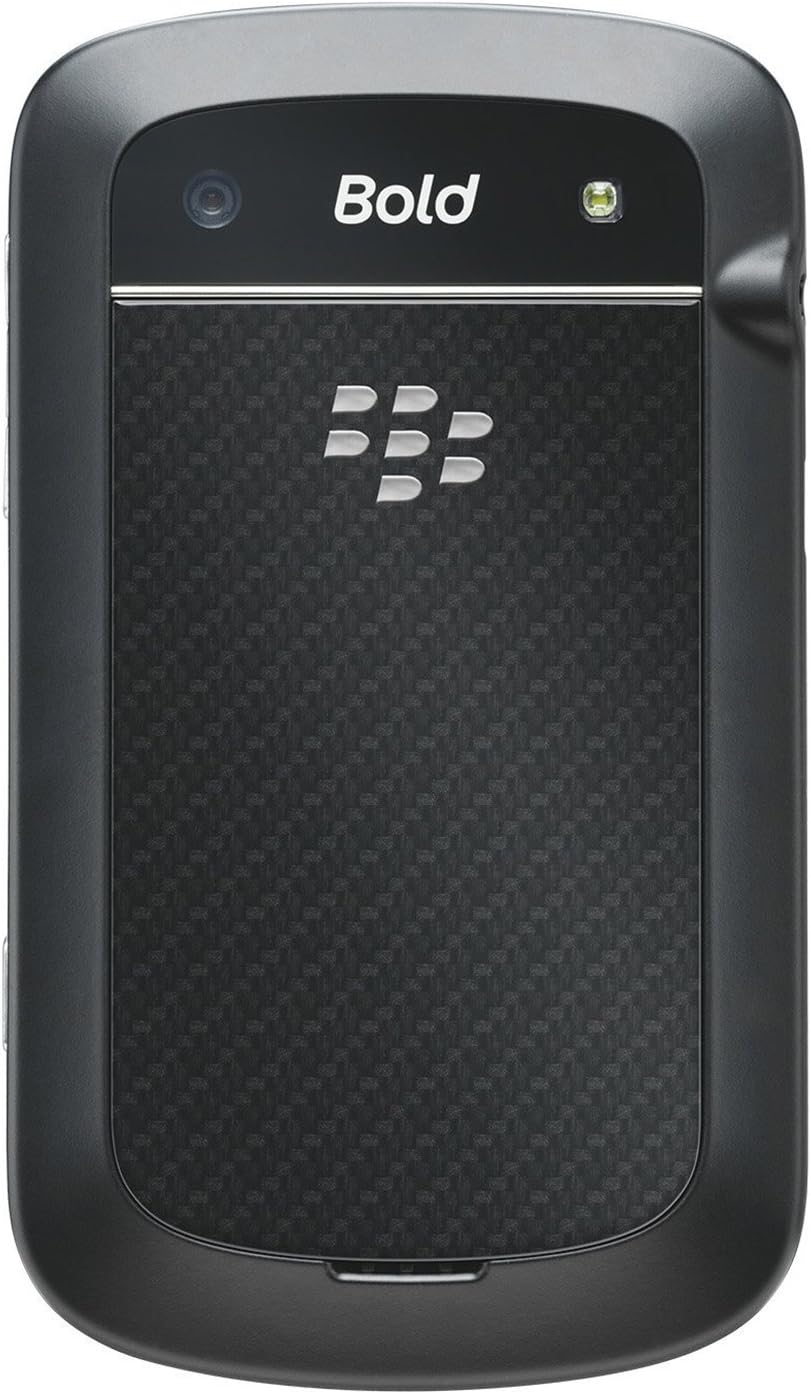
3.2 უკანა View

სურათი: უკანა view of the BlackBerry BB 9900 Bold Touch, featuring the 5-megapixel camera lens, LED flash, and the BlackBerry logo.
- 5 MP კამერა: Primary camera with autofocus and LED flash.
- ბატარეის საფარი: Removable cover for battery and SIM card access.
3.3 მხარე View
სურათი: გვერდი view of the BlackBerry BB 9900 Bold Touch, illustrating the placement of the volume control buttons and a customizable convenience key.
- ხმის ღილაკები: აუდიო დონის რეგულირება.
- Convenience Key: Customizable shortcut button.
5. საოპერაციო ინსტრუქციები
5.1 სენსორული ეკრანის ნავიგაცია
- შეეხეთ: Touch the screen briefly to open applications, select items, or activate buttons.
- დარტყმა: Drag your finger across the screen to scroll through lists or switch between home screen panels.
- მასშტაბირება თითებით: Use two fingers to zoom in or out on photos, web გვერდები ან რუკები.
5.2 Using the QWERTY Keyboard
The physical QWERTY keyboard allows for fast and accurate text entry. Each key corresponds to a letter, number, or symbol. Use the 'Alt' key for alternate characters and the 'Shift' key for capitalization.
5.3 ზარების განხორციელება
- From the home screen, tap the Phone icon or press the green Call button.
- Enter the phone number using the keyboard.
- Press the green Call button to initiate the call.
- To end a call, press the red End Call button.
5.4 შეტყობინებების გაგზავნა
- Tap the Messages icon from the home screen.
- Select 'Compose New' or similar option.
- შეიყვანეთ მიმღების ნომერი ან აირჩიეთ კონტაქტებიდან.
- Type your message using the QWERTY keyboard.
- Tap 'Send'.
5.5 კამერის გამოყენება
- Tap the Camera icon to open the camera application.
- კადრირება ეკრანის გამოყენებით, როგორც viewმაძიებელი.
- Tap the screen or press the convenience key (if configured) to take a photo.
- The 5MP camera features autofocus and an LED flash for improved image quality.
5.6 Wi-Fi-თან დაკავშირება
- Go to 'Options' > 'Networks and Connections' > 'Wi-Fi'.
- ჩართეთ Wi-Fi. მოწყობილობა დაასკანირებს ხელმისაწვდომ ქსელებს.
- აირჩიეთ სასურველი ქსელი და საჭიროების შემთხვევაში შეიყვანეთ პაროლი.
- Once connected, the Wi-Fi indicator will appear in the status bar.
5.7 Using NFC (Near Field Communication)
The BlackBerry BB 9900 Bold Touch supports NFC for short-range wireless communication. This allows for quick pairing with compatible accessories or sharing data with other NFC-enabled devices by tapping them together.
- დარწმუნდით, რომ NFC ჩართულია თქვენი მოწყობილობის პარამეტრებში.
- Hold your device close to another NFC-enabled device or tag.
- Follow on-screen prompts to complete the desired action (e.g., pairing, data transfer).
9. მხარდაჭერა და გარანტია
9.1 მომხმარებელთა მხარდაჭერა
For technical assistance, troubleshooting beyond this manual, or service inquiries, please visit the official BlackBerry support website or contact your local service provider. Refer to the packaging or official webსაიტი კონკრეტული საკონტაქტო ინფორმაციისთვის.
9.2 ინფორმაცია გარანტიის შესახებ
Your BlackBerry BB 9900 Bold Touch is covered by a limited warranty. Please refer to the warranty card included in your product packaging or visit the official BlackBerry webდეტალური წესებისა და პირობებისთვის, მათ შორის გარანტიის პერიოდისა და დაფარვის სპეციფიკისთვის, იხილეთ საიტი. შეინახეთ შეძენის დამადასტურებელი საბუთი გარანტიის მოთხოვნებისთვის.