1. შესავალი
Thank you for choosing the Zipro Pacemaker Treadmill. This manual provides essential information for the safe assembly, operation, and maintenance of your new fitness equipment. Please read this manual thoroughly before using the treadmill and keep it for future reference.
The Zipro Pacemaker Treadmill is designed for home use, offering a robust construction, a wide running belt, and a powerful motor for various training intensities. Its folding design and transport wheels ensure convenient storage and mobility.
2. უსაფრთხოების ინსტრუქციები
WARNING: Before starting any exercise program, consult your physician, especially if you have pre-existing health conditions.
- Always place the treadmill on a flat, stable surface with adequate clearance around it (at least 2 meters behind and 0.6 meters on each side).
- მოარიდეთ ბავშვები და შინაური ცხოველები სარბენ ბილიკს მუშაობის დროს.
- ჩაიცვით შესაბამისი სპორტული ფეხსაცმელი და ტანსაცმელი. მოერიდეთ ფხვიერ ტანსაცმელს, რომელიც შეიძლება მოძრავ ნაწილებში გაიჭედოს.
- Always use the safety key/clip. Attach the clip to your clothing before starting your workout. In case of an emergency, pulling the safety key will immediately stop the treadmill.
- Do not step on or off the treadmill while the belt is moving. Start at a slow speed and gradually increase.
- Hold onto the handrails for balance, especially when starting or adjusting speed/incline.
- Do not attempt to service the treadmill yourself. Refer to qualified service personnel for repairs.
- Ensure the power cord is not damaged or placed under the treadmill.
- მომხმარებლის მაქსიმალური წონა: 150 კგ.
3. პაკეტის შიგთავსი
დარწმუნდით, რომ ყველა კომპონენტი შეფუთვაშია:
- 1 x Zipro Pacemaker Treadmill (main unit)
- 1 x მომხმარებლის სახელმძღვანელო
- Assembly tools (if applicable)
- უსაფრთხოების გასაღები
4. დაყენება და შეკრება
The Zipro Pacemaker Treadmill features a convenient folding design for easy setup and storage. Follow these general steps for assembly:
- შეფუთვა: ფრთხილად ამოიღეთ ყველა კომპონენტი შეფუთვიდან.
- პოზიციონირება: Place the treadmill on a level surface in your desired workout area. Ensure sufficient space around the unit.
- გაშლა: Gently lower the running deck from its folded position until it locks into place. Refer to the specific instructions in your included manual for the exact unfolding mechanism.
- დამცავი კომპონენტები: Attach any loose components such as the console, handrails, or safety key holder as per the detailed assembly instructions.
- დენის კავშირი: შეაერთეთ დენის კაბელი დამიწებულ ელექტრო განყოფილებაში.


5. საოპერაციო ინსტრუქციები
5.1 კონსოლიview
The treadmill features an intuitive LED display console that shows key workout metrics.


5.2 ვარჯიშის დაწყება
- დარწმუნდით, რომ სარბენი ბილიკი ჩართულია და უსაფრთხოების გასაღები თავის ადგილზეა.
- გადადით სარბენი ბილიკის გვერდითა მოაჯირებზე.
- დააჭირეთ დაწყება კონსოლზე ღილაკი. ღვედი დაბალი სიჩქარით დაიწყებს მოძრაობას.
- Carefully step onto the moving belt and begin walking.
5.3 სიჩქარისა და დახრილობის რეგულირება
- სიჩქარე: გამოიყენეთ სიჩქარე + და სიჩქარე - buttons to adjust the belt speed from 1 km/h to 22 km/h. Quick speed buttons may also be available for instant adjustments.
- დახრილობა: გამოიყენეთ დახრილობა + და დახრილობა - buttons to adjust the incline level (0-15 levels). Quick incline buttons may also be available.
5.4 ვარჯიშის შეჩერება
- დააჭირეთ STOP ღილაკი სარბენი ბილიკის თანდათანობით შესანელებლად და გასაჩერებლად.
- საგანგებო სიტუაციის შემთხვევაში, სარბენი ბილიკის დაუყოვნებლივ გასაჩერებლად, გამოწიეთ უსაფრთხოების გასაღები.
5.5 Using Bluetooth and USB
- Bluetooth: The treadmill supports Bluetooth connectivity. Pair your device to stream audio through the integrated speakers or connect to compatible fitness applications like Kinomap for interactive workouts.
- USB: Use the USB port to charge your mobile devices during your workout.
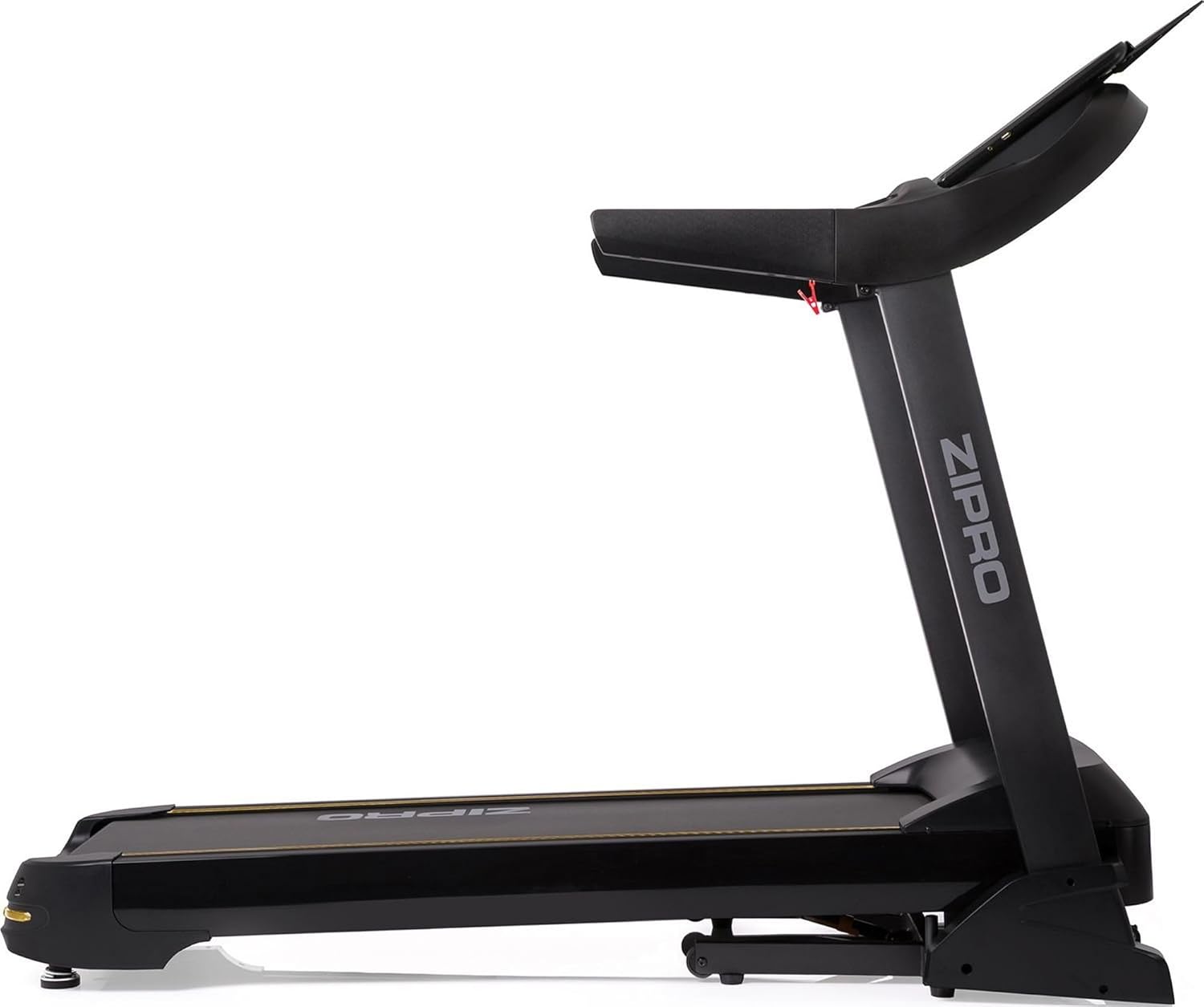

6. Programs and Features
The Zipro Pacemaker Treadmill offers a variety of training options to suit your fitness goals:
- წინასწარ დაყენებული პროგრამები: The computer is equipped with 99 pre-set workout programs designed for various fitness levels and goals.
- მომხმარებლის პროგრამები: Create and save up to 3 individual user programs to customize your training experience.
- გულისცემის მონიტორინგი: Integrated pulse sensors in the handrails allow you to monitor your heart rate during your workout.
- რეგულირებადი დახრილობა: Simulate uphill running with 15 levels of electronic incline adjustment.
- ფართო სიჩქარის დიაპაზონი: Speeds from 1 to 22 km/h accommodate walking, jogging, and high-intensity running.
7. მოვლა
რეგულარული მოვლა უზრუნველყოფს თქვენი სარბენი ბილიკის ხანგრძლივობას და ოპტიმალურ მუშაობას.
- დასუფთავება: გაწმინდეთ კონსოლი და სხვა ზედაპირები რეკლამითamp ყოველი გამოყენების შემდეგ ნაჭერი გარეცხეთ. მოერიდეთ აბრაზიულ საწმენდ საშუალებებს.
- ქამრის შეზეთვა: Periodically lubricate the running belt according to the instructions in your specific manual (usually every few months depending on usage). This reduces friction and extends belt life.
- ქამრის დაჭიმულობა და გასწორება: Check the running belt tension and alignment regularly. Adjust if necessary to prevent slipping or rubbing.
- ძრავის საფარი: Keep the motor cover clean and free of dust to ensure proper ventilation.
- ინსპექტირება: Regularly inspect all nuts, bolts, and moving parts for tightness and wear. Tighten or replace as needed.


8. Დიაგნოსტიკა
If you encounter issues with your Zipro Pacemaker Treadmill, refer to the following common problems and solutions:
- სარბენი ბილიკი არ ირთვება:
- შეამოწმეთ, არის თუ არა კვების კაბელი საიმედოდ შეერთებული მოქმედ სოკეტში.
- Ensure the safety key is correctly placed in its slot.
- შეამოწმეთ თქვენს სახლში არსებული ავტომატური ამომრთველი ან დაუკრავენი.
- Running belt slips or hesitates:
- The running belt may need lubrication. Refer to the maintenance section.
- The running belt may be too loose. Adjust the tension according to your specific manual.
- Console display is not working correctly:
- Ensure all cable connections to the console are secure.
- Try turning the treadmill off and on again.
- ოპერაციის დროს უჩვეულო ხმები:
- Check for any loose parts or foreign objects under the belt.
- დარწმუნდით, რომ სარბენი ბილიკი ბრტყელ ზედაპირზეა.
For persistent issues not covered here, please contact customer support or refer to the full troubleshooting guide in your included manual.
9. სპეციფიკაციები
| ფუნქცია | სპეციფიკაცია |
|---|---|
| მოდელის ნომერი | 5942805 |
| ბრენდი | ZIPRO |
| ზომები (გაშლილი) | 188 x 82 x 151 სმ (L x W x H) |
| ზომები (დაკეცილი) | 118 x 82 x 151 სმ (L x W x H) |
| წონა | 81 კგ |
| მომხმარებლის მაქსიმალური წონა | 150 კგ |
| სიჩქარის დიაპაზონი | 1 - 22 კმ/სთ |
| დახრილობის დონეები | 15 (რეგულირებადი) |
| ძრავის სიმძლავრე | 5 ცხენის ძალა (პიკური) |
| ჩვენების ტიპი | LED (7 windows) |
| სავარჯიშო პროგრამები | 99 Pre-set + 3 User Programs |
| დაკავშირება | Bluetooth, USB |
| მასალა | Polyethylene (PE), Metal, Plastic |
| განსაკუთრებული თვისებები | Adjustable incline, Bluetooth app compatibility, Elegant design, Transport wheels |
10. გარანტია და მხარდაჭერა
For information regarding warranty coverage, product registration, or technical support, please refer to the warranty card included with your purchase or visit the official ZIPRO webსაიტი. შეინახეთ შეძენის დამადასტურებელი საბუთი გარანტიასთან დაკავშირებული ნებისმიერი პრეტენზიისთვის.


