1. შესავალი
მადლობა შენაძენისთვისasing the Taurus Alpatec Babel RC Tower Fan. This manual provides important information regarding the safe operation, installation, maintenance, and troubleshooting of your new appliance. Please read this manual thoroughly before use and retain it for future reference.
The Taurus Alpatec Babel RC is a 45W tower fan designed for efficient air circulation, featuring 3 speed settings, 3 operating modes (Normal, Breeze, Night), a 7.5-hour timer, oscillation function, and convenient remote control. Its compact design and integrated handle make it easy to move and store.
2. უსაფრთხოების მნიშვნელოვანი ინსტრუქციები
ელექტრომოწყობილობების გამოყენებისას ყოველთვის დაიცავით უსაფრთხოების ძირითადი ზომები, რათა შეამციროთ ხანძრის, ელექტროშოკის და დაზიანებების რისკი.
- ვენტილატორის გამოყენებამდე წაიკითხეთ ყველა ინსტრუქცია.
- უზრუნველყოს ტtagეტიკეტზე მითითებული e შეესაბამება თქვენი ქსელის მოცულობასtage.
- არ ჩაყოთ ვენტილატორი, შტეფსელი ან კაბელი წყალში ან სხვა სითხეებში.
- გამორთეთ დენის წყაროდან, როდესაც არ იყენებთ, გაწმენდის წინ ან გადატანამდე.
- არ გამოიყენოთ მოწყობილობა დაზიანებული სადენით ან შტეფსელით, ან მას შემდეგ, რაც მოწყობილობა გაუმართავია ან რაიმე ფორმით დაზიანებულია.
- შეინახეთ ვენტილატორი ბავშვებისა და შინაური ცხოველებისთვის მიუწვდომელ ადგილას.
- ვენტილატორის ღიობებში არ ჩაყოთ თითები ან უცხო საგნები.
- არ გამოიყენოთ გარეთ.
- განათავსეთ ვენტილატორი სტაბილურ, ბრტყელ ზედაპირზე.
- Ensure the fan grilles are not blocked.
3. პროდუქტის კომპონენტები
Familiarize yourself with the main parts of your Taurus Alpatec Babel RC Tower Fan:
- მართვის პანელი LED დისპლეით
- ჰაერის გასასვლელი ცხაური
- ბაზა
- დენის კაბელი
- Remote Control (with dedicated storage slot)
- ინტეგრირებული სატარებელი სახელური

სურათი 3.1: წინა view of the Taurus Alpatec Babel RC Tower Fan, showing its sleek design and control panel.

სურათი 3.2: მხარე view of the tower fan, highlighting its slim profile და სტაბილური ბაზა.
4. დაყენება და შეკრება
The Taurus Alpatec Babel RC Tower Fan comes largely pre-assembled. Follow these steps for initial setup:
- შეფუთვა: Carefully remove the fan from its packaging. Retain the packaging for future storage or transport.
- ბაზის აწყობა (საჭიროების შემთხვევაში): Some models may require attaching the base. Align the base with the bottom of the fan body and secure it using the provided screws. Ensure it is firmly attached for stability.
- განთავსება: Place the fan on a firm, level surface, away from curtains or other objects that could obstruct airflow. Ensure there is adequate space around the fan for optimal performance and oscillation.
- დენის კავშირი: Plug the power cord into a standard electrical outlet (240V).

სურათი 4.1: უკანა view of the fan, showing the integrated carry handle for easy portability.
5. საოპერაციო ინსტრუქციები
Your Taurus Alpatec Babel RC Tower Fan can be operated using the control panel on top of the unit or the included remote control.
5.1 მართვის პანელი და დისტანციური მართვა

Figure 5.1: Close-up of the fan's control panel, showing buttons for power, speed, mode, timer, and oscillation.

Figure 5.2: A hand holding the remote control, which can be stored in a dedicated slot on the fan's top panel.
The remote control offers the same functionalities as the control panel for convenient operation from a distance. Ensure the remote control is pointed towards the fan's control panel for effective communication.
5.2 ფუნქცია
- ჩართვა/გამორთვა: დააჭირეთ ძალაუფლება ღილაკი (
 ) ვენტილატორის ჩასართავად ან გამოსართავად.
 - სიჩქარის პარამეტრები: დააჭირეთ სიჩქარე button to cycle through 3 speed settings: Low, Medium, High. The current speed will be indicated on the LED display.
- ოპერაციული რეჟიმები: დააჭირეთ რეჟიმი button to select from 3 modes:
- ნორმალური: მუდმივი ჰაერის ნაკადი შერჩეული სიჩქარით.
- Ნიავი: ახდენს ბუნებრივი ქარის სიმულირებას ვენტილატორის სხვადასხვა სიჩქარით.
- ღამე (ძილი): მუშაობს უფრო დაბალი, უფრო ჩუმი სიჩქარით შეუფერხებელი ძილისთვის.
- რხევა: დააჭირეთ რხევა button to activate or deactivate the automatic oscillation function, which distributes air across a wider area.
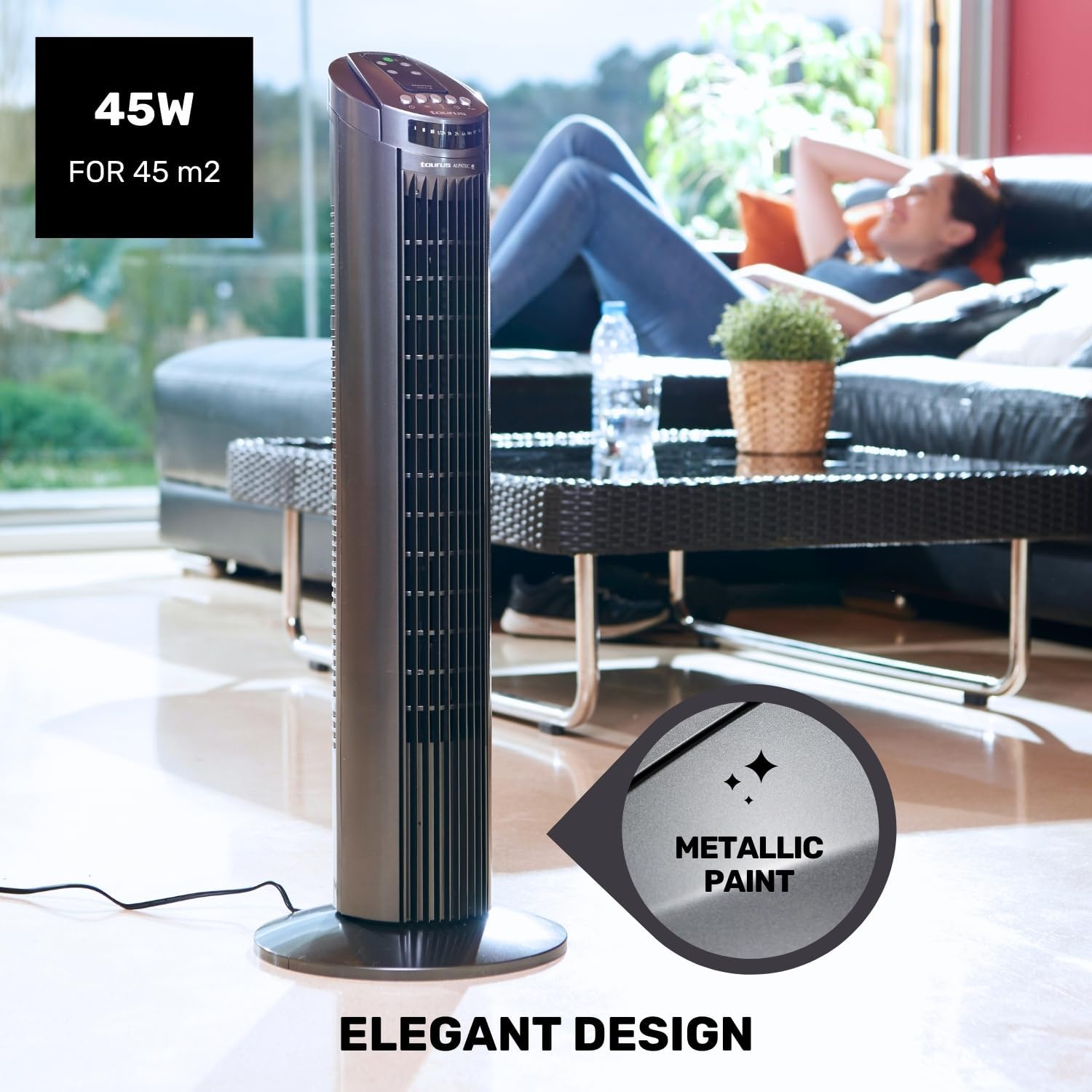
Figure 5.3: The fan in oscillation mode, showing the wide air distribution.
- ტაიმერი: დააჭირეთ ტაიმერი button to set the fan to automatically turn off after a specified period. The timer can be set up to 7.5 hours. Each press typically adds 0.5 hours or 1 hour, depending on the model's increment.

Figure 5.4: The fan operating in Night mode, designed for quiet performance during sleep.

Figure 5.5: Illustration of the different airflow modes: Normal, Breeze, and Night.
6. მოვლა და დასუფთავება
რეგულარული გაწმენდა და მოვლა ხელს შეუწყობს თქვენი ვენტილატორის სიცოცხლის გახანგრძლივებას და ოპტიმალური მუშაობის უზრუნველყოფას.
- გაწმენდის წინ: გაწმენდის წინ ყოველთვის გამორთეთ ვენტილატორი დენის წყაროდან.
- გარე გაწმენდა: ვენტილატორის გარე ზედაპირები გაწმინდეთ რბილი, დ...amp ქსოვილი. არ გამოიყენოთ აბრაზიული საწმენდები ან გამხსნელები, რადგან მათ შეიძლება დააზიანონ ზედაპირი.
- გრილის გაწმენდა: Use a vacuum cleaner with a brush attachment to remove dust from the air inlet and outlet grilles. This helps maintain efficient airflow.
- შენახვა: დიდი ხნის განმავლობაში არ გამოყენების შემთხვევაში, ვენტილატორი შეინახეთ ორიგინალ შეფუთვაში, გრილ, მშრალ ადგილას.
7. Დიაგნოსტიკა
თუ ვენტილატორთან დაკავშირებით პრობლემები შეგექმნათ, გთხოვთ, იხილოთ შემდეგი გავრცელებული პრობლემები და მათი გადაჭრის გზები:
| პრობლემა | შესაძლო მიზეზი | გამოსავალი |
|---|---|---|
| ვენტილატორი არ ირთვება. | არ არის კვების წყარო. ჩართვის ღილაკი არ არის დაჭერილი. | დარწმუნდით, რომ ვენტილატორი ჩართულია მოქმედ სოკეტში. დააჭირეთ ჩართვის ღილაკს მართვის პანელზე ან დისტანციურ მართვაზე. |
| სუსტი ჰაერის ნაკადი. | Grilles are blocked by dust. ვენტილატორი დაბალი სიჩქარის პარამეტრზეა. | Clean the air inlet and outlet grilles. გაზარდეთ გულშემატკივართა სიჩქარე. |
| ოსცილაცია არ მუშაობს. | რხევის ფუნქცია გამორთულია. | გასააქტიურებლად დააჭირეთ რხევის ღილაკს. |
| დისტანციური მართვა არ მუშაობს. | ელემენტები მკვდარია ან არასწორად არის ჩასმული. დაბრკოლება დისტანციურ მართვასა და ვენტილატორს შორის. | შეცვალეთ ბატარეები და დარწმუნდით, რომ სწორი პოლარობაა. Ensure a clear line of sight to the fan's control panel. |
If the problem persists after trying these solutions, please contact Taurus customer support.
8. პროდუქტის სპეციფიკაციები
| ფუნქცია | სპეციფიკაცია |
|---|---|
| მოდელის ნომერი | 947245000 (Babel RC) |
| ბრენდი | კურო |
| ძალაუფლება | 45 ვატი |
| ტtage | 240 ვ |
| სიჩქარის რაოდენობა | 3 |
| ოპერაციული რეჟიმები | Normal, Breeze, Night |
| ტაიმერი | 7.5 საათამდე |
| რხევა | დიახ |
| ზომები (L x W x H) | 26 x 26 x 75.5 სმ (10.2 x 10.2 x 29.7 ინჩი) |
| წმინდა წონა | 2.6 კგ (5.7 ფუნტი) |
| მასალა | პლასტიკური |
| ფერი | რუხი |
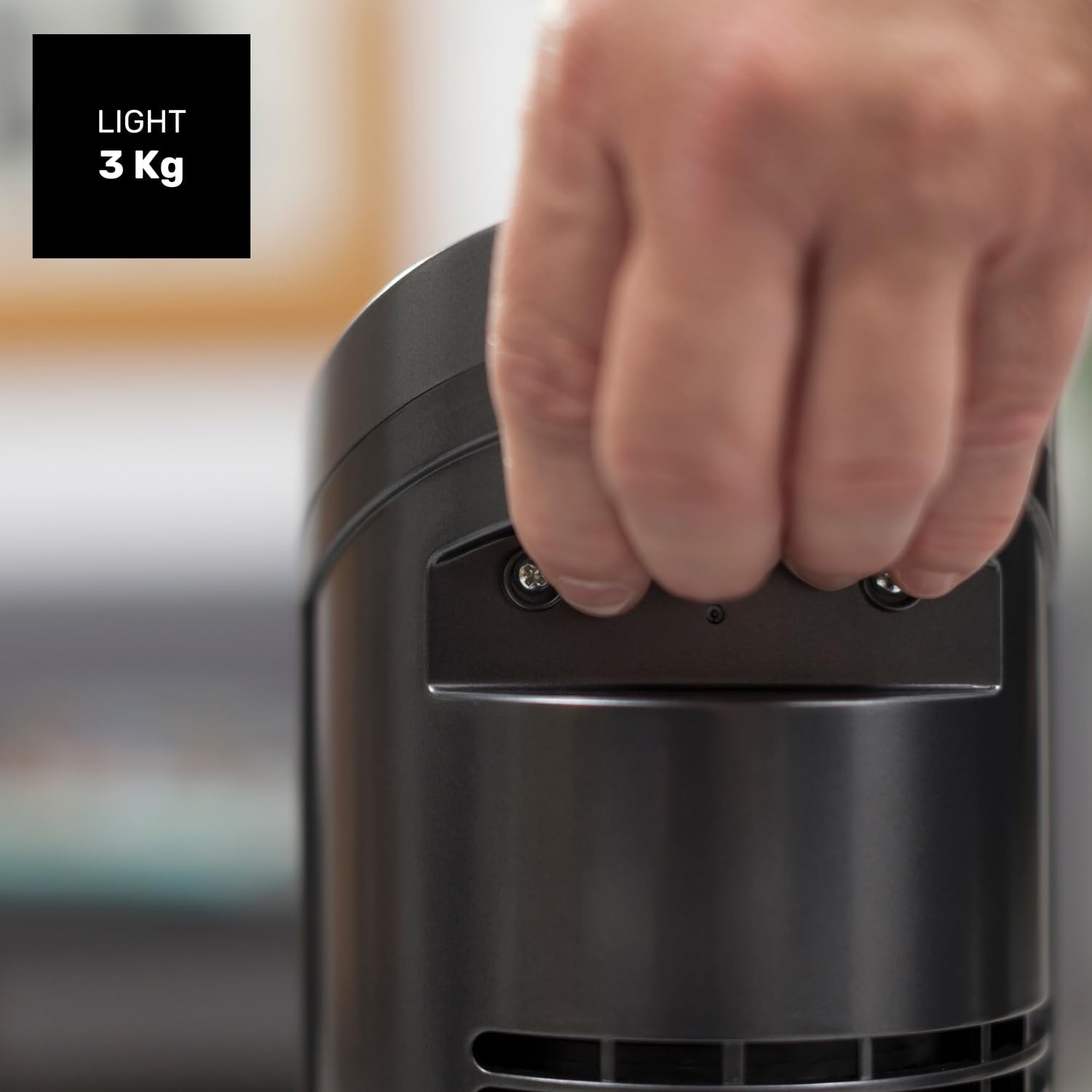
Figure 8.1: Diagram showing the dimensions of the Taurus Alpatec Babel RC Tower Fan.
9. გარანტია და მხარდაჭერა
Taurus products are manufactured to high-quality standards. For information regarding warranty coverage, please refer to the warranty card included with your purchase or visit the official Taurus webსაიტი. შეინახეთ შეძენის დამადასტურებელი საბუთი გარანტიის მოთხოვნისთვის.
For technical support, spare parts, or service inquiries, please contact Taurus customer service through their official channels. You can find contact information on the Taurus webსაიტზე ან თქვენი პროდუქტის შეფუთვაზე.
ონლაინ რესურსები: For additional information and product registration, visit the official Taurus webსაიტი: www.taurus-home.com
10. ეკოლოგიურად სუფთა ნარჩენების გადამუშავება
This symbol on the product or its packaging indicates that this product shall not be treated as household waste. Instead, it shall be handed over to the applicable collection point for the recycling of electrical and electronic equipment. By ensuring this product is disposed of correctly, you will help prevent potential negative consequences for the environment and human health, which could otherwise be caused by inappropriate waste handling of this product. For more detailed information about recycling of this product, please contact your local city office, your household waste disposal service or the shop where you purchased the product.


