შესავალი
This user manual provides essential information for setting up, operating, maintaining, and troubleshooting your Vibox Standard 3XL Gaming PC. Please read this manual thoroughly before using your computer to ensure proper function and longevity of the product. Keep this manual for future reference.
უსაფრთხოების ინფორმაცია
- დარწმუნდით, რომ კომპიუტერი განთავსებულია სტაბილურ, ბრტყელ ზედაპირზე, სათანადო ვენტილაციით.
- Do not block ventilation openings. Overheating can damage components.
- შეინახეთ კომპიუტერი მზის პირდაპირი სხივებისგან, სითბოს წყაროებისგან და სითხეებისგან მოშორებით.
- Use only the power supply unit provided with the PC.
- Disconnect the power cable before cleaning or performing any maintenance.
- Do not open the PC casinგ, თუ ამას კვალიფიციური ტექნიკოსი არ დანიშნავს.
- Avoid placing heavy objects on the PC or its cables.
პაკეტის შიგთავსი
დარწმუნდით, რომ თქვენს პაკეტში ქვემოთ ჩამოთვლილი ყველა ნივთია:
- Vibox Standard 3XL Gaming PC Tower
- 21.5-inch LED HD Monitor
- UK QWERTY Gamer Keyboard
- გეიმერ მაუსი
- დენის კაბელი(ები)
- HDMI კაბელი
- Windows 10 Operating System Disk/License Key
- მომხმარებლის სახელმძღვანელო (ეს დოკუმენტი)
დაყენების სახელმძღვანელო
1. გახსნა და განთავსება
Carefully remove all components from their packaging. Place the PC tower on a flat, stable surface, ensuring sufficient space around it for airflow. Avoid placing it in enclosed cabinets.

სურათი 1: წინა view of the Vibox Standard 3XL Gaming PC tower, showcasing its design and blue LED accents.
2. პერიფერიული მოწყობილობების დამაკავშირებელი
- მონიტორი: Connect the HDMI cable from your monitor to the HDMI port on the back of the PC.
- კლავიატურა და მაუსი: Connect the USB cables from your keyboard and mouse to any available USB ports on the back or front of the PC.
- სიმძლავრე: Connect the power cable to the power supply unit on the back of the PC, then plug the other end into a wall outlet. Connect the monitor's power cable to an outlet as well.
- ქსელი (არასავალდებულო): For a wired internet connection, connect an Ethernet cable from your router to the Ethernet port on the back of the PC. For Wi-Fi, ensure the Wi-Fi antenna (if provided) is connected.

სურათი 2: ზემოდან ქვემოთ view of the PC, illustrating the location of top-mounted USB ports and ventilation.
3. პირველადი ჩართვა და Windows-ის დაყენება
- Press the power button on the front of the PC tower.
- ჩართეთ თქვენი მონიტორი.
- Follow the on-screen instructions to complete the Windows 10 setup process. This typically involves selecting your region, language, creating a user account, and accepting terms.
- Once Windows 10 is set up, you may need to install drivers for any additional peripherals or update existing drivers.
ოპერაციული ინსტრუქციები
ჩართვა/გამორთვა
- ჩართვისთვის: დააჭირეთ კომპიუტერის წინა მხარეს არსებულ ჩართვის ღილაკს.
- გამორთვა: Click the Start button in Windows 10, then select Power > Shut down. Do not force shut down by holding the power button unless absolutely necessary to prevent data loss.
- გადატვირთვა: დააწკაპუნეთ დაწყების ღილაკზე, შემდეგ აირჩიეთ ჩართვა > გადატვირთვა.
USB მოწყობილობების დაკავშირება
Your PC is equipped with multiple USB 2.0 and USB 3.0 ports. USB 3.0 ports are typically blue and offer faster data transfer speeds. Simply plug your USB device into an available port.
ბარათის წამკითხველის გამოყენება
The integrated card reader supports various memory card formats. Insert your memory card into the appropriate slot on the PC. The card will appear as a removable drive in 'This PC' (or 'My Computer').
მოვლა
დასუფთავება
- ექსტერიერი: გამოიყენეთ რბილი, დamp cloth to wipe the exterior of the PC. Avoid abrasive cleaners or solvents.
- ვენტილაცია: Periodically use compressed air to clear dust from the ventilation grilles to ensure optimal airflow and prevent overheating. Ensure the PC is powered off and unplugged before doing so.
- მონიტორი: Use a specialized screen cleaner and a microfiber cloth for the monitor display.
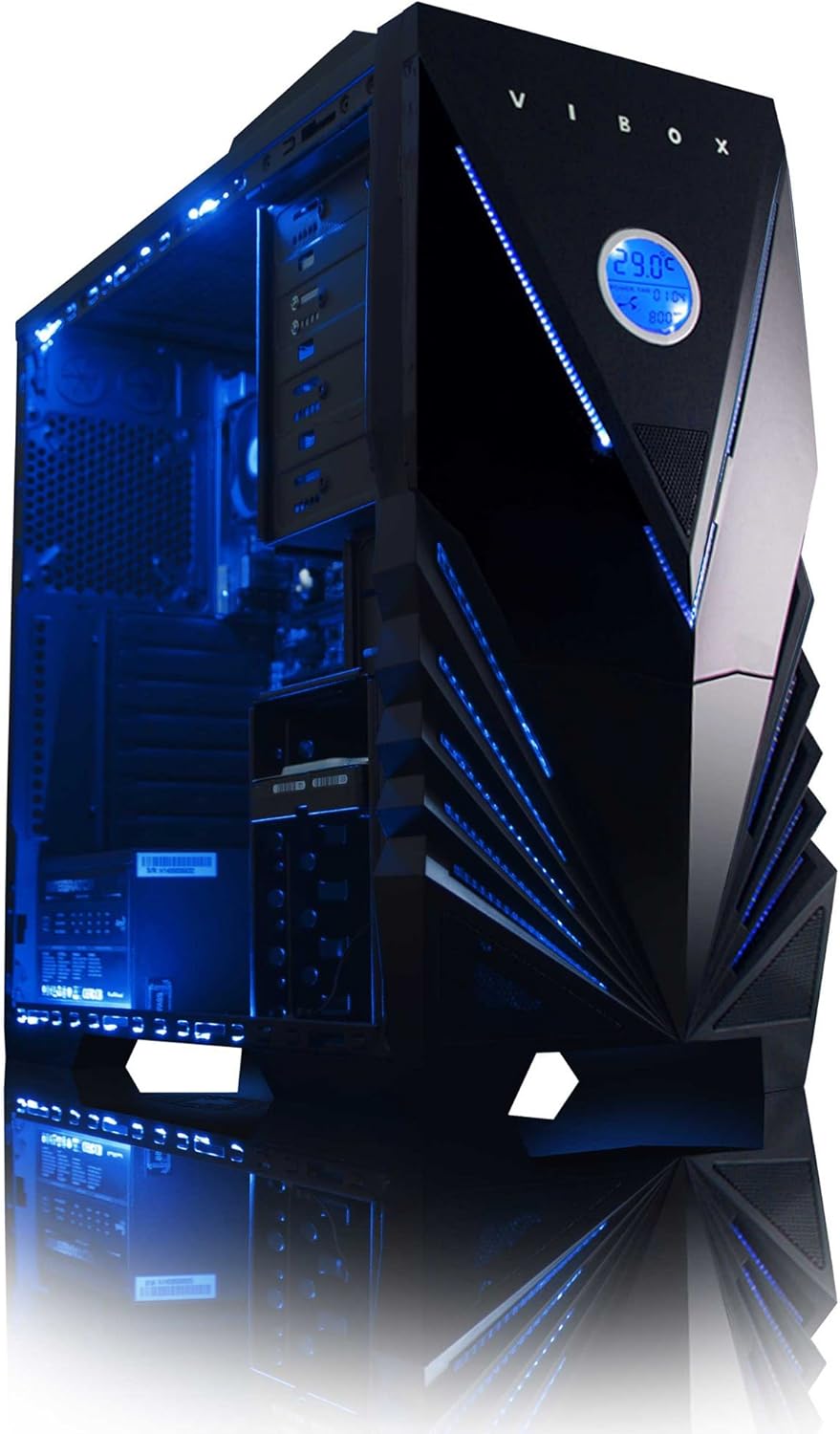
სურათი 3: შიდა view of the Vibox Standard 3XL Gaming PC, highlighting the arrangement of components and cooling system.
პროგრამული უზრუნველყოფის განახლებები
Regularly update your Windows operating system, drivers, and antivirus software to ensure system stability, security, and optimal performance.
მონაცემთა სარეზერვო
It is recommended to regularly back up important data to an external drive or cloud storage to prevent data loss in case of system failure.
პრობლემების მოგვარება
| პრობლემა | შესაძლო მიზეზი | გამოსავალი |
|---|---|---|
| კომპიუტერი არ ირთვება. | Power cable loose, power supply issue, power button malfunction. | Check all power connections. Ensure the wall outlet is functional. Try a different power cable if available. |
| მონიტორზე ჩვენება არ არის. | Monitor not powered, video cable loose, incorrect input selected on monitor. | Ensure monitor is powered on and connected. Check video cable connections. Select correct input source on monitor (e.g., HDMI). |
| PC is running slow. | Too many programs running, insufficient RAM, hard drive full, malware. | Close unnecessary applications. Check disk space. Run antivirus scans. Consider upgrading RAM if consistently slow. |
| Peripherals (keyboard/mouse) not responding. | USB კავშირი გაფუჭებულია, დრაივერის პრობლემა. | Reconnect the peripheral to a different USB port. Restart the PC. Check device manager for driver issues. |
If you encounter issues not covered here or require further assistance, please refer to the Support section.
სპეციფიკაციები
| ფუნქცია | დეტალი |
|---|---|
| ბრენდი | ვიბოქსი |
| მოდელის ნომერი | VBX-PC-6450 |
| სერიალი | VIBOX Standard |
| ოპერაციული სისტემა | Windows 10 |
| პროცესორის ბრენდი | AMD |
| პროცესორის ტიპი | Athlon 64 FX (AMD A8 Quad-Core) |
| პროცესორის სიჩქარე | 3.1 გჰც (3.8 გჰც ტურბო) |
| ბირთვების რაოდენობა | 4 |
| ოპერატიული მეხსიერება | 32 გბ DDR3 1600 მჰც |
| მაქსიმალური მეხსიერების მხარდაჭერა | 32 GB |
| მყარი დისკის ზომა | 2000 GB (2 TB) |
| მყარი დისკის ტექნოლოგია | HDD (7200 RPM, Serial ATA 600) |
| გრაფიკული ჩიპსეტი ბრენდი | რადეონი |
| გრაფიკული ბარათის აღწერა | AMD Radeon R7 (ინტეგრირებული) |
| ჩვენების ტექნოლოგია | შეხების გარეშე |
| Screen Size (Included Monitor) | 21.5 ინჩი |
| Screen Resolution (Included Monitor) | 1920 x 1080 (1080p Full HD) |
| ასპექტის თანაფარდობა | 16:9 |
| კავშირის ტიპი | Wi-Fi (802.11bgn) |
| Bluetooth თავსებადი | არა |
| HDMI პორტები | 1 |
| USB 2.0 პორტები | 6 |
| USB 3.0 პორტები | 3 |
| Ethernet პორტები | 1 |
| განსაკუთრებული თვისებები | ბარათის წამკითხველი |
| ზომები (L x W x H) | 51.5 x 19 x 44 სმ |
| პროდუქტის წონა | 16 Grams (PC Tower only) |
საგარანტიო ინფორმაცია
Your Vibox Standard 3XL Gaming PC comes with a სიცოცხლის გარანტია. This warranty covers manufacturing defects and hardware failures under normal use conditions. For specific terms and conditions, please refer to the warranty documentation included with your purchase or contact Vibox customer support.
To claim warranty service, you will typically need your proof of purchase and the product's serial number. Do not attempt to repair the product yourself, as this may void your warranty.
მომხმარებელთა მხარდაჭერა
For technical assistance, troubleshooting beyond this manual, or warranty inquiries, please contact Vibox customer support. You can usually find contact information (phone number, email, or support website) on the manufacturer's official webადგილზე ან შესაფუთ მასალებზე.
When contacting support, please have your product model number (VBX-PC-6450) and serial number ready to expedite the service process.


