პროდუქტი დასრულდაview
The Muse M-1280 BT is a versatile Bluetooth tower speaker designed to deliver clear audio with multiple connectivity options. It features A2DP Bluetooth for wireless streaming, a powerful 120W output, a PLL FM radio tuner, and ports for USB and SD card playback. Additionally, it includes a USB charging function and an auxiliary input for wired connections. The speaker is housed in a stylish wooden cabinet and stands approximately 100cm tall, making it a prominent addition to any room.
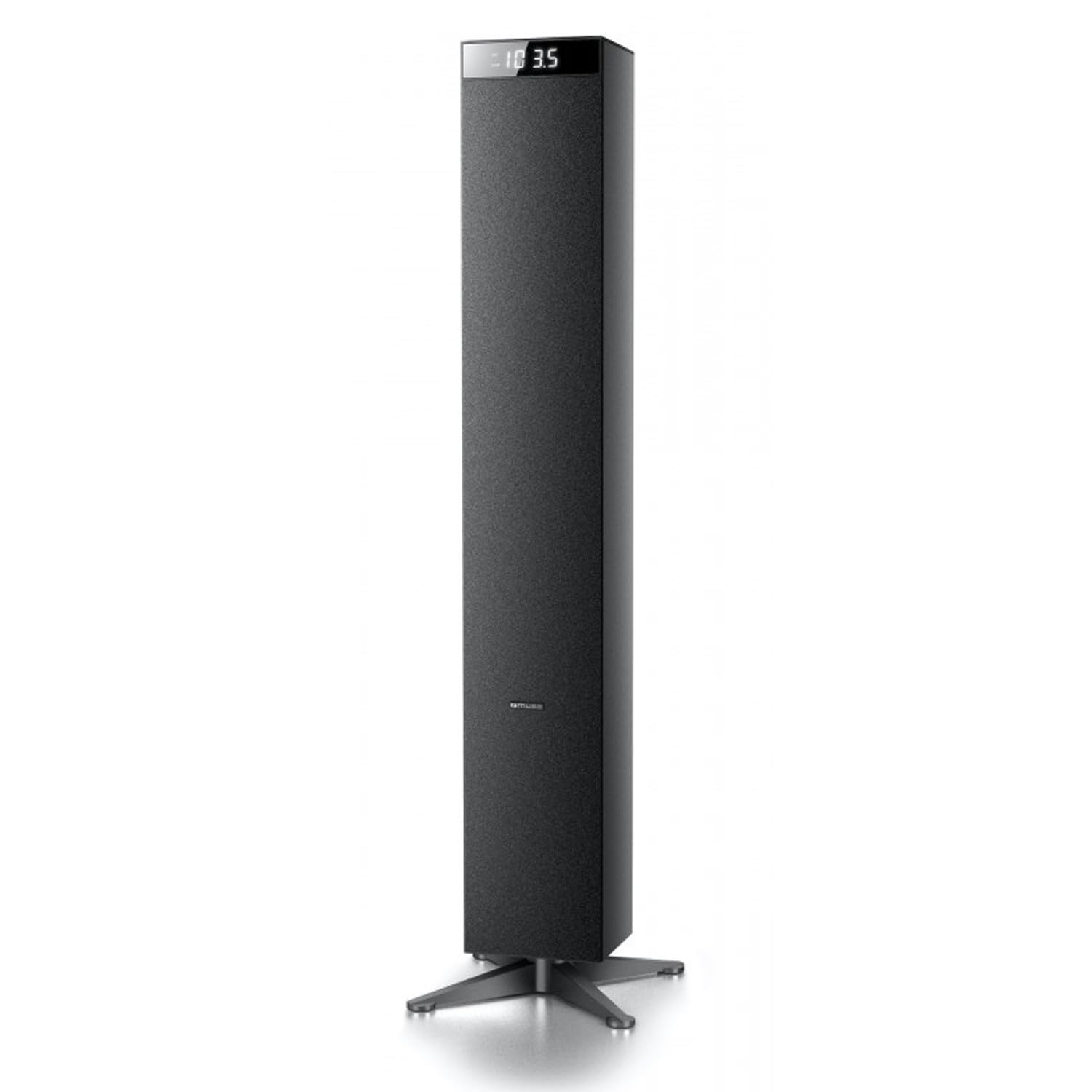
სურათი: წინა მხარე view of the Muse M-1280 BT Bluetooth Tower Speaker, showcasinმისი ელეგანტური შავი დიზაინი და ინტეგრირებული დისპლეი.
პაკეტის შიგთავსი
დაყენებამდე დარწმუნდით, რომ პაკეტში ყველა ელემენტია:
- Muse M-1280 BT Bluetooth Tower Speaker
- დისტანციური მართვა
- Aux-In კაბელი
- სწრაფი დაწყების სახელმძღვანელო
- დენის კაბელი
დაყენების ინსტრუქციები
- შეფუთვა: ფრთხილად ამოიღეთ დინამიკი და ყველა აქსესუარი შეფუთვიდან.
- განთავსება: Position the M-1280 BT speaker on a stable, flat surface. Ensure it is placed in a location with good ventilation and away from direct sunlight, heat sources, or moisture. The speaker is designed for floor standing.
- დაკავშირება ძალა: Insert the power cable into the AC IN port on the back of the speaker, then plug the other end into a standard wall outlet.
- საწყისი ჩართვა: Press the Power button on the top panel or the remote control to turn on the speaker. The display will illuminate.

Image: The Muse M-1280 BT speaker positioned in a room, with a detailed view of its top control panel and phone dock.
ოპერაციული ინსტრუქციები
1. Selecting a Source
დააჭირეთ წყარო button on the top panel or remote control to cycle through available input modes: Bluetooth, FM Radio, USB, SD, and AUX.
2. Bluetooth რეჟიმი
- აირჩიეთ Bluetooth mode using the SOURCE button. The display will show "BT" and flash, indicating it's in pairing mode.
- On your smartphone, tablet, laptop, or PC, enable Bluetooth and search for available devices.
- აირჩიეთ "M-1280 BT" from the list of devices. Once paired, the speaker will emit a confirmation sound, and "BT" on the display will stop flashing.
- You can now play audio from your connected device. Use the playback controls on your device or the speaker's top panel/remote (Play/Pause, Next/Previous Track) to manage your music.
3. FM რადიოს რეჟიმი
- აირჩიეთ FM რადიო mode using the SOURCE button.
- To auto-scan and save stations, press and hold the დაკვრა/პაუზა button (often labeled as "SCAN" or "AUTO" in radio mode). The speaker will scan for available FM stations and store them.
- გამოიყენეთ შემდეგი/წინა ტრეკი ღილაკები შენახულ სადგურებში ნავიგაციისთვის.
- ხელით რეგულირებისთვის, მოკლედ დააჭირეთ ღილაკს შემდეგი/წინა ტრეკი ღილაკები სიხშირის ეტაპობრივად დასარეგულირებლად.
4. USB/SD ბარათიდან დაკვრა
- ჩადეთ USB ფლეშ დრაივი მასში USB პორტი ან SD ბარათზე SD ბარათის სლოტი.
- აირჩიეთ USB or SD mode using the SOURCE button. The speaker will automatically begin playing compatible audio files.
- Use the playback controls (Play/Pause, Next/Previous Track) on the speaker or remote to control playback.
- Note: The speaker supports common audio file formats. Unsupported file types will not play.
5. AUX შეყვანა
- Connect one end of the provided Aux-In cable to the AUX IN port on the speaker and the other end to the audio output (e.g., headphone jack) of your external audio device.
- აირჩიეთ AUX mode using the SOURCE button.
- დაუკარით აუდიო თქვენი გარე მოწყობილობიდან. ხმის სიმძლავრის კონტროლი შესაძლებელია დინამიკის ან გარე მოწყობილობის მეშვეობით.
6. USB დატენვა
The USB port on the speaker can also be used to charge compatible devices. Connect your device's USB charging cable to the speaker's USB port.

Image: Close-up of the Muse M-1280 BT speaker's top panel, highlighting the control buttons, digital display, and integrated dock for mobile devices.
მოვლა
- დასუფთავება: დინამიკის გარე ზედაპირის გასაწმენდად გამოიყენეთ რბილი, მშრალი ქსოვილი. არ გამოიყენოთ თხევადი საწმენდი საშუალებები ან აბრაზიული მასალები, რადგან მათ შეიძლება დააზიანონ ზედაპირი.
- შენახვა: თუ დინამიკს დიდი ხნის განმავლობაში ინახავთ, გამორთეთ ის კვების წყაროდან და შეინახეთ გრილ, მშრალ ადგილას.
- ვენტილაცია: გადახურების თავიდან ასაცილებლად, დარწმუნდით, რომ დინამიკის ვენტილაციის ღიობები არ არის დაბლოკილი.
პრობლემების მოგვარება
| პრობლემა | შესაძლო მიზეზი | გამოსავალი |
|---|---|---|
| არავითარი ძალა | კვების კაბელი არ არის შეერთებული; კვების წყარო არ არის აქტიური | Ensure power cable is securely connected to both the speaker and a working wall outlet. |
| ხმა არ არის | Volume too low; Incorrect source selected; Device not paired (Bluetooth) or connected (AUX) | Increase volume. Select the correct input source. For Bluetooth, ensure device is paired. For AUX, ensure cable is fully inserted. |
| Bluetooth დაწყვილება ვერ ხერხდება | დინამიკი არ არის დაწყვილების რეჟიმში; მოწყობილობა ძალიან შორს არის; ჩარევა | Ensure speaker is in Bluetooth pairing mode (BT flashing). Move device closer to speaker. Avoid strong electromagnetic interference. |
| ცუდი FM რადიოს მიღება | სუსტი სიგნალი; ანტენა არ არის გაშლილი | Adjust the position of the speaker. Ensure the FM antenna (if external) is fully extended. |
სპეციფიკაციები
- მოდელის სახელი: M-1280 BT
- ბრენდი: მუზა
- სპიკერის ტიპი: კოშკი
- კავშირის ტექნოლოგია: Bluetooth (A2DP), USB, SD, AUX
- გამომავალი სიმძლავრე: 120 ვატი (მაქს)
- რადიო ტიუნერი: PLL FM
- USB პორტი: Yes (for playback and charging)
- SD ბარათის წამკითხველი: დიახ
- დენის წყარო: ელექტრო კაბელი
- მასალა: ხის
- ფერი: შავი
- ზომები (L x W x H): 20 x 18 x 101.2 სმ (7.87 x 7.09 x 39.84 ინჩი)
- წონა: 5.3 კილოგრამი (11.68 ფუნტი)
- ჩართული კომპონენტები: Aux-In Cable, Quick Start Guide, Remote Control
- თავსებადი მოწყობილობები: Smartphone, Laptop, PC
გარანტია და მხარდაჭერა
This Muse M-1280 BT speaker comes with a 1 წლიანი მწარმოებლის გარანტია შეძენის დღიდან. გთხოვთ, შეინახოთ შეძენის დამადასტურებელი საბუთი გარანტიის მოთხოვნებისთვის.
For technical support, service, or warranty inquiries, please refer to the contact information provided in the Quick Start Guide or visit the official Muse website for your region. Do not attempt to repair the device yourself, as this may void the warranty.


