შესავალი
მადლობა შენაძენისთვისasing the KORG STB1-BK Digital Piano Stand. This stand is specifically designed to complement your KORG B1 or B2+ Digital Piano, providing a stable and aesthetically pleasing support structure. It elevates your digital piano to a standard playing height, enhancing your musical experience. This manual provides essential information for safe assembly, proper use, and maintenance of your stand.
უსაფრთხოების ინფორმაცია
- შეკრებამდე და გამოყენებამდე ყურადღებით წაიკითხეთ ყველა ინსტრუქცია.
- აწყობის დაწყებამდე დარწმუნდით, რომ ყველა კომპონენტი ადგილზეა და დაუზიანებელია.
- ნაკაწრების თავიდან ასაცილებლად, სადგამი რბილ, სუფთა ზედაპირზე დაამონტაჟეთ.
- აწყობისთვის გამოიყენეთ მხოლოდ მოწოდებული აპარატურა.
- ხრახნები ზედმეტად არ მოუჭიროთ, რადგან ამან შეიძლება მასალა დააზიანოს.
- Ensure the stand is placed on a level, stable surface before placing the digital piano on it.
- არ მისცეთ ბავშვებს სადგამზე ასვლის ან მასთან თამაშის უფლება.
- პერიოდულად შეამოწმეთ ყველა შესაკრავი, რათა დარწმუნდეთ, რომ ისინი მჭიდროდ არიან დამაგრებული.
პაკეტის შიგთავსი
გთხოვთ, დარწმუნდეთ, რომ თქვენს პაკეტში შედის ყველა შემდეგი კომპონენტი:
- Left Leg Panel (1)
- Right Leg Panel (1)
- Rear Cross Panel (1)
- Mounting Screws (Quantity as specified in hardware pack)
- აწყობის ინსტრუქციები (ეს დოკუმენტი)
Note: A cross-point (Phillips head) screwdriver is required for assembly and is not included.
დაყენება და შეკრება
Follow these steps to assemble your KORG STB1-BK Digital Piano Stand. It is recommended to have a second person assist during the final placement of the digital piano.
- ამოალაგე კომპონენტები: Carefully remove all parts from the packaging and lay them out on a soft, clean surface to prevent damage. Identify the Left Leg Panel, Right Leg Panel, and Rear Cross Panel.
- Attach Rear Cross Panel to Leg Panels: Align the pre-drilled holes on the ends of the Rear Cross Panel with the corresponding holes on the inner sides of the Left and Right Leg Panels. Use the provided mounting screws and a cross-point screwdriver to securely fasten the panels together. Ensure the stand forms a stable, rectangular structure. Do not overtighten.

Image: Illustration of the stand's components being assembled. The leg panels are connected by the rear cross panel, forming the base structure.
- განათავსეთ სტენდი: Once assembled, carefully lift the stand and place it in your desired location. Ensure the floor surface is level and stable to prevent wobbling.
- Place the Digital Piano: With assistance, carefully lift your KORG B1 or B2+ Digital Piano and align it with the top edges of the assembled stand. Gently lower the piano onto the stand, ensuring it sits securely and evenly. The stand is designed to cradle the piano, providing a snug fit.
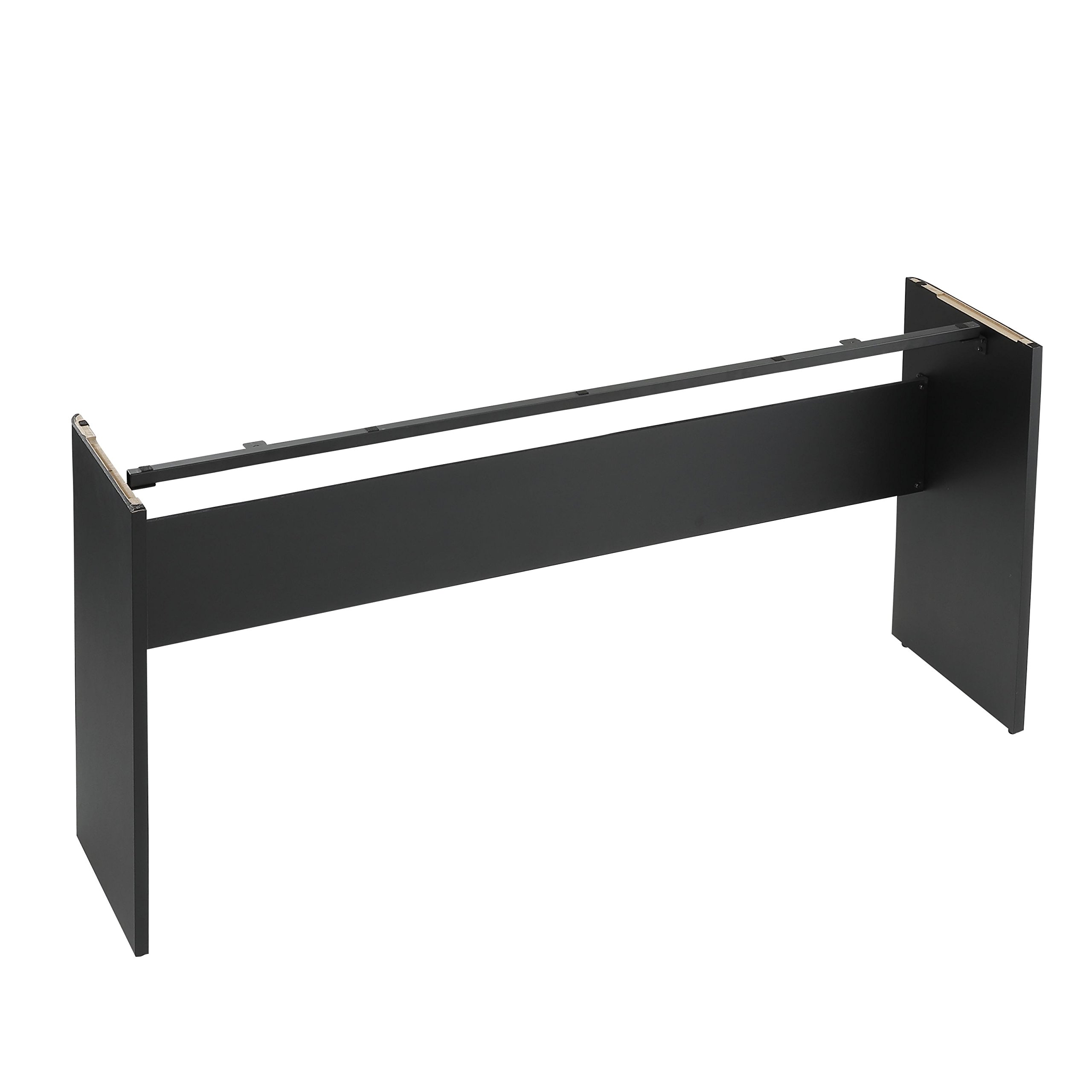
Image: The KORG STB1-BK stand fully assembled with a KORG digital piano placed on it, ready for use.
ოპერაციული ინსტრუქციები
The KORG STB1-BK stand is designed for passive support of your digital piano. Once assembled and the piano is placed, no further operational steps are required for the stand itself.
- Ensure the digital piano is centered and stable on the stand before use.
- Avoid leaning heavily on the stand or applying excessive force, as this may compromise stability.
- If moving the piano and stand, always lift both components carefully, preferably with assistance, to prevent damage or injury.
მოვლა
To ensure the longevity and appearance of your KORG STB1-BK Digital Piano Stand, follow these simple maintenance guidelines:
- დასუფთავება: Wipe the stand regularly with a soft, dry cloth to remove dust. For stubborn marks, a slightly damp შეგიძლიათ გამოიყენოთ რბილი საპნით დამუშავებული ქსოვილი, შემდეგ კი კარგად გააშროთ. მოერიდეთ აბრაზიული საწმენდი საშუალებების ან გამხსნელების გამოყენებას.
- შესაკრავის შემოწმება: Periodically (e.g., every 6 months) check all assembly screws to ensure they are still tight. Retighten if necessary, but do not overtighten.
- გარემო პირობები: Avoid placing the stand in direct sunlight or near heat sources, as this can cause material degradation or discoloration. Maintain a stable room temperature and humidity.
პრობლემების მოგვარება
If you encounter any issues with your KORG STB1-BK Digital Piano Stand, refer to the following common problems and solutions:
| პრობლემა | შესაძლო მიზეზი | გამოსავალი |
|---|---|---|
| Stand wobbles after assembly. |
|
|
| Screw does not go all the way in. |
|
|
| Digital piano does not sit securely on the stand. |
|
|
სპეციფიკაციები
- მოდელი: STB1-BK
- ფერი: შავი
- მასალა: ხის
- პროდუქტის ზომები (L x W x H): 51.65 x 13.23 x 24.92 ინჩი (131.2 x 33.6 x 63.3 სმ)
- ნივთის წონა: 18.48 ფუნტი (8.4 კგ)
- ასამბლეა საჭიროა: დიახ
- თავსებადი მოდელები: KORG B1, KORG B2+ Digital Pianos
გარანტია და მხარდაჭერა
For warranty information and customer support, please refer to the warranty card included with your product or visit the official KORG website. If you require assistance with assembly, troubleshooting, or have questions about your STB1-BK Digital Piano Stand, please contact KORG customer service.
KORG-ის ოფიციალური წარმომადგენელი Webსაიტი: www.korg.com


