1. შესავალი
The Brickhouse Security TrackPort OBD II Tracking Device is designed to provide reliable GPS tracking for vehicles. This device offers real-time location monitoring, driving behavior analysis, and geofencing capabilities to enhance safety and operational efficiency. It is a plug-and-play solution that requires no complex installation or external power source, drawing power directly from your vehicle's OBD-II port.
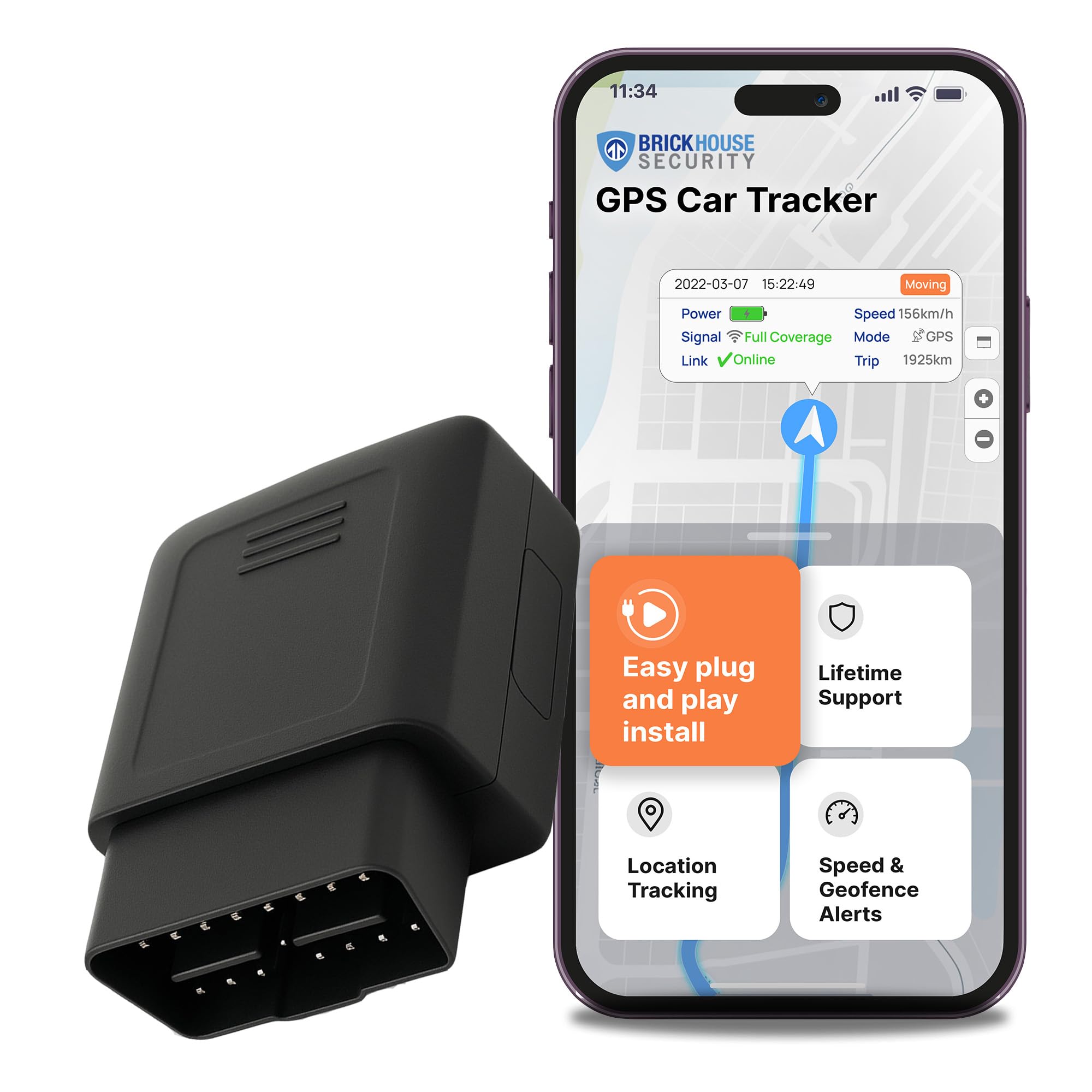
Image: A mother holding the compact TrackPort device while speaking to her son in a car, emphasizing the device's role in ensuring loved ones' safety.
2. რა არის ყუთში
Upon unboxing your Brickhouse Security TrackPort OBD II Tracking Device, you will find the following components:
- TrackPort OBD-II GPS Tracker
- სწრაფი დაწყების სახელმძღვანელო
- SIM card (included and pre-installed)

Image: A visual representation of the product kit, showing the compact OBD GPS Tracker alongside a 'User's Guide' booklet.
3. დაყენება და ინსტალაცია
The TrackPort OBD II GPS Tracker is designed for unparalleled ease of installation. Follow these simple steps to get your device up and running:
- იპოვეთ OBD-II პორტი: The OBD-II port is typically found under the dashboard on the driver's side of your vehicle. Consult your vehicle's owner's manual if you have difficulty locating it.
- შეაერთეთ მოწყობილობა: Firmly insert the TrackPort OBD-II GPS Tracker into the vehicle's OBD-II port. The device draws power directly from the port, eliminating the need for external batteries or charging.
- თქვენი მოწყობილობის გააქტიურება: Follow the instructions in the Quick Start Guide to activate your device online or through the Brickhouse Security app. This typically involves registering your device using its unique identifier.
- Initial GPS Connection: For the initial GPS signal acquisition, it is recommended to drive the vehicle for 20-30 minutes in an open area. This allows the device to establish a stable connection with GPS satellites.
Video: A demonstration of how to easily plug the Brickhouse Security TrackPort device into a vehicle's OBD-II port, highlighting its simple installation process.

Image: A hand plugging the compact TrackPort device directly into the OBD-II port located under the vehicle's dashboard.
4. საოპერაციო ინსტრუქციები
Once installed and activated, the TrackPort device provides comprehensive monitoring through the Brickhouse Security platform, accessible via web or mobile app (iOS/Android).
რეალურ დროში თვალყურის დევნება
Monitor your vehicle's location in real-time. The platform updates the vehicle's position frequently, allowing you to see its movement on a map. Alerts can be configured to notify you when the car is on the move.
გეოფენინგი
Create custom virtual boundaries (geofences) on the map. Receive instant alerts when your vehicle enters or exits these defined areas. This feature is useful for monitoring vehicle usage within specific zones or for security purposes.
მართვის ქცევის მონიტორინგი
The device tracks various driving habits, including:
- სისწრაფე
- Abrupt acceleration
- Harsh turns and stops
- Trip duration and mileage
This data helps identify opportunities for improving driving safety and efficiency.
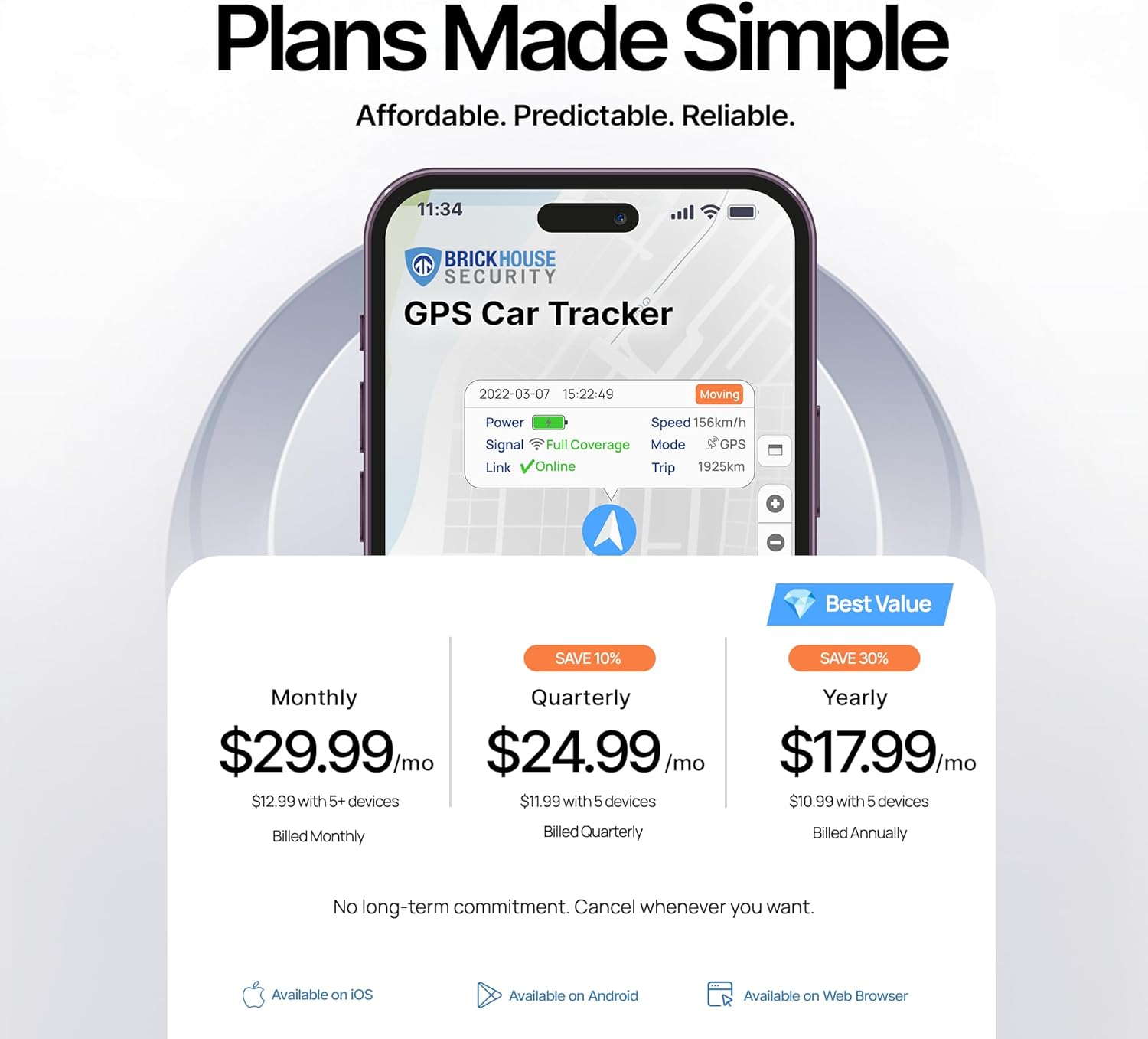
Image: An infographic detailing the comprehensive features of the TrackPort device, including speed monitoring, geofences, trip reports, and location history, all accessible via a smartphone app.
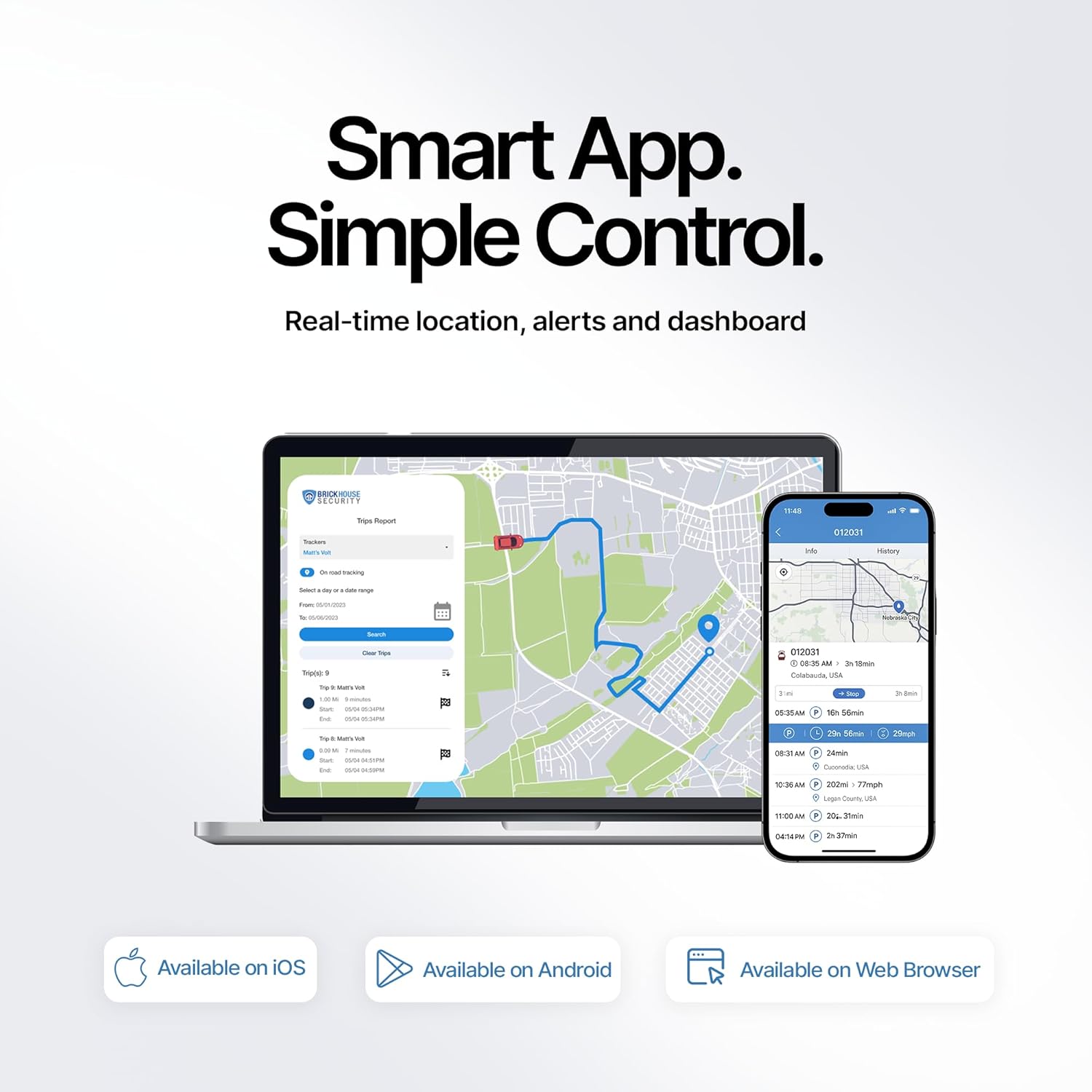
Image: A smartphone and laptop screen side-by-side, both showing the intuitive TrackPort application interface with map-based tracking and various control options.
5. მახასიათებლები
The Brickhouse Security TrackPort OBD II GPS Tracker is equipped with a robust set of features to provide comprehensive vehicle monitoring:
- რეალურ დროში GPS თვალყურის დევნება: Provides accurate, up-to-the-minute location data.
- 4G Coverage: Ensures reliable tracking across North America.
- OBD II Compatibility: Plugs directly into any vehicle's OBD II port (1996 and newer) for power and data.
- ბატარეები არ არის საჭირო: Powered by the vehicle's OBD II port, eliminating the need for charging.
- Geofence Alerts: Customizable alerts for entry and exit from defined areas.
- Driving Behavior Alerts: Notifications for speeding, harsh braking, rapid acceleration, and tampერ გამოვლენა.
- Trip History & Reports: Access detailed logs of past routes, mileage, and driving events.
- Mobile & Web წვდომა: Monitor your vehicle from any smartphone, tablet, or computer.

Image: A close-up of the compact TrackPort device, highlighting its small size and listing core features such as real-time tracking, geofencing, and plug-and-play installation.

სურათი: ილუსტრაციის ჩვენებაasing the versatility of the TrackPort device across different vehicle types, emphasizing features like motion alerts, cargo tracking, and easy installation.
6. Subscription Information
The Brickhouse Security TrackPort OBD II Tracking Device requires an active subscription plan for continuous tracking and access to all features. Affordable annual subscription options are available, with the flexibility to cancel anytime.
- BASIC Plan: Starting at $17.99 annually.
- PLUS Plan: Starting at $27.99 annually.
- PREMIUM Plan: Starting at $34.99 annually.
These plans provide valuable data and insights to optimize fleet performance, route efficiency, and compliance, alongside cost savings from improved safety and reduced accidents.

Image: A smartphone screen displaying the 'Plans Made Simple' section of the Brickhouse Security app, detailing monthly, quarterly, and yearly subscription options with their respective prices.
7. სპეციფიკაციები
| ატრიბუტი | ღირებულება |
|---|---|
| პროდუქტის ზომები | 2.4 x 1.8 x 1.1 ინჩი |
| ნივთის წონა | 1.2 უნცია |
| ASIN | B01A142WB4 |
| საქონლის მოდელის ნომერი | FBA_GPS-TP2 |
| ბატარეები | საჭიროა 1 ლითიუმ-იონის ბატარეა. (შედის) |
| დაკავშირების ტექნოლოგიები | ფიჭური |
| განსაკუთრებული თვისებები | GPS Tracking Device | OBD II vehicle monitoring gadget | Smallest GPS Tracker | 4G Coverage Across North America | The Trackers Location In Real-Time | No Long-Term Contract Needed |
| მხარდაჭერილი აპლიკაცია | GPS, iOS iPhone, Android, Web App, Alexa |
| პროდუქტის სპეციფიკური გამოყენება | პორტატული GPS ტრეკერი |
| ფერი | შავი |
| მწარმოებელი | Brickhouse Security |
| პირველი ხელმისაწვდომი თარიღი | 31 წლის 2015 დეკემბერი |
8. Დიაგნოსტიკა
If you encounter any issues with your TrackPort OBD II GPS Tracker, please refer to the online support resources or contact Brickhouse Security customer service. Common troubleshooting steps include:
- No Location Data: Ensure the device is securely plugged into the OBD-II port. Verify that your vehicle is a 1996 model or newer. Drive the vehicle for 20-30 minutes in an open area to allow initial GPS signal acquisition.
- აპებთან დაკავშირების პრობლემები: Check your mobile device's internet connection. Ensure the Brickhouse Security app is updated to the latest version. Log out and log back into your account.
- შეტყობინებები არ არის მიღებული: Confirm that your notification settings are correctly configured within the app. Check your email spam folder for alerts.
- გამოწერის სტატუსი: Verify that your subscription plan is active and up-to-date.
9. გარანტია და მხარდაჭერა
For detailed warranty information, technical assistance, or any questions regarding your TrackPort OBD II GPS Tracker, please utilize the following resources:
- ოფიციალური Webსაიტი: Visit the Brickhouse Security website for comprehensive FAQs, user guides, and support articles.
- მომხმარებელთა მომსახურება: Contact Brickhouse Security customer support directly for personalized assistance.
- Subscription Management: Manage your subscription plan, including upgrades or cancellations, through your Brickhouse Security account online or via the mobile app.
The subscription plans offer flexibility, allowing you to cancel anytime without hassle.
ვიდეო: ოვერview of the TrackPort 4G LTE GPS Tracker by Brickhouse Security, showcasing its features and benefits for vehicle tracking and security.