შესავალი
This manual provides detailed instructions for the Logitech M221 Wireless Mouse. Designed for quiet operation and reliable performance, the M221 offers a comfortable, ambidextrous design with an 18-month battery life. Please read this manual thoroughly to ensure proper setup and optimal use of your device.
დაყენების სახელმძღვანელო
Logitech M221 უსადენო მაუსის დასაყენებლად მიჰყევით ამ ნაბიჯებს:
- დააინსტალირეთ ბატარეა:
Locate the battery compartment on the underside of the mouse. Slide the battery cover off. Insert the included AA battery, ensuring correct polarity. Replace the battery cover.

სურათი: ქვედა მხარე view of the Logitech M221 mouse, showing the battery compartment and the location of the USB receiver.
- იპოვეთ USB მიმღები:
The tiny USB receiver is stored inside the battery compartment for convenience during transport. Carefully remove it from its slot.
- Connect the Receiver to Your Computer:
Plug the USB receiver into an available USB port on your computer (PC or Mac). The mouse will automatically connect to your computer.
- მაუსის ჩართვა:
Ensure the power switch on the underside of the mouse is in the "ON" position. The mouse is now ready for use.
ოპერაციული ინსტრუქციები
The Logitech M221 is designed for intuitive and comfortable use:
- ჩუმი დაწკაპუნება: The M221 features 90% reduced click sound, providing a quiet working environment without sacrificing the familiar click feel.
- ორმხრივი დიზაინი: Its comfortable, contoured shape is suitable for both left and right-handed users.
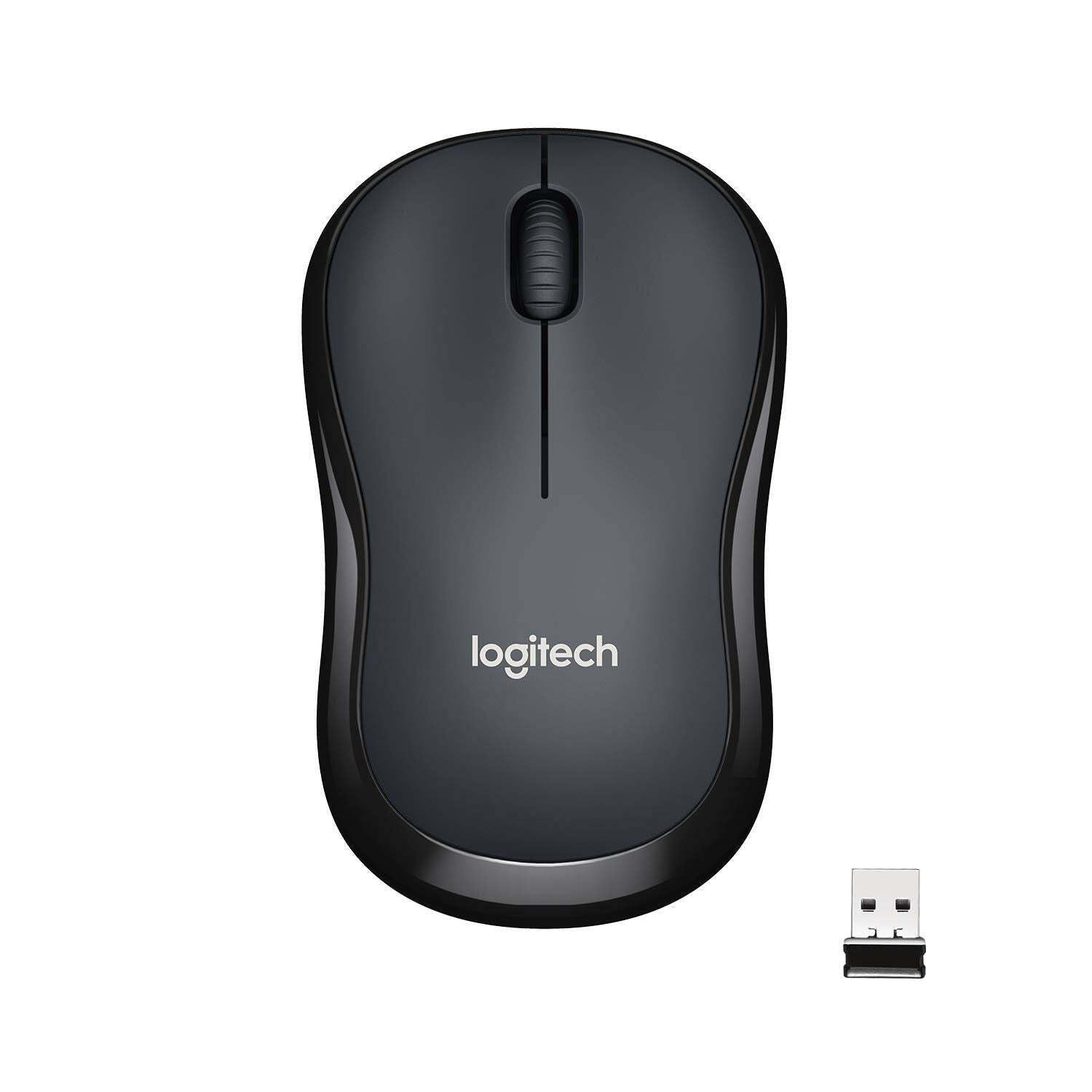
სურათი: ზედა view of the Logitech M221 Wireless Mouse in charcoal, alongside its compact USB receiver.
- ოპტიკური თვალთვალი: The mouse uses 1000 DPI optical tracking for smooth and precise cursor control.
- უკაბელო დიაპაზონი: Enjoy reliable wireless connectivity up to 10 meters (33 feet) from your computer. Actual range may vary based on environmental conditions.
- Auto-Sleep Feature: To conserve battery life, the mouse automatically enters a sleep mode when not in use. Move the mouse or click a button to wake it up.
მოვლა
Proper maintenance ensures the longevity and optimal performance of your M221 mouse.
- ბატარეის გამოცვლა: The M221 mouse boasts an 18-month battery life. When the mouse performance degrades or the indicator light (if present) signals low battery, replace the AA battery. Refer to the "Install the Battery" step in the Setup Guide.
- დასუფთავება: Use a soft, dry cloth to clean the mouse. Avoid abrasive cleaners or solvents.
- შენახვა: When not in use for extended periods, turn off the mouse using the power switch on the underside to further conserve battery life. Store the USB receiver inside the battery compartment to prevent loss.
პრობლემების მოგვარება
თუ თქვენს Logitech M221 მაუსთან დაკავშირებით პრობლემები შეგექმნათ, სცადეთ შემდეგი გადაწყვეტილებები:
- მაუსი არ პასუხობს:
- დარწმუნდით, რომ მაუსი ჩართულია.
- შეამოწმეთ ბატარეა. საჭიროების შემთხვევაში შეცვალეთ იგი.
- დარწმუნდით, რომ USB მიმღები საიმედოდ არის შეერთებული თქვენი კომპიუტერის მოქმედ USB პორტთან. სცადეთ სხვა USB პორტი.
- დიაპაზონის პრობლემების გამოსარიცხად, მაუსი USB მიმღებთან უფრო ახლოს მიიტანეთ.
- კურსორის არასტაბილური მოძრაობა:
- გაწმინდეთ მაუსის ქვედა მხარეს არსებული ოპტიკური სენსორი რბილი, მშრალი ქსოვილით.
- დარწმუნდით, რომ მაუსს შესაფერის ზედაპირზე იყენებთ. მოერიდეთ ძლიერ ამრეკლავ ან გამჭვირვალე ზედაპირებს.
- შეამოწმეთ ჩარევა სხვა უკაბელო მოწყობილობებისგან.
- ღილაკები ან გადახვევის ბორბალი არ მუშაობს:
- გადატვირთეთ კომპიუტერი.
- Re-insert the USB receiver.
- If the issue persists, the mouse may require replacement.
სპეციფიკაციები
| ფუნქცია | დეტალი |
|---|---|
| ბრენდი | Logitech |
| მოდელი | M221 (Item model number: 910-004882) |
| დაკავშირების ტექნოლოგია | 2.4 GHz უსადენო (USB მიმღები) |
| მოძრაობის გამოვლენა | ოპტიკური (1000 DPI) |
| Silent Buttons | Yes (90% reduced click sound) |
| ბატარეის ტიპი | 1 x AA ბატარეა (მოყვება) |
| ბატარეის საშუალო ხანგრძლივობა | 18 თვე |
| ორმხრივი დიზაინი | დიახ |
| თავსებადი ოპერაციული სისტემები | Windows 10 or later, Windows 8, Windows RT, Windows 7, Mac OS X 10.5 or later, Chrome OS, Linux Kernel 2.6+2 |
| პროდუქტის ზომები | 6 x 4 x 10 სმ (L x W x H) |
| ნივთის წონა | 77 გ |
| მოყვება კომპონენტები | Mouse, Nano Receiver, 1 AA Battery, User Documentation |

Image: Diagram showing the dimensions of the Logitech M221 Wireless Mouse: 99mm length, 60mm width, 39mm height, and 75g weight.
გარანტია და მხარდაჭერა
გარანტიის შესახებ ინფორმაციისა და ტექნიკური მხარდაჭერისთვის, გთხოვთ, იხილოთ Logitech-ის ოფიციალური ვებგვერდი. website or the documentation included with your product. Logitech provides customer support for product inquiries and assistance.
You can typically find support resources, FAQs, and contact information by visiting www.logitech.com/support.


