1. შესავალი
This manual provides comprehensive instructions for the setup, operation, and maintenance of your Anderic RR7096T Thermostatic Remote Control. This remote is designed as a direct replacement for original Hampton Bay and Harbor Breeze ceiling fan remotes, specifically those with FCC IDs such as CHQ7096T, UC7096T, CHQ8BF7096T, and CHQ8BT7096T.
The RR7096T offers control over fan speeds, light functions (including dimming), and thermostatic settings. It is important to note that this remote operates only the down-lights of a ceiling fan and does not include a 'Reverse' key for fan direction. For proper light dimming functionality, incandescent bulbs are required.
2. უსაფრთხოების ინფორმაცია
- შეინახეთ ბატარეები ბავშვებისთვის მიუწვდომელ ადგილას.
- არ აურიოთ ძველი და ახალი ბატარეები, ან სხვადასხვა ტიპის ბატარეები.
- გადაყარეთ გამოყენებული ბატარეები ადგილობრივი წესების შესაბამისად.
- Avoid exposing the remote control to extreme temperatures, moisture, or direct sunlight.
3. პაკეტის შიგთავსი
დარწმუნდით, რომ თქვენი პაკეტი შეიცავს შემდეგ ელემენტებს:
- Anderic RR7096T Thermostatic Remote Control
- კედელზე სამაგრი
- Two screws for wall mount installation
4. დაყენება
4.1. ბატარეის მონტაჟი
- ამოიღეთ ბატარეის განყოფილების საფარი დისტანციური მართვის უკანა მხარეს.
- ჩადეთ ოთხი (4) AAA ელემენტი, დარწმუნდით, რომ სწორი პოლარობა (+/-) გაქვთ.
- შეცვალეთ ბატარეის განყოფილების საფარი.
4.2. Dip-Switch Matching
The RR7096T remote control operates by matching its dip-switch settings to those of your ceiling fan's receiver. This is the primary method of pairing the remote with your fan.
- Locate the dip-switches inside the battery compartment of your new RR7096T remote.
- Identify the dip-switches on your existing ceiling fan receiver or original remote control. The receiver is typically located in the ceiling fan's canopy.
- Carefully match the position of the dip-switches (ON/OFF or UP/DOWN) on the new RR7096T remote to the exact pattern of your fan's receiver or original remote.
- Once the dip-switches are matched, the remote should operate your ceiling fan without further programming.

სურათი 1: Back of the Anderic RR7096T remote control, illustrating the battery compartment and the internal dip-switches that must be matched to your ceiling fan receiver for proper operation.
4.3. კედელზე სამაგრის მონტაჟი
The included wall mount bracket allows for convenient storage of your remote control.
- Choose a suitable location on a wall, away from direct heat or moisture.
- Use the two provided screws to securely attach the wall mount bracket to the wall.
- Slide the remote control into the bracket for storage.
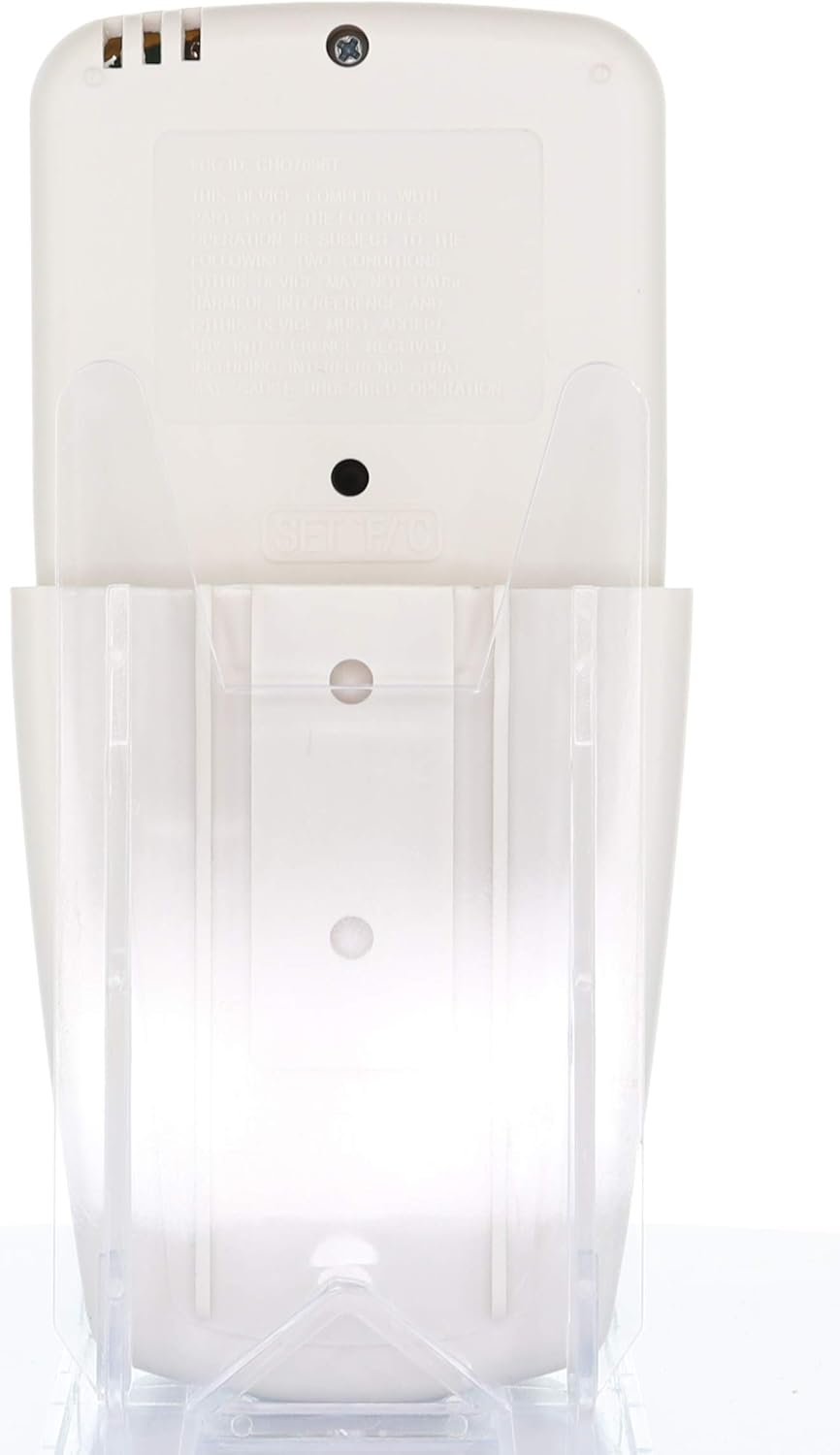
სურათი 2: The Anderic RR7096T remote control securely placed in its transparent wall mount bracket, demonstrating how it can be stored when not in use.
5. საოპერაციო ინსტრუქციები
The Anderic RR7096T remote control features a clear LCD display and dedicated buttons for various functions. Refer to the image below for button identification.

სურათი 3: წინა view of the Anderic RR7096T remote control, displaying its LCD screen and various control buttons for fan and light functions.
5.1. ვენტილატორის კონტროლი
- გულშემატკივართა ჩართვა/გამორთვა: Press the blue fan button to cycle through fan speeds (Low, Medium, High) and turn the fan off.
- ვენტილატორი ავტომატური: Activates the thermostatic fan control. The fan will automatically adjust its speed based on the room temperature and your set temperature.
- ვენტილატორის ტაიმერი: Sets a timer for the fan to operate for a specified duration.
- TEMP./SET HOUR (Up/Down Arrows): Adjusts the desired temperature for FAN AUTO mode or sets the hour for timer functions.
5.2. სინათლის კონტროლი
- განათება ჩართული/გამორთული/დაბნელება: Press the yellow light button to turn the down-lights on or off. Hold the button to dim or brighten the lights.
- LIGHT TIMER: Sets a timer for the light to turn off after a specified duration.
- LIGHT DELAY: Activates a delay for the light to turn off, allowing time to exit the room.
მნიშვნელოვანი შენიშვნა: This remote control is designed to operate only the down-lights of your ceiling fan. It will not control separate up-lights if your fan is equipped with them. For proper dimming functionality, ensure your fan uses incandescent bulbs.
6. მოვლა
6.1. ბატარეის გამოცვლა
When the remote's display becomes dim or its response time slows, it is time to replace the batteries. Follow the battery installation steps in Section 4.1.
6.2. დასუფთავება
გაწმინდეთ პულტი რბილი, მშრალი ქსოვილით. არ გამოიყენოთ აბრაზიული საწმენდები და არ ჩაყოთ პულტი წყალში.
7. Დიაგნოსტიკა
- დისტანციური არ პასუხობს:
- შეამოწმეთ ბატარეის დონე და შეცვალეთ საჭიროების შემთხვევაში.
- Verify that the dip-switches in the remote match the settings of your ceiling fan receiver (refer to Section 4.2).
- Ensure there are no obstructions between the remote and the fan receiver.
- Lights not dimming properly:
- Confirm that your ceiling fan uses incandescent bulbs. LED or CFL bulbs may not dim correctly with this remote.
- Fan not operating at desired speed in AUTO mode:
- Check the set temperature on the remote's display and adjust using the TEMP./SET HOUR buttons.
8. სპეციფიკაციები
| მოდელის სახელი | RR7096T |
| ბრენდი | ანდერიკი |
| ფერი | სპილოს ძვლისფერი |
| დენის წყარო | იკვებება ბატარეით (საჭიროა 4 AAA ბატარეა) |
| პროდუქტის ზომები | 1"D x 3"W x 6"H |
| ნივთის წონა | 4.8 უნცია |
| კონტროლის მეთოდი | დისტანციური |
| Compatible FCC IDs | CHQ7096T, UC7096T, CHQ8BF7096T, CHQ8BT7096T |
| მოყვება კომპონენტები | Remote control, Wall mount bracket (with two screws) |
9. ინფორმაცია გარანტიის შესახებ
The Anderic RR7096T Thermostatic Remote Control comes with a 1 წლიანი გამოცვლის გარანტია. Please retain your proof of purchase for warranty claims. For details on how to claim your warranty, refer to the manufacturer's official webსაიტზე ან დაუკავშირდით მათ მომხმარებელთა მხარდაჭერას.
10. მხარდაჭერა
For further assistance, troubleshooting tips, or to inquire about compatible receivers (such as UC7067FCRX or UC70960TX if needed), please visit the official Anderic webსაიტზე ან დაუკავშირდით მათ მომხმარებელთა მხარდაჭერის განყოფილებას. საკონტაქტო ინფორმაცია, როგორც წესი, შეგიძლიათ იხილოთ პროდუქტის შეფუთვაზე ან მწარმოებლის დოკუმენტაციაში. webსაიტი.


