შესავალი
The Poly Blackwire 5220 USB-A Headset is designed for enhanced compatibility, exceptional comfort, and universal connectivity, making it ideal for all-day use in various communication environments. This headset features a noise-canceling microphone with a flexible boom, intuitive inline controls, and soft, conforming ear cushions for passive noise cancellation. It offers flexible connectivity options including USB-A and 3.5 mm, ensuring clear audio and improved productivity for PC, Mac, tablet, and mobile phone users.
რა არის ყუთში
- Poly Blackwire 5220 USB-A Headset
პროდუქტი დასრულდაview

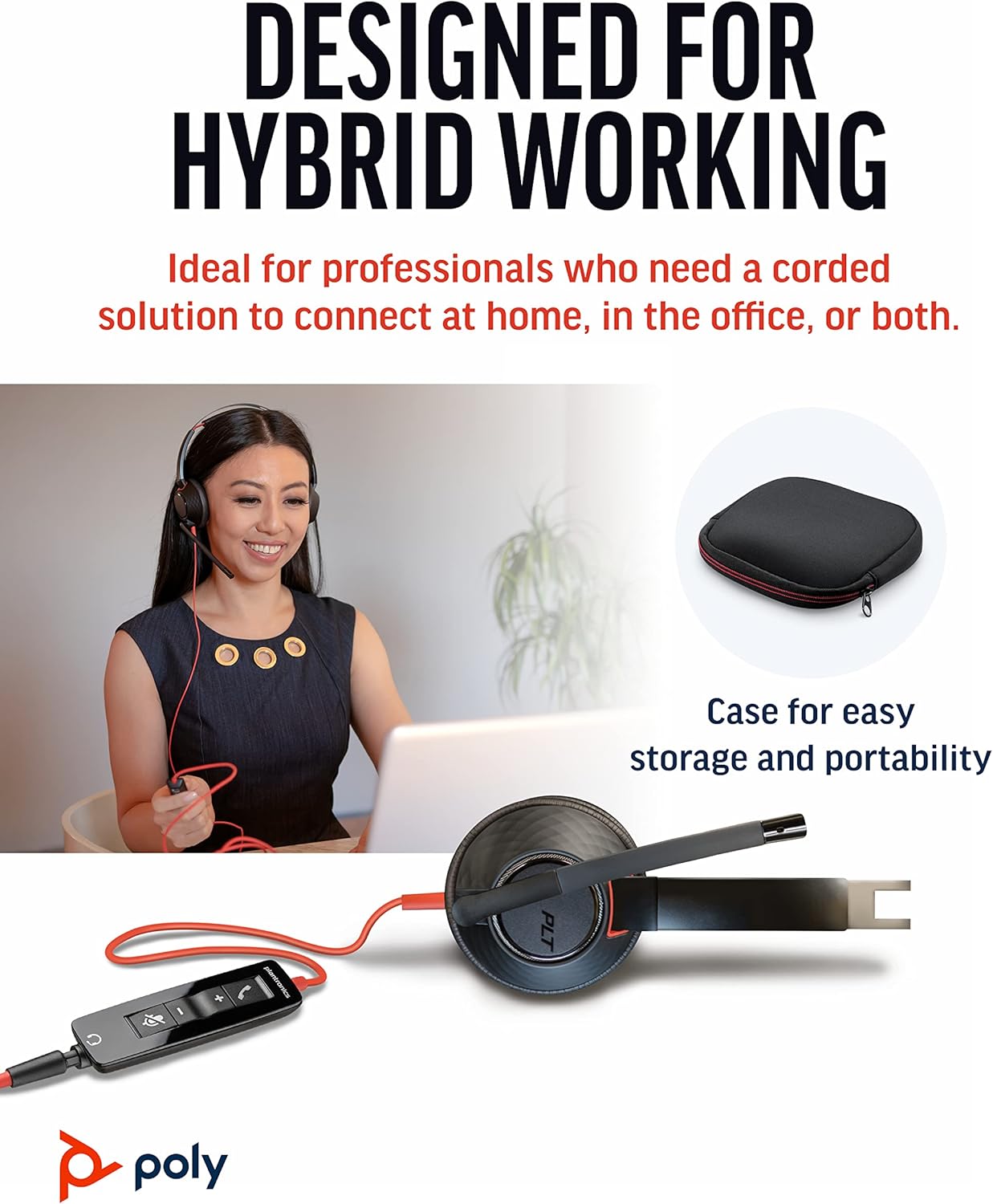


დაყენება
ყურსასმენის დაკავშირება
- PC/Mac-ისთვის: Connect the headset's USB-A connector directly to an available USB-A port on your computer. The headset is plug-and-play, meaning it should be automatically recognized by your operating system.
- For Mobile Phone/Tablet: Connect the headset's 3.5 mm jack to the audio port on your mobile device.
Once connected, your operating system or communication application (e.g., Microsoft Teams, Zoom) should automatically detect the headset as the primary audio input and output device. If not, you may need to select it manually in your device's sound settings or the application's audio preferences.
ოპერაციული ინსტრუქციები
Inline Controls
The Blackwire 5220 features an intuitive inline control unit for easy call management:
- პასუხის/ზარის დასრულების ღილაკი: შემომავალ ზარზე პასუხის გასაცემად ან აქტიური ზარის დასასრულებლად დააჭირეთ ღილაკს.
- ხმის აწევის (+) ღილაკი: დააჭირეთ მოსმენის ხმის გასაზრდელად.
- ხმის დაწევის (-) ღილაკი: დააჭირეთ მოსმენის ხმის შესამცირებლად.
- მუნჯი ღილაკი: Press to mute or unmute the microphone. A voice alert may indicate the mute status.
მიკროფონის რეგულირება
Position the flexible boom microphone approximately two finger-widths from the corner of your mouth for optimal voice pickup. The microphone is designed to be noise-canceling, focusing on your voice and minimizing background distractions.
SoundGuard Digital Protection
The headset incorporates SoundGuard Digital technology to protect your hearing. It safeguards against sound levels over 118 dBA, sudden loud sounds, and long-term exposure to noise, ensuring a safe listening experience.
მოვლა
დასუფთავება
- Wipe the headset, including ear cushions and microphone boom, with a soft, dry cloth.
- მოერიდეთ უხეში ქიმიკატების ან აბრაზიული საწმენდების გამოყენებას.
შენახვა
- შეინახეთ ყურსასმენი გრილ, მშრალ ადგილას, ექსტრემალური ტემპერატურისგან მოშორებით.
- Utilize the included carrying case for protection during travel or storage.
პრობლემების მოგვარება
No Sound or Microphone Not Working
- Ensure the headset is securely plugged into the correct port (USB-A or 3.5 mm).
- Check your computer's or device's sound settings to ensure the Poly Blackwire 5220 is selected as the default playback and recording device.
- Verify that the microphone is not muted using the inline control.
- Test the headset with another application or device to rule out software-specific issues.
ცუდი აუდიო ხარისხი
- Ensure the microphone boom is properly positioned near your mouth.
- Check for any physical obstructions or damage to the cables.
- If using with a computer, ensure your audio drivers are up to date.
სპეციფიკაციები
| ფუნქცია | დეტალი |
|---|---|
| მოდელის სახელი | ბლექვირი 5220 |
| საქონლის მოდელის ნომერი | 207576-01 წწ |
| დაკავშირების ტექნოლოგია | Wired (USB-A, 3.5 mm Jack) |
| ტარების სტილი | Over-the-head, On-ear, Dual Ear (Stereo) |
| მიკროფონი | ხმაურის ჩამქრალი ბუმი მიკროფონი |
| Audio Protection | SoundGuard Digital (protects above 118 dBA) |
| სიხშირის პასუხი (ყურსასმენები) | 20 ჰც |
| Frequency Range (Microphone) | 100 ჰც - 6,800 ჰც |
| კაბელის სიგრძე | 45 ინჩი |
| მასალა | პლასტიკური |
| ფერი | შავი |
| ნივთის წონა | 0.035 უნცია (დაახლოებით 1 გრამი) |
| თავსებადი მოწყობილობები | PC, Cellphones, Tablets, Mac |
გარანტია და მხარდაჭერა
საგარანტიო ინფორმაცია
The Poly Blackwire 5220 USB-A Headset comes with a 2 წლიანი გლობალური გარანტია შეძენის დღიდან. გთხოვთ, შეინახოთ შეძენის დამადასტურებელი საბუთი გარანტიის მოთხოვნებისთვის.
დამატებითი მხარდაჭერა
For detailed information, advanced settings, or further assistance, please refer to the official User Guide (PDF) available online:
ჩამოტვირთეთ მომხმარებლის სახელმძღვანელო (PDF)
You can also visit the official Poly support webსაიტი ხშირად დასმული კითხვებისთვის, პროგრამული უზრუნველყოფის ჩამოსატვირთად და საკონტაქტო ინფორმაციისთვის.


