შესავალი
This manual provides comprehensive instructions for the safe and proper installation, operation, and maintenance of your Amazon Basics Heavy-Duty Tilting TV Wall Mount and High-Speed HDMI Cable. This wall mount is designed to securely hold flat-panel televisions ranging from 37 inches to 80 inches, with a maximum weight capacity of 120 pounds. The included HDMI cable supports Ethernet, 3D, and 4K video, along with Audio Return Channel (ARC) for versatile connectivity.
Please read this manual thoroughly before beginning installation to ensure correct setup and to prevent damage to the product or injury.
უსაფრთხოების ინფორმაცია
გაფრთხილება: Failure to read and follow all instructions can result in personal injury or property damage. The manufacturer is not responsible for damage or injury caused by incorrect mounting, incorrect assembly, or incorrect use.
- Ensure the wall structure can safely support the combined weight of the mount and the television. Consult a qualified professional if unsure.
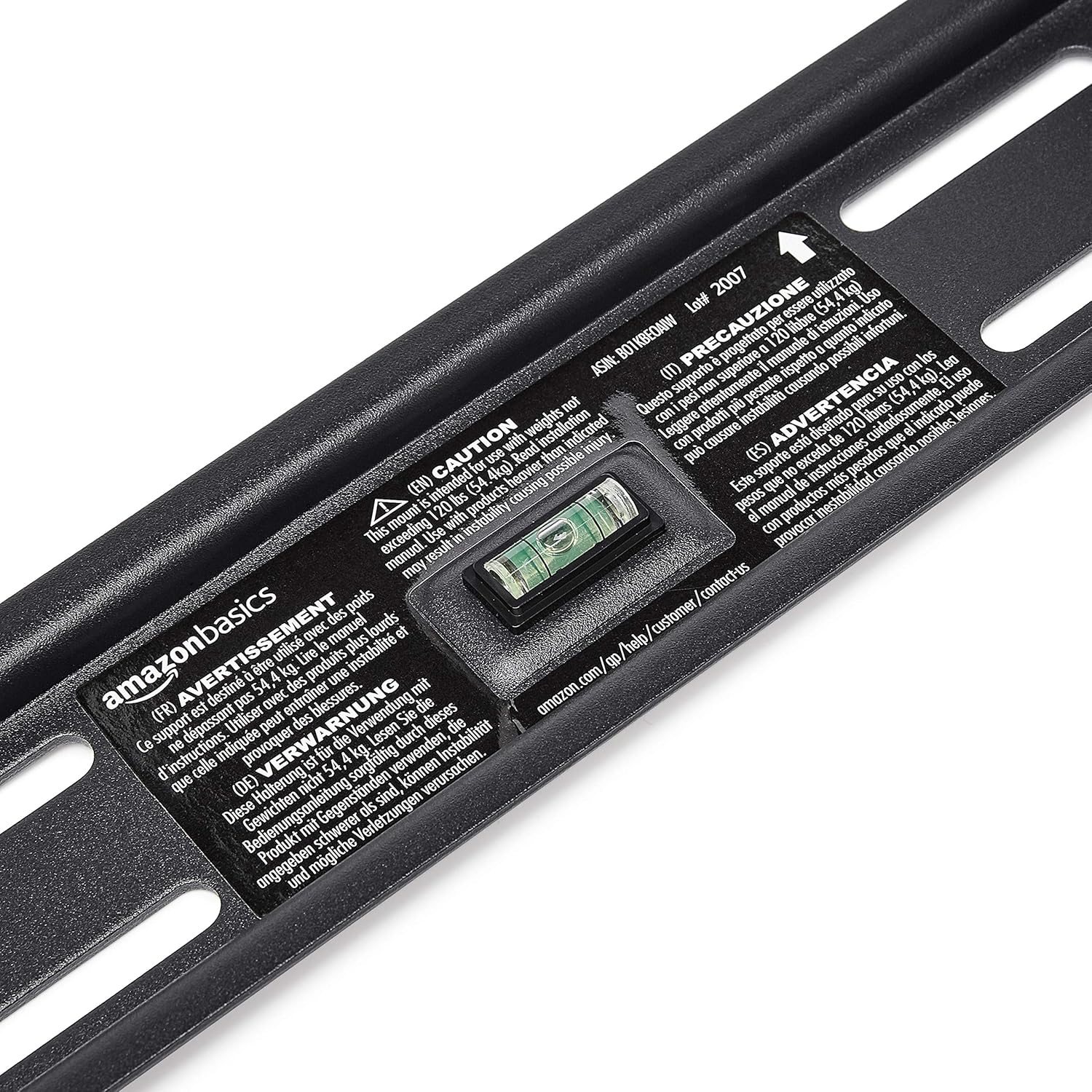
- არ გადააჭარბოთ მაქსიმალურ დასაშვებ წონას - 120 ფუნტს (54.4 კგ).
- ეს სამაგრი განკუთვნილია 37-დან 80 ინჩამდე დიაგონალის ბრტყელპანელიან ტელევიზორებთან გამოსაყენებლად.
- ინსტალაციის დროს ყოველთვის გამოიყენეთ შესაბამისი დამცავი აღჭურვილობა, მათ შორის თვალის დამცავი.
- Verify the location of electrical wires, water pipes, and gas lines behind the wall before drilling.
- Two people are recommended for installation due to the size and weight of TVs.
- ყველა პატარა ნაწილი და შესაფუთი მასალა ბავშვებისთვის მიუწვდომელ ადგილას შეინახეთ.
პაკეტის შიგთავსი
Carefully unpack the box and ensure all components are present and undamaged. If any parts are missing or damaged, do not attempt to install. Contact customer support for assistance.
- კედლის ფილის ასამბლეა (1)
- ტელევიზორის სამაგრი სამაგრები (2)
- High-Speed HDMI Cable (1)
- აპარატურის ნაკრები (სხვადასხვა ხრახნები, საყელურები, შუასადებები, წამყვანები)
- ინსტრუქციის სახელმძღვანელო (ეს დოკუმენტი)


დაყენება და ინსტალაცია
საჭირო ინსტრუმენტები (არ შედის):
- სტუდის მპოვნელი
- გაბურღეთ შესაბამისი ბურღით (ხის/ბეტონის)
- Level (though one is built into the mount)
- ფილიპსის სათავე ხრახნიანი
- ბუდის გასაღები ან რეგულირებადი გასაღები
- ფანქარი
- საზომი ლენტი
ნაბიჯი 1: განსაზღვრეთ სამონტაჟო ადგილი
Choose a location on your wall that is structurally sound and free from electrical wires, water pipes, or gas lines. Use a stud finder to locate wood studs if mounting to drywall, or ensure you have appropriate concrete anchors if mounting to masonry.
ნაბიჯი 2: კედლის ფირფიტის დამონტაჟება
- Hold the wall plate against the wall at the desired height. Use the built-in level to ensure it is perfectly horizontal.
- Mark the drilling locations through the holes on the wall plate with a pencil.
- Drill pilot holes at the marked locations. The size of the drill bit will depend on your wall type and the anchors/lag bolts being used.
- Secure the wall plate to the wall using the provided lag bolts and washers. Ensure it is firmly attached and level.

Step 3: Attach TV Mounting Brackets to TV
- Lay your TV face down on a soft, clean surface to prevent screen damage.
- იდენტიფიცირება VESA სამონტაჟო ხვრელები თქვენი ტელევიზორის უკანა მხარეს.
- აპარატურის ნაკრებიდან აირჩიეთ შესაბამისი ხრახნები, საყელურები და შუასადებები, რომლებიც შეესაბამება თქვენი ტელევიზორის სამონტაჟო ხვრელებს.
- Attach the two vertical TV mounting brackets to the back of your TV, ensuring they are centered and aligned with the VESA pattern. The hooks on the brackets should face upwards.

ნაბიჯი 4: ტელევიზორის კედლის ფირფიტაზე დამონტაჟება
- With assistance, carefully lift the TV and hook the brackets onto the top edge of the wall plate.
- Gently lower the TV until the brackets fully engage with the wall plate. You should hear a click or feel it lock into place.
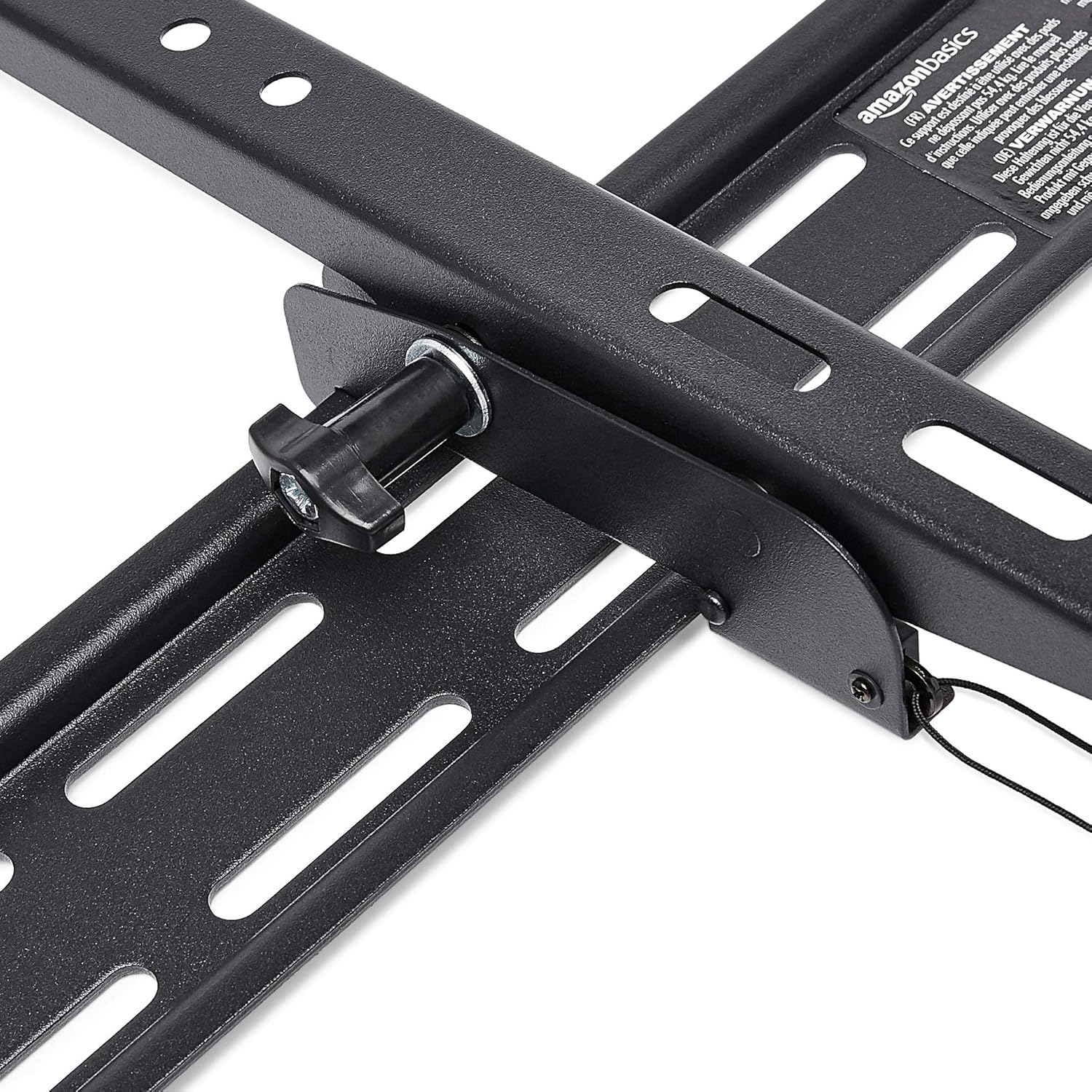
- Pull the release strings (if applicable) to ensure the TV is securely latched to the mount. Some models have safety screws to further secure the TV; tighten these if present.


Step 5: Connect HDMI Cable
Connect one end of the included High-Speed HDMI cable to the HDMI output port on your source device (e.g., Blu-ray player, game console, streaming device) and the other end to an HDMI input port on your TV.

ოპერაციული ინსტრუქციები
Tilting the TV:
This wall mount allows for 18 degrees of tilt, ranging from +15 degrees (upward) to -3 degrees (downward), to achieve an optimal viewing angle and reduce glare. To adjust the tilt:
- Locate the tilt adjustment knobs or levers on the side of the TV mounting brackets.
- Loosen the knobs or levers to allow the TV to tilt freely.
- ფრთხილად დახარეთ ტელევიზორი სასურველი კუთხით.
- Tighten the knobs or levers to secure the TV in place.
მოვლა
- პერიოდულად შეამოწმეთ ყველა ხრახნი და ჭანჭიკი, რათა დარწმუნდეთ, რომ ისინი მჭიდროდ და საიმედოდ არიან დამაგრებულნი.
- Clean the mount and HDMI cable with a soft, dry cloth. Avoid abrasive cleaners or solvents.
- Do not hang anything from the mount or TV that exceeds the weight capacity.
პრობლემების მოგვარება
| პრობლემა | შესაძლო მიზეზი | გამოსავალი |
|---|---|---|
| TV not level after installation. | კედლის ფილა მონტაჟის დროს არ არის გასწორებული. | Carefully remove TV, loosen wall plate screws, adjust level using built-in bubble level, and re-tighten. Re-mount TV. |
| TV not securely attached to mount. | Brackets not fully engaged or safety screws not tightened. | Ensure brackets are fully seated on the wall plate. Tighten any safety screws on the bottom of the brackets. |
| No picture/sound via HDMI. | Incorrect input selected on TV, loose cable connection, or faulty source device. | Verify TV input matches the connected HDMI port. Ensure HDMI cable is firmly connected at both ends. Test with another HDMI cable or source device if possible. |
სპეციფიკაციები
- ბრენდი: ამაზონის საფუძვლები
- მოდელი: Heavy-Duty Tilting TV Wall Mount & High-Speed HDMI Cable
- ASIN: B074SVCYZY
- სამონტაჟო ტიპი: დახრილობა
- თავსებადი ტელევიზორის ზომები: 37-დან 80 ინჩამდე
- მაქსიმალური წონა ტევადობა: 120 ფუნტი (54.4 კგ)
- დახრის კუთხე: +15 to -3 degrees (18 degrees total)
- HDMI კაბელის სიგრძე: 10 ფუტი
- HDMI მახასიათებლები: Supports Ethernet, 3D, 4K video, Audio Return Channel (ARC)
გარანტია და მხარდაჭერა
For warranty information and customer support, please refer to the official Amazon Basics website or contact Amazon customer service directly. Keep your purchase receipt for warranty claims.
Webსაიტი: Amazon Basics მაღაზია


