შესავალი
This user manual provides comprehensive instructions for the VTech VM3252-2 Digital Video Baby Monitor. Please read this manual thoroughly before using the product to ensure proper operation and safety. Keep this manual for future reference.
პაკეტის შიგთავსი
Your VTech VM3252-2 package includes:
- One (1) Parent Unit with 2.8-inch color LCD screen
- Two (2) Baby Units (cameras)
- Three (3) Power Adapters (one for Parent Unit, two for Baby Units)
- One (1) Rechargeable Battery (pre-installed in Parent Unit)
- მომხმარებლის სახელმძღვანელო (ეს დოკუმენტი)

Image: The VTech VM3252-2 Digital Video Baby Monitor system, showing the parent unit and two baby units.
დაყენება
1. Charging the Parent Unit Battery
The parent unit operates on a rechargeable battery or AC power. To maximize battery life, charge the parent unit for at least 12 hours before initial use. The battery icon on the screen indicates the charge level.
- მშობლის განყოფილების კვების ადაპტერის პატარა შტეფსელი შეაერთეთ მშობლის განყოფილების გვერდზე არსებულ კვების ბუდესთან.
- Connect the large end of the power adapter to a wall outlet.
2. Connecting the Baby Units (Cameras)
The baby units operate on AC power only. Ensure they are placed within range of the parent unit and have a clear line of sight to the baby.
- ბავშვის ბლოკის კვების ადაპტერის პატარა შტეფსელი შეაერთეთ ბავშვის ბლოკის უკანა მხარეს მდებარე კვების ბუდესთან.
- Connect the large end of the power adapter to a wall outlet.
- Position the baby unit at least 3 feet (1 meter) away from the baby.
- Adjust the camera angle manually to get the desired view.

Image: A hand demonstrates adjusting the camera angle of the baby unit.
3. ჩართვა/გამორთვა
- მშობლის ერთეულის ჩასართავად, დააჭირეთ და გეჭიროთ სიმძლავრე button until the VTech logo appears.
- To turn off the parent unit, press and hold the სიმძლავრე ღილაკს ეკრანის გათიშვის წინ.
- To turn on a baby unit, slide the ჩართვა/გამორთვა გადართვაზე ON პოზიცია.
- To turn off a baby unit, slide the ჩართვა/გამორთვა გადართვაზე გამორთულია პოზიცია.
ოპერაცია
1. თქვენი ბავშვის მონიტორინგი
Once both units are powered on and linked, the parent unit will automatically display video from the baby unit. If you have two cameras, the parent unit will cycle between them or allow manual selection.

Image: The parent unit's 2.8-inch color LCD screen showing a clear view ჩვილის.
2. Two-Way Talk Intercom
You can speak to your baby through the baby unit from the parent unit.
- დააჭირეთ და გააჩერეთ საუბარი button on the parent unit.
- Speak clearly into the microphone on the parent unit.
- გაათავისუფლე საუბარი button to stop speaking and hear your baby.

Image: A user interacting with the parent unit, demonstrating the two-way talk feature.
3. Soothing Sounds and Lullabies
The baby unit can play pre-set lullabies and soothing sounds to help calm your baby.
- Access the menu on the parent unit.
- Navigate to the Lullaby/Sound option.
- Select a melody or sound to play.
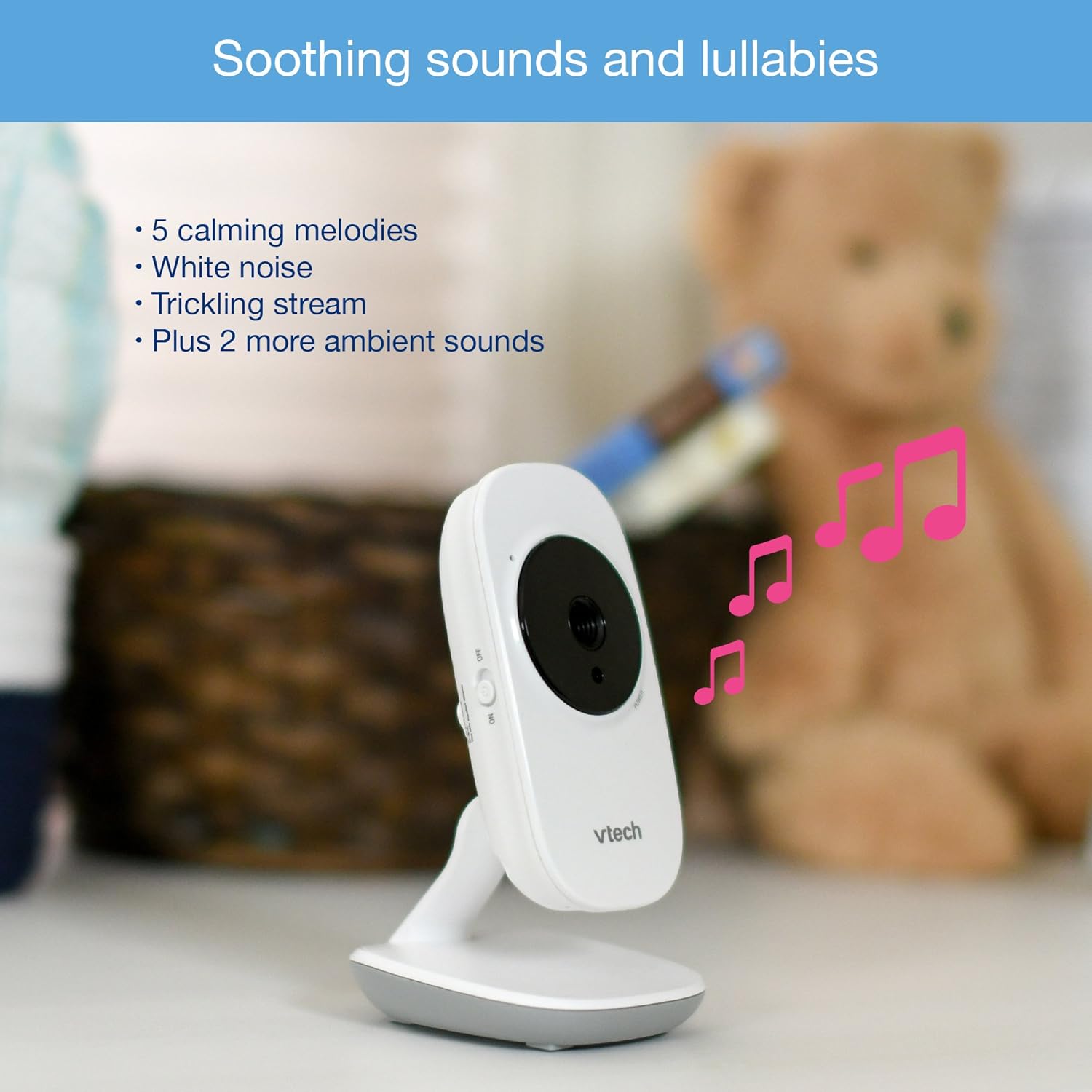
Image: The baby unit, illustrating its ability to play soothing sounds and lullabies.
4. ხმის კონტროლი
Adjust the listening volume on the parent unit using the volume buttons.
- დააჭირეთ ხმის მატება ღილაკი ხმის გაზრდისთვის.
- დააჭირეთ ხმის დაწევა ღილაკი ხმის შესამცირებლად.
- The parent unit features a 6-level sound indicator to visually represent the sound level detected by the baby unit.
ძირითადი მახასიათებლები
- High-Resolution 2.8-inch Color LCD Screen: Provides a clear video feed of your baby.
- ავტომატური ინფრაწითელი ღამის ხედვა: Automatically activates in low-light conditions for clear viewსიბნელეში მყოფი.
- ტემპერატურის სენსორი: Monitors the room temperature around the baby unit and displays it on the parent unit. Alerts can be set for temperature fluctuations.
- რეგულირებადი კამერის კუთხე: Manually adjust the baby unit's camera to achieve the optimal viewing კუთხე
- 2x ციფრული ზუმი: უფრო ახლოს დასანახად, მიუახლოვდით თქვენს პატარას.
- Up to 1,000 feet of Range: Stay connected to your baby from various rooms in your home.

Image: A visual summary of key features including temperature monitoring, night vision, adjustable camera, and sound indicators.
მოვლა
მონიტორის დასუფთავება
- Wipe the surfaces of the parent unit and baby units with a soft, damp ქსოვილი.
- არ გამოიყენოთ საწმენდი სპრეი ან თხევადი გამწმენდი.
- Ensure the units are dry before reconnecting to power.
ბატარეის მოვლა
- The parent unit uses a rechargeable battery. If the battery life significantly decreases, it may need replacement.
- Only use the specified replacement battery type.
- Do not dispose of batteries in fire. Check local regulations for proper battery disposal.
პრობლემების მოგვარება
No Link / Out of Range
If the parent unit displays "No Link" or "Out of Range":
- Ensure both the parent unit and baby units are powered on.
- მშობლის განყოფილება უფრო ახლოს მიიტანეთ ბავშვის განყოფილებასთან.
- Relocate the baby unit to a position with fewer obstructions (e.g., walls, furniture).
- Avoid placing the monitor near other electronic devices that may cause interference (e.g., Wi-Fi routers, cordless phones).
Poor Picture Quality / Blurry Night Vision
- დარწმუნდით, რომ კამერის ლინზა სუფთაა და არ შეიცავს მტვერს ან ლაქებს.
- Check for adequate lighting in the room during daytime use.
- During night vision, ensure there are no direct light sources near the baby unit that could interfere with the infrared sensors.
- Adjust the position of the baby unit for a clearer view.
Short Battery Life on Parent Unit
- Ensure the parent unit is fully charged for at least 12 hours before use.
- Reduce screen brightness to conserve battery.
- If the battery life remains significantly short after full charging, the rechargeable battery may need to be replaced.
- Keep the parent unit plugged into the power adapter for continuous use.
Monitor Randomly Turns Off
- Check if the parent unit battery is low. Recharge the unit.
- Ensure the power adapter is securely connected to both the parent unit and the wall outlet.
- თუ პრობლემა შენარჩუნებულია, დაუკავშირდით მომხმარებელთა მხარდაჭერას.
სპეციფიკაციები
| ფუნქცია | დეტალი |
|---|---|
| მოდელის ნომერი | VM3252-2 |
| ეკრანის ზომა | 2.8 ინჩი |
| ვიდეო გადაღების გარჩევადობა | 720p |
| კამერების რაოდენობა | 2 |
| დაკავშირების ტექნოლოგია | უსადენო |
| დენის წყარო | AC Powered (Baby Units), Rechargeable Battery / AC Powered (Parent Unit) |
| ღამის ხედვა | Automatic Infrared Night Vision |
| ციფრული მასშტაბირება | 2x |
| ინტერკომი | ორმხრივი საუბარი |
| ტემპერატურის სენსორი | დიახ |
| Lullabies/Sounds | დიახ |
| ნივთის ზომები | 4.89 x 4.77 x 2.83 ინჩი |
| ნივთის წონა | 1.88 ფუნტი |
| ფერი | თეთრი |
საგარანტიო ინფორმაცია
VTech products are designed with quality and reliability in mind. For detailed warranty information, please refer to the warranty card included in your product packaging or visit the official VTech webსაიტი. შეინახეთ თქვენი შესყიდვის ქვითარი შეძენის დასადასტურებლად.
მომხმარებელთა მხარდაჭერა
If you have any questions or require assistance with your VTech VM3252-2 Digital Video Baby Monitor, please contact VTech customer support:
- Webსაიტი: www.vtechbabycare.com
- ელფოსტა: support@vtechbabycare.com
For additional resources and FAQs, please visit the VTech support page online.
პროდუქტი დასრულდაview ვიდეო
Video: An official VTech overview of the VM3252-2 Digital Video Baby Monitor, highlighting its features and ease of use.


