შესავალი
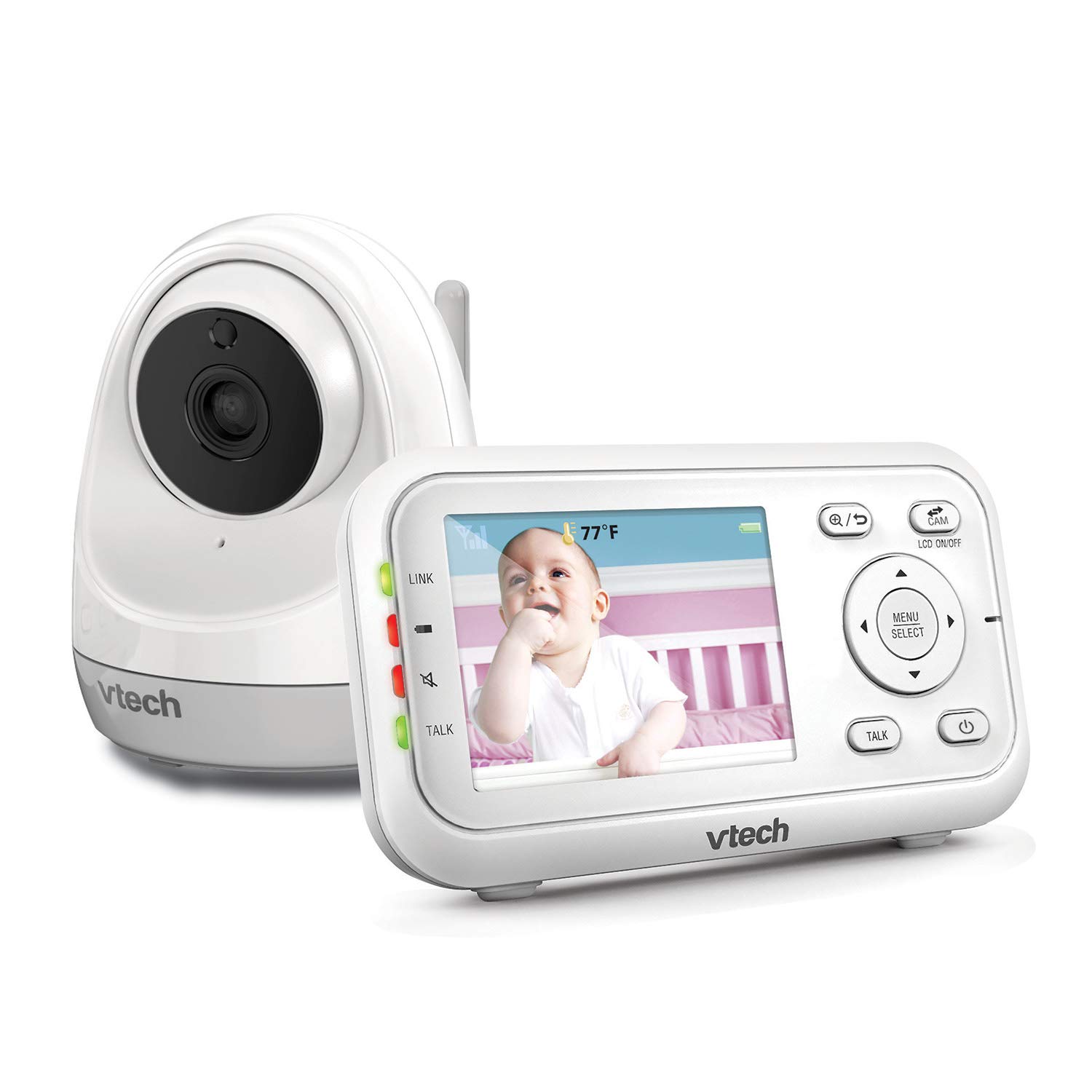
The VTech VM3261 2.8" Digital Video Baby Monitor provides a secure and reliable connection to your baby. With features like pan and tilt camera control, two-way talk, soothing sounds, and automatic night vision, you can monitor your little one with peace of mind. This manual will guide you through the setup, operation, and maintenance of your baby monitor.

პროდუქტის მახასიათებლები
- Plug & Play: The monitor’s parent unit and the camera are pre-configured for local monitoring, requiring no complex setup.
- Fully Motorized Pan & Tilt with 2X Zoom: Remotely control the camera to pan 260-degrees side to side and tilt 23-degrees up and down, with 2x digital zoom for a closer look.
- გრძელი დიაპაზონი: Maintain connection with your baby from up to 1000 feet away.
- ორმხრივი საუბარი: Comfort your baby from another room using the built-in talk-back intercom.
- Soothing Sounds and Lullabies: Choose from 5 calming melodies and 4 ambient sounds (including white noise and trickling stream) to help your baby sleep.
- Night Vision, Sound, and Temperature Sensor: უზრუნველყოფს ნათელ საკვებსtage in low light, alerts you to sounds, and displays the nursery temperature on the LCD screen.
- ხმის გააქტიურების რეჟიმი: Conserve battery by having the parent unit screen turn off until noise is detected, with visual and audio alerts.
დაყენება
პაკეტის შიგთავსი
- VM3261 Parent Unit
- VM3261 Baby Unit (Camera)
- დენის გადამყვანები (2)
- Rechargeable Battery for Parent Unit (pre-installed)
- მომხმარებლის სახელმძღვანელო
საწყისი დაყენების ნაბიჯები
- მშობლის მოწყობილობის დატენვა: Connect the small plug of the power adapter to the parent unit's power jack and the large end to a wall outlet. The battery icon will indicate charging. For optimal performance, charge the parent unit for at least 12 hours before first use.
- ბავშვის ბლოკის კვება: Connect the small plug of the power adapter to the baby unit's power jack and the large end to a wall outlet. The baby unit will power on automatically.
- Position the Baby Unit: მოათავსეთ ბავშვის ბლოკი ისეთ ადგილას, რომელიც უზრუნველყოფს გამჭვირვალე წვდომას. view of your baby, such as on a dresser or shelf. Ensure it is at least 3 feet (1 meter) away from the baby to avoid potential hazards. Do not place the camera within reach of the baby.
- შეამოწმეთ კავშირი: Once both units are powered on, the parent unit should automatically connect to the baby unit and display the video feed. If no connection is established, ensure both units are within range and properly powered.
ოპერაციული ინსტრუქციები
Parent Unit Controls
- ჩართვა/გამორთვა: დააჭირეთ და გააჩერეთ ჩართვა/გამორთვა button on the parent unit.
- ხმის კონტროლი: გამოიყენეთ ხმის ამაღლება და ხმის დაკლება ღილაკები მოსმენის ხმის რეგულირებისთვის.
- სიკაშკაშის კონტროლი: Adjust the screen brightness via the menu settings.
- მენიუ/აირჩიეთ: დააჭირეთ მენიუ/არჩევა button to access settings and confirm selections.
- ნავიგაციის ღილაკები: გამოიყენეთ ისრიანი ღილაკები (ზემოთ, ქვემოთ, მარცხნივ, მარჯვნივ) to navigate through menus and control camera pan/tilt.
- საუბრის ღილაკი: დააჭირეთ და გააჩერეთ საუბარი button to speak to your baby through the baby unit. Release to listen.
Camera Control (Pan, Tilt, Zoom)
The VM3261 allows you to remotely adjust the camera's view from the parent unit.

- პან/დახრილობა: ხოლო viewპირდაპირი ტრანსლაციის ჩართვისას დააჭირეთ ღილაკს მარცხნივ/მარჯვნივ arrow buttons to pan the camera horizontally (up to 260 degrees). Press the ზევით/ქვევით arrow buttons to tilt the camera vertically (up to 23 degrees).
- მასშტაბირება: დააჭირეთ მასშტაბირება button (magnifying glass icon) to digitally zoom in or out (2x zoom).
ორმხრივი საუბარი
Communicate with your baby or partner in the nursery using the two-way talk feature.

To use, press and hold the საუბარი button on the parent unit. Speak clearly into the microphone. Release the button to hear your baby's sounds.
დამამშვიდებელი ხმები და იავნანა
Help your baby relax and fall asleep with built-in melodies and ambient sounds.

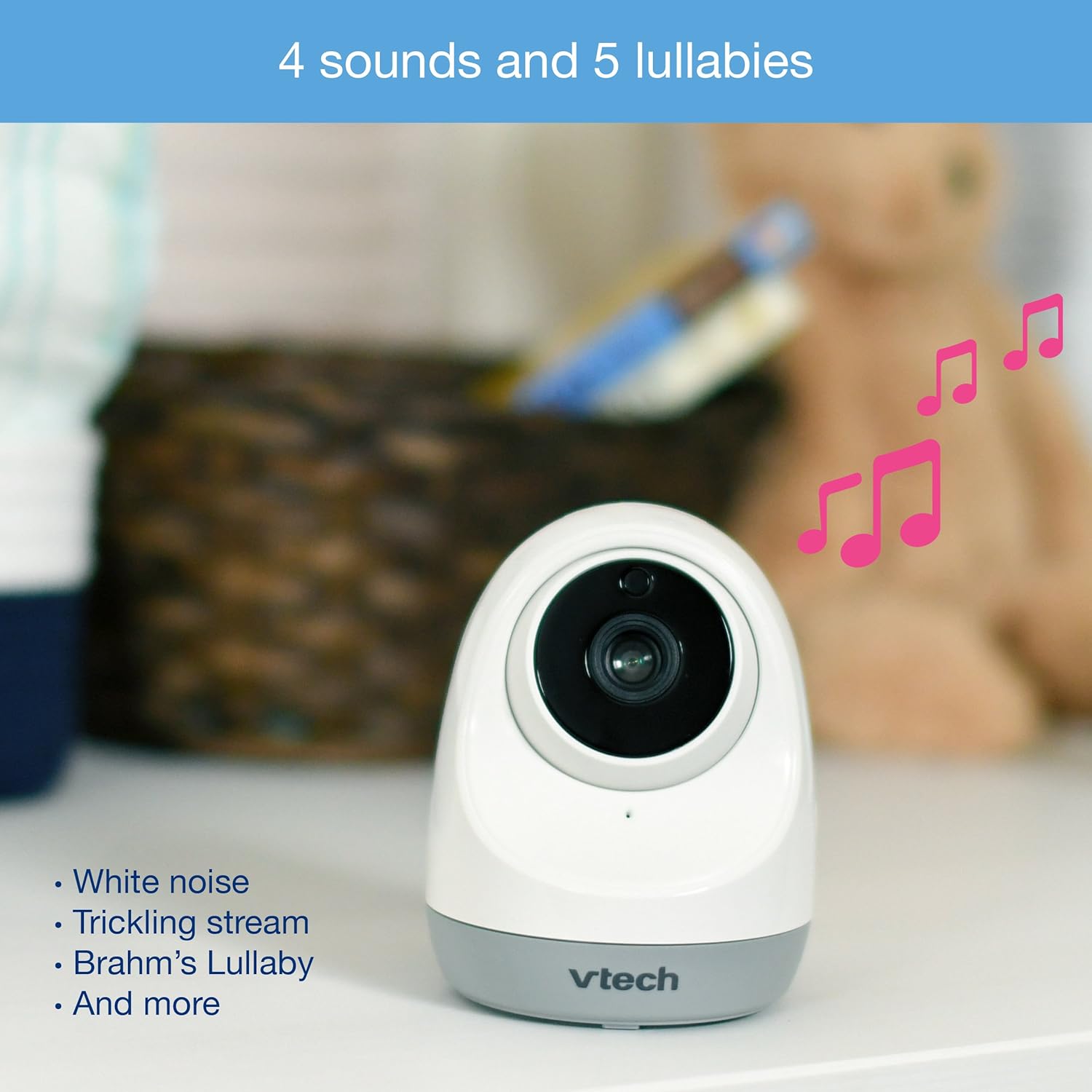
Access the lullaby menu from the parent unit to select from 5 melodies and 4 ambient sounds, including white noise and a trickling stream. You can set a timer for how long the sounds play.
Night Vision and Temperature Monitoring
The monitor automatically switches to infrared night vision in low light conditions, providing a clear black and white image. The baby unit also includes a temperature sensor.

The current room temperature is displayed on the parent unit's LCD screen. You can set temperature alerts to be notified if the room becomes too hot or too cold.
ხმის გააქტიურების რეჟიმი (VOX)
To save power, especially during nap times, enable the sound activation mode.

When activated, the parent unit screen will turn off to conserve battery. It will automatically turn back on and provide audio/visual alerts when noise is detected in the baby's room.
ვიდეო დასრულდაview
Watch this official product video for a visual guide to the VTech VM3261's features and operation.
Official VTech VM3261 Video Baby Monitor overview, შოუasing its pan, tilt, zoom, long range, and night vision capabilities.
მოვლა
- დასუფთავება: Clean the monitor and camera units with a soft, damp ქსოვილი. არ გამოიყენოთ საწმენდი სპრეი ან თხევადი საწმენდი საშუალებები.
- ბატარეის მოვლა: To prolong battery life, fully charge the parent unit before initial use and avoid completely draining the battery frequently.
- შენახვა: If storing the unit for an extended period, remove the battery from the parent unit and store both units in a cool, dry place.
პრობლემების მოგვარება
| პრობლემა | შესაძლო მიზეზი | გამოსავალი |
|---|---|---|
| No link/Poor connection | Units are too far apart or out of range. Obstructions between units. | Move parent unit closer to baby unit. Reduce obstructions (walls, electronics). |
| სურათი/ხმა არ არის | Baby unit or parent unit is off or not powered. | Ensure both units are plugged in and powered on. Check battery level of parent unit. |
| Screen is black in VOX mode | Sound activation mode is enabled and no sound is detected. | This is normal operation. The screen will activate when sound is detected. Disable VOX mode in settings if continuous display is desired. |
| ტემპერატურის ჩვენება არაზუსტი ჩანს | Camera placed near heat source/vent or in direct sunlight. | Relocate the baby unit to a more central location in the room, away from direct heat or cold sources. |
| სტატიკური ან ჩარევა | Other electronic devices nearby. | Move the monitor away from other electronic devices like cell phones, Wi-Fi routers, or microwaves. |
სპეციფიკაციები
| ფუნქცია | დეტალი |
|---|---|
| მოდელის ნომერი | VM3261 |
| ეკრანის ზომა | 2.8 ინჩი |
| კამერის პანელი | ჰორიზონტალური 260 გრადუსი |
| კამერის დახრილობა | 23 degrees vertical |
| მასშტაბირება | 2x ციფრული ზუმი |
| დიაპაზონი | 1000 ფუტამდე (მხედველობის ხაზი) |
| დენის წყარო | ბატარეაზე მომუშავე (მშობლის მოწყობილობა), ცვლადი დენის ადაპტერი (ბავშვის მოწყობილობა) |
| დაკავშირების ტექნოლოგია | უსადენო (2.4 GHz FHSS) |
| ღამის ხედვა | ავტომატური ინფრაწითელი |
| განსაკუთრებული თვისებები | Two-Way Talk, Lullabies, Temperature Sensor, Sound Activation |
| Dimensions (Parent Unit) | დაახლ. 4.89 x 4.13 x 3.36 ინჩი |
| წონა | დაახლ. 1.41 ფუნტი |
გარანტია და მხარდაჭერა
VTech products are manufactured with high-quality components and are designed to provide years of reliable performance. For detailed warranty information, please refer to the warranty card included in your product packaging or visit the official VTech website. If you encounter any issues or require technical assistance, please contact VTech customer support.
VTech Customer Support:
- იხილეთ თქვენი პროდუქტის შეფუთვაზე მითითებული საკონტაქტო ინფორმაცია.
- ეწვიეთ ოფიციალურ VTech-ს webხშირად დასმული კითხვების, პრობლემების გადაჭრის სახელმძღვანელოების და საკონტაქტო ვარიანტების საიტი: www.vtechphones.com/support