შესავალი
This manual provides essential information for the setup, operation, maintenance, and troubleshooting of your My Arcade Pocket Player Handheld Game Console. Please read this guide thoroughly before use to ensure proper functionality and to maximize your gaming experience.
პროდუქტის მახასიათებლები
- ორიგინალური შთაგონებული ნამუშევრები: For an authentic retro look.
- 2.75 დიუმიანი სრული ფერადი დისპლეი: Provides a clear and vibrant gaming experience.
- Lightweight Compact Size: Designed for comfortable grip and portability.
- აუდიო მახასიათებლები: Includes a front-facing speaker, volume controls, and a 3.5mm headphone jack.
- დენის პარამეტრები: Can be powered by Micro USB (cable not included) or 4 AAA batteries (not included).
- Pre-loaded Games: Features classic titles including Pac-Man, Pac-Mania, and Pac-Panic.
რა არის ყუთში
Upon opening your My Arcade Pocket Player package, you should find the following items:
- My Arcade Pocket Player Handheld Game Console
- ლანგარი
- მომხმარებლის სახელმძღვანელო (ეს სახელმძღვანელო)
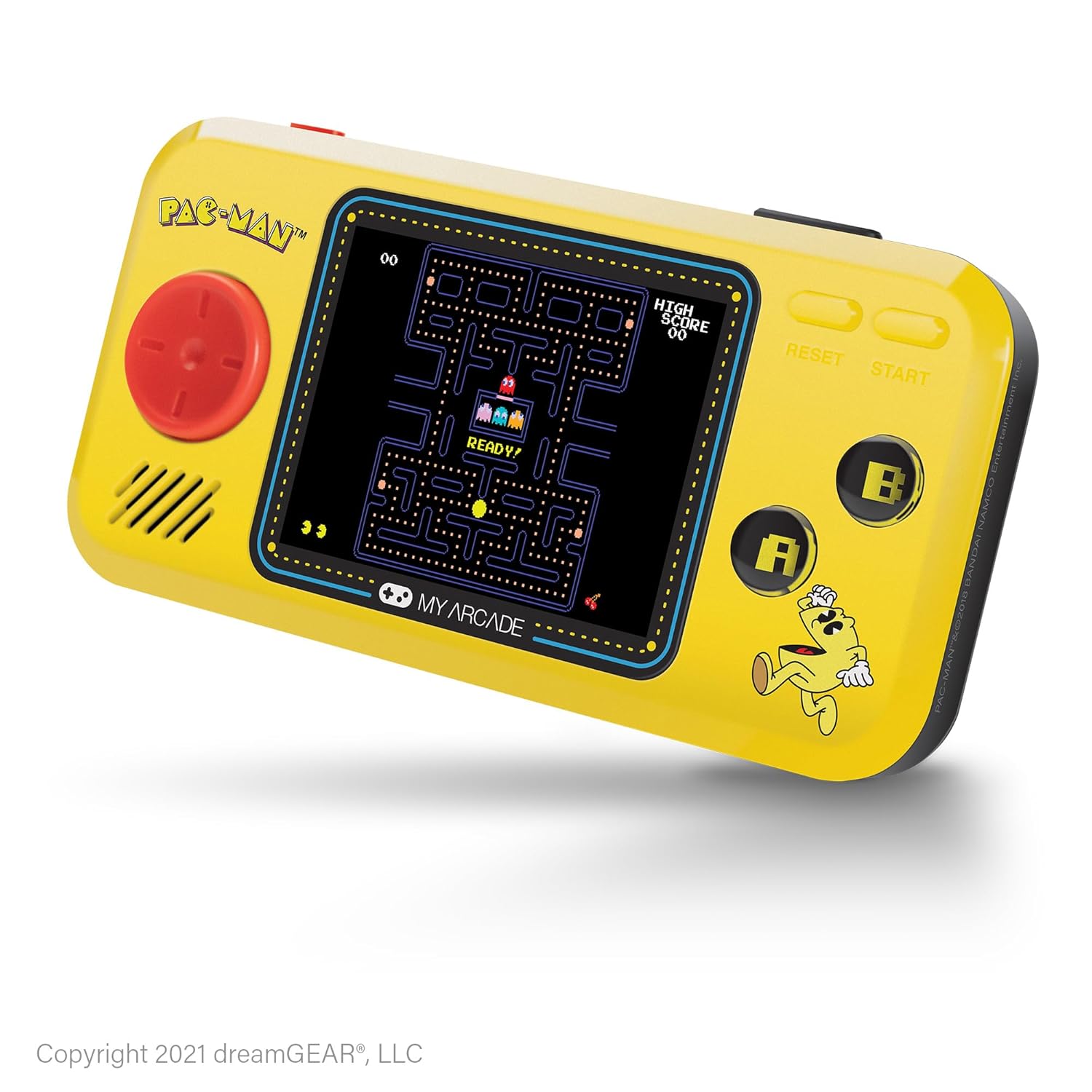
სურათი: წინა მხარე view of the My Arcade Pocket Player Pac-Man Edition. The console is yellow with a red directional pad on the left, a color screen in the center displaying Pac-Man gameplay, and 'A' and 'B' buttons on the right.
დაყენება
1. ბატარეის მონტაჟი
The My Arcade Pocket Player requires 4 AAA batteries (not included) for portable use. Follow these steps to install them:
- Locate the battery compartments on the back of the console.
- Gently slide open the battery compartment covers.
- Insert 4 new AAA batteries, ensuring correct polarity (+/-) as indicated inside the compartments.
- უსაფრთხოდ დახურეთ ბატარეის განყოფილების გადასაფარებლები.
სურათი: უკანა view of the My Arcade Pocket Player, highlighting the two battery compartments on either side.
2. ჩართვა/გამორთვა
To power on the console, slide the red power switch located on the top edge of the device to the 'ON' position. To power off, slide the switch to the 'OFF' position.
3. Micro USB Power
The console can also be powered via a Micro USB cable (not included). Connect one end of the Micro USB cable to the Micro USB port on the top edge of the console and the other end to a compatible USB power source (e.g., a USB wall adapter, computer USB port). The device will draw power directly from the USB connection.
ოპერაციული ინსტრუქციები
1. თამაშის შერჩევა
After powering on, the console will display a game selection menu. Use the directional pad (D-pad) on the left to navigate through the available games (Pac-Man, Pac-Mania, Pac-Panic). Press the 'START' button to select a game.
2. კონტროლი
- მიმართულების ზოლი (D-pad): Controls character movement in-game and menu navigation.
- ღილაკი „A“: Typically used for action, confirmation, or adding credits in some games.
- ღილაკი „B“: Typically used for secondary actions or canceling.
- 'START' Button: Initiates gameplay, pauses the game, or selects menu options.
- 'RESET' Button: Returns to the main game selection menu.
3. ხმის კონტროლი
Use the volume buttons (+ and -) located on the top edge of the console to adjust the sound level of the built-in speaker.
4. ყურსასმენის გამოყენება
For private listening, plug any standard 3.5mm headphones into the headphone jack located on the top edge of the console.

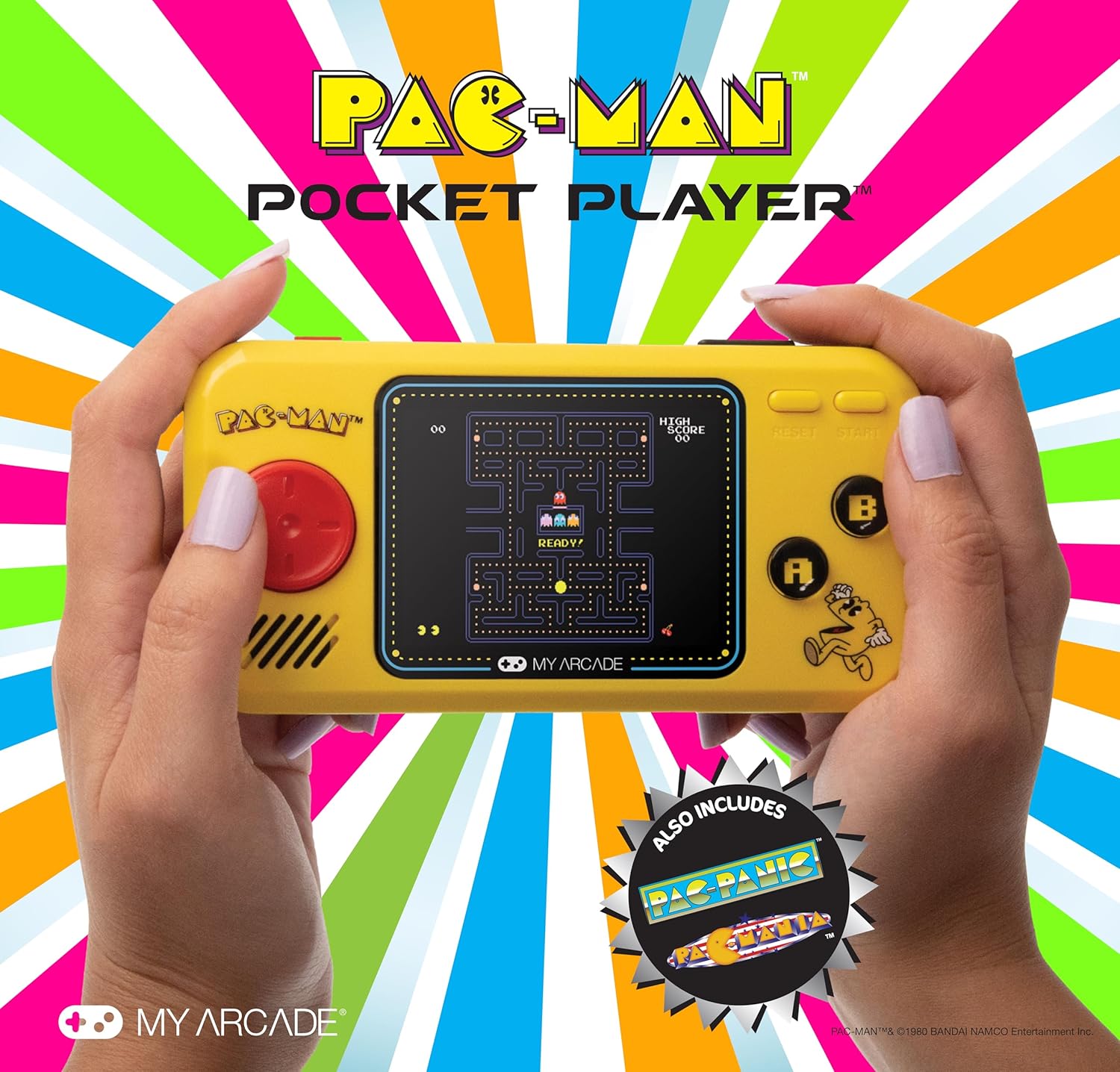
Image: A person holding the My Arcade Pocket Player, demonstrating its compact size and ease of use during gameplay.
მოვლა
- დასუფთავება: Use a soft, dry cloth to clean the console's exterior. Do not use liquid cleaners or aerosols.
- შენახვა: კონსოლი შეინახეთ გრილ, მშრალ ადგილას, მზის პირდაპირი სხივებისა და ექსტრემალური ტემპერატურისგან მოშორებით.
- ბატარეის მოვლა: გაჟონვის თავიდან ასაცილებლად, ამოიღეთ ბატარეები, თუ მოწყობილობას დიდი ხნის განმავლობაში არ გამოიყენებთ.
- მოერიდეთ წვეთებს: While durable, avoid dropping the console to prevent damage to internal components or the screen.
პრობლემების მოგვარება
- Console does not power on:
- დარწმუნდით, რომ ბატარეები სწორად არის დამონტაჟებული სათანადო პოლარობით.
- შეცვალეთ ძველი ბატარეები ახლით.
- დარწმუნდით, რომ დენის ჩამრთველი „ჩართვის“ პოზიციაშია.
- If using Micro USB, ensure the cable and power source are functional.
- ხმა არ არის:
- Check the volume level using the '+' button.
- If headphones are plugged in, sound will output through them. Disconnect headphones to use the speaker.
- Screen is blank or distorted:
- Power off and then on the console.
- დარწმუნდით, რომ ბატარეები არ არის დაბალი.
სპეციფიკაციები
| მოდელის ნომერი | DGUNL-3227 |
| ეკრანის ზომა | 2.75 Inches (Full Color LCD) |
| პროდუქტის ზომები | 1.4" სიგრძე x 4.3" სიგანე x 7.5" სიმაღლე |
| ნივთის წონა | 6.4 უნცია (დაახლოებით 0.4 ფუნტი) |
| დენის წყარო | 4 AAA Batteries (not included) or Micro USB (cable not included) |
| კონტროლერის ტიპი | Button Control (Directional Pad, A/B buttons, Start, Reset) |
| მოთამაშეთა რაოდენობა | 1 |
| მასალა | პლასტიკური |
| UPC | 845620032273 |

Image: The My Arcade Pocket Player with an overlay indicating its dimensions: 5.38 inches in length, 2.75 inches in height, and 0.88 inches in depth, with a 2.75-inch screen size.
გარანტია და მხარდაჭერა
For warranty information or technical support, please contact My Arcade customer service. Refer to the packaging or the official My Arcade webსაიტი უახლესი საკონტაქტო ინფორმაციისთვის.
მნიშვნელოვანია: This product may contain chemicals known to the State of California to cause cancer and birth defects or other reproductive harm. For more information, please visit www.p65warnings.ca.gov.


