1. შესავალი
The Fortin EVO-ONE-TOY1 is an all-in-one remote starter, security system, and data interface designed for select Toyota and Scion vehicles manufactured between 1995 and 2020, supporting Standard Key, G-Key, and H-Key systems. This system provides advanced features for vehicle convenience and security.
Key features include a built-in alarm system, standalone remote starter capabilities, OEM remote monitoring (e.g., 3x Lock remote start), digital remote starter functionality, and full immobilizer bypass. It is compatible with RF kits for extended range, convenience functions control, smartphone remote starter apps, and telematic devices. The system supports both automatic and manual transmission vehicles and features 5 programmable circuit-board relays, compatible with Dcryptor technology.
2. პაკეტის შიგთავსი
დარწმუნდით, რომ ქვემოთ ჩამოთვლილი ყველა კომპონენტი თქვენს პაკეტშია:
- 1x Fortin EVO-ONE Remote Starter and Alarm Interface Module
- 1x THAR-ONE-TOY1 Harness
- 1x Valet Switch with 36-inch Wires (2-Pin Plug)
- 1x Hood Pin Switch
- 1x Warning/Attention Sticker

სურათი 2.1: დასრულდაview of the Fortin EVO-ONE-TOY1 Remote Start Combo kit components, including the EVO-ONE module, wiring harnesses, valet switch, and hood pin switch.
3. დაყენება და ინსტალაცია
Installation of the Fortin EVO-ONE-TOY1 system requires advanced technical knowledge and should ideally be performed by a certified professional installer. Incorrect installation can lead to vehicle damage or system malfunction.
3.1. წინასწარი ინსტალაციის შემოწმება
- Ensure the vehicle is compatible with the EVO-ONE-TOY1 system.
- Disconnect the vehicle's negative battery terminal before beginning any wiring.
- დარწმუნდით, რომ შეფუთვის ყველა შიგთავსი ადგილზეა და დაუზიანებელია.
3.2. მოდული დასრულდაview
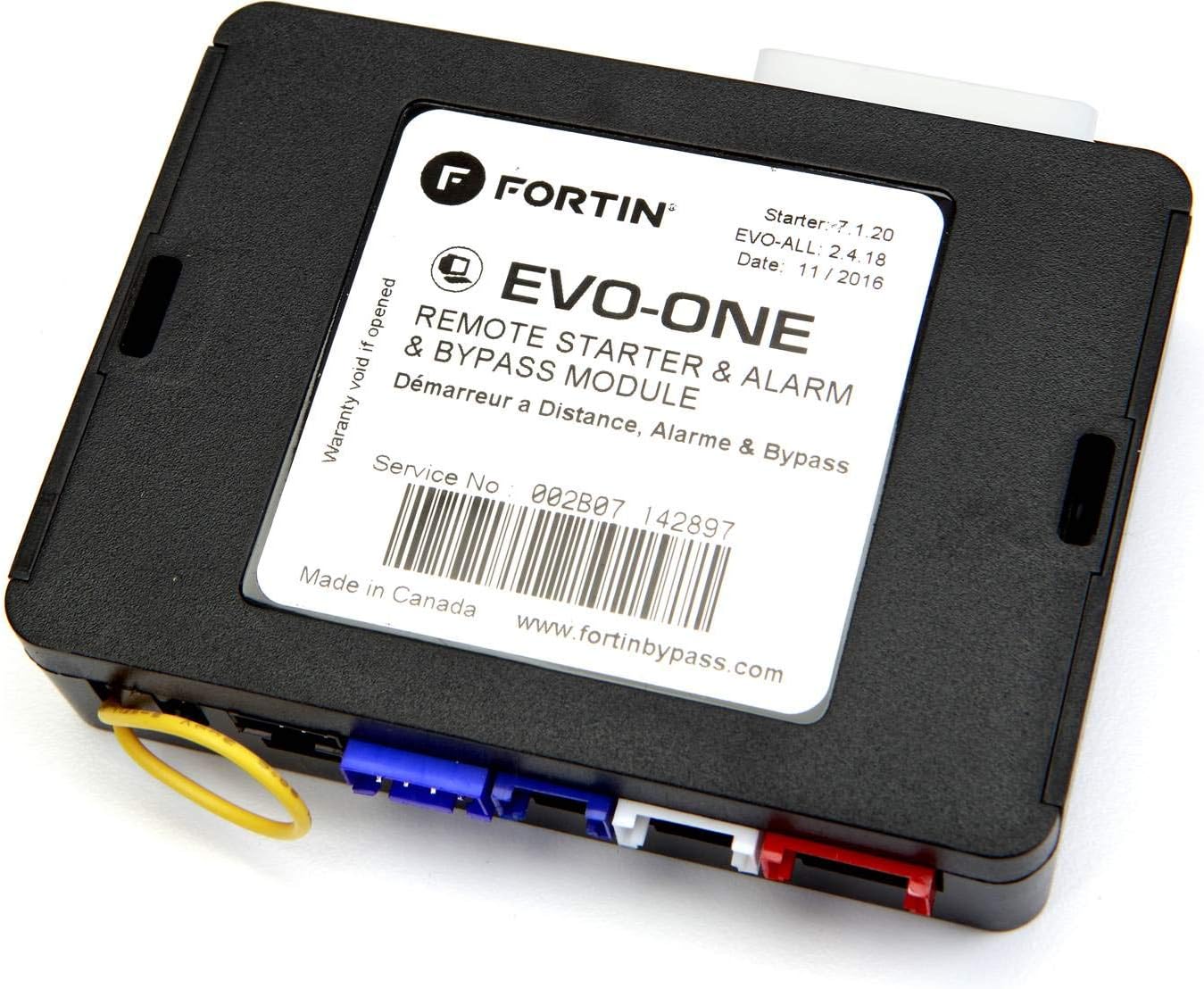
სურათი 3.1: ზედა view of the Fortin EVO-ONE module, showing the product label with model information, serial number (e.g., 002B07 145086), and manufacturer webსაიტი www.fortinbypass.com.
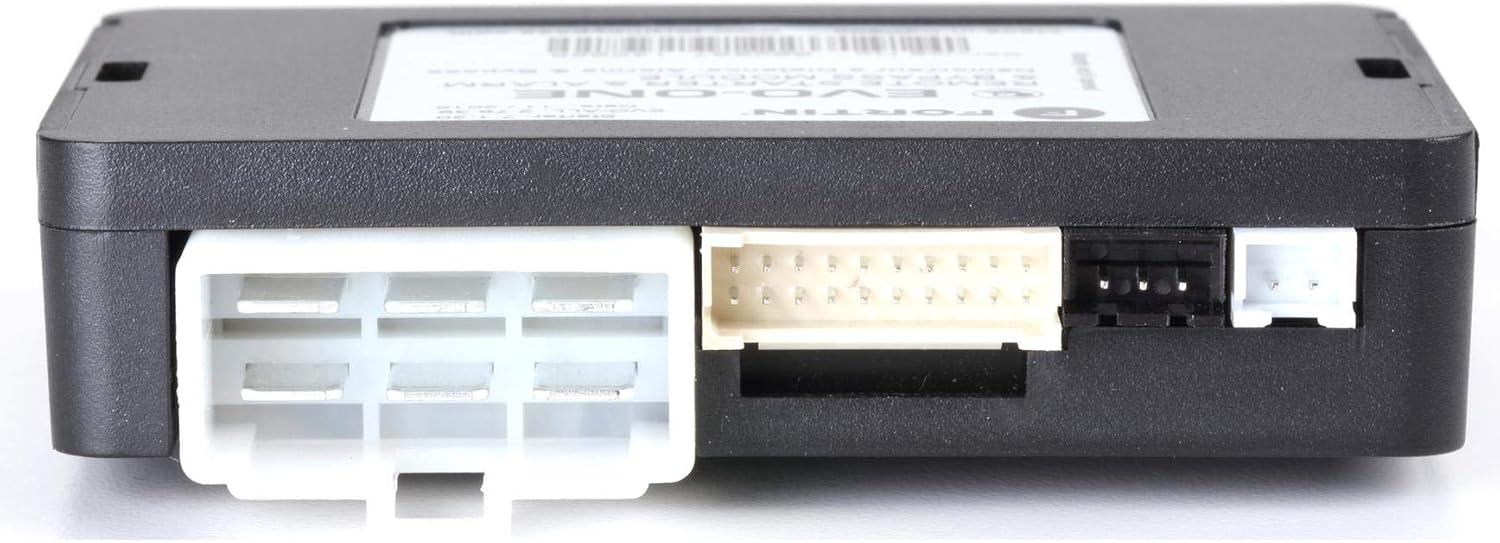
სურათი 3.2: მხარე view of the Fortin EVO-ONE module, illustrating the various input and output connectors for integration with the vehicle's electrical system.
3.3. გაყვანილობა და კავშირები
Connect the THAR-ONE-TOY1 harness to the EVO-ONE module and then to the designated ports in your vehicle. Refer to the specific vehicle wiring diagram provided by Fortin for your exact make, model, and year. Ensure all connections are secure and properly insulated.
3.4. Valet Switch and Hood Pin Installation
- Install the valet switch in an easily accessible but discreet location within the vehicle's cabin. This switch is used for programming and entering/exiting valet mode.
- Mount the hood pin switch under the hood, ensuring it properly detects when the hood is open or closed. This is a critical safety feature for remote start systems.
3.5. მოდულის პროგრამირება
After all physical connections are made, the EVO-ONE module must be programmed to your specific vehicle. This typically involves a series of steps using the valet switch and the vehicle's ignition. Consult the detailed programming guide available on the Fortin webსაიტი (www.fortinbypass.com) for precise instructions for your vehicle.
4. საოპერაციო ინსტრუქციები
4.1. Remote Starting the Vehicle
The EVO-ONE-TOY1 system supports remote starting using your vehicle's OEM remote or an optional RF kit.
- Using OEM Remote: Typically, press the 'Lock' button three times (3x Lock) or 'Lock-Unlock-Lock' on your factory remote within a short period to initiate the remote start sequence. The vehicle's parking lights will flash, and the engine will start.
- Using RF Kit (Optional): If an aftermarket RF kit is installed, refer to its specific instructions for remote start operation.
- Smartphone App (Optional): If a compatible telematic device and smartphone app are configured, follow the app's instructions to remotely start, lock, or unlock your vehicle.
4.2. სატრანსპორტო საშუალებაში შესვლა დისტანციური დაქოქვის შემდეგ
Once the vehicle is remotely started, unlock the doors using your remote. Enter the vehicle, insert the key into the ignition, turn it to the 'ON' (not 'START') position, and then press the brake pedal. This will transfer control from the remote start system to the ignition key, allowing you to drive.
4.3. Valet Mode
Valet mode disables the remote start and alarm features, allowing the vehicle to be serviced without activating these systems. To enter/exit valet mode, typically turn the ignition to the 'ON' position, then press and hold the valet switch for a few seconds until the system indicates entry/exit (e.g., LED flashes, parking lights flash).
5. მოვლა
The Fortin EVO-ONE-TOY1 system is designed for reliable operation with minimal maintenance. However, consider the following:
- Keep the EVO-ONE module and its connections dry and free from excessive dust or debris.
- პერიოდულად შეამოწმეთ ყველა სადენიანი კავშირი, რათა დარწმუნდეთ, რომ ისინი უსაფრთხოდ არიან დამაგრებული.
- If you experience any issues, avoid attempting complex repairs yourself. Consult a professional installer or Fortin technical support.
6. Დიაგნოსტიკა
If you encounter issues with your Fortin EVO-ONE-TOY1 system, review შემდეგი საერთო პრობლემების გადაჭრის ნაბიჯები:
- Remote Start Not Engaging: Ensure the vehicle doors are closed, the hood is closed (hood pin switch activated), and the parking brake is engaged (if applicable for manual transmission). Check if the vehicle is in valet mode.
- დისტანციური მართვის პულტიდან პასუხი არ არის: Check the battery in your OEM remote or RF kit remote. Ensure the vehicle's battery is charged.
- სისტემის გაუმართაობა: Try resetting the system by disconnecting the vehicle's battery for a few minutes, then reconnecting it. If issues persist, contact Fortin technical support or a professional installer.
For detailed troubleshooting guides and FAQs, visit the official Fortin webსაიტი.
7. სპეციფიკაციები
| ფუნქცია | სპეციფიკაცია |
|---|---|
| საქონლის მოდელის ნომერი | EVO ONE TOY1 |
| მწარმოებელი | ფორტინი |
| უსადენო დისტანციური | Yes (via OEM remote or optional RF kit) |
| დისტანციური მართვა შედის? | Yes (refers to compatibility with existing OEM remote) |
| გლობალური სავაჭრო საიდენტიფიკაციო ნომერი (GTIN) | 77035000410100 |
8. გარანტია და მხარდაჭერა
Fortin products are covered by a manufacturer's warranty. For specific warranty terms and conditions, please refer to the documentation included with your product or visit the official Fortin webსაიტი.
For technical support, installation assistance, or warranty claims, please contact Fortin directly:
- მწარმოებელი: ფორტინი
- Webსაიტი: www.fortinbypass.com
- Service Number (exampლე): 002B07 145086 (found on module label)
It is recommended to register your product on the Fortin website to receive updates and facilitate support.


