1. შესავალი
The MARATHON 100 Hour Direct Entry Digital Tabletop Timer is designed to assist with precise time management for various tasks. Featuring a large, easy-to-read LCD display and a direct entry keypad, this timer offers both countdown and count-up functionalities, a clock mode, and memory presets for repetitive events. Its robust design includes a magnetic back and an integrated kickstand for versatile placement.
2. პროდუქტი დასრულდაview
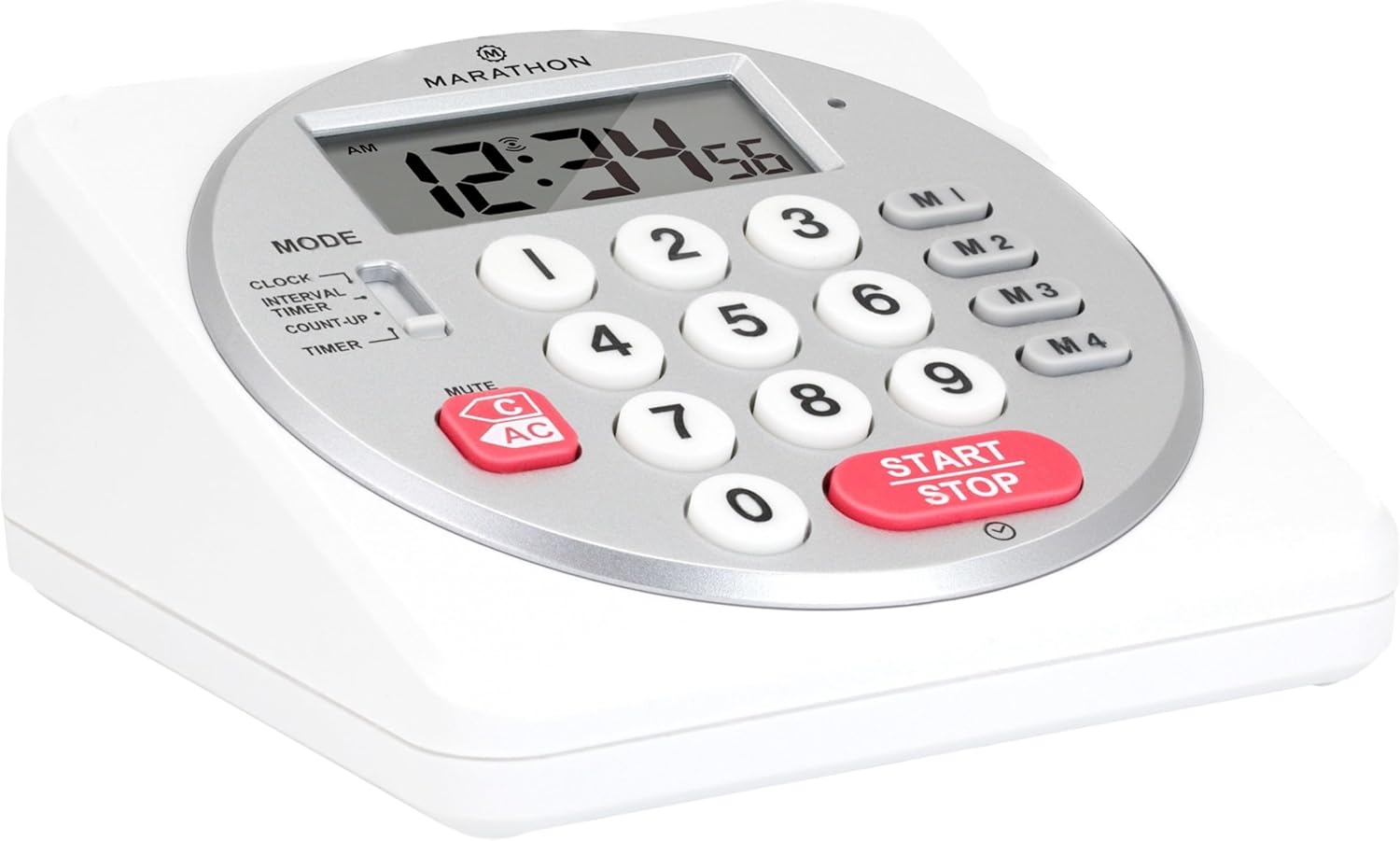
სურათი 1: წინა view of the Marathon Digital Timer.
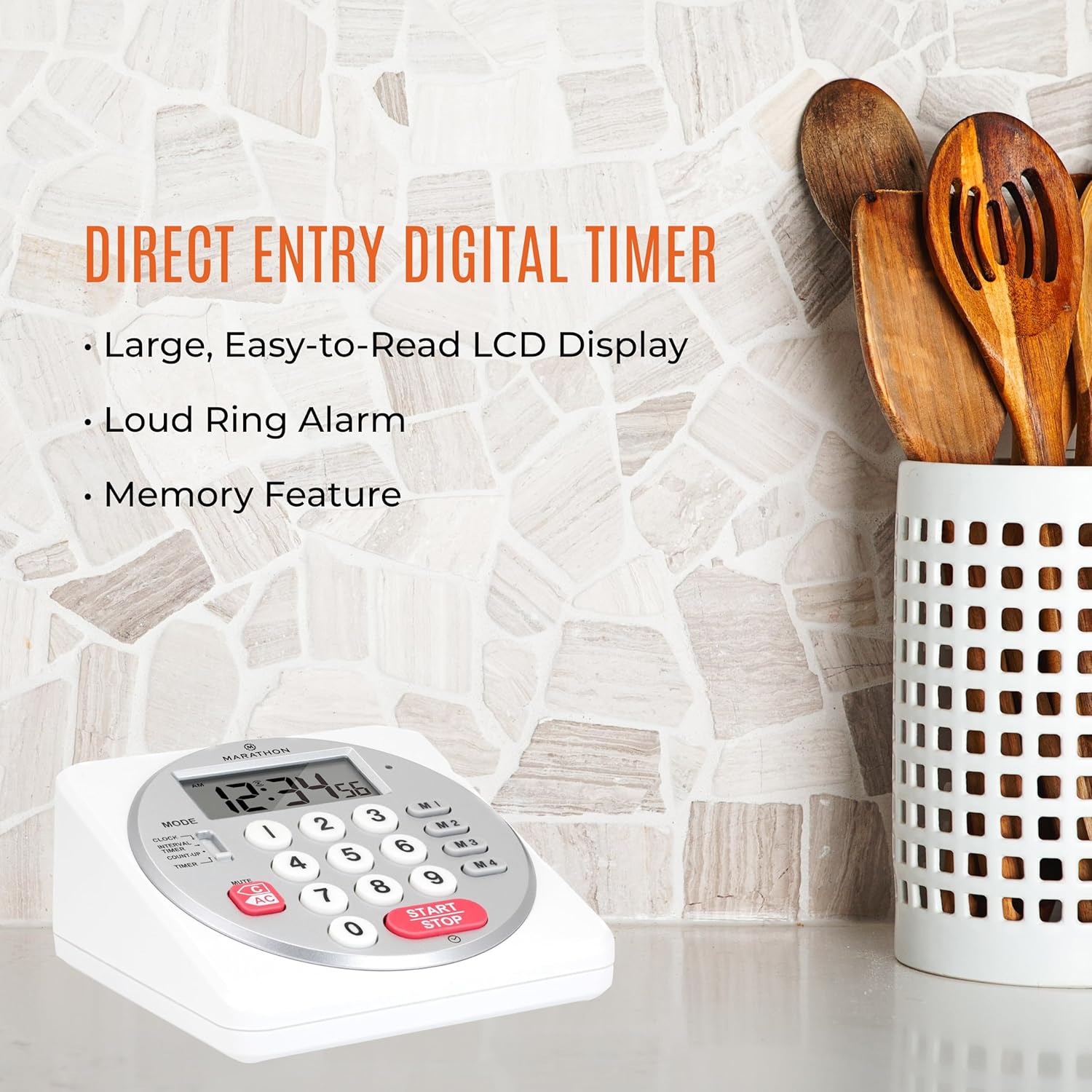
Figure 2: Timer on a kitchen counter, highlighting large display and loud alarm.

Figure 3: Timer showcasing dual function, included batteries, and versatile memory.
ძირითადი მახასიათებლები:
- Direct Entry Keypad: For quick and precise time setting.
- დიდი LCD ეკრანი: Easy-to-read numbers for clear visibility.
- Dual Function Alarm: Supports both countdown and count-up timing up to 99 hours, 59 minutes, and 59 seconds.
- Loud Ring Alarm: Audible across a room.
- LED ინდიკატორი: Flashing light for silent alarm or hearing impairment assistance.
- Clock Feature: Displays time in 12-hour or 24-hour format when not in timer mode.
- Built-in Memory Function: Stores up to four consecutive times for interval timing and four memory presets for repetitive events.
- მრავალმხრივი განთავსება: Integrated kickstand for tabletop use and magnetic back for attachment to metal surfaces.
- მოყვება ბატარეები: მოყვება 2 AA ბატარეა.
3. დაყენება
3.1. ბატარეის მონტაჟი
- იპოვეთ ბატარეის განყოფილების საფარი ტაიმერის უკანა მხარეს.
- გაასრიალეთ საფარი ღია.
- Insert two (2) AA batteries, ensuring correct polarity (+/-) as indicated inside the compartment. The timer comes with batteries included.
- უსაფრთხოდ შეცვალეთ ბატარეის განყოფილების საფარი.

სურათი 4: უკან view with battery compartment and kickstand.
4. საოპერაციო ინსტრუქციები
4.1. რეჟიმის შერჩევა
გამოიყენეთ MODE switch located on the side of the timer to select between different functions:
- საათი: აჩვენებს მიმდინარე დროს.
- INTERVAL TIMER: For setting multiple consecutive timers.
- COUNT-UP: Functions as a stopwatch.
- ტაიმერი: For setting a single countdown timer.

Figure 5: MODE switch for function selection.
4.2. საათის დაყენება
- გაასრიალეთ MODE გადართვაზე საათი.
- დააჭირეთ და გააჩერეთ SET ღილაკს, სანამ დროის ციფრები ციმციმს არ დაიწყებს.
- Use the number keypad (0-9) to enter the desired time (HH:MM).
- დააჭირეთ SET again to confirm and exit clock setting mode.
- 12-საათიან და 24-საათიან ფორმატებს შორის გადართვისთვის დააჭირეთ ღილაკს 12/24სთ button (if available, or refer to specific model instructions).
4.3. Setting a Countdown Timer (TIMER Mode)
- გაასრიალეთ MODE გადართვაზე ტაიმერი.
- Use the number keypad (0-9) to directly enter the desired countdown time (HH:MM:SS). The timer supports up to 99 hours, 59 minutes, 59 seconds.
- დააჭირეთ START/STOP ღილაკი უკუთვლის დასაწყებად.
- To pause the timer, press START/STOP კიდევ ერთხელ დააჭირეთ. გასაგრძელებლად კიდევ ერთხელ.
- When the countdown reaches zero, the alarm will sound, and the LED indicator will flash. The timer will then automatically begin counting up to show elapsed time since the alarm.
- To stop the alarm and clear the display, press the გასუფთავება ღილაკი.
4.4. Using the Count-Up Timer (COUNT-UP Mode)
- გაასრიალეთ MODE გადართვაზე COUNT-UP.
- Ensure the display shows 00:00:00. If not, press გასუფთავება.
- დააჭირეთ START/STOP ღილაკი დათვლის დასაწყებად.
- დათვლის შესაჩერებლად, დააჭირეთ START/STOP კიდევ ერთხელ დააჭირეთ. გასაგრძელებლად კიდევ ერთხელ.
- To reset the count-up timer to zero, press გასუფთავება.
4.5. Using Memory Functions (M1-M4 Presets)
The timer features four memory buttons (M1, M2, M3, M4) for storing and recalling frequently used times or for interval timing.
- In ტაიმერი mode, enter the desired time using the number keypad.
- Press and hold one of the memory buttons (M1-M4) until the display confirms the time has been saved.
- To recall a saved time, simply press the corresponding memory button (M1-M4). The saved time will appear on the display, ready to start.
- For interval timing, set the first interval, save it to M1. Then set the second interval, save it to M2, and so on. You can then cycle through these presets as needed.
4.6. სიგნალიზაციის ხმის რეგულირება
The timer features a volume switch, typically located on the side or back, allowing you to select between different alarm levels (e.g., High, Low, Mute) or a flashing LED indicator for silent operation.
5. მოვლა
- გაწმინდეთ ტაიმერი რბილი, დamp ქსოვილი. არ გამოიყენოთ აბრაზიული საწმენდები და არ ჩაყოთ მოწყობილობა წყალში.
- Avoid exposing the timer to extreme temperatures or direct sunlight for prolonged periods.
- If the display becomes dim or the alarm weakens, replace the batteries promptly.
6. Დიაგნოსტიკა
| პრობლემა | შესაძლო მიზეზი | გამოსავალი |
|---|---|---|
| Timer not turning on. | ბატარეები გაფუჭებულია ან არასწორად არის დამონტაჟებული. | შეამოწმეთ ბატარეის პოლარობა ან შეცვალეთ ახალი AA ბატარეებით. |
| ეკრანი დაბინდულია. | დაბალი ბატარეის სიმძლავრე. | შეცვალეთ ბატარეები. |
| სიგნალიზაცია არ რეკავს. | Alarm volume is set to mute or low. | Check the alarm volume switch and adjust as needed. |
| ტაიმერი არ რეაგირებს ღილაკების დაჭერაზე. | Unit may be in a locked state (if applicable) or requires a reset. | Remove and reinsert batteries to perform a hard reset. Check for any lock switches. |
7. სპეციფიკაციები
- მოდელი: TI030018WH
- ბრენდი: MARATHON
- მასალა: პლასტიკური
- ზომები: 4.45 x 2.64 x 4.45 ინჩი
- ნივთის წონა: 7.1 უნცია
- დენის წყარო: 2 x AA ბატარეა (მოყვება)
- Max Timer Duration: 99 საათი, 59 წუთი, 59 წამი
- მახასიათებლები: Direct Entry, Dual Function (Count-up/Count-down), Clock, Memory Presets, LED Indicator, Magnetic Back, Kickstand
- UPC: 063442000342

სურათი 6: პროდუქტის ზომები.
8. გარანტია და მხარდაჭერა
გარანტიის შესახებ ინფორმაციის ან ტექნიკური მხარდაჭერისთვის, გთხოვთ, მიმართოთ მწარმოებლის ოფიციალურ webსაიტზე ან დაუკავშირდით მათ მომხმარებელთა მომსახურების განყოფილებას. შეინახეთ თქვენი შესყიდვის ქვითარი შეძენის დასადასტურებლად.


