შესავალი
This manual provides essential information for the installation, operation, and maintenance of your Intel Core i7-8700 processor. The Intel Core i7-8700 is a high-performance desktop processor featuring 6 cores and 12 threads, designed for the LGA 1151 socket. It supports a 64-bit instruction set with extensions including Intel SSE4.1, Intel SSE4.2, and Intel AVX2, and incorporates Intel Hyper-Threading Technology.
Please read this manual thoroughly before proceeding with installation to ensure proper setup and optimal performance.
1. დაყენება და ინსტალაცია
Proper installation of your Intel Core i7-8700 processor is crucial for system stability and performance. This processor is compatible only with motherboards based on Intel 300 Series Chipsets.
1.1 სანამ დაიწყებთ
- Ensure your motherboard supports the LGA 1151 socket and is based on an Intel 300 Series Chipset.
- Gather necessary tools: thermal paste, CPU cooler, screwdriver, anti-static wrist strap (recommended).
- გამორთეთ კომპიუტერი და გამორთეთ ის კედლის დენის წყაროდან.
- ნებისმიერი სტატიკური ელექტროენერგიის განმუხტვა დამიწებულ ლითონის ობიექტთან შეხებით შეგიძლიათ.
1.2 Processor Installation Steps
- დედაპლატის მომზადება: Locate the CPU socket on your motherboard. Lift the load plate lever to open the socket.
- პროცესორის გასწორება: Carefully remove the processor from its packaging. Note the two alignment notches on the processor and the corresponding keys on the socket. Do not force the processor into the socket.
- პროცესორის ჩასმა: Gently place the processor into the socket, ensuring the notches align perfectly with the keys. The processor should drop into place without resistance.
- პროცესორის დამაგრება: Lower the load plate and then push down the load plate lever until it clicks into place, securing the processor.
- წაისვით თერმული პასტა: Apply a small, pea-sized amount of high-quality thermal paste to the center of the processor's integrated heat spreader (IHS).
- პროცესორის გამაგრილებელი მოწყობილობის დაყენება: Carefully place your CPU cooler onto the processor, ensuring even pressure distribution. Secure the cooler according to its manufacturer's instructions. Connect the CPU cooler fan cable to the designated header on the motherboard.
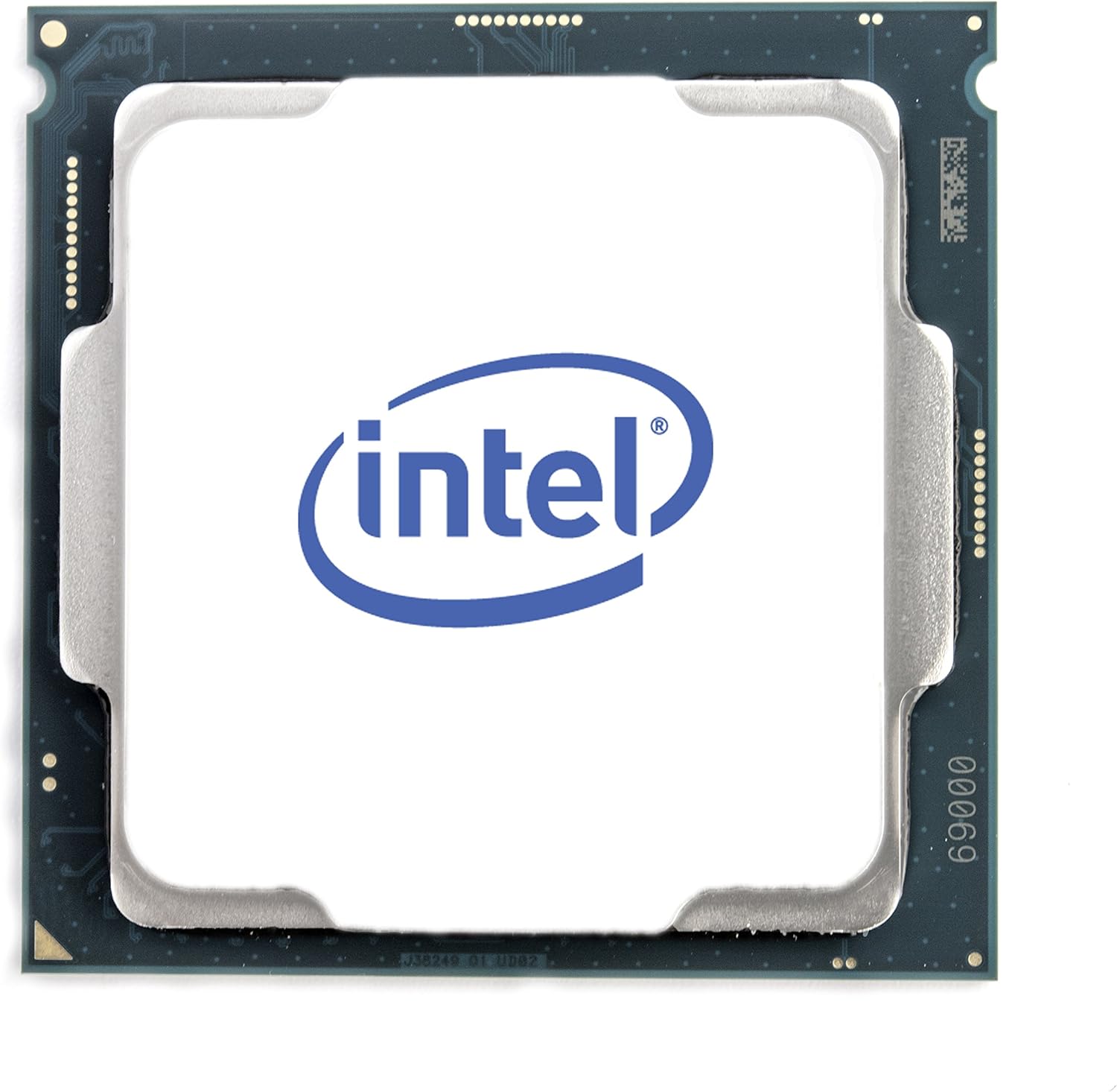
სურათი 1: ზედა view of the Intel Core i7-8700 processor. This image displays the processor's integrated heat spreader with the Intel logo, indicating the orientation for installation.

სურათი 2: ქვედა view of the Intel Core i7-8700 processor. This image illustrates the contact pads on the underside of the processor, which connect to the motherboard's LGA 1151 socket.
2. ოპერაციული ინფორმაცია
The Intel Core i7-8700 processor is designed for general computing tasks, including gaming, content creation, and everyday productivity. It features Intel UHD Graphics 630, allowing for basic display output without a dedicated graphics card, though a discrete GPU is recommended for demanding graphical applications.
2.1 სისტემური მოთხოვნები
- დედაპლატა: Intel 300 Series Chipset with LGA 1151 socket.
- ოპერატიული მეხსიერება: DDR4 memory (specific speeds and capacities depend on motherboard support).
- ელექტრომომარაგება: Adequate wattage to support the CPU and other system components.
- ოპერაციული სისტემა: Compatible with Windows 10 (64-bit), Linux distributions, etc.
2.2 შესრულების მახასიათებლები
- Intel Hyper-Threading ტექნოლოგია: Allows each physical core to run two threads simultaneously, improving multitasking performance.
- Intel Turbo Boost ტექნოლოგია: Dynamically increases the processor's frequency up to 4.60 GHz when needed, optimizing performance for demanding workloads.
- მხარდაჭერილი Intel Optane მეხსიერება: Enhances system responsiveness by accelerating frequently accessed data.
3. მოვლა
While processors generally require minimal maintenance, ensuring proper cooling and a clean environment can extend their lifespan and maintain optimal performance.
- თერმო პასტა: Over time, thermal paste can dry out. If you notice increased CPU temperatures, consider reapplying fresh thermal paste.
- CPU Cooler Cleaning: Regularly clean dust from your CPU cooler's heatsink and fan. Accumulated dust can impede airflow and lead to overheating. Use compressed air for this purpose.
- კორპუსის ჰაერის ნაკადი: Ensure your computer case has adequate airflow to dissipate heat effectively. Keep intake and exhaust vents clear of obstructions.
- BIOS/UEFI განახლებები: Keep your motherboard's BIOS/UEFI firmware updated. These updates often include performance improvements, bug fixes, and enhanced compatibility.
4. Დიაგნოსტიკა
This section addresses common issues you might encounter with your processor.
| პრობლემა | შესაძლო მიზეზი | გამოსავალი |
|---|---|---|
| System does not boot / No display. | Improper CPU installation, bent pins (unlikely for LGA), incompatible motherboard, insufficient power. |
|
| მაღალი CPU ტემპერატურა. | Insufficient thermal paste, improperly seated CPU cooler, poor case airflow, faulty cooler fan. |
|
| System instability / Crashes. | Overheating, unstable overclock (if applied), faulty RAM, driver issues. |
|
5. სპეციფიკაციები
Detailed technical specifications for the Intel Core i7-8700 processor (SR3QS).
- Cores / Threads: 6 ბირთვი / 12 ნაკადი
- Base Clock Speed: 3.20 გჰც
- მაქსიმალური ტურბო სიხშირე: 4.60 გჰც-მდე
- ქეში: 12 მბ Intel Smart Cache
- ავტობუსის სიჩქარე: 8 გტ/წმ DMI3
- TDP: 65 W
- სოკეტი: LGA 1151
- ლითოგრაფია: 14 ნმ
- ინტეგრირებული გრაფიკა: Intel UHD Graphics 630
- ინსტრუქციის კომპლექტი: 64 ბიტიანი
- Instruction Set Extensions: Intel SSE4.1, Intel SSE4.2, Intel AVX2
- მხარდაჭერილი ტექნოლოგიები: Intel Hyper-Threading Technology, Intel Turbo Boost Technology, Intel Optane Memory Supported
- პროდუქტის ზომები: 4.7 x 4.2 x 4.7 ინჩი
- ნივთის წონა: 0.811 უნცია
6. გარანტია და მხარდაჭერა
This Intel Core i7-8700 processor is a renewed product. Renewed products typically come with a limited warranty provided by the seller or refurbisher, not directly by the original manufacturer (Intel) for the renewed status. Please refer to the specific warranty information provided at the point of purchase or by the seller, "Maestro Tech Reconditioned".
For technical support related to installation or troubleshooting, it is recommended to consult your motherboard's manual, the seller's support channels, or Intel's official support resources for general processor information.
გამყიდველი: Maestro Tech Reconditioned
Typical Return Policy: 90-day refund/replacement (as per product listing information).
დამატებითი დახმარებისთვის შეგიძლიათ ეწვიოთ Amazon-ის განახლებული მაღაზია ან დაუკავშირდით გამყიდველს პირდაპირ.


