1. შესავალი
Thank you for choosing the RoHS EAL9001U Keyboard. This compact USB keyboard is designed for reliable performance and ease of use. This manual provides essential information on setting up, operating, maintaining, and troubleshooting your new keyboard to ensure optimal functionality.
1.1 პაკეტის შიგთავსი
- RoHS EAL9001U Keyboard
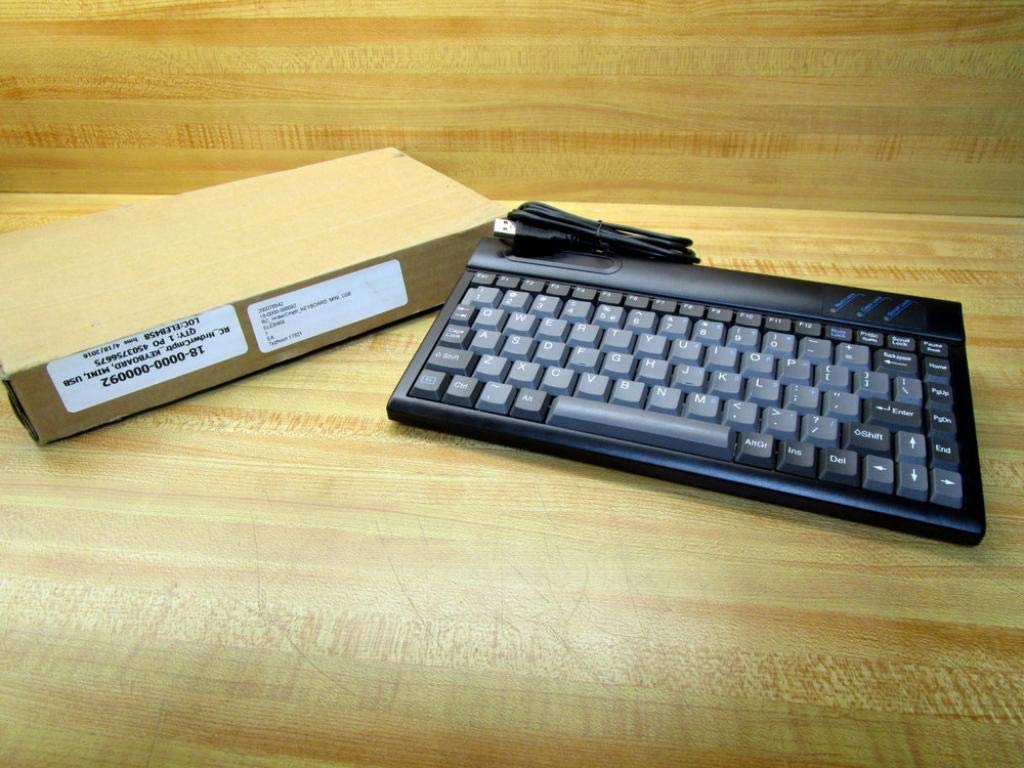
Figure 1.1: The RoHS EAL9001U Keyboard as packaged, alongside its brown cardboard box.
2. პროდუქტი დასრულდაview
The RoHS EAL9001U is a compact, 85-key QWERTY keyboard designed for various computing environments. Its durable plastic construction and USB connectivity ensure a straightforward and reliable user experience.
2.1 ძირითადი მახასიათებლები
- Compact Design with 85 Keys
- Standard QWERTY Keyboard Layout
- USB Connectivity for Plug-and-Play Operation
- გამძლე პლასტიკური მასალა
- USB Powered
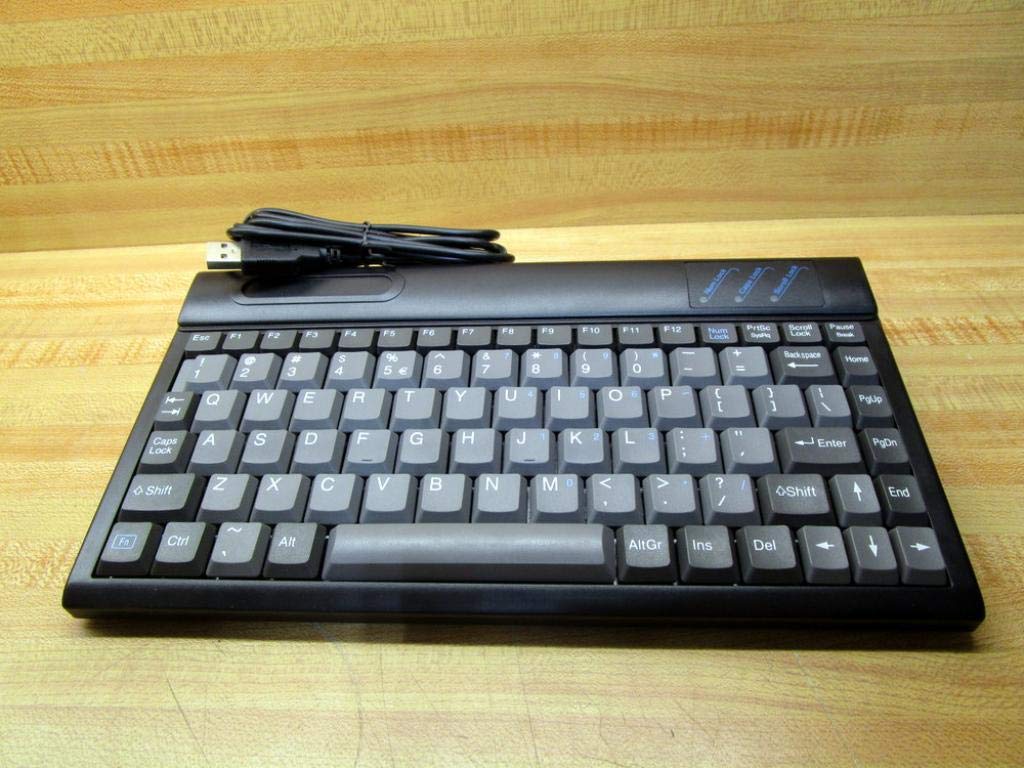
სურათი 2.1: ზედა view of the RoHS EAL9001U Keyboard, showcasing its compact QWERTY layout.
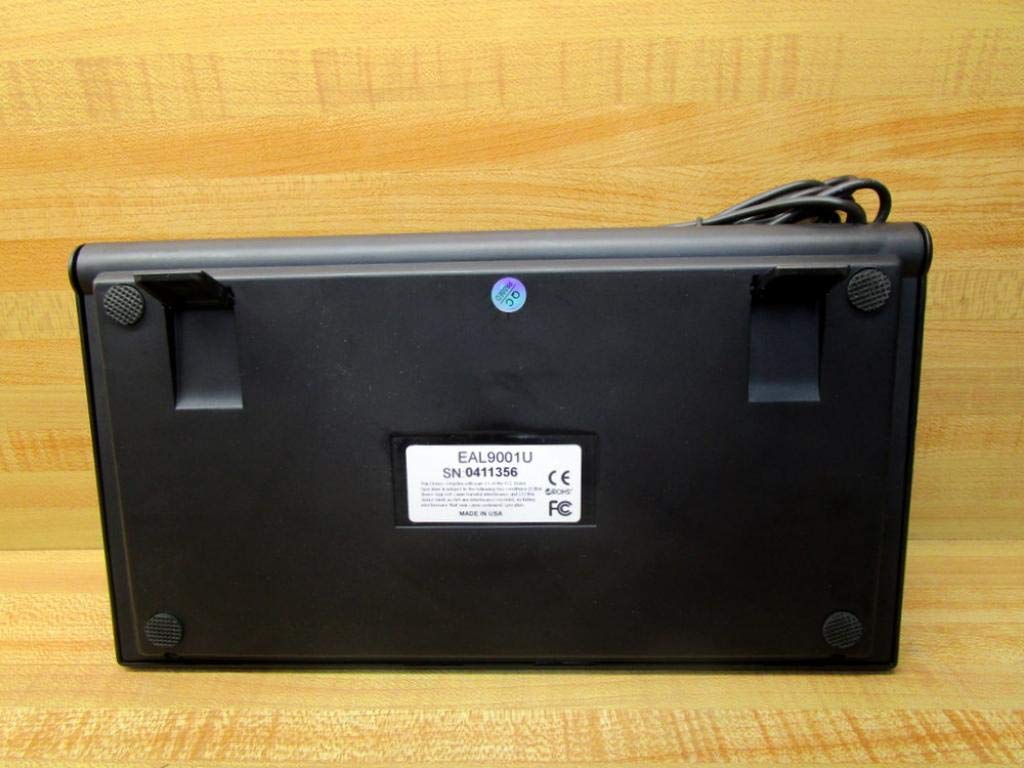
სურათი 2.2: ქვედა view of the RoHS EAL9001U Keyboard, showing its stable feet and smooth surface.
3. დაყენება
3.1 კლავიატურის დაკავშირება
The RoHS EAL9001U Keyboard is a plug-and-play device, requiring no special drivers for most operating systems.
- იპოვეთ ხელმისაწვდომი USB პორტი თქვენს კომპიუტერზე ან მოწყობილობაზე.
- კლავიატურის USB კონექტორი მჭიდროდ ჩადეთ USB პორტში.
- Wait for your operating system to recognize the new hardware. This usually takes a few seconds.
- კლავიატურა ახლა მზად არის გამოსაყენებლად.
4. საოპერაციო ინსტრუქციები
4.1 ძირითადი ოპერაცია
The EAL9001U keyboard functions like a standard QWERTY keyboard. Simply type as you normally would. The 85-key layout includes all essential alphanumeric keys, function keys (F1-F12), and navigation keys.
4.2 სპეციალური ფუნქციები
Due to its compact design, some less frequently used keys might be accessed via a function (Fn) key combination. Refer to your operating system's keyboard settings for any custom key assignments or shortcuts.
5. მოვლა
5.1 დასუფთავება
კლავიატურის იერსახისა და ფუნქციონალურობის შესანარჩუნებლად:
- გაწმენდის დაწყებამდე კლავიატურა გამორთეთ კომპიუტერიდან.
- გამოიყენეთ რბილი, უბინავის ქსოვილი ოდნავ დampened with water or a mild, non-abrasive cleaning solution to wipe the surface.
- გასაღებებს შორის მტვრისა და ნარჩენების მოსაშორებლად გამოიყენეთ შეკუმშული ჰაერი ან პატარა ფუნჯი.
- მოერიდეთ სითხეების პირდაპირ კლავიატურაზე შესხურებას.
5.2 შენახვა
When not in use, store the keyboard in a cool, dry place away from direct sunlight and extreme temperatures to prevent damage.
6. Დიაგნოსტიკა
| საკითხი | შესაძლო მიზეზი | გამოსავალი |
|---|---|---|
| კლავიატურა არ პასუხობს | Loose USB connection; Faulty USB port; Driver issue (rare) | დარწმუნდით, რომ USB კაბელი საიმედოდ არის შეერთებული. სცადეთ სხვა USB პორტი. გადატვირთეთ კომპიუტერი. |
| კონკრეტული გასაღებები არ მუშაობს | Debris under key; Key mechanism damage | Use compressed air to clear debris. If problem persists, contact support. |
| Keyboard recognized but input delayed | System resource issue; USB port conflict | Close unnecessary applications. Try a different USB port. |
7. სპეციფიკაციები
| ფუნქცია | დეტალი |
|---|---|
| მოდელის ნომერი | EAL9001U (18-0000-000092) |
| დაკავშირების ტექნოლოგია | USB |
| გასაღებების რაოდენობა | 85 |
| კლავიატურის განლაგება | QWERTY |
| დენის წყარო | USB Powered |
| მასალა | პლასტიკური |
| პროდუქტის ზომები | 3 x 11 x 11 ინჩი |
| პროდუქტის წონა | 1.38 ფუნტი |
| მწარმოებელი | როჰესი |

Figure 7.1: Product label showing model EAL9001U, serial number, FCC, CE, and RoHS compliance, and 'MADE IN USA'.
8. ინფორმაცია გარანტიის შესახებ
This product is covered by a standard manufacturer's warranty. Please retain your proof of purchase for any warranty claims. For specific warranty terms and conditions, refer to the documentation provided at the time of purchase or contact the manufacturer directly.
9. მომხმარებელთა მხარდაჭერა
For technical assistance, troubleshooting, or product inquiries, please contact your retailer or the manufacturer's customer support. Have your product model number (EAL9001U) and serial number (if applicable) ready when contacting support.


