შესავალი
This manual provides detailed instructions for the safe and effective operation of your Donner DJ Par Light. Please read this manual thoroughly before use and retain it for future reference. This device is designed to produce various lighting effects for events, parties, and stagე სპექტაკლები.
უსაფრთხოების ინფორმაცია
- დარწმუნდით, რომ კვების ბლოკიtage შეესაბამება მოწყობილობის მოთხოვნებს.
- Do not expose the device to rain or moisture to prevent electric shock or fire.
- Always disconnect from the power supply before cleaning or servicing.
- მოერიდეთ სინათლის წყაროსთან პირდაპირ კონტაქტს თვალში, რადგან ამან შეიძლება თვალის დაზიანება გამოიწვიოს.
- უზრუნველყოს სათანადო ვენტილაცია გადახურების თავიდან ასაცილებლად. არ დაბლოკოთ ვენტილაციის ღიობები.
- მოწყობილობას სიფრთხილით მოეპყარით. მოერიდეთ მის დავარდნას ან ძლიერ დარტყმებს.
- შეინახეთ ბავშვებისთვის მიუწვდომელ ადგილას.
პაკეტის შიგთავსი
გახსნისას დარწმუნდით, რომ ყველა ნივთი ადგილზეა:
- Donner DJ Par Light (1 unit)
- დისტანციური მართვა (1 ერთეული)
- Mounting Bracket (1 unit)
- Power Cable (1 unit)
- მომხმარებლის სახელმძღვანელო (ეს დოკუმენტი)
პროდუქტის მახასიათებლები
- 18 RGB LEDs: Features 18 x 3W RGB LED lights (6 Red, 6 Green, 6 Blue) for a wide range of color effects.
- Multi-mode Operation: Includes Static Color, Color Changing, Color Fade, Auto, Sound-activated, Master-slave, and DMX modes.
- დისტანციური მართვა: Easy control via the included IR remote.
- DMX512 თავსებადი: For professional lighting control.
- ჩამონტაჟებული გაგრილების ვენტილატორი: Ensures stable operation and extends lifespan.
- Adjustable Dual Brackets: Allows for flexible mounting on trusses, walls, or standing on the floor.
დაყენება
- შეფუთვა: Carefully remove the light and all accessories from the packaging.
- სამაგრის მონტაჟი: Attach the dual brackets to the sides of the light using the provided screws and knobs. Ensure they are securely fastened.
- მონტაჟი:
- იატაკის სადგამი: Position the light on a flat, stable surface using the brackets as a stand. Adjust the angle as desired.
- Hanging/Truss Mount: გამოიყენეთ შესაბამისი კლamps (not included) to secure the light to a truss or ceiling. Always use a safety cable (not included) when hanging the unit.
- დენის კავშირი: Connect the power cable to the light's power input and then to a suitable power outlet.

ოპერაციული რეჟიმები
The Donner DJ Par Light offers multiple operating modes, selectable via the remote control or the control panel on the back of the unit.

- სტატიკური ფერის რეჟიმი: Displays a single, constant color. Use the remote's color buttons (Red, Green, Blue) or the control panel to select specific colors or mix RGB values.
- Color Changing (Jump) Mode: The light rapidly switches between different colors. The speed of the color change can be adjusted.
- Color Fade (Gradual) Mode: The light smoothly transitions from one color to another. The transition speed can be adjusted.
- ავტო რეჟიმი: The light cycles through various pre-programmed lighting effects automatically.
- ხმით გააქტიურებული რეჟიმი: The light reacts to ambient sound or music, changing colors and patterns in sync with the beat. Ensure the built-in microphone is not obstructed.
- Master-Slave რეჟიმი: Connect multiple lights using DMX cables. One unit acts as the master, controlling all connected slave units, ensuring synchronized lighting effects.
- DMX რეჟიმი: For advanced control using a DMX512 controller. This mode allows precise control over individual light parameters such as color intensity, strobe, and mode selection.
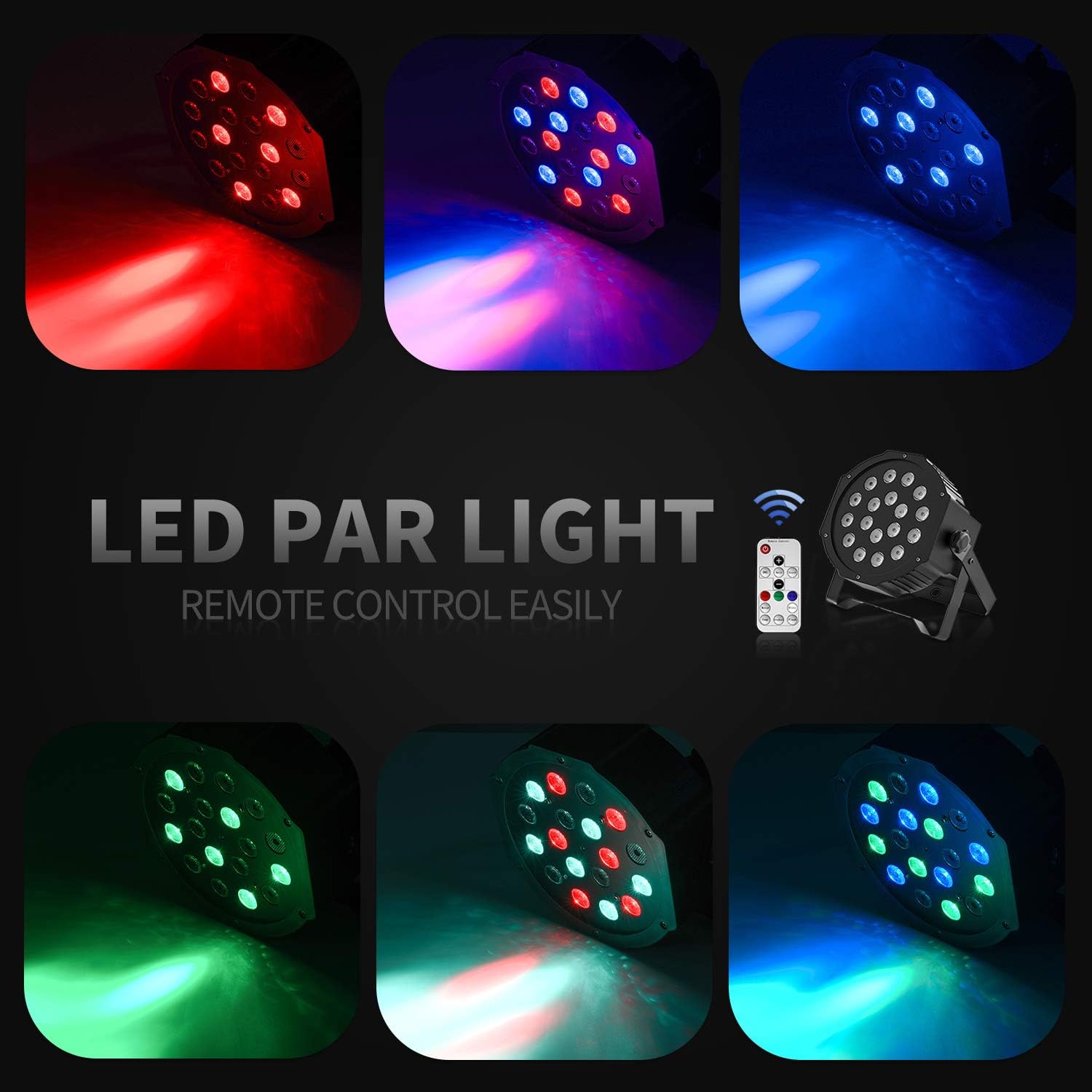
დისტანციური მართვის ოპერაცია
The included IR remote control provides convenient access to the light's functions:
- ჩართვა/ლოდინის რეჟიმში: Press to power on or put the device in standby mode.
- DMX: Activates DMX mode. Use '+' and '-' to adjust the DMX address.
- ავტომატური: Activates Auto mode.
- ხმა: Activates Sound-Activated mode.
- წითელი/მწვანე/ლურჯი: Selects static red, green, or blue color.
- თეთრი: Selects static white color.
- გადასვლა: Activates Color Changing (Jump) mode.
- Gradual: Activates Color Fade (Gradual) mode.
- ფლეშ: ააქტიურებს სტრობოსკოპულ რეჟიმს.
- +/- ღილაკები: Adjust speed in Jump/Gradual/Flash modes, or DMX address in DMX mode.
DMX კონტროლი
The Donner DJ Par Light supports DMX512 protocol for professional control. Connect a DMX controller to the DMX IN port using a 3-pin XLR cable. For multiple units, daisy-chain them by connecting the DMX OUT of one unit to the DMX IN of the next.
DMX Channel Functions (Example for 7-channel mode):
| არხი | ფუნქცია | ღირებულების დიაპაზონი | აღწერა |
|---|---|---|---|
| 1 | ოსტატი დიმერი | 0-255 წწ | Overall brightness (0=off, 255=max) |
| 2 | წითელი ინტენსივობა | 0-255 წწ | Red LED brightness (0=off, 255=max) |
| 3 | მწვანე ინტენსივობა | 0-255 წწ | Green LED brightness (0=off, 255=max) |
| 4 | ლურჯი ინტენსივობა | 0-255 წწ | Blue LED brightness (0=off, 255=max) |
| 5 | სტრობი | 0-255 წწ | Strobe speed (0=off, 255=fastest) |
| 6 | რეჟიმის შერჩევა | 0-255 წწ | Selects various internal programs (Auto, Sound, Jump, Gradual) |
| 7 | პროგრამის სიჩქარე | 0-255 წწ | Adjusts speed of selected program (0=slow, 255=fast) |
მოვლა
- დასუფთავება: Regularly clean the lens and housing with a soft, lint-free cloth. Do not use abrasive cleaners.
- შენახვა: როდესაც მოწყობილობა არ გამოიყენება, შეინახეთ მშრალ, მტვრისგან თავისუფალ გარემოში.
- ინსპექტირება: Periodically check the power cable and DMX connections for any signs of damage.
პრობლემების მოგვარება
| პრობლემა | შესაძლო მიზეზი | გამოსავალი |
|---|---|---|
| შუქი არ ირთვება. | No power, faulty cable, device in standby. | Check power connection. Ensure outlet is functional. Press ON/STANDBY button on remote or control panel. |
| დისტანციური მართვა არ მუშაობს. | Low battery, remote not aimed correctly, IR sensor blocked. | Replace remote battery. Point remote directly at the IR sensor on the front of the light. Ensure no obstructions. |
| Light not responding in DMX mode. | Incorrect DMX address, faulty DMX cable, incorrect DMX mode selected. | Verify DMX address matches controller. Check DMX cable connections. Ensure DMX mode is active on the light. |
| Sound-activated mode not working. | Microphone obstructed, sound level too low. | Ensure the microphone on the back panel is clear. Increase music volume or move the light closer to the sound source. |
სპეციფიკაციები
| მოდელი: | Remote Control/DMX |
| სინათლის წყარო: | 18 x 3W RGB LEDs (6 Red, 6 Green, 6 Blue) |
| დენის წყარო: | კაბელიანი ელექტრო |
| კონტროლის რეჟიმები: | Static Color, Color Changing, Color Fade, Auto, Sound-activated, Master-slave, DMX512 |
| მასალა: | პლასტიკური |
| პროდუქტის ზომები: | 7.48" სიგრძე x 5.12" სიგანე x 7.48" სიმაღლე |
| ნივთის წონა: | 1.45 ფუნტი |
გარანტია და მხარდაჭერა
Donner provides a 12-month warranty for this product, covering manufacturing defects from the date of purchase. For warranty claims, technical support, or service inquiries, please contact Donner customer service through the retailer where the product was purchased or visit the official Donner webსაიტი საკონტაქტო ინფორმაციისთვის.


