1. შესავალი
The Reloop Keypad Pro is a versatile, compact all-in-one workstation designed for music producers. It integrates a mini master keyboard, responsive drum pads, a mixer unit, and comprehensive digital audio workstation (DAW) controls. This device offers an ideal solution for both project studios and mobile music production environments, providing a powerful and portable tool for creating and performing music.

Figure 1.1: The Reloop Keypad Pro, a compact USB-MIDI DAW workstation.
2. ძირითადი მახასიათებლები
- 25-key MIDI Controller: A compact keyboard for melodic input and control.
- 16 Velocity-Sensitive Drum Pads with RGB Lighting: Expressive pads for drumming, triggering samples, and clip launching, featuring customizable RGB illumination.
- 8 Channel Strips: Dedicated faders and knobs for controlling mixer parameters within your DAW.
- ტრანსპორტის კონტროლი: Dedicated buttons for play, stop, record, and other common DAW transport functions.
- 3.5mm TRS MIDI Out: გარე MIDI აპარატურასთან დასაკავშირებლად.
- MIDI Bluetooth LE: Enables wireless MIDI connectivity with compatible devices.
- Integrated Arpeggiator: Generates rhythmic patterns from held notes.
- Chord Function: Allows playing complex chords with a single key press.
- Scale Mode: Constrains notes to a selected musical scale, aiding in melodic composition.
- OLED ეკრანი: Provides real-time feedback on parameters and settings.
- USB-Powered and Battery-Operated: Flexible power options for studio and mobile use.
- USB კერა: Built-in USB hub for connecting additional devices.

Figure 2.1: Detail of the 16 velocity-sensitive drum pads with RGB lighting.
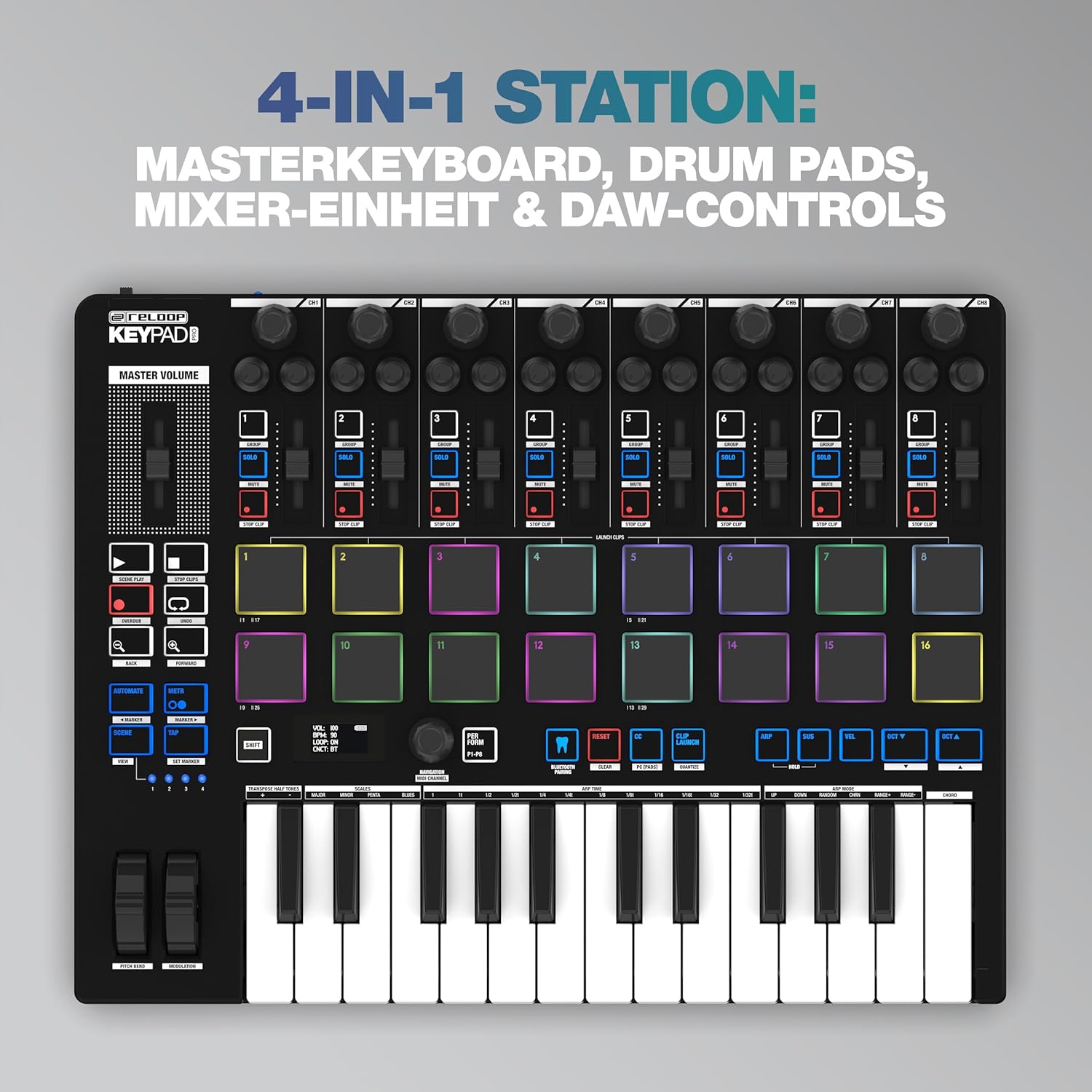
Figure 2.2: The OLED display showing real-time parameters and settings.
3. რა არის ყუთში
Upon unboxing your Reloop Keypad Pro, please ensure all the following items are present:
- Reloop Keypad Pro Unit
- მომხმარებლის სახელმძღვანელო (ეს დოკუმენტი)
- USB კაბელი
- 3.5mm TRS MIDI Cable
4. დაყენება
4.1 მოწყობილობის ჩართვა
The Keypad Pro can be powered via USB or batteries:
- USB სიმძლავრე: Connect the included USB cable from the Keypad Pro's USB port to a USB port on your computer or a compatible USB power adapter.
- ბატარეის სიმძლავრე: Insert compatible batteries (not included) into the battery compartment. Ensure the power switch on the rear panel is set to 'BAT' for battery operation.
4.2 კომპიუტერთან დაკავშირება (USB)
For direct control of your DAW and software instruments:
- Connect the USB cable from the Keypad Pro to an available USB port on your Windows PC or Mac computer.
- The Keypad Pro is class-compliant and typically does not require additional drivers for basic functionality.
- Open your preferred DAW (e.g., Bitwig Studio) and configure the Keypad Pro as a MIDI input and control surface device in the software's preferences.
4.3 Connecting to External MIDI Devices (TRS MIDI Out)
To control external synthesizers or other MIDI hardware:
- Use the included 3.5mm TRS MIDI cable to connect the Keypad Pro's MIDI Out port to the MIDI In port of your external MIDI device.
- Ensure the external device is powered on and configured to receive MIDI data.
4.4 Wireless MIDI Connection (Bluetooth LE)
For wireless connectivity with compatible devices (iOS, Android, Mac):
- Ensure Bluetooth is enabled on your host device (tablet, smartphone, computer).
- On the Keypad Pro, activate Bluetooth MIDI mode (refer to the device's OLED display and controls for specific instructions).
- Pair the Keypad Pro with your host device through its Bluetooth settings.
- Configure your music application to recognize the Keypad Pro as a MIDI input.

Figure 4.1: Rear panel connections including USB, USB Hub, and MIDI Out.
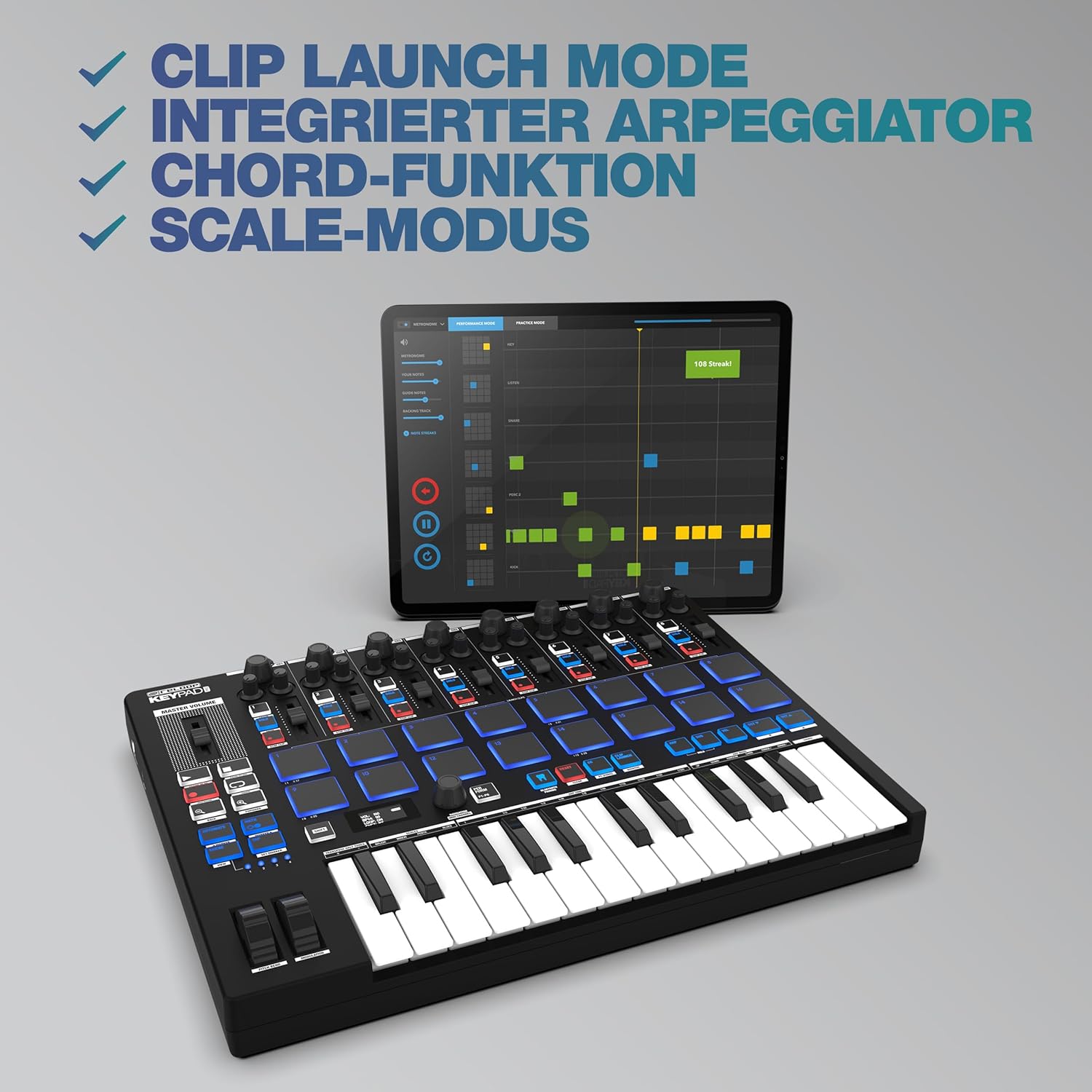
Figure 4.2: The Keypad Pro demonstrating wireless MIDI connectivity with a tablet.
5. საოპერაციო ინსტრუქციები
5.1 Keyboard and Pads
The 25-key keyboard functions as a standard MIDI controller for playing melodies and chords. The 16 drum pads are velocity-sensitive, allowing for dynamic performance. They can be used for triggering drum sounds, samples, or launching clips in your DAW.
5.2 Mixer Unit and DAW Controls
The 8 channel strips, each with a fader and rotary knob, are designed to control mixer parameters such as volume, pan, or send effects within your digital audio workstation. The dedicated transport controls (Play, Stop, Record, Loop, etc.) provide hands-on control over your DAW's playback and recording functions.
5.3 გაფართოებული ფუნქცია
- არპეგიატორი: Activate the arpeggiator to automatically generate rhythmic patterns from notes you hold down. Parameters like rate, swing, and octave range can typically be adjusted via the OLED display and control knobs.
- Chord Function: This feature allows you to play full chords by pressing a single key or pad. Configure chord types (major, minor, etc.) through the device's settings.
- Scale Mode: When enabled, Scale Mode ensures that all notes played on the keyboard or pads conform to a selected musical scale, preventing
დაკავშირებული დოკუმენტები - 244054

Reloop Keypad Pro-ს ინსტრუქციის სახელმძღვანელო
Reloop Keypad Pro-ს, კომპაქტური DAW სამუშაო სადგურის, უკაბელო MIDI-ით აღჭურვილი Reloop Keypad Pro-ს ყოვლისმომცველი ინსტრუქციის სახელმძღვანელო. გაეცანით მუსიკალური წარმოებისთვის საჭირო დაყენების, უსაფრთხოების, მართვისა და მუშაობის წესებს.
Reloop RMX-30 BT მიქსერი: გამოყენების ინსტრუქცია და ტექნიკური მახასიათებლები
Reloop RMX-30 BT 3-არხიანი Bluetooth მიქსერის ყოვლისმომცველი გამოყენების სახელმძღვანელო, რომელიც მოიცავს უსაფრთხოებას, კავშირებს, მუშაობას, ტექნიკურ მონაცემებს და მარეგულირებელ მოთხოვნებთან შესაბამისობას.
Reloop RMX-30 BT 3-არხიანი Bluetooth DJ მიქსერი - ინსტრუქციის სახელმძღვანელო
Reloop RMX-30 BT 3-არხიანი Bluetooth DJ მიქსერის ყოვლისმომცველი ინსტრუქცია, რომელიც მოიცავს უსაფრთხოებას, დაყენებას, მუშაობას, ტექნიკურ სპეციფიკაციებს და სხვა. მოიცავს მრავალენოვან მხარდაჭერას.
Reloop RMX-95 ციფრული კლუბის მიქშერი 24-ბიტიანი ორმაგი ინტერფეისით - ხელით
ეს დოკუმენტი წარმოადგენს Reloop RMX-95 ციფრული კლუბური მიქსერის ინსტრუქციის სახელმძღვანელოს, რომელიც მოიცავს უსაფრთხოების ინსტრუქციებს, მუშაობას, ეფექტებს, ბითქაუნთინგი, დაყენების პროგრამას და ტექნიკურ სპეციფიკაციებს. ის ხელმისაწვდომია გერმანულ, ინგლისურ, ფრანგულ და ესპანურ ენებზე.
Reloop RP8000-ის გამოყენების სახელმძღვანელო VirtualDJ 8-ისთვის: დაყენება, კონტროლი და MIDI ფუნქციები
VirtualDJ 8 პროგრამულ უზრუნველყოფასთან ინტეგრირებული Reloop RP8000 ჰიბრიდული ფირსაკრავის გამოყენების ყოვლისმომცველი სახელმძღვანელო. მოიცავს ინსტალაციას, DVS დაყენებას, ფირსაკრავის მართვას, MIDI რუკების შედგენას და დიჯეებისთვის განკუთვნილ გაფართოებულ ფუნქციებს.
Reloop Buddy-ის დაყენების სახელმძღვანელო: iOS, iPadOS, Mac, PC და Android მოწყობილობებთან დაკავშირება
Reloop Buddy DJ კონტროლერის დაყენების ყოვლისმომცველი სახელმძღვანელო, რომელიც დეტალურად აღწერს iOS, iPadOS, Mac, PC და Android მოწყობილობების დაკავშირების მეთოდებს, მათ შორის კვების და მონაცემთა კაბელის მოთხოვნებს.