შესავალი
This manual provides essential information for the setup, operation, and maintenance of your OREI Sony UBP-X800M2 Region Free 4K UHD Blu-ray Player. This player is designed for worldwide use, supporting all Blu-ray disc zones (A/B/C) and DVD regions (0-8), with a built-in NTSC↔PAL 4K HD converter. Enjoy stunning 4K UHD visuals, high-resolution audio including Dolby Atmos and DTS:X, and seamless access to streaming services via Wi-Fi or Ethernet.

სურათი 1: წინა view of the OREI Sony UBP-X800M2 4K UHD Blu-ray Player.
დაყენება
1. გახსნა და განთავსება
- ფრთხილად ამოიღეთ ყველა კომპონენტი შეფუთვიდან.
- Place the player on a stable, level surface with adequate ventilation.
- Ensure no objects block the ventilation openings.
2. თქვენს ტელევიზორთან დაკავშირება
Connect the player to your TV using an HDMI cable for optimal 4K UHD video and audio.
- HDMI კაბელის ერთი ბოლო შეაერთეთ HDMI OUT პორტი Blu-ray ფლეიერის უკანა მხარეს.
- შეაერთეთ HDMI კაბელის მეორე ბოლო თქვენს ტელევიზორში HDMI შესასვლელთან.
- If using an audio receiver, connect the player's HDMI OUT to the receiver's HDMI IN, then the receiver's HDMI OUT to the TV's HDMI IN.

Figure 2: Rear panel connections, showing HDMI, LAN, and audio outputs.
3. დენის კავშირი
- Connect the AC power cord to the player's power input and then to a suitable electrical outlet.
4. ქსელური კავშირი (არასავალდებულო)
For streaming services and firmware updates, connect the player to your home network.
- სადენიანი კავშირი: Connect an Ethernet cable from the player's LAN (100) port to your router or modem.
- უკაბელო კავშირი: Navigate to the network settings in the player's menu to connect to your Wi-Fi network.
5. Region Changing Instructions
This player supports all DVD regions (0-8) automatically. Blu-ray regions (A, B, C) are changed manually using the remote control.
- Turn the player ON და OPEN THE DISC TRAY.
- Once the tray is completely open, press the corresponding colored button on the remote to select the desired Blu-ray region:
- ზონა A: დააჭირეთ ყვითელი ღილაკი დისტანციურ კონტროლზე.
- ზონა B: დააჭირეთ ლურჯი ღილაკი დისტანციურ კონტროლზე.
- ზონა C: დააჭირეთ RED BUTTON დისტანციურ კონტროლზე.
- ახლა შეგიძლიათ დისკი უჯრაში მოათავსოთ და შემდეგ უჯრა დახუროთ.

Figure 3: Remote control with colored buttons for region selection.
ოპერაციული ინსტრუქციები
1. დისკის დაკვრა
The player supports a wide range of disc formats, including 4K UHD Blu-ray, standard Blu-ray, Blu-ray 3D, DVD, CD, and Super Audio CD (SACD).
- დააჭირეთ გახსნა/დახურვა დისკის უჯრის გასახსნელად დააჭირეთ პლეერზე ან დისტანციურ მართვაზე არსებულ ღილაკს.
- ფრთხილად მოათავსეთ დისკი უჯრაზე ეტიკეტის მხარით ზემოთ.
- დააჭირეთ გახსნა/დახურვა კვლავ დააჭირეთ ღილაკს, რომ დახუროთ უჯრა.
- The player will automatically begin playback or display a disc menu.

სურათი 4: წინა view of the player with the disc tray open, ready for disc insertion.
2. სტრიმინგის სერვისები
Access popular streaming services like Netflix and YouTube directly from the player's home menu.
- Ensure the player is connected to the internet (Wi-Fi or Ethernet).
- From the home screen, select the desired streaming application.
- Log in with your account credentials to begin streaming.
3. USB მედიის დაკვრა
ითამაშეთ მედია files (audio, video, photos) from a USB storage device.
- Insert your USB device into the front USB port.
- Select the USB option from the player's home menu to browse and play your media.
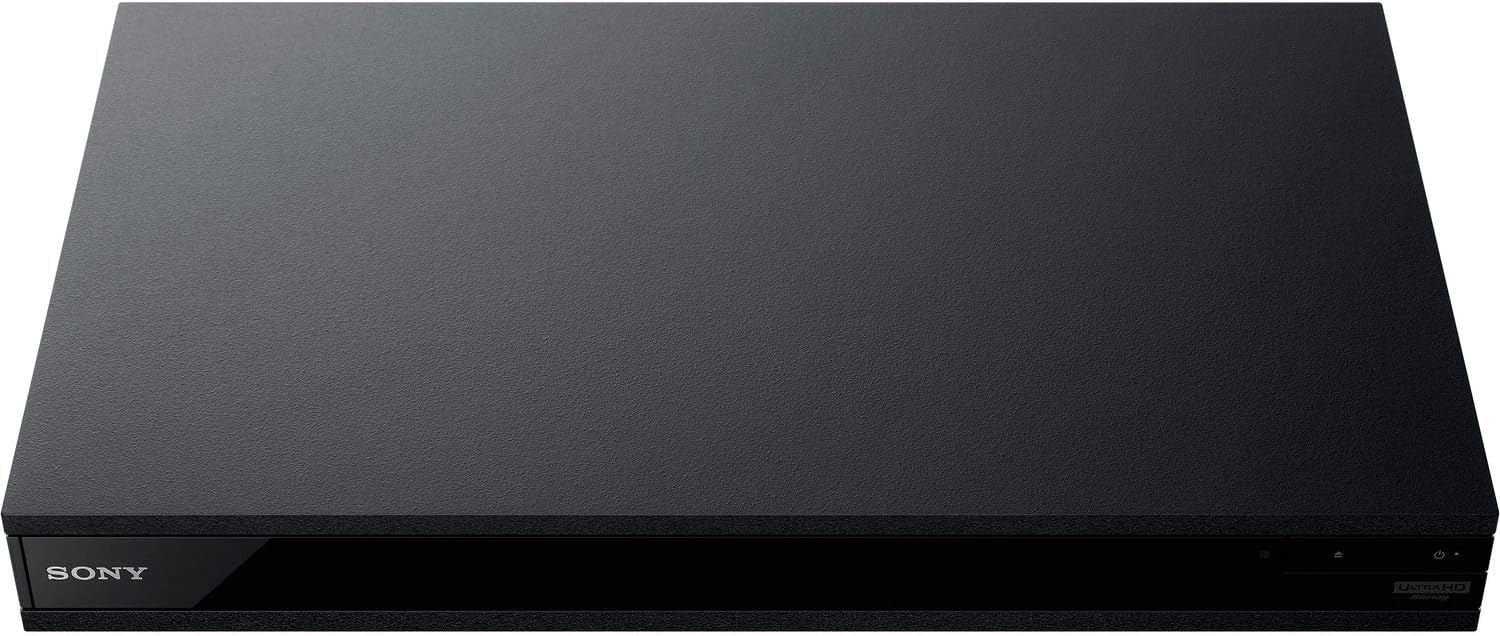
სურათი 5: წინა view of the player with a USB drive inserted into the front port.
მოვლა
1. პლეერის გაწმენდა
- გაწმინდეთ პლეერის გარე ზედაპირი რბილი, მშრალი ქსოვილით.
- არ გამოიყენოთ აბრაზიული საწმენდები, ცვილები ან გამხსნელები.
- დარწმუნდით, რომ სავენტილაციო ღიობები მტვრისა და ნარჩენებისგან თავისუფალია.
2. დისკის მოვლა
- დისკებს კიდეებით მოეჭიდეთ, რათა თავიდან აიცილოთ თითის ანაბეჭდები და ნაკაწრები.
- დისკები გაწმინდეთ რბილი, ბუსუსების გარეშე ქსოვილით, ცენტრიდან გარეთ მოძრაობით.
- დისკები შეინახეთ ქეისებში, მზის პირდაპირი სხივებისა და ექსტრემალური ტემპერატურისგან მოშორებით.
3. პროგრამული უზრუნველყოფის განახლებები
Firmware updates can be done via the internet to ensure optimal performance and access to the latest features.
- Go to the home menu, then setup menu, and then to Software Update.
- Click on "Update Via Internet". If a new firmware is available, the player will automatically update.
- არა turn off the player while it is updating.
- არა perform firmware updates by USB unless instructed by OREI support.
პრობლემების მოგვარება
საერთო საკითხები
- სურათი/ხმა არ არის:
- Check all HDMI and audio cable connections.
- Ensure the TV input is set to the correct HDMI port.
- Verify the player is powered on.
- დისკი არ უკრავს:
- დარწმუნდით, რომ დისკი სუფთაა და ნაკაწრებისგან თავისუფალი.
- დარწმუნდით, რომ დისკი სწორად არის ჩასმული (ეტიკეტის მხარე ზემოთ).
- For Blu-ray discs, confirm the player's region setting matches the disc's region (refer to "Region Changing Instructions" in the Setup section).
- Open the tray again and leave the disc in the tray. Once fully open, press the color button to select the region. Then close the tray.
- Region Code Error Message:
If you put in a disc before changing regions, you may get an error message indicating the wrong region. The player remembers this message. To remove that error, you need to reset the player.
- დააჭირეთ მთავარი button on the remote with no disc inside to go to the home screen.
- პულტზე ისრის ღილაკები გამოიყენეთ ზედა მარჯვენა კუთხეში გადასასვლელად, სადაც წერია დაყენება და დააჭირეთ ENTER.
- გადაახვიეთ ქვემოთ გადაყენება მენიუს ბოლოში.
- აირჩიეთ გადააბრუნეთ ქარხნულ პარამეტრებზე.
- გადაახვიეთ ქვემოთ და აირჩიეთ ყველა პარამეტრი და დააჭირეთ ENTER -> დააჭირეთ დაიწყეთ Enter -> Close ENTER.
- გამორთეთ და ხელახლა ჩართეთ პლეერი 30 წამის შემდეგ.
- Select Language English and then select quick start mode OFF. You may need to activate network settings again.
- If you prefer not to connect the player to the internet, you may press the მთავარი button and go to the home screen. Now start from step 1 under "Region Changing Instructions" to change regions.
სპეციფიკაციები
| ბრენდი | საბადო |
| მოდელის სახელი | Sony X800M2 (UBP-X800M2) |
| პროდუქტის ზომები | 19 x 14.1 x 3.8 ინჩი |
| ნივთის წონა | 8.82 ფუნტი (4000 გრამი) |
| მედიის ტიპი | Blu-Ray Disc, DVD, 4K UHD Blu-ray, Blu-ray 3D, CD, Super Audio CD |
| რეზოლუცია | 3840x2160 (4K UHD) |
| დაკავშირების ტექნოლოგია | Ethernet, HDMI, USB, Wi-Fi |
| კონექტორის ტიპი | HDMI |
| აუდიო გამოყვანის რეჟიმი | Surround (Dolby Atmos, DTS:X, High-Resolution Audio) |
| ფერი | შავი |
| ბატარეები | საჭიროა 2 AAA ბატარეა (დისტანციური მართვისთვის) |
| სპეციალური ფუნქცია | Region Free (Blu-ray Zones A/B/C, DVD Regions 0-8), Built-in NTSC↔PAL 4K HD Converter |
გარანტია და მხარდაჭერა
საგარანტიო ინფორმაცია
For specific warranty details, please refer to the warranty card included with your product or visit the official OREI webსაიტი. შეინახეთ თქვენი შესყიდვის ქვითარი შეძენის დასადასტურებლად.
მომხმარებელთა მხარდაჭერა
If you encounter any issues or have questions regarding your OREI Sony UBP-X800M2 Blu-ray Player, please contact OREI customer support.
- ონლაინ დახმარება: ეწვიეთ OREI Store on Amazon ხშირად დასმული კითხვებისა და მხარდაჭერის რესურსებისთვის.
- ტექნიკური დახმარება: Contact OREI directly for technical support. (Specific contact details not provided in source data, please refer to product packaging or official webსაიტი).