Microsoft Surface Pro Keyboard User Manual
Model: QJW-00001
შესავალი
This manual provides essential information for the setup, operation, maintenance, and troubleshooting of your Microsoft Surface Pro Keyboard. Designed for seamless integration with Surface Pro X and Surface Pro 8 devices, this keyboard offers a full mechanical keyset, backlit keys, and a large trackpad for an optimal typing experience.
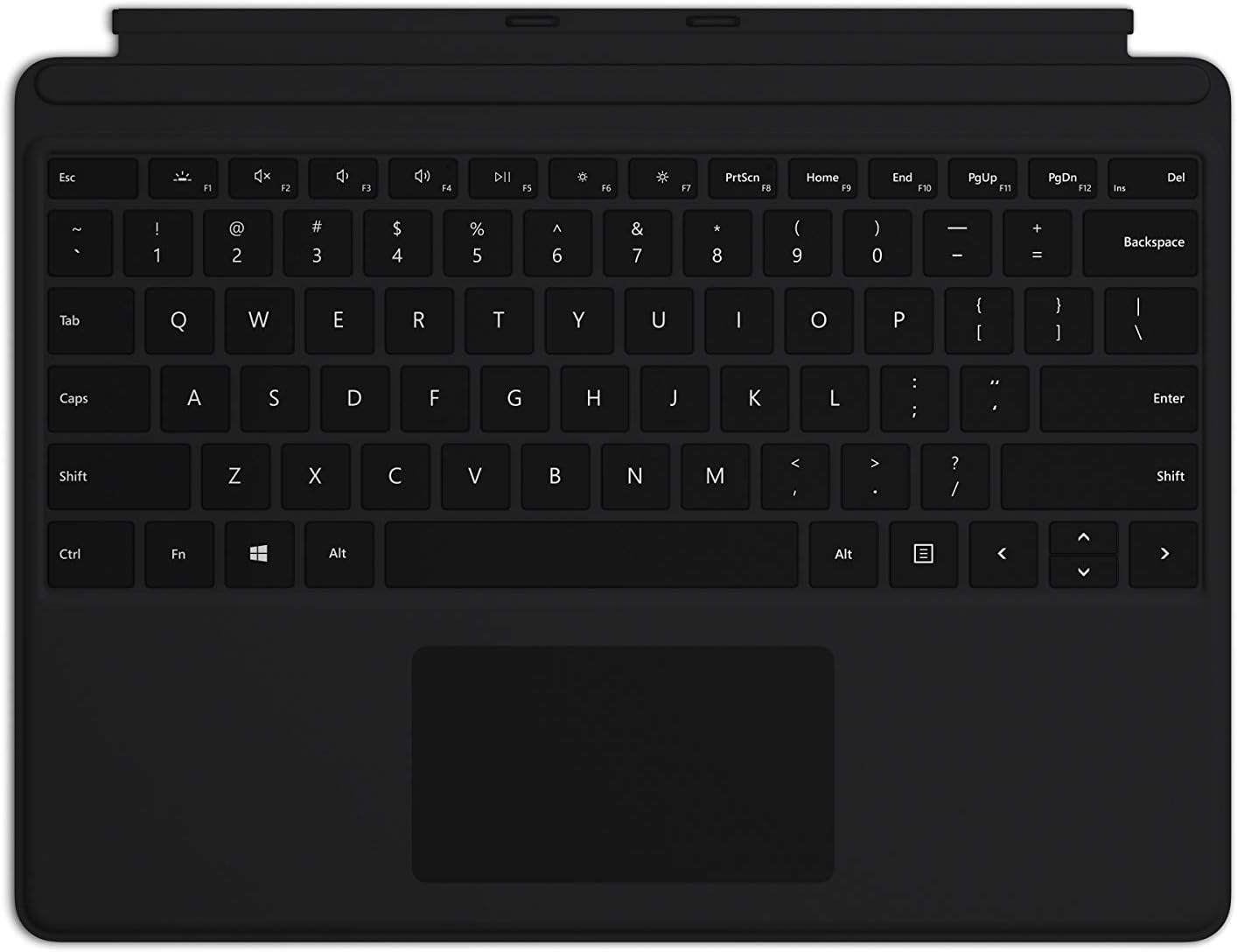
Image: The Microsoft Surface Pro Keyboard in black, showcasing its full QWERTY layout and integrated trackpad.
დაყენება
პაკეტის შიგთავსი
- Surface Pro კლავიატურა
კლავიატურის დაკავშირება
The Microsoft Surface Pro Keyboard connects instantly to your compatible Surface device via magnetic stability. Ensure your Surface Pro X or Surface Pro 8 device is powered on.
- Align the magnetic connector edge of the keyboard with the corresponding port at the bottom edge of your Surface Pro X or Surface Pro 8 device.
- Gently push the keyboard towards the device until it clicks securely into place. The magnetic connection will guide it.
- Once connected, the keyboard will be recognized automatically by your Surface device.
The keyboard is designed to adjust to almost any angle, providing a stable typing experience. It also serves as a protective cover for your screen when closed, helping to conserve battery life.

სურათი: ზემოდან ქვემოთ view of the Microsoft Surface Pro Keyboard, illustrating its compact design and how it integrates with a Surface device.
კლავიატურაზე მუშაობა
Typing and Navigation
The keyboard features a full mechanical keyset with optimal key spacing for fast and fluid typing. The large trackpad provides precise navigation and control, supporting multi-touch gestures as configured in your Surface device's settings.
განათებული კლავიშები
The keys are backlit, allowing for comfortable use in low-light conditions. The backlight intensity can typically be adjusted through your Surface device's display settings or via dedicated function keys (if present on your specific model).
Protective and Power Saving Features
When not in use, fold the keyboard over the screen of your Surface device. This action protects the screen from scratches and helps conserve battery power by putting the device into a low-power state. To use your Surface as a tablet, fold the keyboard completely back behind the device.
მოვლა
დასუფთავება
To maintain the appearance and functionality of your keyboard, clean it regularly:
- გამოიყენეთ რბილი, უბინავის ქსოვილი ოდნავ დampened with water or a mild cleaning solution (e.g., isopropyl alcohol diluted with water) to wipe the surface of the keys and trackpad.
- მოერიდეთ სითხეების პირდაპირ კლავიატურაზე შესხურებას.
- გასაღებებს შორის მტვრისა და ნარჩენების მოსაშორებლად გამოიყენეთ შეკუმშული ჰაერი.
- Ensure the keyboard is completely dry before reattaching it to your Surface device.
შენახვა
When storing the keyboard separately from your Surface device, keep it in a clean, dry environment away from extreme temperatures and direct sunlight.
პრობლემების მოგვარება
კლავიატურა არ პასუხობს
- შეამოწმეთ კავშირი: Ensure the keyboard is securely attached to your Surface device. Detach and reattach it firmly.
- მოწყობილობის გადატვირთვა: Restart your Surface Pro X or Surface Pro 8. This can often resolve minor software glitches.
- შეამოწმეთ განახლებები: Ensure your Surface device's operating system and drivers are up to date. Go to Windows Update settings.
- ტესტი სხვა მოწყობილობაზე: If possible, test the keyboard with another compatible Surface device to determine if the issue is with the keyboard or the device.
უკანა განათება არ მუშაობს
- სიკაშკაშის კორექტირება: Try adjusting the backlight brightness using the function keys or through Windows display settings.
- Ენერგიის დაზოგვის რეჟიმი: Ensure your device is not in a power-saving mode that might disable the backlight.
Trackpad Issues
- Clean Trackpad: დარწმუნდით, რომ ტრეკპედის ზედაპირი სუფთაა და ნარჩენებისგან თავისუფალი.
- შეამოწმეთ პარამეტრები: Verify trackpad settings in Windows (Settings > Devices > Touchpad).
- დრაივერის ხელახალი ინსტალაცია: In Device Manager, try uninstalling and reinstalling the trackpad driver.
სპეციფიკაციები
| ფუნქცია | დეტალი |
|---|---|
| ბრენდი | მაიკროსოფტი |
| მოდელის ნომერი | QJW-00001 |
| თავსებადი მოწყობილობები | Surface Pro X, Surface Pro 8 |
| დაკავშირების ტექნოლოგია | Magnetic (Physical Connection) |
| კლავიატურის აღწერა | Full mechanical keyset, backlit keys, large trackpad |
| ფერი | შავი |
| ნივთის წონა | 11.8 უნცია (დაახლოებით 334.5 გრამი) |
| პროდუქტის ზომები (LxWxH) | 11.38 x 8.71 x 0.2 ინჩი (დაახლოებით 28.9 x 22.1 x 0.5 სმ) |
| გასაღებების რაოდენობა | 79 |
| კლავიატურის განათება | ერთი ფერი LED |
გარანტია და მხარდაჭერა
For warranty information and technical support, please refer to the documentation included with your Surface Pro X or Surface Pro 8 device, or visit the official Microsoft Support webსაიტი. როგორც წესი, დახმარების რესურსების, ხშირად დასმული კითხვების და საკონტაქტო ვარიანტების პოვნა შეგიძლიათ შემდეგ ბმულზე: support.microsoft.com.
გთხოვთ, შეინახოთ თქვენი შეძენის მტკიცებულება გარანტიის პრეტენზიებისთვის.