შესავალი
მადლობა შენაძენისთვისasing the Havit IX-102 Wired In-Ear Headphones with Microphone. This manual provides essential information for the proper setup, operation, and maintenance of your new earphones. Please read this guide thoroughly before use to ensure optimal performance and longevity of your product.
პროდუქტი დასრულდაview
The Havit IX-102 headphones are designed for clear audio and convenient communication. Familiarize yourself with the components:
- In-Ear Earphones (Left and Right)
- Integrated Microphone and Control Module (on cable)
- 3.5mm აუდიო ჯეკი
- Multiple Sizes of Ear Cushions
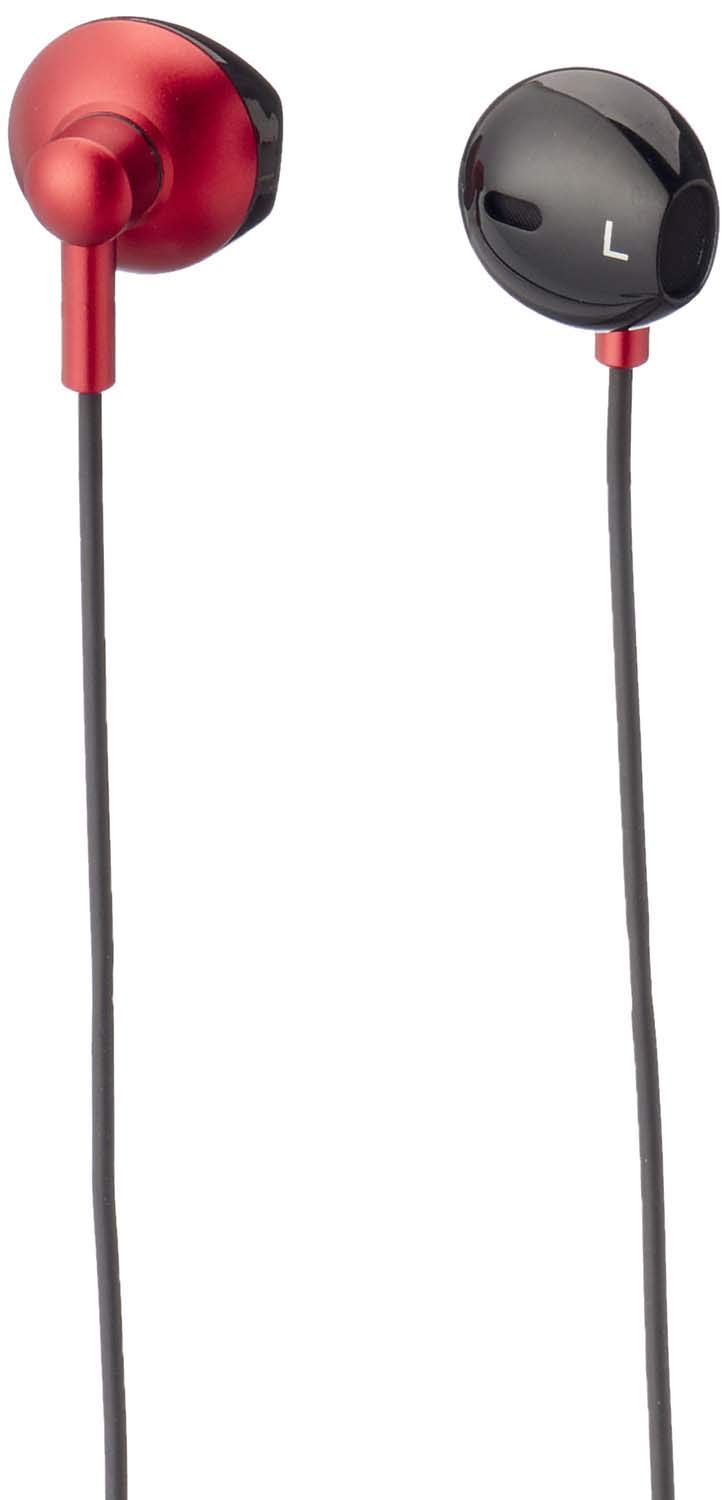
სურათი 1: Havit IX-102 Wired In-Ear Headphones. This image shows the complete set of in-ear headphones, featuring the earbuds, cable, and 3.5mm audio jack.

სურათი 2: Cable with Integrated Control Module. This image highlights the cable section that includes the microphone and a potential control button for managing audio and calls.

სურათი 3: 3.5mm Audio Jack. A close-up view of the standard 3.5mm connector used to plug the headphones into compatible audio devices.

სურათი 4: Replacement Ear Cushions. This image displays the various sizes of silicone ear cushions provided for a comfortable and secure fit.
დაყენება
- ყურის ბალიშების შერჩევა: Choose the ear cushion size that provides the most comfortable and secure fit for your ears. A good seal enhances sound quality and bass response. Gently attach the selected ear cushions to the earphone nozzles.
- მოწყობილობასთან დაკავშირება: Insert the 3.5mm audio jack firmly into the headphone port of your audio device (smartphone, tablet, laptop, MP3 player, etc.). Ensure the jack is fully inserted to prevent audio issues.
- ატარეთ ყურსასმენები: Place the earphones into your ears. Adjust them until they feel comfortable and provide a good seal.
ოპერაციული ინსტრუქციები
The Havit IX-102 headphones feature an in-line control module for basic audio and call management. Functionality may vary slightly depending on your connected device.
- მუსიკის დაკვრა/პაუზა: Press the button on the control module once to play or pause the current track.
- ზარის პასუხი/დასრულება: When a call comes in, press the button once to answer. During a call, press the button once to end the call.
- ზარის უარყოფა: შემომავალი ზარის უარყოფისთვის დააჭირეთ და გააჩერეთ ღილაკი დაახლოებით 2 წამის განმავლობაში.
- შემდეგი სიმღერა: Press the button twice quickly to skip to the next song.
- წინა ჩანაწერი: Press the button three times quickly to go back to the previous song.
- მიკროფონის გამოყენება: The integrated microphone allows for hands-free communication during calls. Ensure the microphone is positioned clearly for optimal voice pickup.
Note: Volume control is typically managed directly on your connected audio device.
მოვლა
Proper care will extend the life of your Havit IX-102 headphones.
- ყურის ბალიშების გაწმენდა: Remove the silicone ear cushions and wash them gently with mild soap and water. Rinse thoroughly and allow them to air dry completely before reattaching.
- ყურსასმენების გაწმენდა: Use a soft, dry, lint-free cloth to wipe the earphone bodies. Do not use harsh chemicals or abrasive materials. Avoid getting moisture into the speaker grilles.
- საკაბელო მოვლა: Avoid sharp bends, twists, or excessive pulling on the cable. Store the headphones neatly to prevent tangling.
- შენახვა: When not in use, store your headphones in a clean, dry place, away from extreme temperatures and direct sunlight.
პრობლემების მოგვარება
თუ ყურსასმენებთან დაკავშირებით პრობლემები შეგექმნათ, იხილეთ შემდეგი გავრცელებული პრობლემები და მათი გადაჭრის გზები:
| პრობლემა | შესაძლო მიზეზი | გამოსავალი |
|---|---|---|
| არ არის ხმა ან დაბალი ხმა |
|
|
| ხმა დამახინჯებულია ან წყვეტილია |
|
|
| მიკროფონი არ მუშაობს |
|
|
სპეციფიკაციები
| ბრენდი | ჰავიტი |
| მოდელის ნომერი | IX-102 |
| ფერი | შავი და წითელი |
| ყურსასმენების ფორმის ფაქტორი | ყურში |
| დაკავშირების ტექნოლოგია | სადენიანი |
| კონექტორის ტიპი | 3.5 მმ ჯეკი |
| კაბელის სიგრძე | 1.2 მეტრი |
| მასალის ტიპი | პლასტიკური |
| ნივთის წონა | 60 გრამი |
| მოყვება კომპონენტები | ყურის ბალიშები |
| თავსებადი მოწყობილობები | Multiple devices with 3.5mm audio jack |
გარანტია და მხარდაჭერა
For warranty information or technical support, please refer to the documentation included with your purchase or contact Havit customer service directly. Contact details can typically be found on the manufacturer's official webადგილზე ან პროდუქტის შეფუთვაზე.
შეინახეთ შეძენის დამადასტურებელი საბუთი გარანტიასთან დაკავშირებული ნებისმიერი პრეტენზიისთვის.


