1. პროდუქტი დასრულდაview
The BoomPods BOOMBUDS XR are wireless in-ear earphones designed for active lifestyles. They feature Bluetooth 5.0 connectivity for stable audio transmission and an IPX7 waterproof rating, making them suitable for various environments including workouts and outdoor activities. The earbuds are engineered for a secure and comfortable fit, and offer customizable sound profiles.

სურათი 1.1: BoomPods BOOMBUDS XR Earbuds and Charging Case. The image displays the black earbuds and their compact charging case, highlighting their sleek design.
2. რა არის ყუთში
Upon unboxing your BoomPods BOOMBUDS XR, verify that all the following components are included:
- BoomPods BOOMBUDS XR in-ear earphones (Left and Right)
- დამუხტვის ქეისი
- მიკრო USB დამტენი კაბელი
- Spare ear cups (multiple sizes for optimal fit)
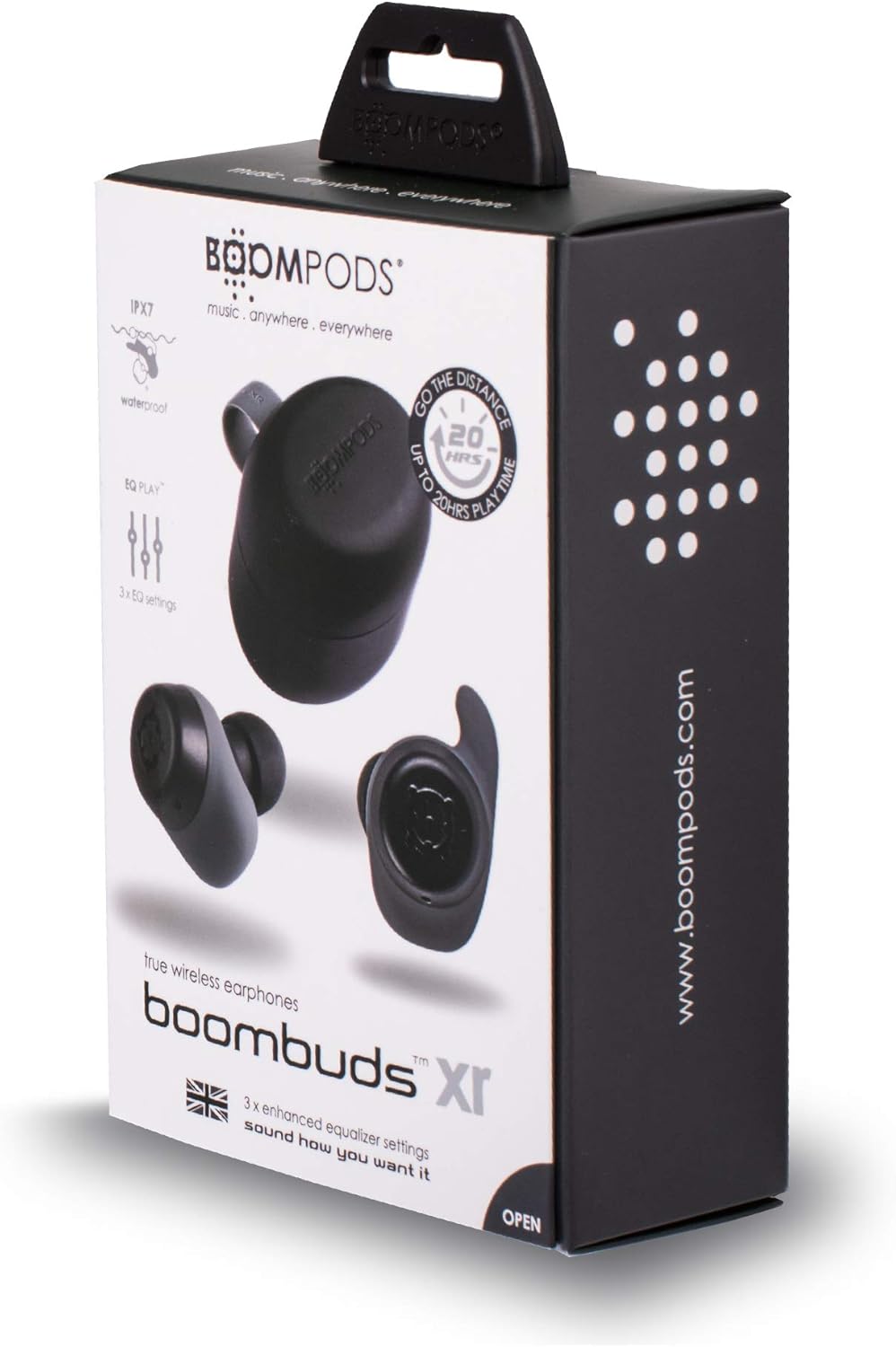
სურათი 2.1: BoomPods BOOMBUDS XR Retail Packaging. The image shows the product box, indicating the contents and key features like IPX7 waterproof rating and EQ settings.
3. დაყენების გზამკვლევი
3.1. ყურსასმენებისა და ქეისის დატენვა
Before first use, fully charge the earbuds and the charging case. The charging case provides approximately 20 hours of additional playback time, while the earbuds offer up to 4.5 hours on a single charge. A full charge takes approximately 1.5 hours.
- Place the earbuds into their respective slots in the charging case. Ensure they are seated correctly for the charging contacts to align.
- Connect the Micro USB charging cable to the charging port on the case and plug the other end into a USB power source (e.g., wall adapter, computer USB port).
- Indicator lights on the case will show the charging status. Refer to the product's specific LED indicators for detailed information (not provided in source).
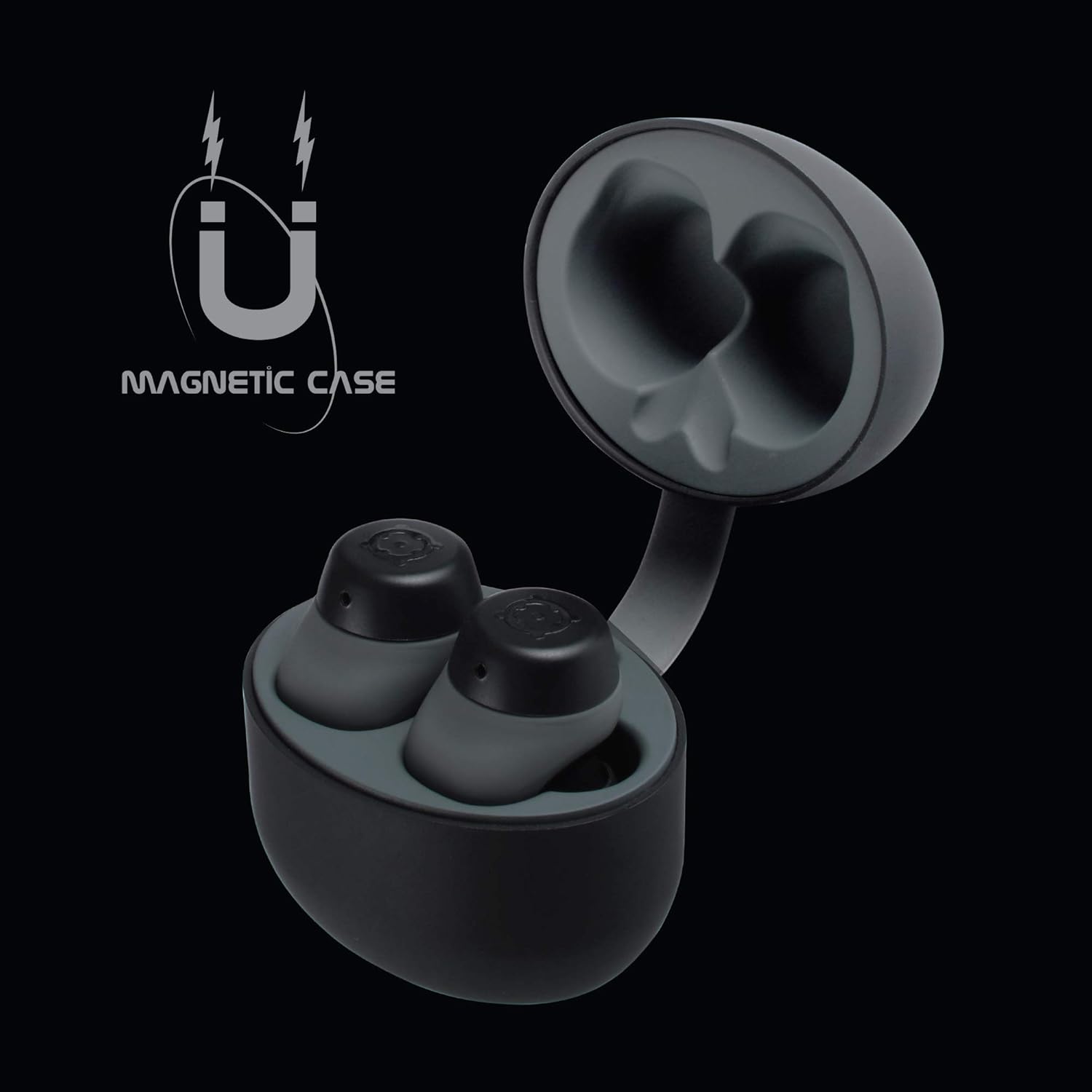
სურათი 3.1: Charging Case with Earbuds. The image shows the open charging case with the earbuds placed inside, ready for charging.

სურათი 3.2: Magnetic Case. This graphic illustrates the magnetic feature of the charging case, ensuring earbuds are securely held in place during charging and transport.
3.2. მოწყობილობასთან დაწყვილება
The BOOMBUDS XR utilize Bluetooth 5.0 for a quick and stable connection.
- დარწმუნდით, რომ ყურსასმენები დატენილია და ამოღებულია დამტენი ქეისიდან. ისინი ავტომატურად უნდა გადავიდნენ დაწყვილების რეჟიმში.
- თქვენს სმარტფონზე ან Bluetooth-თან დაკავშირებულ მოწყობილობაზე გადადით Bluetooth-ის პარამეტრებში.
- ძიება available devices and select "BOOMBUDS XR" from the list.
- Once connected, the earbuds will indicate successful pairing (e.g., an audio prompt or LED change).

სურათი 3.3: Bluetooth 5.0 Connectivity. This graphic highlights the instant and secure connection provided by Bluetooth 5.0 technology.
3.3. Achieving the Perfect Fit
A proper fit is crucial for both comfort and optimal sound quality, especially for bass response and noise isolation. The BOOMBUDS XR come with multiple sizes of ear cups to ensure a secure fit for various ear shapes.
- Experiment with the different sizes of ear cups provided.
- Gently insert the earbud into your ear canal and twist slightly to secure it. The ergonomic design (Ergofit) helps keep them in place during activity.
- Test the fit by moving your head and performing light activities. If the earbuds feel loose or the sound quality is poor, try a different size ear cup.
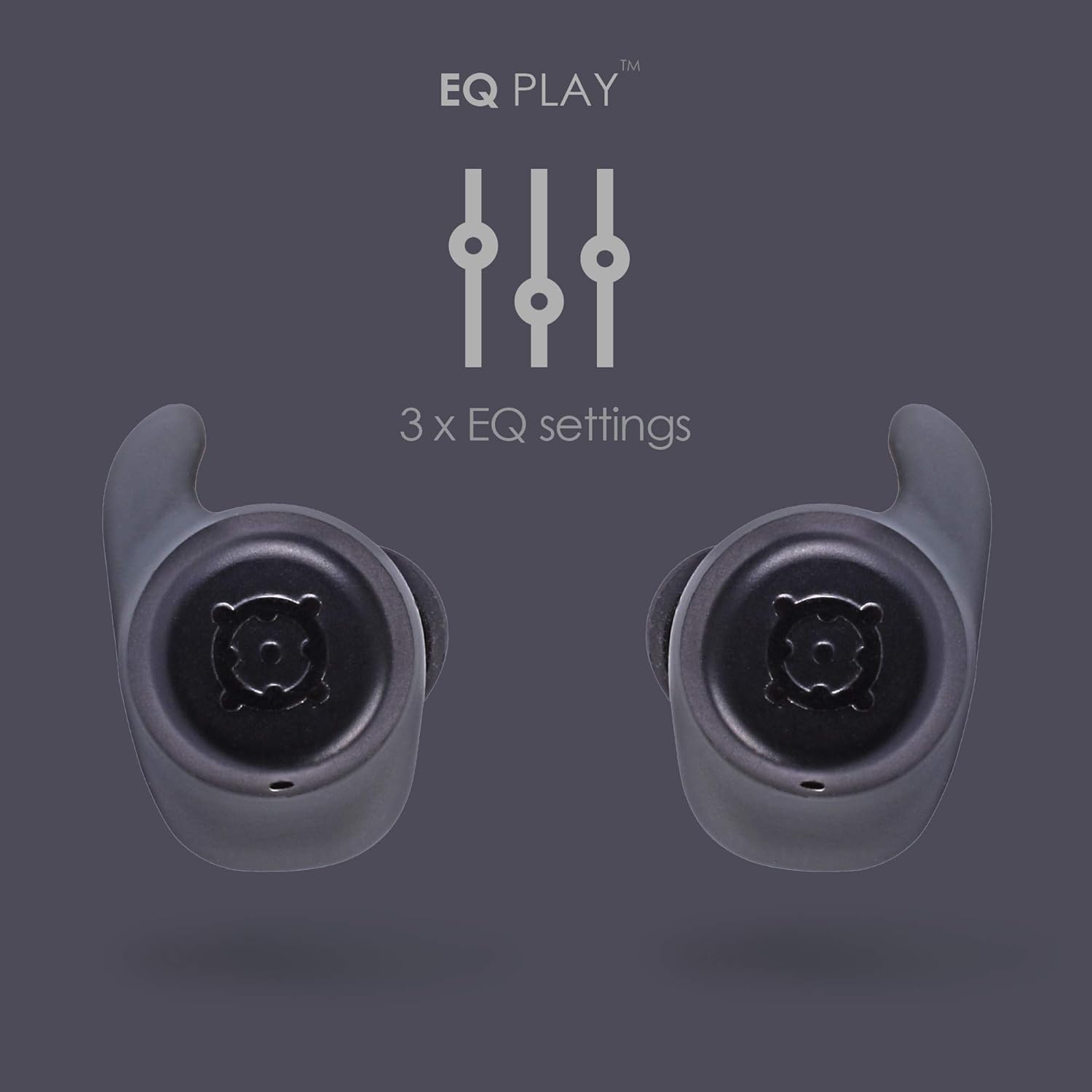
სურათი 3.4: Ergofit Design. This graphic illustrates the ergonomic design of the earbuds, engineered for a secure and comfortable fit within the ear.
4. საოპერაციო ინსტრუქციები
4.1. Music and Call Controls
The BOOMBUDS XR feature integrated controls on the earbuds for managing audio playback and calls. These controls include volume adjustment, play/pause, and track skipping.
| მოქმედება | კონტროლი |
|---|---|
| დაკვრა/პაუზა | Double-click the earbud button. |
| შემდეგი სიმღერა | (Specific control not detailed in source, typically triple-click or long press) |
| წინა სიმღერა | (Specific control not detailed in source) |
| ხმის ამაღლება | (Specific control not detailed in source, but volume control is present) |
| ხმის დაკლება | (Specific control not detailed in source, but volume control is present) |
| ზარის პასუხი/დასრულება | (Specific control not detailed in source) |
| ხმოვანი ასისტენტის გააქტიურება (Siri/Google Assistant) | (Specific control not detailed in source) |
| გამორთვა | Hold button for five seconds. |
Note: For detailed control gestures, refer to the full user manual provided with your product.
4.2. EQ Play Settings
The BOOMBUDS XR allow you to customize your listening experience with three distinct equalizer (EQ) settings:
- Ბასის დასტიმულირება, ბასის გაძლიერება: Enhances low-frequency sounds for a more powerful bass.
- ვოკალური გაძლიერება: Optimizes mid-range frequencies to make vocals clearer and more prominent.
- BoomPods Studio: უზრუნველყოფს დაბალანსებულ ხმასfile, designed for general listening.
To switch between EQ settings, use the designated control on the earbuds (specific control not detailed in source).

სურათი 4.1: EQ Play Settings. This graphic illustrates the three available equalizer settings for customized audio output.
5. მოვლა და მოვლა
5.1. Waterproofing (IPX7 Rating)
The BOOMBUDS XR are rated IPX7 waterproof, meaning they can withstand immersion in water up to 1 meter for 30 minutes. This makes them resistant to sweat, rain, and splashes, and suitable for use in showers or by the pool.
მნიშვნელოვანი შენიშვნა: While the earbuds are waterproof, Bluetooth technology has limitations when transmitting through water. Therefore, continuous audio streaming underwater is not recommended as the connection may be interrupted.

სურათი 5.1: IPX7 Waterproofing in Use. The image shows a person showering while wearing the earbuds, demonstrating their water-resistant capabilities.
5.2. დასუფთავება და შენახვა
- რეგულარულად გაწმინდეთ ყურსასმენები და დამტენი ქეისი რბილი, მშრალი, ბუსუსების გარეშე ქსოვილით.
- Remove the ear cups and clean them separately with mild soap and water if necessary. Ensure they are completely dry before reattaching.
- მოერიდეთ აბრაზიული საწმენდი საშუალებების, გამხსნელების ან აეროზოლური სპრეის გამოყენებას.
- შეინახეთ ყურსასმენები დამუხტვის ჩანთაში, როდესაც არ იყენებთ, რათა დაიცვან ისინი და დაიტენონ.
- Keep the charging contacts on both the earbuds and the case clean and free of debris to ensure proper charging.
6. Დიაგნოსტიკა
If you encounter issues with your BoomPods BOOMBUDS XR, refer to the following common troubleshooting steps:
| პრობლემა | შესაძლო მიზეზი / გამოსავალი |
|---|---|
| ყურსასმენები არ იტენება |
|
| Earbuds not pairing / connecting |
|
| ცუდი ხმის ხარისხი / დაბალი ხმა |
|
| Microphone issues / Call quality poor |
|
| ყურსასმენები ცვივა |
|
7. ტექნიკური მახასიათებლები
| ფუნქცია | დეტალი |
|---|---|
| მოდელის სახელი | BXRBLK |
| დაკავშირების ტექნოლოგია | Bluetooth 5, უსადენო |
| უსადენო საკომუნიკაციო ტექნოლოგია | Bluetooth |
| მასალა | სილიკონი |
| პროდუქტის სპეციფიკური გამოყენება | სპორტი და ვარჯიში, სტუდია |
| დატენვის დრო | 1.5 საათი |
| თავსებადი მოწყობილობები | სმარტფონები |
| კონტროლის ტიპი | Volume Control, Remote with Mic |
| ნივთის წონა | 48 გრამი (1.69 უნცია) |
| წყლის წინააღმდეგობის დონე | IPX7 (წყალგამძლე) |
| სიხშირის დიაპაზონი | 50Hz-15kHz |
| ელემენტის ხანგრძლივობა (ყურსასმენები) | 4.5 საათი |
| ელემენტის ხანგრძლივობა (დამტენი ქეისით) | Up to 20 Hours additional playback |
| Bluetooth ვერსია | 5.0 |
| განსაკუთრებული თვისებები | Microphone Included, Sweatproof, USB connectivity, Volume Control, Ergonomic Design, EQ Play (3 settings) |
| პროდუქტის ზომები | 0.2 x 3.11 x 1.34 ინჩი |
| მწარმოებელი | ბომპოდები |
| ფერი | შავი |
| ყურის განთავსება | ყურში |
| ფორმის ფაქტორი | ყურში |
8. გარანტია და მხარდაჭერა
8.1. შეზღუდული გარანტია
The BoomPods BOOMBUDS XR are covered by a 2 წლიანი შეზღუდული გარანტია შეძენის დღიდან. ეს გარანტია ფარავს წარმოების დეფექტებს და დამუშავებას ნორმალური გამოყენების პირობებში. ის არ ფარავს არასწორი გამოყენებით, უბედური შემთხვევებით, არაავტორიზებული მოდიფიკაციებით ან ნორმალური ცვეთის შედეგად გამოწვეულ ზიანს.
For specific terms and conditions of the warranty, please refer to the warranty card included with your product or visit the official BoomPods webსაიტი.
8.2. მომხმარებელთა მხარდაჭერა
For further assistance, technical support, or warranty claims, please contact BoomPods customer service through their official channels. You can typically find contact information on the product packaging, the official BoomPods website, or the brand store on Amazon.
ეწვიეთ ოფიციალურ პირს BoomPods Store on Amazon პროდუქტის შესახებ დამატებითი ინფორმაციისა და მხარდაჭერის რესურსებისთვის.


