შესავალი
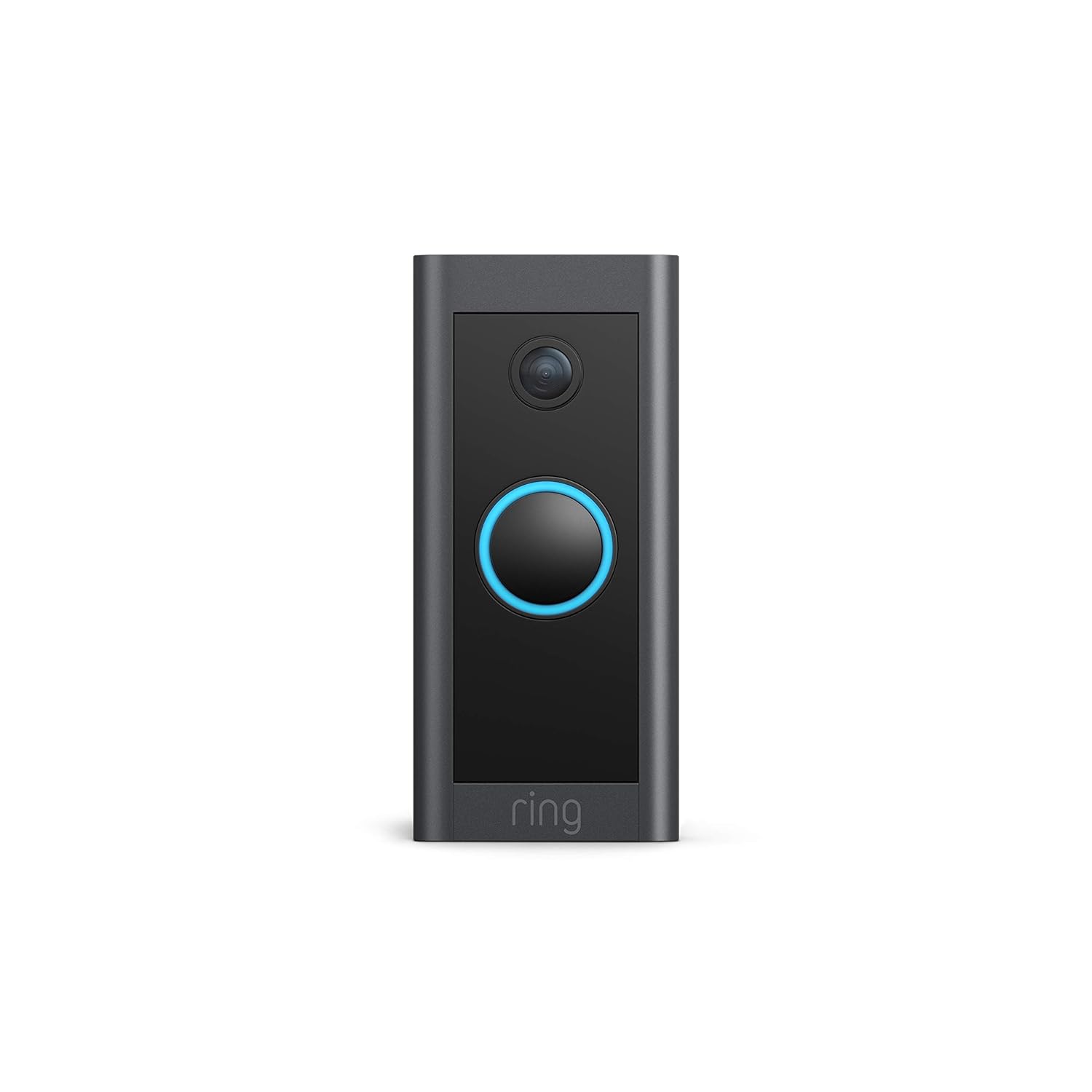
This manual provides comprehensive instructions for the installation, operation, and maintenance of your Ring Video Doorbell Wired. Please read this manual thoroughly before installation and use to ensure proper functionality and safety.
რა შედის
Your Ring Video Doorbell Wired package includes the following items:
- Ring Video Doorbell Wired unit
- Installation tools and screws
- მომხმარებლის სახელმძღვანელო (ეს დოკუმენტი)
- სწრაფი დაწყების სახელმძღვანელო
- უსაფრთხოების სტიკერები
დაყენება და ინსტალაცია
The average installation time for the Ring Video Doorbell Wired is approximately 15 minutes. This device requires hardwiring to an existing doorbell system, a Ring plug-in adapter, or a compatible transformer.
მოთხოვნები:
- Standard doorbell system, Ring plug-in adapter, or transformer with 10-24 VAC, 40VA max, 50/60Hz or 24VDC, 0.5A, 12W.
- მაღალსიჩქარიანი ინტერნეტი.
- 802.11 b/g/n Wi-Fi connection at 2.4 GHz.
ინსტალაციის ნაბიჯები:
- გამორთეთ ძალა: Before beginning, ensure the power to your existing doorbell system is turned off at the breaker.
- Remove existing doorbell: Disconnect and remove your old doorbell button.
- Connect Ring Doorbell: Connect the wires from your existing doorbell system to the terminals on the back of the Ring Video Doorbell Wired. Ensure a secure connection.
- Mount the doorbell: Secure the Ring Video Doorbell Wired to your wall using the provided screws and tools.
- ენერგიის აღდგენა: ისევ ჩართეთ დენი ამომრთველზე.
- In-app setup: Download the Ring app on your smartphone or tablet and follow the on-screen instructions to connect your doorbell to your Wi-Fi network and complete the setup process.

ოპერაციული ინსტრუქციები
The Ring Video Doorbell Wired offers various features to enhance your home security and communication.
ძირითადი მახასიათებლები:
- 1080p HD ვიდეო: Provides clear, high-definition video with Live View and Night Vision for monitoring your front door.
- ორმხრივი საუბარი: Communicate with visitors at your door from anywhere using the Ring app. Features noise cancellation for clear audio.
- მოძრაობის გაფართოებული ამოცნობა: Customizable motion zones allow you to receive alerts when motion is detected in specific areas.
- რეალურ დროში გაფრთხილებები: Get instant notifications on your phone when someone rings the doorbell or motion is detected.
- ღამის ხედვა: Ensures clear visibility even in low-light conditions.
- Alexa ინტეგრაცია: Connects with Alexa-enabled devices to hear alerts or view a live feed on screens.


რინგის აპლიკაციის გამოყენება:
The Ring app is essential for managing your Video Doorbell. Through the app, you can:
- View პირდაპირი ვიდეო არხი.
- Engage in two-way talk with visitors.
- Customize motion detection settings and zones.
- Access recorded videos (with a Ring Protect subscription).
- Manage device settings and privacy options.
მოვლა
To ensure optimal performance and longevity of your Ring Video Doorbell Wired, consider the following maintenance tips:
- დასუფთავება: პერიოდულად გაწმინდეთ კამერის ლინზა და კარის ზარის გარე ნაწილი რბილი, დamp მტვრისა და ჭუჭყის მოსაშორებლად გამოიყენეთ ქსოვილი. მოერიდეთ აბრაზიულ საწმენდ საშუალებებს.
- პროგრამული განახლებები: Ensure your Ring app and doorbell firmware are always up to date. Updates often include performance improvements and security enhancements.
- კავშირის შემოწმება: Regularly check your Wi-Fi signal strength in the Ring app to ensure a stable connection.
- გარემო პირობები: The doorbell is weather-resistant, designed to operate between -20°C to 50°C (-5°F to 120°F). Ensure it is not exposed to conditions outside this range.
პრობლემების მოგვარება
If you encounter issues with your Ring Video Doorbell Wired, try the following troubleshooting steps:
- არ არის დენი/არ ჩართულია:
- Verify that the power to your doorbell system is on at the breaker.
- შეამოწმეთ გაყვანილობის კავშირები, რათა დარწმუნდეთ, რომ ისინი უსაფრთხოა.
- Confirm your power source meets the required specifications (10-24 VAC, 40VA max, 50/60Hz, or 24VDC, 0.5A, 12W).
- Poor Video Quality/Offline:
- Check your Wi-Fi connection and signal strength in the Ring app.
- Ensure your internet service is active and stable.
- გადატვირთეთ თქვენი Wi-Fi როუტერი.
- გაასუფთავეთ კამერის ლინზა.
- მოძრაობის გამოვლენის პრობლემები:
- Adjust motion sensitivity and customize motion zones in the Ring app.
- დარწმუნდით, რომ არ არსებობს დაბრკოლებები, რომლებიც ბლოკავს სენსორს view.
- ორმხრივი საუბრის პრობლემები:
- Check your device's microphone and speaker settings in the Ring app.
- Ensure your smartphone's volume is up.
- Verify a stable internet connection.
For further assistance, refer to the support section or contact Ring customer service.
სპეციფიკაციები
| ფუნქცია | დეტალი |
|---|---|
| ინსტალაციის საშუალო დრო | ~ 15 წუთი |
| ვიდეო | 1080p HD ვიდეო, ცოცხალი View, ღამის ხედვა |
| სფერო View | 155 ° ჰორიზონტალური, 90 ° ვერტიკალური |
| მოძრაობის გამოვლენა | მოძრაობის გაფართოებული ამოცნობა მოძრაობის რეგულირებადი ზონებით |
| აუდიო | ორმხრივი აუდიო ხმაურის გაუქმებით |
| ძალაუფლება | Hardwired (10-24 VAC, 40VA max, 50/60Hz, or 24VDC, 0.5A, 12W) |
| ინტერნეტის მოთხოვნები | მაღალსიჩქარიანი ინტერნეტი |
| დაკავშირება | 802.11 b/g/n Wi-Fi კავშირი @ 2.4 GHz |
| საოპერაციო პირობები | -20°C to 50°C (-5°F to 120°F), weather resistant |
| ხელმისაწვდომი ფერები | შავი |
| ზომები | 101 მმ x 45.7 მმ x 22.4 მმ (3.98 x 1.81 x 0.88 ინჩში) |
| თაობა | Ring Video Doorbell Wired 1st Generation – 2021 Release |
გარანტია და მხარდაჭერა
გარანტია: The Ring Video Doorbell Wired comes with a 1-year limited warranty. Use of the Ring Video Doorbell is subject to the terms found on the official Ring webსაიტი.
მხარდაჭერა: For more information and assistance, please visit the official Ring Video Doorbell Wired support page. You can typically find this by searching for "Ring Video Doorbell Wired support" on the Ring website or your preferred search engine.