შესავალი
This manual provides instructions for the Mars Gaming MCPTKLES RGB Combo, which includes a gaming keyboard and mouse. This combo is designed for optimal desktop space utilization and is compatible with multiple platforms, including Windows, Mac, PlayStation 4, Xbox One, and Nintendo Switch. The keyboard features RGB Breathing and RGB Flow lighting, H-Mech technology, and anti-ghosting capabilities. The mouse is equipped with a 3200 DPI optical sensor, RGB Flow lighting, and durable HUANO mechanical buttons.
პაკეტის შიგთავსი
- Mars Gaming MCPTKLES TKL RGB Keyboard
- Mars Gaming MCPTKLES RGB Mouse
- მომხმარებლის სახელმძღვანელო (ეს დოკუმენტი)
დაყენება
Connecting the Combo
The Mars Gaming MCPTKLES combo uses a standard USB connection for both the keyboard and mouse. No additional drivers are typically required for basic functionality on supported operating systems.
- იპოვეთ თავისუფალი USB პორტი თქვენს კომპიუტერზე ან სათამაშო კონსოლზე.
- Plug the USB connector from the keyboard into the USB port.
- Plug the USB connector from the mouse into another available USB port.
- ოპერაციულმა სისტემამ ავტომატურად უნდა ამოიცნოს და დააინსტალიროს საჭირო დრაივერები.
- The RGB lighting on both devices should illuminate upon successful connection.
მრავალ პლატფორმის თავსებადობა
This combo is designed to work with:
- Windows ოპერაციული სისტემები
- Mac operating systems
- PlayStation 4
- Xbox One
- Nintendo Switch
Note: Specific game or console settings may be required for full functionality on gaming consoles. Refer to your console's user manual for peripheral setup.
ოპერაციული ინსტრუქციები
Keyboard Functions (TKL Design)
The TKL (Tenkeyless) design of the keyboard omits the numeric keypad, offering a more compact form factor. It features H-Mech technology for a smooth and precise typing experience.
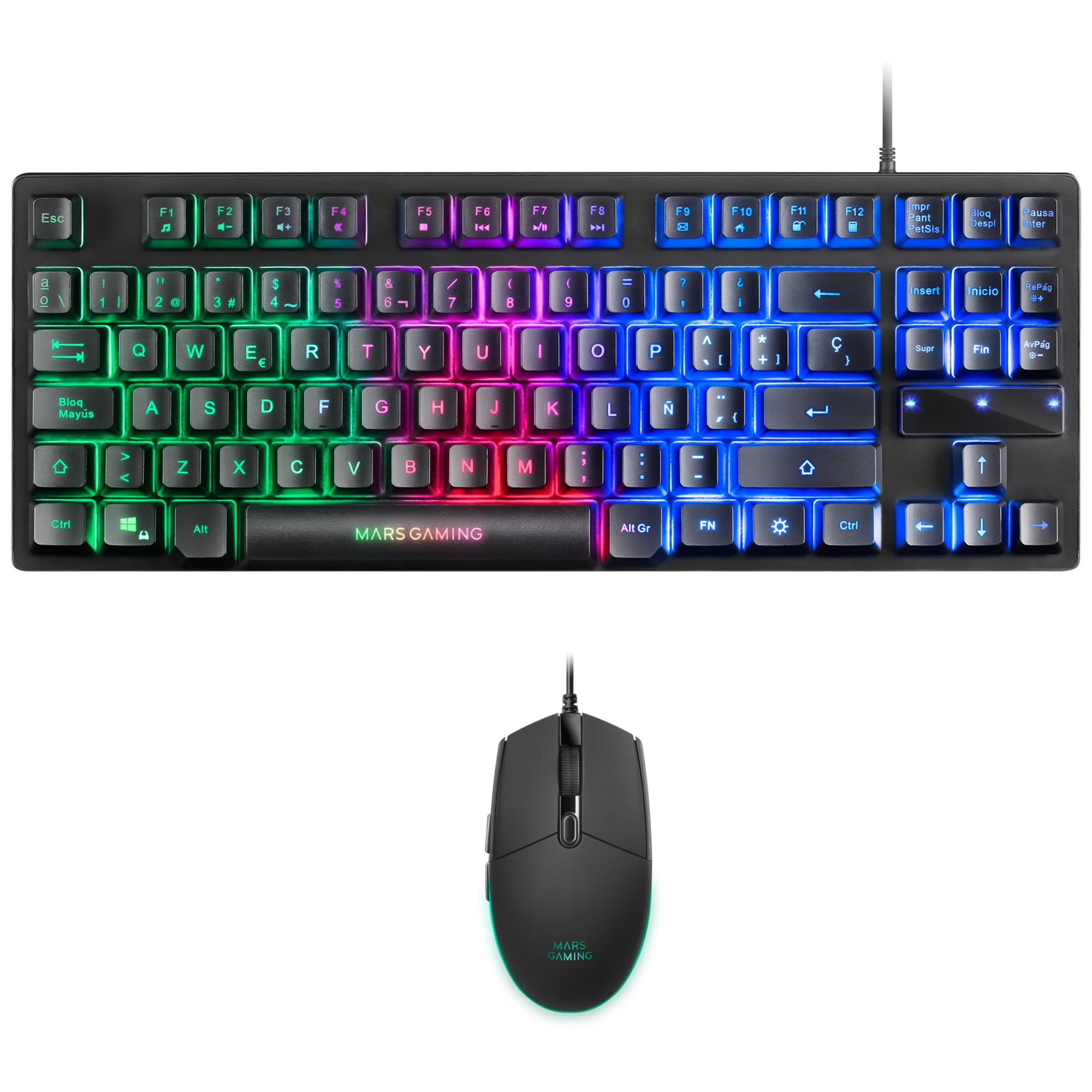
Image: Mars Gaming MCPTKLES TKL RGB Keyboard. This image shows the compact tenkeyless design of the keyboard with its RGB backlighting.
RGB განათების კონტროლი
The keyboard features RGB Control lighting. Specific key combinations allow you to cycle through different lighting modes and effects. Refer to the keyboard's function keys (Fn) combined with other keys for lighting adjustments. Common controls include:
- Fn + [კლავიში]: To change lighting modes (e.g., static, breathing, wave).
- Fn + [ისრის ღილაკები]: To adjust brightness or speed of effects.

Image: Close-up of Mars Gaming MCPTKLES Keyboard RGB Keys. This image highlights the individual keys and their vibrant RGB backlighting.
აჩრდილის საწინააღმდეგო
The keyboard is equipped with anti-ghosting technology, which ensures that multiple key presses are registered simultaneously without conflict, crucial for fast-paced gaming.
მაუსის ფუნქციები
The lightweight mouse features an optical sensor with adjustable sensitivity up to 3200 DPI, RGB Flow lighting, and 6 programmable buttons with high-quality HUANO mechanical switches.

Image: Mars Gaming MCPTKLES RGB Mouse Top View. This image displays the top of the mouse, showing the scroll wheel and main buttons.
DPI Adjustment (On-the-fly)
Use the dedicated DPI button (often located near the scroll wheel) to cycle through different sensitivity levels (DPI - Dots Per Inch). This allows for quick adjustments to mouse speed without interrupting gameplay.

Image: Mars Gaming MCPTKLES RGB Mouse Side View. This image shows the ergonomic shape and side buttons of the mouse.
პროგრამირებადი ღილაკები
The mouse features 6 buttons. While basic functionality is plug-and-play, advanced customization and macro programming may require specific software from Mars Gaming, if available. Visit the official Mars Gaming webსაიტი პროგრამული უზრუნველყოფის ჩამოტვირთვისთვის.

Image: Mars Gaming MCPTKLES RGB Mouse with RGB Flow Lighting. This image illustrates the dynamic RGB lighting effects on the mouse.
მოვლა
დასუფთავება
- გაწმენდის დაწყებამდე გამორთეთ კლავიატურა და მაუსი კომპიუტერიდან.
- ზედაპირების გასაწმენდად გამოიყენეთ რბილი, მშრალი, უბუსუსო ქსოვილი.
- ჯიუტი ჭუჭყისთვის, ოდნავampქსოვილი წყლით ან რბილი საწმენდი ხსნარით დაასველეთ. მოერიდეთ ზედმეტ ტენიანობას.
- არ გამოიყენოთ უხეში ქიმიკატები, აბრაზიული საწმენდები ან გამხსნელები.
- კლავიატურისთვის გამოიყენეთ შეკუმშული ჰაერი კლავიშებს შორის მტვრისა და ნარჩენების მოსაშორებლად.
შენახვა
მოწყობილობები შეინახეთ გრილ, მშრალ ადგილას, მოარიდეთ მზის პირდაპირ სხივებს და ექსტრემალურ ტემპერატურას, თუ დიდი ხნის განმავლობაში არ იყენებთ.
პრობლემების მოგვარება
Keyboard or Mouse Not Responding
- Ensure both USB cables are securely plugged into the computer or console.
- სცადეთ მოწყობილობების სხვადასხვა USB პორტებში შეერთება.
- გადატვირთეთ კომპიუტერი ან კონსოლი.
- Test the devices on another computer to determine if the issue is with the combo or your system.
RGB განათება არ მუშაობს
- Verify the devices are properly connected and powered.
- Check if the lighting has been turned off via keyboard shortcuts (Fn + lighting control keys).
- თუ იყენებთ მესამე მხარის განათების მართვის აპლიკაციებს, დარწმუნდით, რომ პროგრამული უზრუნველყოფის კონფლიქტები არ არსებობს.
Mouse Cursor Jumps or is Inaccurate
- Clean the mouse sensor area on the underside of the mouse.
- Ensure you are using the mouse on a clean, uniform surface (a mouse pad is recommended).
- Adjust the DPI settings using the mouse's DPI button.
სპეციფიკაციები
| ფუნქცია | დეტალი |
|---|---|
| ბრენდი | მარსის გეიმინგი |
| მოდელის ნომერი | MCPTKLES |
| დაკავშირების ტექნოლოგია | USB (სადენიანი) |
| კლავიატურის განლაგება | Spanish (TKL - Tenkeyless) |
| კლავიატურის მახასიათებლები | H-Mech Technology, RGB Control Lighting, Anti-Ghosting |
| მაუსის სენსორი | ოპტიკური |
| მაუსის DPI | Up to 3200 DPI (On-the-fly adjustable) |
| მაუსის ღილაკები | 6 (with HUANO mechanical switches) |
| მაუსის განათება | RGB ნაკადი |
| თავსებადი მოწყობილობები | Linux, Mac, PS4, Windows, XBOX ONE |
| პროდუქტის ზომები | 44 x 15.9 x 4.4 სმ (კლავიატურა) |
| ნივთის წონა | 400 გ |
| ფერი | შავი |
გარანტია და მხარდაჭერა
For warranty information and technical support, please refer to the official Mars Gaming webსაიტზე ან დაუკავშირდით მათ მომხმარებელთა მომსახურების სამსახურს. შეინახეთ შეძენის დამადასტურებელი საბუთი გარანტიის მოთხოვნებისთვის.
Official Mars Gaming Webსაიტი: www.marsgaming.eu


