შესავალი
This instruction manual provides essential information for the safe and effective use of your OttLite Purify LED Sanitizing Desk Lamp. ეს ლamp integrates advanced lighting technology with sanitizing capabilities and convenient charging features. Please read this manual thoroughly before operating the device.
პროდუქტი დასრულდაview
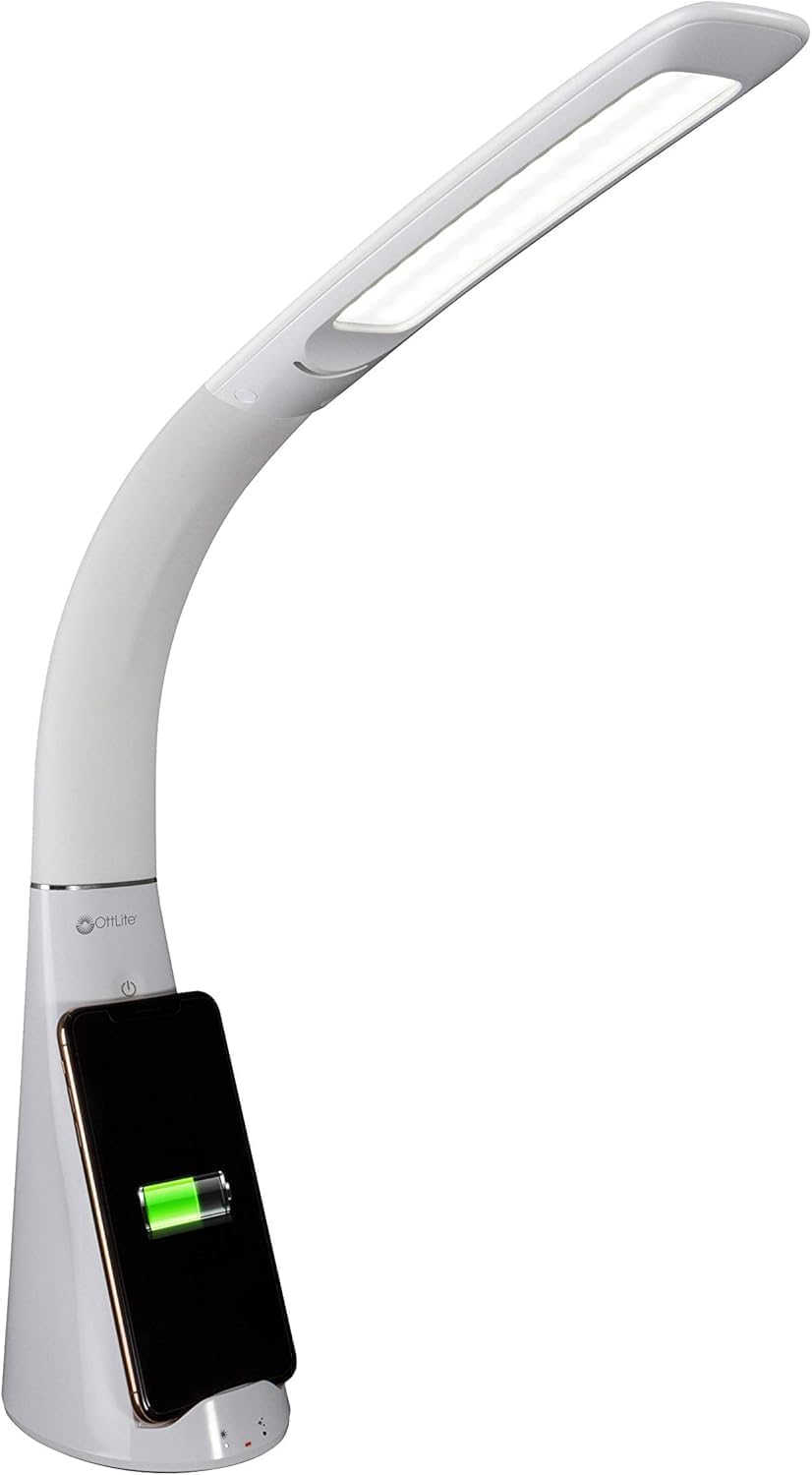
The OttLite Purify LED Sanitizing Desk Lamp is designed to provide optimal illumination while contributing to a cleaner workspace. Key features include:
- SpectraClean Sanitizing Technology: Utilizes visible light to break down harmful microorganisms.
- ClearSun LED Lighting: Reduces eye strain by up to 51% by mimicking natural daylight.
- უსადენო დატენვა: Integrated Qi charging stand for compatible devices.
- USB დატენვის პორტი: Additional charging option for various devices.
- მოქნილი კისერი: Allows for adjustable light positioning.
- შეხებით გააქტიურებული კონტროლი: Easy selection of light modes and brightness levels.
დაყენების ინსტრუქციები
- ამოალაგეთ Lamp: ფრთხილად ამოიღეთ ყველა კომპონენტი შეფუთვიდან. დარწმუნდით, რომ ყველა ნაწილი ადგილზეა და დაუზიანებელია.
- განათავსეთ ლamp: მოათავსეთ ლamp on a stable, flat surface. The base measures approximately 5 inches by 4 inches.
- დაკავშირება დენის წყაროსთან: ჩადეთ კვების ადაპტერი l-შიamp-ის კვების პორტი, შემდეგ კი ადაპტერი სტანდარტულ ელექტროგადამცემში შეაერთეთ.
- საწყისი ჩართვა: ლamp ახლა მზად არის ოპერაციისთვის.
ოპერაციული ინსტრუქციები
1. Power and Light Modes
ლamp features touch-activated controls located on the base.
- ჩართვა/გამორთვა: Tap the power button icon to turn the lamp ჩართვა ან გამორთვა.
- სიკაშკაშის კორექტირება: ლamp on, tap the brightness control icon to cycle through three brightness levels.
- აირჩიეთ სინათლის რეჟიმი: ლamp offers three distinct light modes:
- ClearSun Only: Provides OttLite's natural daylight LED illumination.
- ClearSun + SpectraClean: Combines natural daylight with continuous sanitizing.
- SpectraClean Only: Activates the sanitizing light without traditional illumination.
2. SpectraClean Sanitizing Technology
The exclusive SpectraClean technology uses a specific spectrum of visible light to continuously break down harmful microorganisms such as bacteria, fungus, and mold at a cellular level. This process occurs while the light is active, contributing to a healthier environment.

3. ClearSun Natural Daylight LED
OttLite's ClearSun LED technology is engineered to provide illumination that closely matches natural daylight. This helps to reduce eye strain by up to 51%, allowing for clearer vision and extended comfortable use for tasks such as reading, crafting, or office work.

4. უსადენო დატენვა
ლamp includes an integrated Qi wireless charging stand. Place your compatible smartphone vertically or horizontally into the stand for wireless charging. Ensure your device is properly aligned for optimal charging.
5. USB დატენვის პორტი
A 5V, 2.1A USB port is located on the lamp's base, allowing you to charge smartphones, tablets, and other USB-powered devices via a cable (not included).
6. Flexible Neck Adjustment
ლamp features a flexible neck that allows you to adjust the height and angle of the light. The height can be adjusted from approximately 14 inches to 26 inches to direct illumination precisely where needed.


მოვლა
To ensure the longevity and optimal performance of your OttLite Purify LED Desk Lamp, დაიცავით შემდეგი მოვლის ინსტრუქციები:
- დასუფთავება: ყოველთვის გამორთეთ lamp before cleaning. Use a soft, dry, or slightly damp ქსოვილი ლamp-ის ზედაპირები.
- მოერიდეთ ქიმიკატებს: არ გამოიყენოთ აბრაზიული საწმენდები, გამხსნელები ან უხეში ქიმიკატები, რადგან მათ შეუძლიათ დააზიანონamp's finish or internal components.
- მტვრის მოცილება: Regularly dust the LED light panel and charging areas to prevent accumulation that could affect performance.
პრობლემების მოგვარება
| პრობლემა | შესაძლო მიზეზი | გამოსავალი |
|---|---|---|
| Lamp არ ირთვება | Power adapter not properly connected or outlet is not functioning. | დარწმუნდით, რომ კვების ადაპტერი საიმედოდ არის ჩართული ორივე l-შიamp and a working electrical outlet. Test the outlet with another device. |
| უსადენო დატენვა არ მუშაობს. | Phone not Qi-compatible, misaligned, or phone case is too thick. | Verify your phone supports Qi wireless charging. Adjust phone placement on the charging stand. Remove thick phone cases. |
| შუქი ციმციმებს ან მკრთალია. | Unstable power supply or internal issue. | უზრუნველყოს ლamp is connected to a stable power source. If the issue persists, contact customer support. |
სპეციფიკაციები
| ფუნქცია | დეტალი |
|---|---|
| მოდელის სახელი | Purify LED Desk Lamp with Wireless Charging and Sanitizing |
| მოდელის ნომერი | SCNQC00S |
| ბრენდი | OttLite |
| პროდუქტის ზომები | 5"D x 4"W x 14"H (adjustable height up to 26") |
| ნივთის წონა | 2.3 ფუნტი |
| მასალა | პლასტიკური |
| სინათლის წყაროს ტიპი | LED |
| სპეციალური ფუნქცია | Full Spectrum, Sanitizing |
| დენის წყარო | კაბელიანი ელექტრო |
| ტtage | 120 ვოლტი |
| ვატtage | 5.65 ვატი |
| სიკაშკაშე | 428 ლუმენი |
| კონტროლის მეთოდი | შეეხეთ |
| UPC | 761712019321 |
გარანტია და მხარდაჭერა
საგარანტიო ინფორმაცია
Specific warranty details are not provided in the product data. For information regarding the product warranty, please refer to the documentation included with your purchase or contact OttLite customer service directly.
მომხმარებელთა მხარდაჭერა
For further assistance, technical support, or inquiries about your OttLite Purify LED Sanitizing Desk Lamp, please visit the official OttLite webსაიტზე ან დაუკავშირდით მათ მომხმარებელთა მომსახურების განყოფილებას. საკონტაქტო ინფორმაცია, როგორც წესი, შეგიძლიათ იხილოთ პროდუქტის შეფუთვაზე ან მწარმოებლის დოკუმენტაციაში. webსაიტი.


