შესავალი
This manual provides detailed instructions for the installation, operation, and maintenance of the HANWHA TECHWIN SND-3082P Network Dome Camera. The SND-3082P is a high-performance 4CIF resolution network camera designed for surveillance applications, featuring Wide Dynamic Range (WDR) technology, Day/Night functionality, and Power over Ethernet (PoE) support. Please read this manual thoroughly before using the product to ensure correct and safe operation.
ძირითადი მახასიათებლები
- მაღალი გარჩევადობა: Delivers 30(25)fps at 4CIF resolution for clear images.
- Advanced Codecs: Supports H.264, MPEG-4, and MJPEG multiple codecs for flexible streaming.
- მრავალჯერადი ნაკადი: Enables simultaneous transmission of various streams for real-time monitoring, high-quality recording, and mobile access.
- Day and Night Function (ICR): Provides clear images in varying light conditions using an Infrared Cut-filter Removable mechanism.
- ფართო დინამიური დიაპაზონი (WDR): Optimizes image quality in challenging lighting conditions with strong light/dark contrasts.
- ენერგია Ethernet-ზე (PoE): ამარტივებს ინსტალაციას ერთი Ethernet კაბელის საშუალებით კვების და მონაცემების მიწოდებით.
- მიკრო SD სლოტი: Supports local recording to a Micro SD card.
- Bi-Directional Audio: Allows for two-way audio communication.
- Mobile Monitoring & E-mail Notifications: Facilitates remote viewing and alert notifications.
პაკეტის შიგთავსი
Please check that all components are present and in good condition. If any items are missing or damaged, contact your supplier immediately.
- HANWHA TECHWIN SND-3082P Network Dome Camera Unit
- სამონტაჟო შაბლონი
- სამონტაჟო ხრახნები და წამყვანები
- სწრაფი დაწყების სახელმძღვანელო
- Software CD or Download Information
- Ethernet Cable (may be sold separately)
დაყენება
1. შეფუთვა და შემოწმება
Carefully remove the camera from its packaging. Inspect the camera and all accessories for any signs of damage.
2. კამერის დამონტაჟება
The SND-3082P is designed for ceiling mount installation.
- Choose a suitable mounting location on a ceiling, ensuring it is sturdy enough to support the camera's weight.
- Use the provided mounting template to mark the drill holes on the ceiling.
- Drill pilot holes and insert the wall anchors if necessary.
- Secure the camera's mounting plate to the ceiling using the provided screws.
- Attach the camera body to the mounting plate, ensuring it is firmly locked in place.
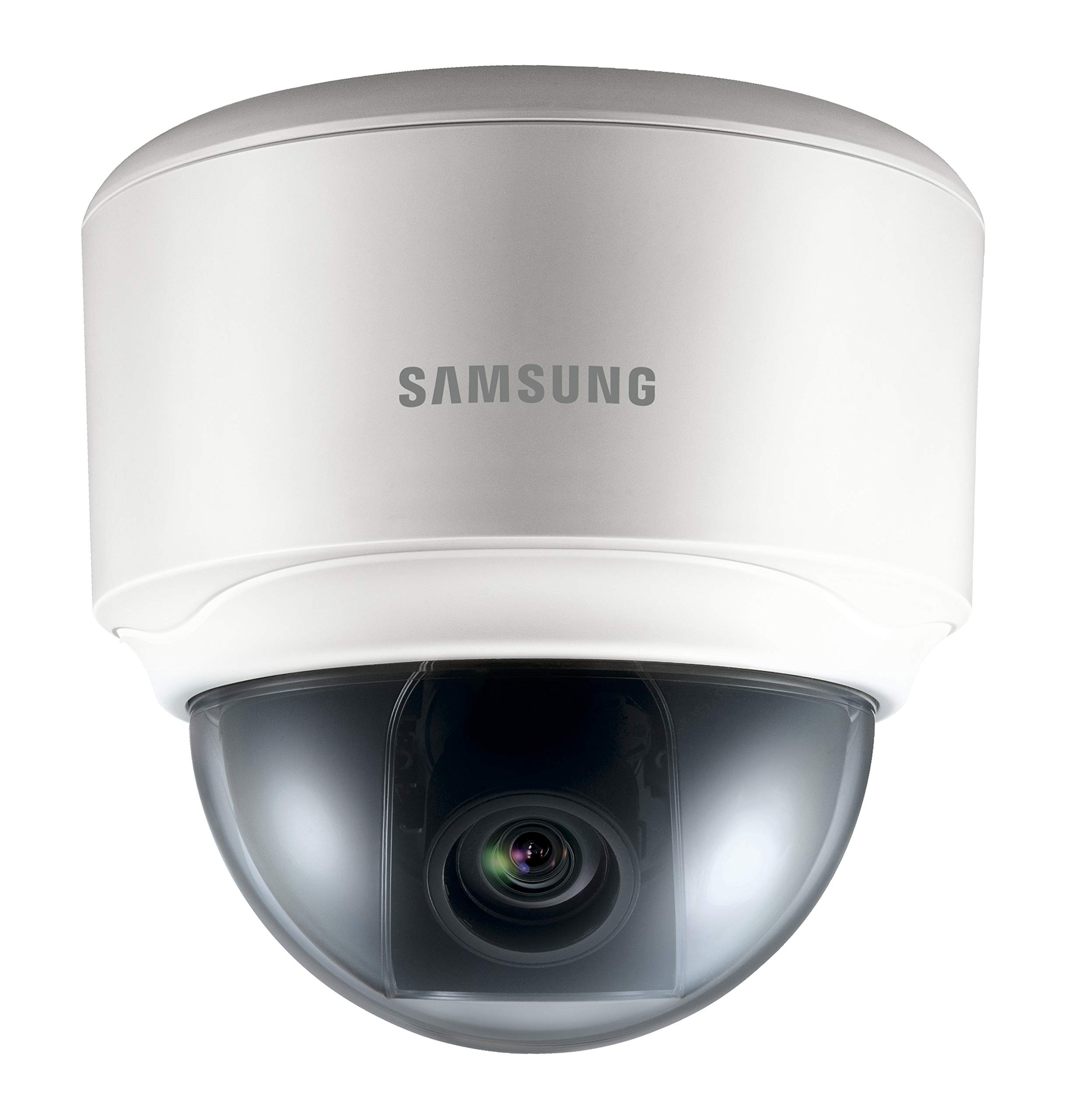
Image: The HANWHA TECHWIN SND-3082P Network Dome Camera, typically mounted on a ceiling for surveillance. This image illustrates the compact dome design.
3. ელექტრომომარაგება და ქსელური კავშირი
კამერა მხარს უჭერს Ethernet-ის საშუალებით კვებას (PoE) გამარტივებული ინსტალაციისთვის.
- PoE კავშირი: Connect an Ethernet cable from a PoE-enabled switch or injector to the camera's Ethernet port. This will provide both power and network connectivity.
- Standard Power (Optional): If PoE is not used, connect a 12V DC power adapter (not included) to the camera's power input port. Then, connect an Ethernet cable from your network switch/router to the camera's Ethernet port.
Ensure the network connection is active and the camera receives power. The camera will typically perform a self-test upon power-up.
4. საწყისი წვდომა და კონფიგურაცია
To access the camera's web ინტერფეისი საწყისი კონფიგურაციისთვის:
- Install the provided IP Installer software (or similar discovery tool) on a computer connected to the same network as the camera.
- Run the software to discover the camera's IP address.
- გახსენით ა web ბრაუზერში (მაგ., Chrome, Firefox) და მისამართის ზოლში შეიყვანეთ კამერის IP მისამართი.
- Log in using the default username and password (refer to the Quick Start Guide for default credentials). It is highly recommended to change the default password immediately for security.
- Follow the on-screen prompts to configure basic settings such as network parameters, date/time, and video streaming options.
კამერის მართვა
1. იცხოვრე View
შესვლის შემდეგ web interface, you can access the live video feed. Adjust the camera's pan, tilt, and zoom (if applicable) to achieve the desired viewing კუთხე
2. ვიდეო პარამეტრები
Navigate to the video settings section to configure:
- გარჩევადობა და კადრების სიხშირე: Set the desired resolution (up to 4CIF) and frame rate.
- შეკუმშვა: Choose between H.264, MPEG-4, or MJPEG codecs.
- WDR: Enable or disable Wide Dynamic Range for improved image quality in high-contrast scenes.
- დღე/ღამის რეჟიმი: Configure automatic switching between color (day) and black & white (night) modes.
3. ჩაწერა და შენახვა
კამერა მხარს უჭერს ჩაწერის სხვადასხვა ვარიანტს:
- მიკრო SD ბარათი: Insert a compatible Micro SD card into the camera's slot for local storage. Configure recording schedules and event-triggered recording (e.g., motion detection).
- ქსელური ვიდეოჩამწერი (NVR): Connect the camera to a compatible NVR for centralized recording and management.
- FTP/NAS: Configure the camera to upload recordings or snapshots to an FTP server or Network Attached Storage.
4. Event Management
Configure event triggers and actions:
- მოძრაობის გამოვლენა: Set up detection zones and sensitivity.
- სიგნალის შეყვანა: Trigger external devices upon event detection.
- ელ.ფოსტის შეტყობინება: Receive email alerts with snapshots when an event occurs.
მოვლა
- დასუფთავება: რეგულარულად გაწმინდეთ კამერის გუმბათის საფარი რბილი, დamp ქსოვილი. მოერიდეთ აბრაზიულ საწმენდებს.
- Firmware განახლებები: შეამოწმეთ მწარმოებლის website periodically for firmware updates. Updating firmware can improve performance, add features, and enhance security. Follow the provided instructions carefully when performing updates.
- ქსელის უსაფრთხოება: Ensure your network is secure and change camera passwords regularly.
პრობლემების მოგვარება
| პრობლემა | შესაძლო მიზეზი | გამოსავალი |
|---|---|---|
| ვიდეო არხი არ არის | No power; Network cable disconnected; Incorrect IP address; Firewall blocking access. | Check power supply/PoE connection; Verify network cable connection; Confirm camera's IP address; Adjust firewall settings. |
| გამოსახულების ცუდი ხარისხი | Dirty lens/dome; Incorrect video settings (resolution, compression); Insufficient lighting; WDR not enabled in high-contrast scenes. | Clean the dome cover; Adjust resolution and compression settings; Ensure adequate lighting or enable Day/Night mode; Activate WDR. |
| წვდომა შეუძლებელია web ინტერფეისი | Incorrect IP address; Network connectivity issue; Browser compatibility; Incorrect login credentials. | Use IP Installer to find IP; Check network cables; Try a different browser; Verify username/password (reset if necessary). |
| ჩანაწერი არ მუშაობს | SD card full or faulty; Recording schedule not configured; NVR not connected or configured correctly. | Check SD card status, format or replace; Configure recording schedules; Verify NVR connection and settings. |
სპეციფიკაციები
| ფუნქცია | დეტალი |
|---|---|
| ბრენდი | ჰანვა |
| მოდელი | SND-3082P |
| რეზოლუცია | Up to 4CIF (704x480) at 30(25)fps |
| ვიდეო კოდეკები | H.264, MPEG-4, MJPEG |
| დღე/ღამე | True Day/Night (ICR) |
| ფართო დინამიური დიაპაზონი (WDR) | დიახ |
| დენის წყარო | PoE (ეზერნეტის საშუალებით კვება), 12V DC |
| დაკავშირების ტექნოლოგია | სადენიანი |
| შენახვა | მიკრო SD სლოტი |
| აუდიო | Bi-Directional Audio |
| სამონტაჟო ტიპი | ჭერის მთა |
| ფორმის ფაქტორი | გუმბათი |
| ფერი | თეთრი |
| ნივთის წონა | 1.27 ფუნტი (0.57 კგ) |
| პაკეტის ზომები | 5.24 x 5.24 x 5.09 ინჩი (13.3 x 13.3 x 12.9 სმ) |
| დაცვის საერთაშორისო რეიტინგი | IP65 |
| შიდა/გარე გამოყენება | შიდა |
გარანტია და მხარდაჭერა
For warranty information and technical support, please refer to the documentation included with your product or visit the official HANWHA TECHWIN webსაიტი. შეინახეთ თქვენი შესყიდვის ქვითარი, როგორც შეძენის დამადასტურებელი საბუთი გარანტიის მოთხოვნის შემთხვევაში.


