TASMOR 10M USB RGB LED Strip Light User Manual
Model: JYX-5050x18N
ბრენდი: ტასმორი
შესავალი
Thank you for choosing the TASMOR 10M USB RGB LED Strip Light. This product is designed to provide versatile and vibrant lighting for various indoor settings, including bedrooms, living rooms, kitchens, and for special occasions like parties and holidays. This manual provides essential information for safe installation, operation, and maintenance of your LED strip light.
უსაფრთხოების ინფორმაცია
- ეს პროდუქტი განკუთვნილია მხოლოდ შიდა გამოყენებაარ დატოვოთ წყლით ან მაღალი ტენიანობით.
- სათანადო მიკვრისთვის დარწმუნდით, რომ სამონტაჟო ზედაპირი სუფთა, მშრალი და გლუვია.
- Do not connect the LED strip to power while it is still rolled up, as this may cause overheating.
- გამოიყენეთ მხოლოდ მოწოდებული კვების ადაპტერი და კომპონენტები.
- Do not attempt to repair or modify the product. Refer to qualified personnel for service.
- შეინახეთ ბავშვებისთვის მიუწვდომელ ადგილას.
- The LED strip can be cut at designated marks (every 4 poles, 10mm wide). Ensure power is disconnected before cutting.
პროდუქტი დასრულდაview
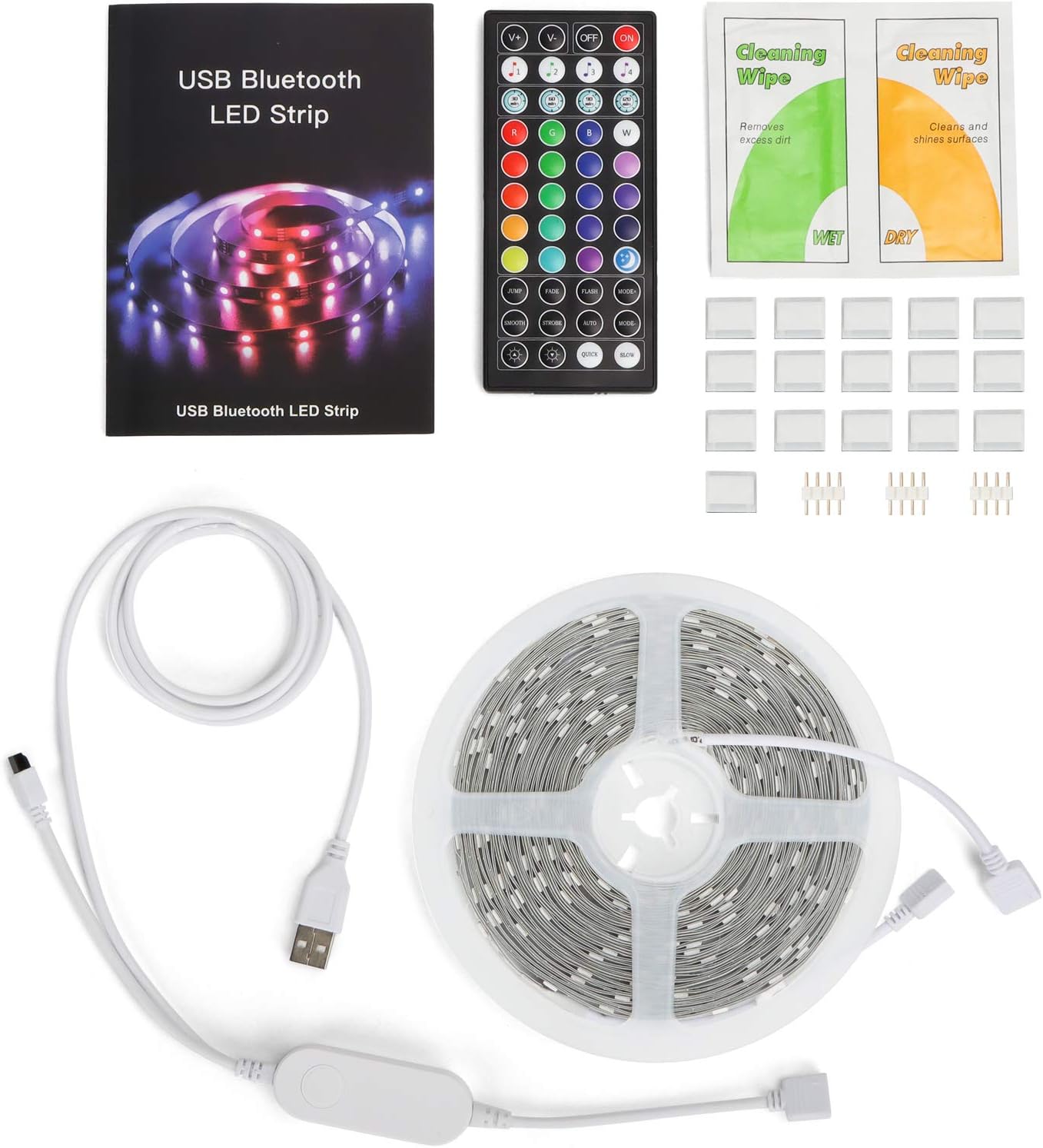
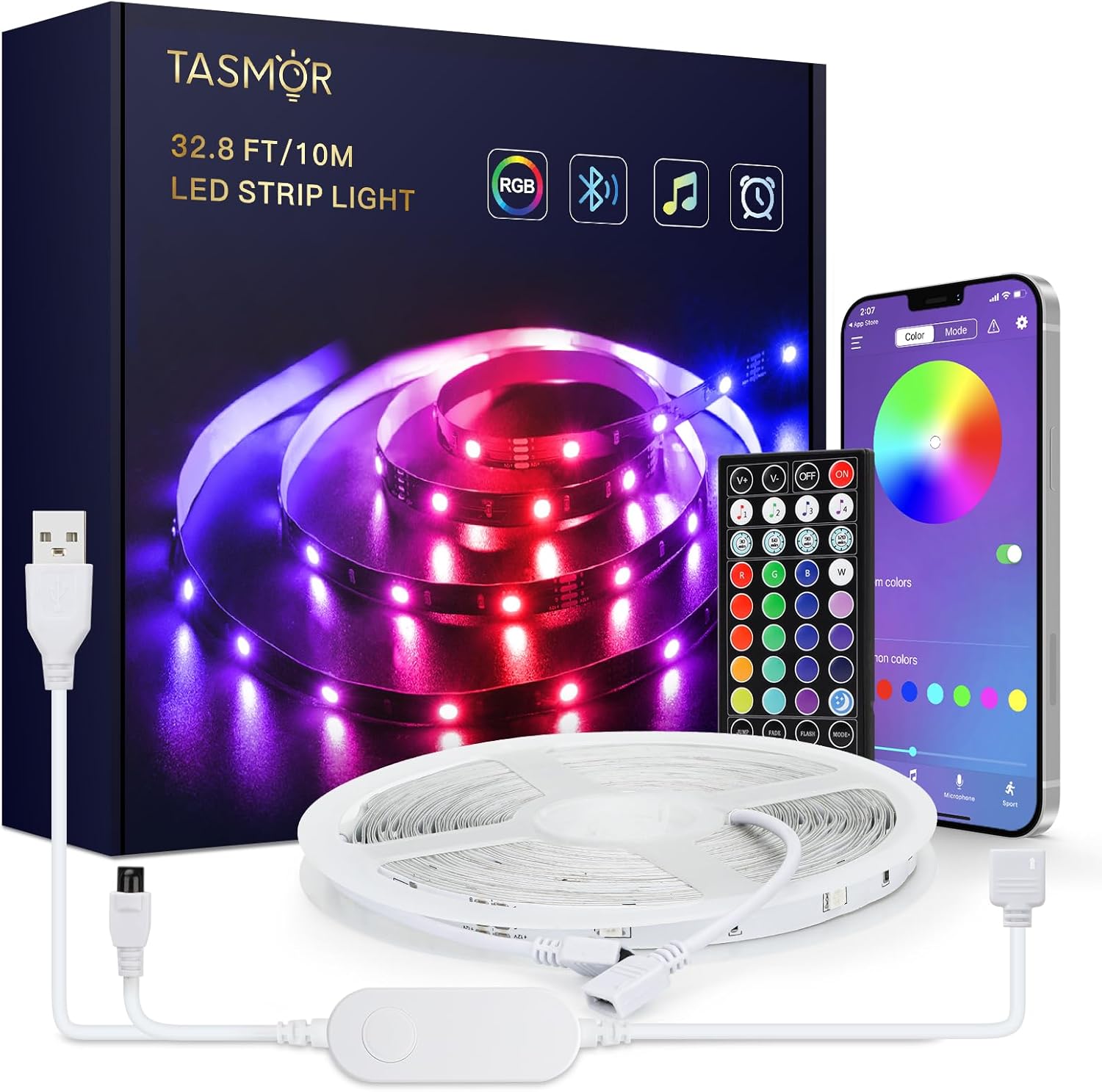
The TASMOR 10M USB RGB LED Strip Light system includes the following components:
- 10-meter RGB LED Strip Light
- 44-key IR Remote Control
- In-line Control Box with USB power cable
- მომხმარებლის სახელმძღვანელო
- Cleaning Wipes (may be included)
- Adhesive clips/mounts (may be included)
დაყენება და ინსტალაცია
- მოამზადეთ ზედაპირი: Choose a clean, dry, and smooth surface for installation. Wipe the surface with the provided cleaning wipes (if applicable) and allow it to dry completely.
- გაშალეთ LED ზოლი: Fully unroll the LED strip before connecting it to power to prevent overheating.
- კომპონენტების დაკავშირება:
- Connect the LED strip to the in-line control box. Ensure the arrows on the connectors align.
- Connect the USB plug from the in-line control box to a 5V USB power source (e.g., USB wall adapter, power bank, computer USB port).

Figure 3: Connection Diagram. This diagram illustrates the correct way to connect the LED strip to its controller and power source. - დაიცავით ზოლები: Peel off the self-adhesive backing from the LED strip gradually as you press it firmly onto the prepared surface.

Figure 4: Installation Features. This image demonstrates the strong 3M adhesive, the ability to cut the strip at marked intervals, and its flexibility for bending around corners. - ზოლის მოჭრა (სურვილისამებრ): If the strip is too long, you can cut it at the designated cutting marks (indicated by copper pads and a scissor icon) every 4 poles. Ensure power is disconnected before cutting.
ოპერაციული ინსტრუქციები
Your TASMOR LED Strip Light offers three convenient control methods:

1. In-line Control Box
The small button on the in-line control box allows for basic control:
- Press once to turn ON/OFF.
- Press repeatedly to cycle through basic colors and dynamic modes.
2. 44-Key IR Remote Control
The remote control provides comprehensive access to various functions:
- დენის ღილაკი: ჩართეთ/გამორთეთ.
- სიკაშკაშის რეგულირება: სინათლის ინტენსივობის გაზრდა ან შემცირება.
- სტატიკური ფერები: 20 preset static colors.
- საკუთარი ხელით დამზადებული ღილაკები: Customize and save your own colors.
- დინამიური რეჟიმები: 6 dynamic modes (e.g., Flash, Strobe, Fade, Smooth).
- მუსიკის რეჟიმები: 4 music modes that react to sound.
3. MagicStrip APP (Bluetooth Control)
For advanced features and customization, download the "MagicStrip" app from the App Store or Google Play. Ensure Bluetooth is enabled on your smartphone.
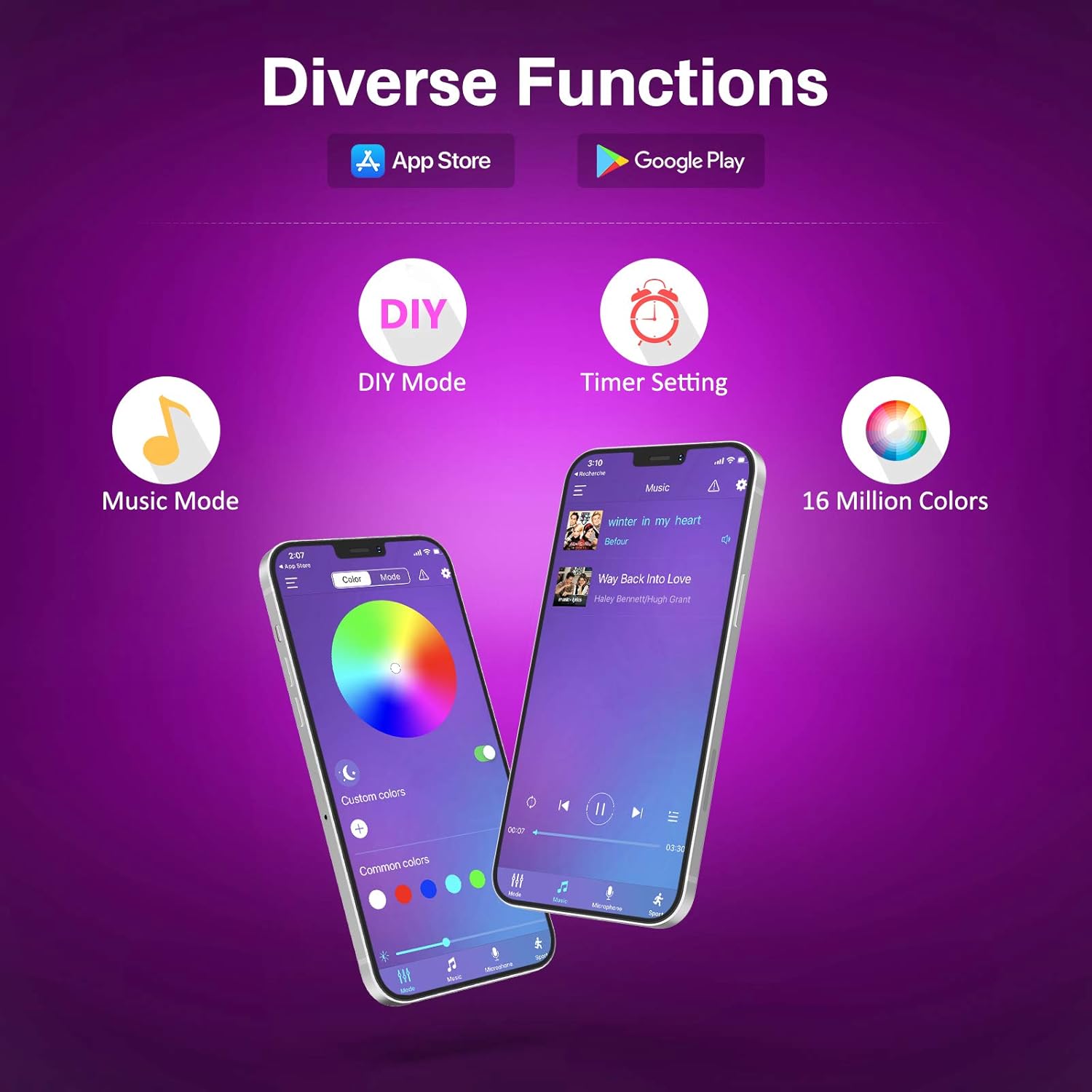
- ფერების პალიტრა: Access to 16 million colors for precise selection.
- სიკაშკაშე და გაჯერება: სინათლის ინტენსივობისა და ფერის სიკაშკაშის დახვეწა.
- წვრილმანი რეჟიმები: Create and save custom lighting effects.
- მუსიკის სინქრონიზაციის რეჟიმი: The lights change color and speed in sync with music played through your phone's microphone. Adjust sensitivity and mode.
- ტაიმერის ფუნქცია: Schedule the lights to turn ON/OFF at specific times.
- დინამიური სცენები: Explore over 30 pre-programmed dynamic scenes and modes.


მოვლა
- დასუფთავება: Gently wipe the LED strip with a dry, soft cloth to remove dust. Do not use liquid cleaners or immerse the strip in water.
- ადჰეზია: If the strip begins to peel, reinforce it with additional adhesive clips or double-sided tape.
- შენახვა: When not in use for extended periods, disconnect from power and store the strip in a cool, dry place.
პრობლემების მოგვარება
| პრობლემა | შესაძლო მიზეზი | გამოსავალი |
|---|---|---|
| შუქები არ ირთვება. | დენი არ არის, კავშირი სუსტია, პულტის ბატარეა დაცლილია. | Check USB power source. Ensure all connections are secure. Replace remote battery (2 x A batteries required for remote, not included). |
| დისტანციური მართვა არ მუშაობს. | Remote battery dead, IR sensor blocked, remote too far. | Replace remote battery. Ensure no obstructions between remote and IR receiver on the control box. Operate within 5-8 meters of the receiver. |
| APP cannot connect to the strip. | Bluetooth not enabled, app not paired, interference. | Ensure Bluetooth is enabled on your phone. Restart the app and the LED strip (unplug/replug USB). Try pairing again. |
| განათება სუსტია ან ციმციმებს. | Insufficient power, damaged strip. | Ensure USB power source provides sufficient current (e.g., 5V/2A). If a section is damaged, it may need replacement. |
| ფერები არასწორია. | Incorrect connection, app/remote setting. | Check that the arrows on the connectors are aligned. Reset the strip by unplugging and replugging. Try different color settings on the remote or app. |
სპეციფიკაციები
| ბრენდი | ტასმორი |
| მწარმოებელი | ტასმორი |
| მოდელის ნომერი | JYX-5050x18N |
| პროდუქტის ზომები (L x W x H) | 1000 x 10 x 0.1 cm (10 meters) |
| ნივთის წონა | 240 გრამი |
| ფერი | USB-10m (RGB) |
| მასალა | პლასტიკური |
| ნათურების რაოდენობა | 180 |
| მოყვება კომპონენტები | 10m RGB LED Strip Light, 44-key Remote Control, 1-button Control Box and App for control |
| ტtage | 5 ვოლტი |
| სპეციფიკური გამოყენება | მხოლოდ შიდა გამოყენება |
| განსაკუთრებული თვისებები | Non-waterproof, No adapter included (USB powered) |
| დანამატის ტიპი | Electrical Cable (USB) |
| ბატარეა(ები) შედის | არა |
| საჭიროა ბატარეა(ები) | Yes (2 x A for remote control) |
| ნათურის ტიპი | LED |
| მანათობელი ნაკადი | 150 ლმ |
| ძალაუფლება | 60 ვატი |
| IP რეიტინგი | IP20 |
გარანტია და მხარდაჭერა
For warranty information and technical support, please refer to the seller's policy on the purchase platform or contact the manufacturer directly. Please retain your proof of purchase for any warranty claims.
Manufacturer: Tasmor


