1. შესავალი
Thank you for choosing the Cecotec TotalPure 1000 Handy Air Purifier. This device is designed to improve the air quality in your home by filtering out harmful particles and allergens. Please read this manual carefully before operating the appliance to ensure safe and efficient use. Keep this manual for future reference.
The TotalPure 1000 Handy features a 60 CADR (Clean Air Delivery Rate), capable of filtering and cleaning 60 m³/h of air. It utilizes a 3-stage filtration system, covers an area of up to 25 m³, and offers 3 fan speeds. An integrated ionizer helps to further purify the air by generating negative ions. Convenient features include a timer for automatic shut-off and a quiet night mode.
2. უსაფრთხოების ინსტრუქციები
ელექტრომოწყობილობების გამოყენებისას ყოველთვის დაიცავით უსაფრთხოების ძირითადი ზომები, რათა შეამციროთ ხანძრის, ელექტროშოკის და დაზიანებების რისკი.
- უზრუნველყოს ტtagმოწყობილობაზე მითითებული e შეესაბამება თქვენს ადგილობრივ დენის წყაროს, სანამ შეაერთებთ.
- არ გამოიყენოთ მოწყობილობა დაზიანებული კაბელით ან შტეფსელით. შეკეთებისთვის დაუკავშირდით მომხმარებელთა მომსახურების სამსახურს.
- შეინახეთ ჰაერის შესასვლელი და გასასვლელი დაბრკოლებისგან.
- Do not insert fingers or objects into the air inlets or outlets.
- This appliance is for indoor use only. Do not use it outdoors or in wet environments.
- Unplug the air purifier before cleaning, performing maintenance, or when not in use for extended periods.
- Do not use abrasive cleaners or flammable liquids to clean the appliance.
- შეინახეთ ბავშვებისა და შინაური ცხოველებისთვის მიუწვდომელ ადგილას.
- Place the air purifier on a stable, flat surface.
3. პროდუქტის კომპონენტები
Familiarize yourself with the main parts of your Cecotec TotalPure 1000 Handy Air Purifier.

სურათი 3.1: წინა კუთხით view of the Cecotec TotalPure 1000 Handy Air Purifier. It shows the main body, air intake vents, and the control panel on top.

სურათი 3.2: ზედა view of the air purifier, highlighting the circular air outlet grille and the touch control panel with power, fan speed, and timer indicators.
- ჰაერის გასასვლელი: Located on the top, where purified air is released.
- მართვის პანელი: Touch-sensitive buttons for power, fan speed, and timer settings.
- Ჰაერის შემშვებ: Vents on the lower front and sides for drawing in ambient air.
- ფილტრის განყოფილება: Located at the bottom/rear, housing the 3-stage ფილტრი.
- დენის კაბელი: ელექტრო ქსელთან დასაკავშირებლად.
4. დაყენება
ჰაერის გამწმენდის პირველად დასაყენებლად მიჰყევით ამ ნაბიჯებს.
- შეფუთვა: ფრთხილად ამოიღეთ ჰაერის გამწმენდი შეფუთვიდან. შეინახეთ შეფუთვა მომავალი შენახვის ან ტრანსპორტირებისთვის.
- ფილტრის დაყენება: The filter may come pre-installed or require installation. Open the filter compartment (usually by twisting the base or opening a panel), remove any plastic packaging from the filter, and insert it correctly. Close the compartment securely.
- განთავსება: Place the air purifier on a firm, level surface. Ensure there is at least 20 cm (8 inches) of clear space around the air inlets and outlets for optimal air circulation. Avoid placing it near heat sources, direct sunlight, or in areas with high humidity.
- დენის კავშირი: შეაერთეთ დენის კაბელი სტანდარტულ ელექტრო განყოფილებაში.

სურათი 4.1: The air purifier positioned on a wooden cabinet, demonstrating suitable placement in a living space.
5. საოპერაციო ინსტრუქციები
Your air purifier features intuitive touch controls on its top panel.
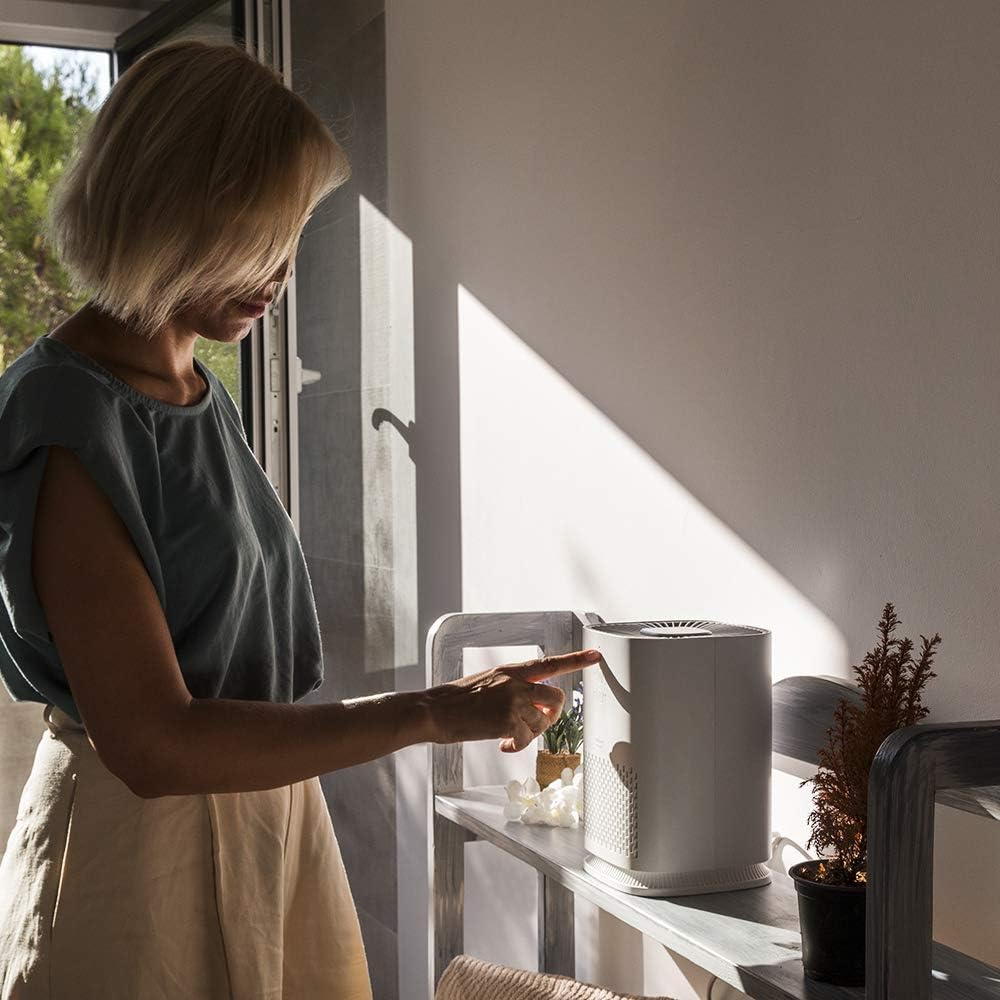
სურათი 5.1: A user interacting with the touch control panel on the top of the air purifier.
5.1 ჩართვა/გამორთვა
- დააჭირეთ დენის ღილაკი ( ⏻ ) once to turn the unit on. The default fan speed will activate.
- დააჭირეთ დენის ღილაკი ისევ გამორთეთ მოწყობილობა.
5.2 ვენტილატორის სიჩქარის რეგულირება
The air purifier has 3 fan speeds: Low, Medium, and High.
- დააჭირეთ ვენტილატორის სიჩქარის ღილაკი (💨) repeatedly to cycle through the speeds: Low (1 dot), Medium (2 dots), High (3 dots).
- The corresponding LED indicator will light up to show the selected speed.
5.3 ტაიმერის ფუნქცია
Set the air purifier to automatically turn off after a specified period.
- დააჭირეთ ტაიმერის ღილაკი (⏱) repeatedly to select a shut-off time: 1 hour, 3 hours, 7 hours, or 15 hours.
- The LED indicator next to the selected time will illuminate.
- To cancel the timer, cycle through the options until no timer LED is lit, or turn the unit off.
5.4 ღამის რეჟიმი
Night mode operates the air purifier at its lowest speed and with minimal noise for undisturbed rest.
- To activate Night Mode, press and hold the ვენტილატორის სიჩქარის ღილაკი for a few seconds. The unit will switch to the lowest speed, and display lights may dim or turn off.
- To exit Night Mode, press the ვენტილატორის სიჩქარის ღილაკი ისევ ან დენის ღილაკი.
5.5 იონიზატორის ფუნქცია
The integrated ionizer helps to purify the air by releasing უარყოფითი იონები.
- The ionizer typically operates automatically when the unit is on. Refer to the product's full manual or manufacturer's website for specific controls if you wish to disable or enable it manually.
6. მოვლა
რეგულარული მოვლა უზრუნველყოფს ოპტიმალურ მუშაობას და ახანგრძლივებს თქვენი ჰაერის გამწმენდის სიცოცხლის ხანგრძლივობას.
6.1 ექსტერიერის გაწმენდა
- გაწმენდის წინ გამორთეთ ჰაერის გამწმენდი.
- გაწმინდეთ გარე ზედაპირები რბილი, დamp ქსოვილი.
- Do not use harsh chemicals, abrasive cleaners, or flammable liquids.
- Clean the air inlet and outlet grilles with a soft brush or vacuum cleaner attachment to remove dust.
6.2 ფილტრის გამოცვლა
3-იანებიtage filter needs to be replaced periodically to maintain purification efficiency. The frequency depends on air quality and usage, typically every 6-12 months.
- გამორთეთ ჰაერის გამწმენდი.
- Open the filter compartment (refer to specific instructions for your model, usually by twisting the base or opening a rear panel).
- ამოიღეთ ძველი ფილტრი და სწორად გადააგდეთ.
- Insert a new, genuine Cecotec replacement filter, ensuring it is correctly oriented.
- უსაფრთხოდ დახურეთ ფილტრის განყოფილება.
- Plug in the air purifier and reset the filter indicator (if applicable, refer to specific model instructions).
შენიშვნა: Replacement filters are sold separately. Ensure you purchase the correct filter for Model 05624.
7. Დიაგნოსტიკა
თუ თქვენს ჰაერის გამწმენდთან დაკავშირებით პრობლემები შეგექმნათ, იხილეთ შემდეგი გავრცელებული პრობლემები და მათი გადაჭრის გზები.
| პრობლემა | შესაძლო მიზეზი | გამოსავალი |
|---|---|---|
| ერთეული არ ირთვება. | არ არის კვების წყარო. | Check if the power cord is securely plugged into the outlet and the unit. Test the outlet with another device. |
| ჰაერის ნაკადის შემცირება ან ცუდი გაწმენდა. | Blocked air inlets/outlets. Dirty or old filter. | Ensure nothing is obstructing the air vents. Clean or replace the filter as per maintenance instructions. |
| არაჩვეულებრივი ხმაური. | Unit not on a stable surface. Foreign object inside. | Place the unit on a flat, stable surface. Unplug and check for any foreign objects in the air inlets or filter compartment. |
| მართვის საშუალებები არ რეაგირებს. | დროებითი ელექტრონული გაუმართაობა. | Unplug the unit for 5 minutes, then plug it back in and try again. |
თუ პრობლემა ამ გადაწყვეტილებების მოსინჯვის შემდეგაც არ მოგვარდება, გთხოვთ, დაუკავშირდეთ Cecotec-ის მომხმარებელთა მხარდაჭერის სამსახურს.
8. სპეციფიკაციები
| ფუნქცია | სპეციფიკაცია |
|---|---|
| ბრენდი | ცეკოტეკი |
| მოდელის ნომერი | 05624 |
| ფერი | თეთრი |
| პროდუქტის ზომები (L x W x H) | 32.5 x 19.8 x 20 სმ (12.8 x 7.8 x 7.9 ინჩი) |
| წონა | 1.5 კილოგრამი (3.3 ფუნტი) |
| ძალაუფლება | 25 ვატი |
| ხმაურის დონე | 55 დბ (მაქს) |
| კონტროლის მეთოდი | შეეხეთ |
| ფილტრის ტიპი | HEPA (3-s)tagელექტრონული ფილტრაცია) |
| დაფარვის ზონა | 25 მ³-მდე |
| CADR | 60 მ³/სთ |
| სერთიფიკატები | CE სერთიფიცირებული |
9. გარანტია და მხარდაჭერა
Cecotec products are manufactured to high-quality standards. This product is covered by a manufacturer's warranty in accordance with local consumer protection laws.
- საგარანტიო პერიოდი: Refer to your purchase documentation or local Cecotec webსაიტზე შეგიძლიათ იხილოთ გარანტიის კონკრეტული პირობები და ხანგრძლივობა.
- მომხმარებელთა მხარდაჭერა: For technical assistance, warranty claims, or to purchase replacement parts (such as filters), please contact Cecotec customer service. Contact information can typically be found on the official Cecotec webსაიტზე ან თქვენი პროდუქტის შეფუთვაზე.
- შეძენის დამადასტურებელი დოკუმენტი: ყოველთვის შეინახეთ შეძენის დამადასტურებელი საბუთი (ჩეკი ან ინვოისი), რადგან ის საჭირო იქნება ნებისმიერი საგარანტიო მომსახურებისთვის.


