1. შესავალი
The WAVLINK 14-in-1 DisplayLink Docking Station (Model WL-UG69DK7) is designed to expand the connectivity of your laptop or computer, providing a versatile solution for multiple displays and peripherals. This docking station supports a wide range of devices and operating systems, enhancing your workspace efficiency.
It features dual 5K display outputs, multiple USB 3.0 ports, a Gigabit Ethernet port, and a 2-in-1 audio/microphone jack. Please note that this docking station does not support charging your host device.

სურათი 1: დასრულდაview of the WAVLINK 14-in-1 DisplayLink Docking Station and its ports.
Video: WAVLINK USB-C Universal Docking Station Overview
ვიდეო 1: მოკლე მიმოხილვაview of the WAVLINK USB-C Universal Docking Station (Model UG69DK7) and its features.
2. დაყენება და ინსტალაცია
2.1. დრაივერის ინსტალაცია
Before connecting the docking station, it is crucial to install the DisplayLink driver for your operating system. This driver enables the docking station to function correctly and support multiple displays.
- Go to the official DisplayLink webსაიტი (displaylink.com).
- Navigate to the "Downloads" section.
- Select the correct driver version for your operating system (Windows, macOS, Android, Ubuntu, Chrome OS).
- Download and install the driver following the on-screen instructions.
- მოთხოვნის შემთხვევაში გადატვირთეთ კომპიუტერი.

Figure 2: Steps for downloading and installing the DisplayLink driver.
Video: DisplayLink Driver Installation for Mac
Video 2: A guide on how to download and install the DisplayLink driver on macOS for optimal functionality.
2.2. ფიზიკური კავშირი
Follow these steps to connect your docking station and peripherals:
- Connect the power adapter to the 20V DC IN port on the docking station and then to a power outlet.
- Connect your monitors to the docking station using HDMI or DisplayPort cables. The docking station supports up to two 5K displays.
- Connect your USB peripherals (keyboard, mouse, external hard drives, etc.) to the available USB 3.0 ports.
- For a wired network connection, connect an Ethernet cable to the Gigabit Ethernet port on the docking station.
- Connect your headphones or microphone to the 2-in-1 audio & microphone jack.
- Finally, connect the docking station to your laptop using the provided USB-C to C or USB-C to A cable.

Figure 3: Docking station connected to a laptop and dual monitors.
3. საოპერაციო ინსტრუქციები
3.1. ეკრანის კონფიგურაცია
The docking station supports single or dual monitors with resolutions up to 5120x1440@60Hz. You can configure your displays in either Mirror Mode or Extend Mode through your operating system's display settings.
- სარკის რეჟიმი: Duplicates your primary display onto the external monitors.
- გაფართოების რეჟიმი: Expands your desktop across multiple screens, allowing for increased productivity.
მნიშვნელოვანი შენიშვნა: In the same video stream group (Display 1: DP1+HDMI1 and Display 2: DP2+HDMI2), the DisplayPort and HDMI port cannot be used simultaneously. If both are connected, the DisplayPort will take priority.

Figure 4: Illustration of Mirror Mode and Extend Mode for display setup.
3.2. USB მონაცემთა გადაცემა
The docking station features six USB-A 3.0 ports, supporting data transfer speeds of up to 5Gbps. This allows for rapid transfer of large files and efficient connection of various USB peripherals. One of these ports also supports BC1.2 fast charging (7.5W) for compatible devices.
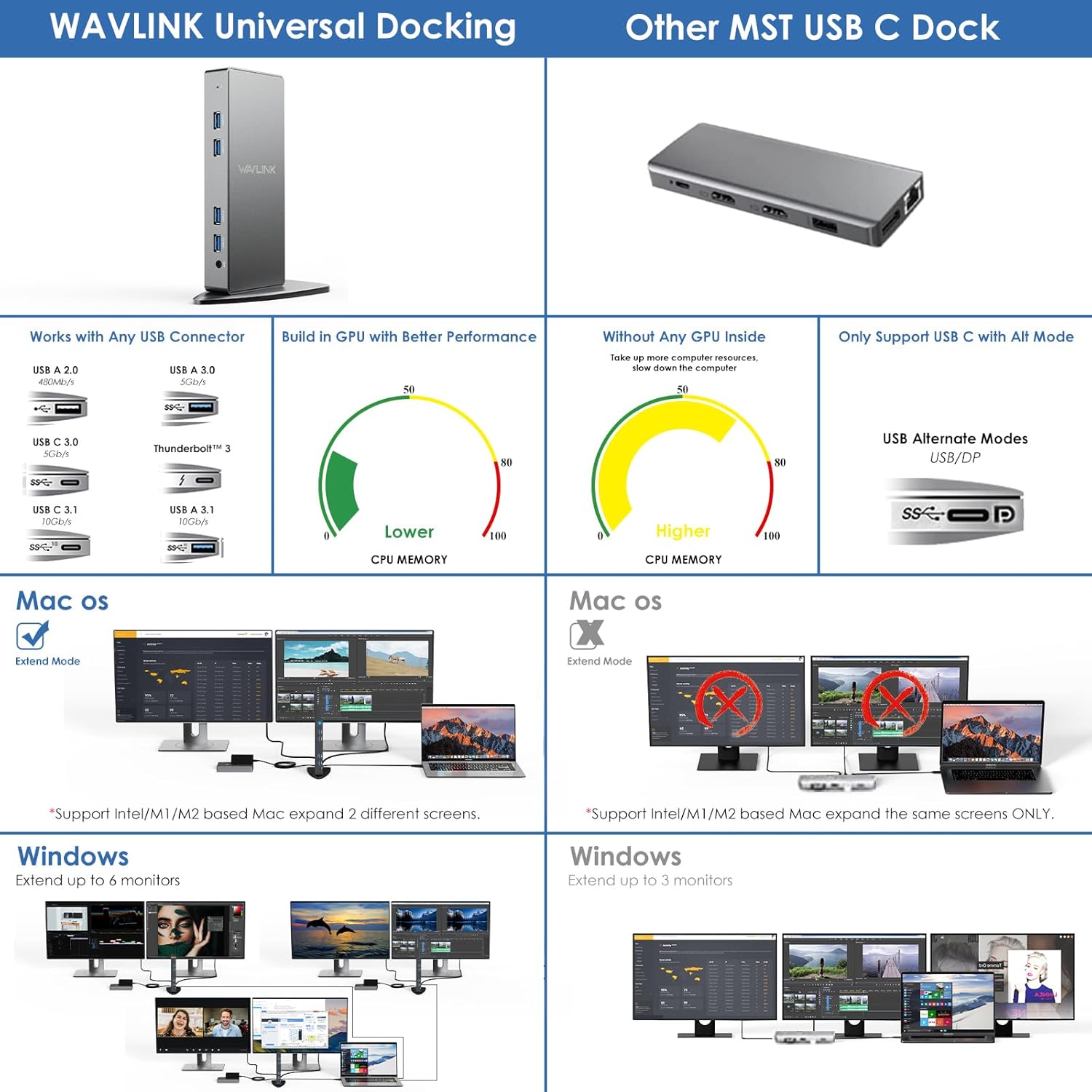
Figure 5: Highlighting the ultra-fast data transfer speed of USB 3.0 ports.
3.3. Network and Audio
The Gigabit Ethernet port provides a stable and fast wired network connection (10/100/1000Mbps), ideal for streaming and online activities. The 2-in-1 audio & microphone jack allows for simultaneous audio output and voice input, supporting headsets with a single 4-pole connector.

Figure 6: Docking station with Gigabit RJ45 Ethernet and 2-in-1 audio/mic jack connections.
3.4. Additional Modes
- როტაციის რეჟიმი: Supports screen rotation to adjust to different monitor orientations.
- Clamshell რეჟიმი: Allows you to use your laptop with the lid closed while connected to external monitors, reducing power consumption and extending battery life.

Figure 7: Visual representation of Rotation Mode and Clamshell Mode functionality.
4. სპეციფიკაციები
| ფუნქცია | დეტალი |
|---|---|
| მოდელის ნომერი | WL-UG69DK7 |
| პროდუქტის ზომები | 4.72 x 3.15 x 2.36 ინჩი (12 x 8 x 6 სმ) |
| ნივთის წონა | 1.23 ფუნტი (558 გრამი) |
| პორტების ჯამი | 14 |
| USB პორტები | 6 x USB 3.0 Type-A (5Gbps, one with BC1.2 fast charging) |
| ვიდეო გამომავალი | 2 x HDMI (up to 5K), 2 x DisplayPort (up to 5K) |
| Ethernet | 1 x Gigabit Ethernet (10/100/1000Mbps) |
| აუდიო | 1 x 2-in-1 Audio & Microphone Jack |
| დენის შეყვანა | 20V DC (35 watts) |
| მასპინძელი კავშირი | USB-C (with included USB-C to C/A cables) |
| თავსებადობა | Windows 11/10/8.1/8/7/Vista, Mac OS 10.14-14.x+, Android 5.0+, Ubuntu 20.04/22.04, Chrome OS, Harmony OS. (Not compatible with iPhone OS, iPad OS, Linux, Unix) |
5. მოვლა
- დოკ სადგური შეინახეთ მშრალ, კარგად ვენტილირებად ადგილას.
- მოერიდეთ მოწყობილობის ექსტრემალურ ტემპერატურას ან მზის პირდაპირ სხივებს.
- გარე ზედაპირი რბილი, მშრალი ქსოვილით გაწმინდეთ. არ გამოიყენოთ თხევადი საწმენდი საშუალებები ან აეროზოლები.
- დარწმუნდით, რომ ყველა კაბელი საიმედოდ არის დაკავშირებული, რათა თავიდან აიცილოთ სიგნალის დაკარგვა ან დენის შეფერხება.
- Regularly check for DisplayLink driver updates to ensure optimal performance and compatibility.
6. Დიაგნოსტიკა
- ეკრანის გამომავალი არ არის:
- Ensure the DisplayLink driver is correctly installed and updated.
- Verify all display cables (HDMI/DisplayPort) are securely connected to both the docking station and the monitors.
- Check your computer's display settings to ensure the external monitors are detected and configured (Mirror or Extend mode).
- Confirm the docking station is receiving power.
- USB მოწყობილობები არ მუშაობს:
- Ensure the docking station is properly connected to your host computer via the USB-C cable.
- მოწყობილობის პრობლემების გამოსარიცხად, სცადეთ USB მოწყობილობის პირდაპირ კომპიუტერთან დაკავშირება.
- Test different USB ports on the docking station.
- ქსელთან დაკავშირების პრობლემები:
- დარწმუნდით, რომ Ethernet კაბელი საიმედოდ არის დაკავშირებული როგორც დოკ-სადგურთან, ასევე თქვენს როუტერთან/მოდემთან.
- შეამოწმეთ თქვენი კომპიუტერის ქსელის პარამეტრები.
- Ensure the network adapter for the docking station is enabled in your operating system.
- აუდიო პრობლემები:
- შეამოწმეთ თქვენი კომპიუტერის ხმის პარამეტრები, რათა დარწმუნდეთ, რომ დოკის სადგურის აუდიო გამომავალი არჩეულია ნაგულისხმევ მოწყობილობად.
- Verify your headphones/speakers are properly connected to the 2-in-1 audio jack.
- Performance Issues (Lagging Display, Slow USB):
- Ensure your computer meets the minimum system requirements for DisplayLink.
- სისტემის რესურსების გასათავისუფლებლად დახურეთ არასაჭირო აპლიკაციები.
- Update your computer's graphics drivers and operating system.
7. გარანტია და მხარდაჭერა
For warranty information and technical support, please refer to the documentation included with your product or visit the official WAVLINK website. You may also contact WAVLINK customer service directly for assistance with product setup, troubleshooting, or warranty claims.
მწარმოებელი: WAVLINK


