პროდუქტი დასრულდაview
The VANBAR Wildlife Camera D500 is a high-performance trail camera designed for capturing images and videos of wildlife, for home security, or for monitoring farm areas. It features a 20-megapixel camera for clear still images and records full HD 1080P video. Equipped with advanced night vision capabilities and a rapid 0.2-second trigger speed, it ensures you capture every moment. Its IP66 waterproof design makes it suitable for various outdoor environments.

სურათი: წინა მხარე view of the VANBAR Wildlife Camera D500, showcasing its robust, camouflage design and sensor layout.
პაკეტის შიგთავსი
პაკეტის გახსნისას, დარწმუნდით, რომ შეიცავს ყველა შემდეგ ნივთს:
- VANBAR Wildlife Camera D500
- სამონტაჟო სამაჯური
- რეგულირებადი სამაგრის საყრდენი
- USB კაბელი
- სამონტაჟო ხრახნები და კედლის შტეფსელები
- მომხმარებლის სახელმძღვანელო

Image: The VANBAR Wildlife Camera D500 and its included accessories laid out, showing the camera, box, mounting strap, bracket, USB cable, and manual.
ძირითადი მახასიათებლები
- 0.2s Trigger Speed: The camera activates in less than 0.2 seconds upon detecting movement, ensuring minimal delay in capturing events. The trigger distance extends up to 20 meters (65 feet).

Image: A fox captured mid-movement, demonstrating the camera's fast 0.2-second trigger speed.
- 20MP Images & 1080P Video: Captures high-resolution 20-megapixel still images and full HD 1080P videos, providing clear and detailed recordings.

Image: Two deer in a natural setting, illustrating the camera's ability to capture high-resolution images and videos.
- 120° Wide Detection Angle & Night Vision: Features three passive infrared (PIR) sensors for a 120° wide detection range. 850nm infrared technology provides clear night vision up to 65 feet (20m) without disturbing wildlife.

Image: A visual representation of the camera's 120-degree wide detection angle, capturing a broad area.

Image: Bears in a nighttime forest, demonstrating the camera's advanced infrared night vision capabilities.
- IP66 წყალგაუმტარი და გამძლე: Built with an IP66 waterproof rating, making it resistant to rain, dust, and fog, ensuring reliable operation in challenging outdoor conditions.
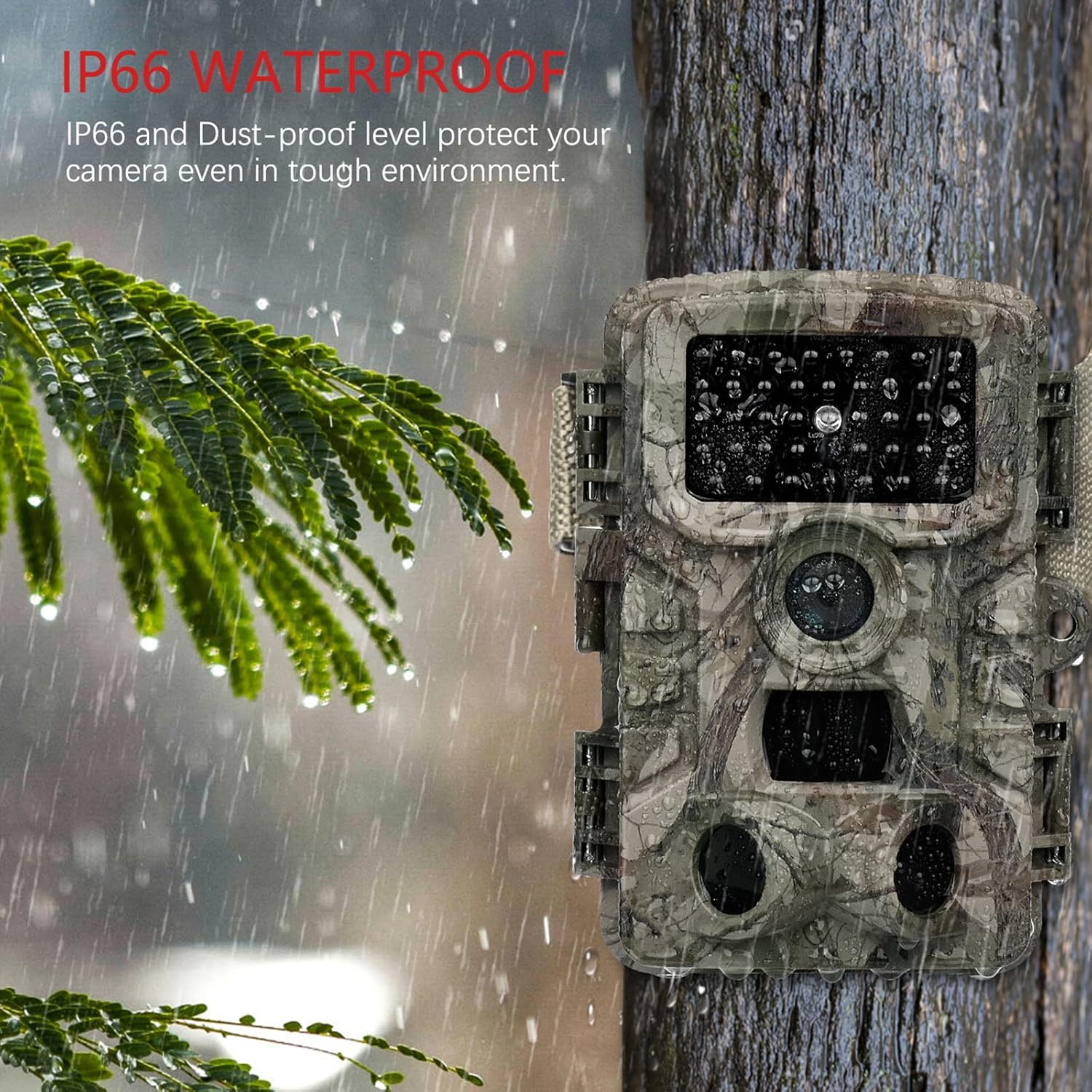
Image: The camera mounted on a tree during rainfall, showcasing its IP66 waterproof protection.
- მრავალმხრივი აპლიკაციები: Suitable for various uses including hunting, home security, farm monitoring, and general wildlife observation.

სურათი: მაგamples of the camera's diverse applications, including hunting, home security, farm surveillance, and wildlife monitoring.
დაყენების სახელმძღვანელო
1. ბატარეის მონტაჟი
The VANBAR Wildlife Camera requires 8 x 1.5V Alkaline AA LR6 batteries for optimal performance and maximum battery life. Batteries are not included with the camera.
- გახსენით კამერა გ.asinგ გვერდითი კლიპების მოხსნით.
- იპოვნეთ ბატარეის განყოფილება.
- ჩადეთ 8 AA ელემენტი, დარწმუნდით, რომ სწორი პოლარობა (+/-) გაქვთ, როგორც ეს მითითებულია განყოფილებაში.
- უსაფრთხოდ დახურეთ ბატარეის განყოფილება.
2. Micro SD Card Installation and Formatting
A Micro SD card (Class 10, up to 32GB capacity) is required for storing images and videos. The Micro SD card is not included.
- კამერით casing open, locate the Micro SD card slot.
- ჩადეთ მიკრო SD ბარათი სლოტში მანამ, სანამ არ დააწკაპუნებს.
- მნიშვნელოვანია: Before first use, format the Micro SD card using the camera's menu. Refer to the "Operating Instructions" section for menu navigation. Formatting ensures compatibility and proper function.
3. კამერის დამონტაჟება
The camera can be mounted using the included strap or the adjustable mounting bracket.
- სამაჯურის გამოყენება: Thread the strap through the slots on the back of the camera and secure it around a tree or pole.
- Using the Mounting Bracket: Attach the bracket to a wall or flat surface using the provided screws. Then, attach the camera to the bracket.
Ensure the camera is positioned to capture the desired area, considering the 120° detection angle and night vision range of 65 feet.
ოპერაციული ინსტრუქციები
1. ჩართვა/გამორთვა და რეჟიმის შერჩევა
The camera typically has a mode switch (OFF/TEST/ON).
- გამორთულია: Powers down the camera.
- TEST: Allows access to the camera's menu, settings, and manual photo/video capture. The internal screen will be active.
- ON: Activates the camera for automatic motion-triggered recording. The screen will turn off after a few seconds to conserve power.
2. მენიუს ნავიგაცია და პარამეტრები
In TEST mode, use the navigation buttons (usually Up, Down, Left, Right, OK/Menu) to browse and adjust settings. Key settings include:
- რეჟიმი: Select Photo, Video, or Photo + Video.
- ფოტო რეზოლუცია: Set to 20MP for highest quality.
- ვიდეო რეზოლუცია: Set to 1080P for highest quality.
- PIR მგრძნობელობა: Adjust for desired motion detection range (High, Medium, Low).
- ტრიგერის ინტერვალი: Set the delay between consecutive triggers.
- დროის გასვლა: Configure for periodic captures.
- თარიღი/დრო: Set the current date and time for accurate timestampს ჩანაწერებზე.
- SD ბარათის ფორმატი: Essential for new or problematic SD cards.
3. Viewშეტანა და გადაცემა Files
Files შეიძლება იყოს viewed directly on the camera's screen in TEST mode or transferred to a computer.
- პირდაპირი Viewing: In TEST mode, navigate to the playback option to review გადაღებული ფოტოები და ვიდეოები.
- USB კაბელის საშუალებით: Connect the camera to your computer using the provided USB cable. The camera should appear as a removable disk, allowing you to copy files.
- Via SD Card Reader: Remove the Micro SD card from the camera and insert it into a compatible card reader connected to your computer or mobile device for faster file გადაცემა.
- Using Mobile App (if applicable): Some models may support a mobile application for wireless connection and file management. Refer to the camera's display or packaging for app details.
მოვლა
- Cleaning the Lens and PIR Sensors: Gently wipe the camera lens and the three PIR sensors with a soft, lint-free cloth. Avoid touching the PIR sensors directly with fingers, as this can cause scratches that may affect performance.
- ბატარეის მოვლა: Replace all 8 AA batteries when the low battery indicator appears. For prolonged periods of inactivity, remove the batteries to prevent leakage.
- წყალგაუმტარი ბეჭედი: Regularly inspect the rubber seal around the camera casing to ensure it is clean and free from debris. A clean, intact seal is crucial for maintaining the IP66 waterproof rating.
- შენახვა: როდესაც კამერა არ გამოიყენება, შეინახეთ გრილ, მშრალ ადგილას, მოარიდეთ მზის პირდაპირ სხივებს და ექსტრემალურ ტემპერატურას.
პრობლემების მოგვარება
| პრობლემა | შესაძლო მიზეზი | გამოსავალი |
|---|---|---|
| კამერა არ ირთვება. | ელემენტები დაბალია ან არასწორად არის ჩასმული. | შეცვალეთ ახალი AA ტიპის ელემენტებით, დარწმუნდით, რომ სწორი პოლარობაა. |
| Camera not recording images/videos. | SD card not formatted, full, or faulty. Camera in wrong mode. | Format the SD card in the camera menu. Check SD card capacity. Ensure camera is in ON mode. |
| ცუდი ხარისხის სურათი/ვიდეო ღამით. | Subject too far from camera. PIR sensors obstructed. | Ensure subject is within 65ft (20m) night vision range. Clean PIR sensors. |
| Excessive blank recordings. | PIR sensitivity too high. Camera pointed at moving branches/grass. | Reduce PIR sensitivity. Reposition camera to avoid false triggers. |
| კომპიუტერთან დაკავშირება შეუძლებელია. | USB cable faulty. Camera not in correct mode. | Try a different USB cable. Ensure camera is in TEST mode when connecting. Use an SD card reader as an alternative. |
სპეციფიკაციები
| ფუნქცია | დეტალი |
|---|---|
| მოდელის ნომერი | D500 |
| გამოსახულების გარჩევადობა | 20 დეპუტატი |
| ვიდეო რეზოლუცია | 1080P სრული HD |
| გამომწვევი სიჩქარე | 0.2 წამი |
| გამოვლენის კუთხე | 120 გრადუსი |
| ღამის ხედვის დიაპაზონი | 65 ფუტი (20 მეტრი) |
| წყალგაუმტარი რეიტინგი | IP66 |
| დენის წყარო | 8 x AA ტუტე ელემენტები (არ მოყვება) |
| შენახვა | Micro SD Card (Class 10, up to 32GB, not included) |
| ზომები (L x W x H) | 50 x 80 x 60 მმ |
| წონა | 530 გ |
| მასალა | პლასტიკური |
გარანტია და მხარდაჭერა
VANBAR offers comprehensive customer support for its products:
- თანხის დაბრუნების პოლიტიკა: ხელმისაწვდომია 30-დღიანი დაბრუნების პოლიტიკა.
- პროდუქტის მომსახურება: Enjoy 24 months of free product service.
- Professional After-Sales Service: Our dedicated customer service team is available to assist you with any product-related inquiries or issues.
For any product problems or questions regarding wildlife protection and observation, please do not hesitate to contact the VANBAR Customer Service Team. We are committed to providing satisfactory solutions and support.


