1. შესავალი
Thank you for choosing the boAt Airdopes 641 Truly Wireless Earbuds. This manual provides essential information for setting up, operating, and maintaining your earbuds to ensure optimal performance and longevity. Please read this guide carefully before using the product.
2. პროდუქტი დასრულდაview
The boAt Airdopes 641 are designed for a seamless audio experience, featuring advanced connectivity and intuitive controls.

სურათი: Key features of the Airdopes 641, highlighting RGB LEDs, Instant Wake N' Pair (IWP) technology, Bluetooth 5.0 connectivity, 6mm Dual Drivers for audio, and a Capacitive Touch Panel for controls.
2.1 კომპონენტები
- ყურები Left and Right truly wireless earbuds with in-ear design.
- დამუხტვის საქმე: პორტატული ჩანთა ყურსასმენების დასატენად და შესანახად.
- USB Type-C კაბელი: საქმის დასატენად.
- მომხმარებლის სახელმძღვანელო: ეს დოკუმენტი.
2.2 მახასიათებლები
- Bluetooth 5.0: სტაბილური და ეფექტური უკაბელო კავშირისთვის.
- IWP (Instant Wake N' Pair): Enables quick pairing with your device once the case lid is opened.
- Capacitive Touch Panel: For easy control of music, calls, and voice assistant.
- 6mm Dual Drivers: გთავაზობთ ინტერაქტიულ აუდიო გამოცდილებას.
- RGB LED- ები: Indicator lights for status.
- BEAST რეჟიმი: Low latency mode for gaming.
- IPX5 Water & Sweat Shield: უზრუნველყოფს დაცვას შხეფებისა და ოფლისგან.
- სულ 30 საათამდე დაკვრა: Combined battery life of earbuds and charging case.
- USB Type-C დატენვა: თანამედროვე და მოსახერხებელი დამტენი პორტი.
3. დაყენება
3.1 ყურსასმენებისა და ქეისის დატენვა
პირველი გამოყენების წინ დარწმუნდით, რომ ყურსასმენებიც და დამტენიც სრულად არის დატენილი.
- Place both earbuds into the charging case, ensuring they are correctly seated. The earbuds will automatically begin charging.
- Connect the USB Type-C charging cable to the charging port on the case and plug the other end into a compatible USB power adapter (not included).
- The LED indicators on the case will show the charging status. Once fully charged, the indicators may change or turn off.
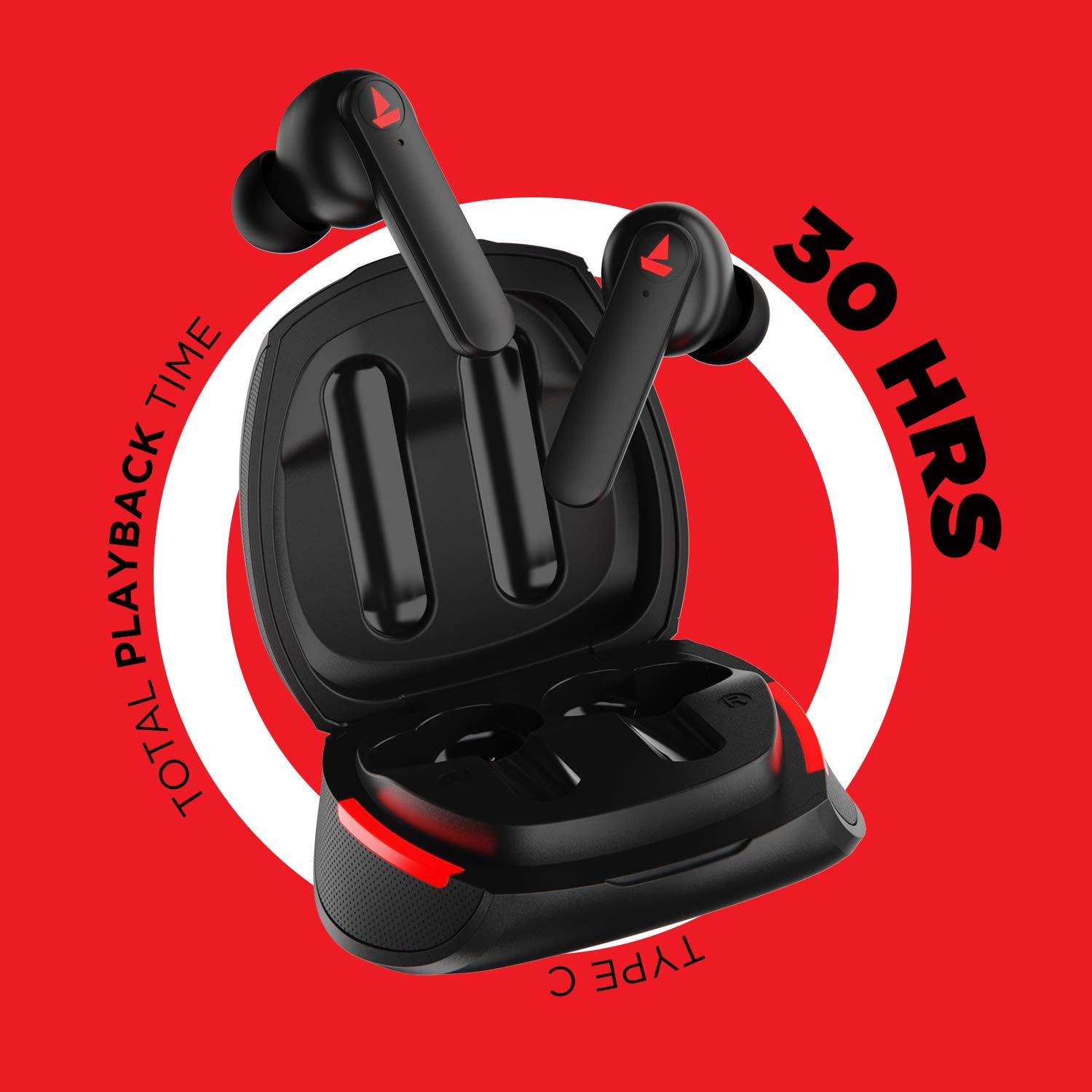
სურათი: The Airdopes 641 earbuds resting in their charging case, illustrating the Type-C charging capability and the impressive 30 hours of total playback time.
3.2 Initial Pairing (IWP Technology)
The Airdopes 641 feature Instant Wake N' Pair (IWP) technology for quick and effortless connection.
- გახსენით დამტენის ყუთი. ყურსასმენები ავტომატურად ჩაირთვება და გადადის დაწყვილების რეჟიმში.
- თქვენს სმარტფონზე ან Bluetooth-თან დაკავშირებულ მოწყობილობაზე ჩართეთ Bluetooth.
- ძიება "Airdopes 641" in the list of available devices and select it to pair.
- Once paired, you will hear an audio prompt, and the earbuds will be ready for use.
- The earbuds will automatically connect to the last paired device when the case lid is opened, provided Bluetooth is enabled on the device.
4. საოპერაციო ინსტრუქციები
4.1 ჩართვა/გამორთვა
- ჩართვა: Open the charging case lid. The earbuds will power on automatically. Alternatively, long-press the Capacitive Touch Control (CTC) on both earbuds for 3 seconds.
- Გამორთვა: Place the earbuds back into the charging case and close the lid. They will power off automatically. Alternatively, long-press the CTC on both earbuds for 5 seconds.
4.2 Capacitive Touch Controls (CTC)
The Airdopes 641 feature intuitive touch controls on each earbud.
- დაკვრა/პაუზა: Single tap on either earbud's CTC.
- შემდეგი სიმღერა: Double tap on the right earbud's CTC.
- წინა ჩანაწერი: Double tap on the left earbud's CTC.
- ზარის პასუხი/დასრულება: Single tap on either earbud's CTC.
- ზარის უარყოფა: Long press on either earbud's CTC for 2 seconds.
- ხმოვანი ასისტენტის გააქტიურება: Triple tap on either earbud's CTC.
- მოცულობა: Long press the right earbud's CTC.
- Ხმის დაწევა: Long press the left earbud's CTC.
4.3 BEAST Mode (Low Latency Gaming)
Activate BEAST Mode for a low-latency audio experience, ideal for gaming.

სურათი: The Airdopes 641 earbuds and their sleek charging case, emphasizing the "BEAST Mode" feature designed to provide a low-latency audio experience for gamers.
- Activate BEAST Mode: Triple tap on the right earbud's CTC.
- Deactivate BEAST Mode: Triple tap on the right earbud's CTC again.
5. მოვლა
Proper care ensures the longevity and performance of your Airdopes 641.
5.1 დასუფთავება
- ფრთხილად გაწმინდეთ ყურსასმენები და დამტენი ქეისი რბილი, მშრალი, ბუსუსების გარეშე ქსოვილით.
- არ გამოიყენოთ აბრაზიული საწმენდები, სპირტი ან ქიმიური გამხსნელები.
- Regularly clean the ear tips and mesh to prevent wax buildup, which can affect sound quality.
5.2 Water and Sweat Resistance (IPX5)

სურათი: The Airdopes 641 earbuds and their charging case surrounded by water splashes, illustrating their IPX5 rating for water and sweat resistance.
The Airdopes 641 are rated IPX5, meaning they are protected against low-pressure water jets from any direction. This makes them suitable for workouts and light rain.
- ყურსასმენები წყალში არ ჩაძიროთ.
- Do not expose them to high-pressure water or steam.
- დაზიანების თავიდან ასაცილებლად, დარწმუნდით, რომ ყურსასმენები მშრალია, სანამ მათ დამტენ ქეისში დააბრუნებთ.
5.3 შენახვა
შეინახეთ ყურსასმენები დამუხტვის ჩანთაში, როდესაც არ იყენებთ, რათა დაიცვან ისინი და დაიტენონ.
6. Დიაგნოსტიკა
If you encounter issues with your Airdopes 641, try the following solutions.
6.1 ყურსასმენები არ წყვილდება/არ უკავშირდება
- დარწმუნდით, რომ ორივე ყურსასმენი დატენულია.
- დარწმუნდით, რომ თქვენს მოწყობილობაზე Bluetooth ჩართულია და ყურსასმენები მის დიაპაზონშია.
- Try forgetting "Airdopes 641" from your device's Bluetooth list and re-pairing.
- Perform a factory reset as described below.
6.2 ქარხნული პარამეტრების გადატვირთვა
A factory reset can resolve many common issues by restoring the earbuds to their original settings.

სურათი: A visual guide detailing the steps for a factory reset of the Airdopes 641. It emphasizes clearing the device from pairing history first, then long-pressing the Capacitive Touch Control (CTC) on both earbuds inside the case for 10 seconds until a green LED flashes three times, followed by closing and reopening the case.
- ნაბიჯი 1: Before performing the reset, clear "Airdopes 641" from your pairing device history by forgetting the device on your phone/tablet.
- ნაბიჯი 2: Place both earbuds back inside the charging case in the correct orientation.
- ნაბიჯი 3: Long press the Capacitive Touch Control (CTC) on both earbuds inside the case for up to 10 seconds. The successful reset will be indicated by the flashing of a green LED three times.
- ნაბიჯი 4: დახურეთ დამტენის ყუთი და ხელახლა გახსენით.
- ნაბიჯი 5: Once you take the earbuds out from the charging case, they automatically restart and are ready for a new pairing.
Note: Please make sure the case is charged before performing a factory reset.
6.3 ხმა არ არის/დაბალი ხმა
- შეამოწმეთ ხმის დონე როგორც თქვენს მოწყობილობაზე, ასევე ყურსასმენებზე.
- დარწმუნდით, რომ ყურსასმენები სწორად არის ჩასმული თქვენს ყურებში.
- ყურსასმენის ბადედან ნებისმიერი ნარჩენი მოაშორეთ.
- სცადეთ ყურსასმენების ხელახლა დაწყვილება.
7. სპეციფიკაციები
| მოდელის სახელი | აირდოპესი 641 |
| დაკავშირების ტექნოლოგია | უსადენო (Bluetooth) |
| უსადენო საკომუნიკაციო ტექნოლოგია | Bluetooth 5.0 |
| კონტროლის ტიპი | შეხება, ხმოვანი კონტროლი |
| აუდიო დრაივერის ტიპი | დინამიური დრაივერი (6 მმ) |
| ყურის განთავსება | ყურში |
| ფორმის ფაქტორი | ყურში |
| მასალა | პლასტიკური |
| წყლის წინააღმდეგობის რეიტინგი | IPX5 |
| დატენვის პორტი | USB Type-C |
| თავსებადი მოწყობილობები | Tablets, Cellphones, Laptops, Desktops, Smart Speaker, Television |
8. გარანტია და მხარდაჭერა
For warranty information and customer support, please refer to the warranty card included with your product or visit the official boAt webსაიტი. შეინახეთ თქვენი შესყიდვის ქვითარი საგარანტიო პრეტენზიებისთვის.
მწარმოებელი: Imagine Marketing Pvt Ltd


