1. შესავალი
Thank you for choosing the NEC E438 43-inch LCD 4K UHD Commercial-Grade Monitor. This manual provides detailed instructions for the safe and efficient use of your display. Please read this manual thoroughly before operating the product and retain it for future reference.
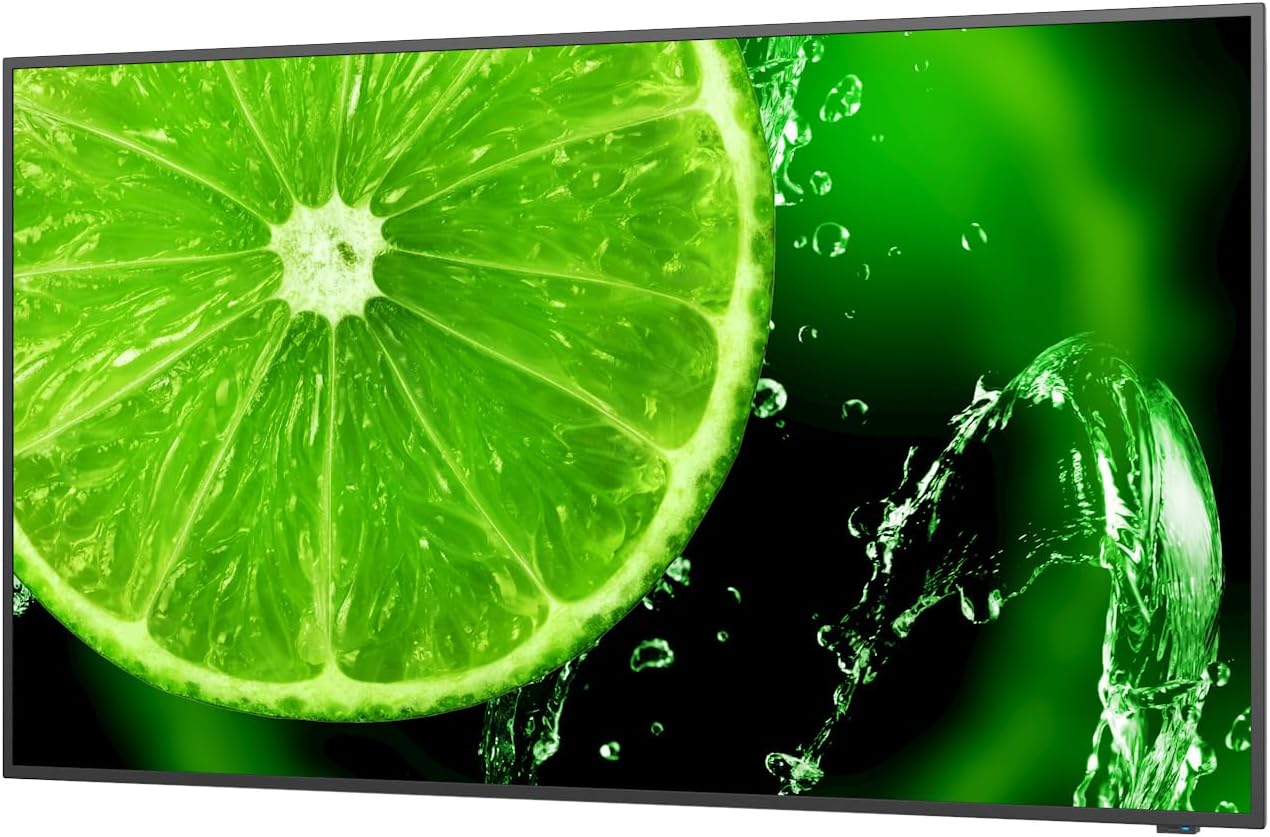
სურათი 1: წინა view of the NEC E438 43-inch 4K UHD monitor.
2. უსაფრთხოების ინფორმაცია
Observe the following safety precautions to prevent damage to the product and to ensure your safety:
- ხანძრის ან ელექტროშოკის თავიდან ასაცილებლად, მონიტორი არ დატოვოთ წვიმის ან ტენიანობის ზემოქმედების ქვეშ.
- არ გახსნათ მონიტორი casinზ. ყველა სახის მომსახურება კვალიფიციურ სერვის პერსონალს გადაეცით.
- უზრუნველყავით სათანადო ვენტილაცია. არ დაბლოკოთ ვენტილაციის ღიობები.
- გამოიყენეთ მხოლოდ მონიტორთან ერთად მოწოდებული კვების კაბელი ან შესაბამისი ჩანაცვლება.
- Place the monitor on a stable, level surface or mount it securely according to VESA standards.
- თუ მონიტორს დიდი ხნის განმავლობაში არ გამოიყენებთ, გამორთეთ დენის შტეფსელი კედლის როზეტიდან.
3. პაკეტის შიგთავსი
დარწმუნდით, რომ შეფუთვაში ყველა ნივთია:
- NEC E438 43-inch LCD 4K UHD Monitor
- დენის კაბელი
- HDMI კაბელი
- USB-C კაბელი
- დისტანციური მართვა (ბატარეებით)
- მომხმარებლის სახელმძღვანელო (ეს დოკუმენტი)
- სწრაფი დაყენების სახელმძღვანელო
4. დაყენება
4.1 ფიზიკური განთავსება
Place the monitor on a sturdy, flat surface or mount it using a VESA-compatible wall mount or stand. Ensure adequate space around the monitor for ventilation.
4.2 დამაკავშირებელი კაბელი
Connect the necessary cables to the corresponding ports on the monitor and your source device (e.g., computer, media player).

სურათი 2: უკანა view of the monitor showing connection ports and mounting points.

სურათი 3: მხარე view of the monitor illustrating the input port cluster.
- სიმძლავრე: Connect the power cord to the monitor's AC input and then to a grounded electrical outlet.
- ვიდეო შეყვანა: Use an HDMI, VGA, or USB-C cable to connect your source device to the monitor. The monitor supports multiple HDMI inputs.
- LAN: ქსელთან დასაკავშირებლად, LAN პორტს Ethernet კაბელი შეაერთეთ.
- USB-C: For video, data, and power delivery (if supported by the source device).
5. საოპერაციო ინსტრუქციები
5.1 ჩართვა/გამორთვა
Press the power button located on the monitor or on the remote control to turn the display on or off. The power indicator light will illuminate when the monitor is on.
5.2 შეყვანის შერჩევა
Use the 'Input' button on the remote control or the monitor's control panel to cycle through available input sources (HDMI 1, HDMI 2, HDMI 3, VGA, USB-C, etc.).
5.3 ეკრანზე ჩვენების (OSD) მენიუ
Access the OSD menu to adjust various display settings such as brightness, contrast, color temperature, aspect ratio, and audio settings. Navigate the menu using the directional buttons on the remote or monitor and confirm selections with the 'Enter' button.
5.4 აუდიო
The monitor includes integrated speakers. Adjust the volume using the remote control or through the OSD menu. You can also connect external audio devices if desired.
6. მოვლა
6.1 მონიტორის გაწმენდა
- გაწმენდის წინ ყოველთვის გამორთეთ მონიტორი.
- გამოიყენეთ რბილი, უბინავის ქსოვილი ოდნავ დampგარეცხილი წყლით ან რბილი, არააბრაზიული ეკრანის საწმენდი საშუალებით.
- არ შეასხუროთ საწმენდი საშუალება პირდაპირ ეკრანზე.
- მოერიდეთ უხეში ქიმიკატების, გამხსნელების ან აბრაზიული მასალების გამოყენებას.
6.2 ზოგადი მოვლა
- მონიტორი მოარიდეთ მზის პირდაპირ სხივებს და სითბოს წყაროებს.
- უზრუნველყოს სათანადო ვენტილაცია გადახურების თავიდან ასაცილებლად.
- მოერიდეთ მონიტორზე ან მის კაბელებზე მძიმე საგნების დადებას.
7. Დიაგნოსტიკა
თუ თქვენს მონიტორთან დაკავშირებით პრობლემები შეგექმნათ, იხილეთ შემდეგი გავრცელებული პრობლემების მოგვარების ნაბიჯები:
| პრობლემა | შესაძლო გამოსავალი |
|---|---|
| არავითარი ძალა | Check if the power cord is securely connected to both the monitor and the power outlet. Ensure the power outlet is functional. |
| არანაირი სიგნალი | Verify that the video cable (HDMI, VGA, USB-C) is correctly connected to both the monitor and the source device. Select the correct input source using the 'Input' button. |
| Image is distorted or unclear | Adjust resolution and refresh rate settings on your source device. Check cable connections for looseness or damage. Perform an auto-adjustment via the OSD menu if using VGA. |
| დინამიკებიდან ხმა არ ისმის | Check the volume settings on the monitor and your source device. Ensure the audio output is correctly configured on your source device. |
If the problem persists after trying these steps, please contact NEC customer support.
8. სპეციფიკაციები
Key technical specifications for the NEC E438 monitor:
- ეკრანის ზომა: 43 ინჩი
- რეზოლუცია: 3840 x 2160 (4K UHD)
- ასპექტის თანაფარდობა: 16:9
- პანელის ტიპი: IPS (თვითმფრინავში გადართვა)
- გამოსახულების სიკაშკაშე: 350 cd/m² (NITS)
- ვიდეო მასალები: HDMI (multiple), VGA, USB-C
- სხვა პორტები: LAN, Total 2 USB Ports
- მომხსენებლები: ინტეგრირებული
- პროდუქტის ზომები: 2.8 x 38.2 x 22.04 ინჩი
- ნივთის წონა: 19.58 ფუნტი
- ტtage: 240 ვოლტი
- მოდელის ნომერი: 60005045

Figure 4: Excerpt from the product data sheet.
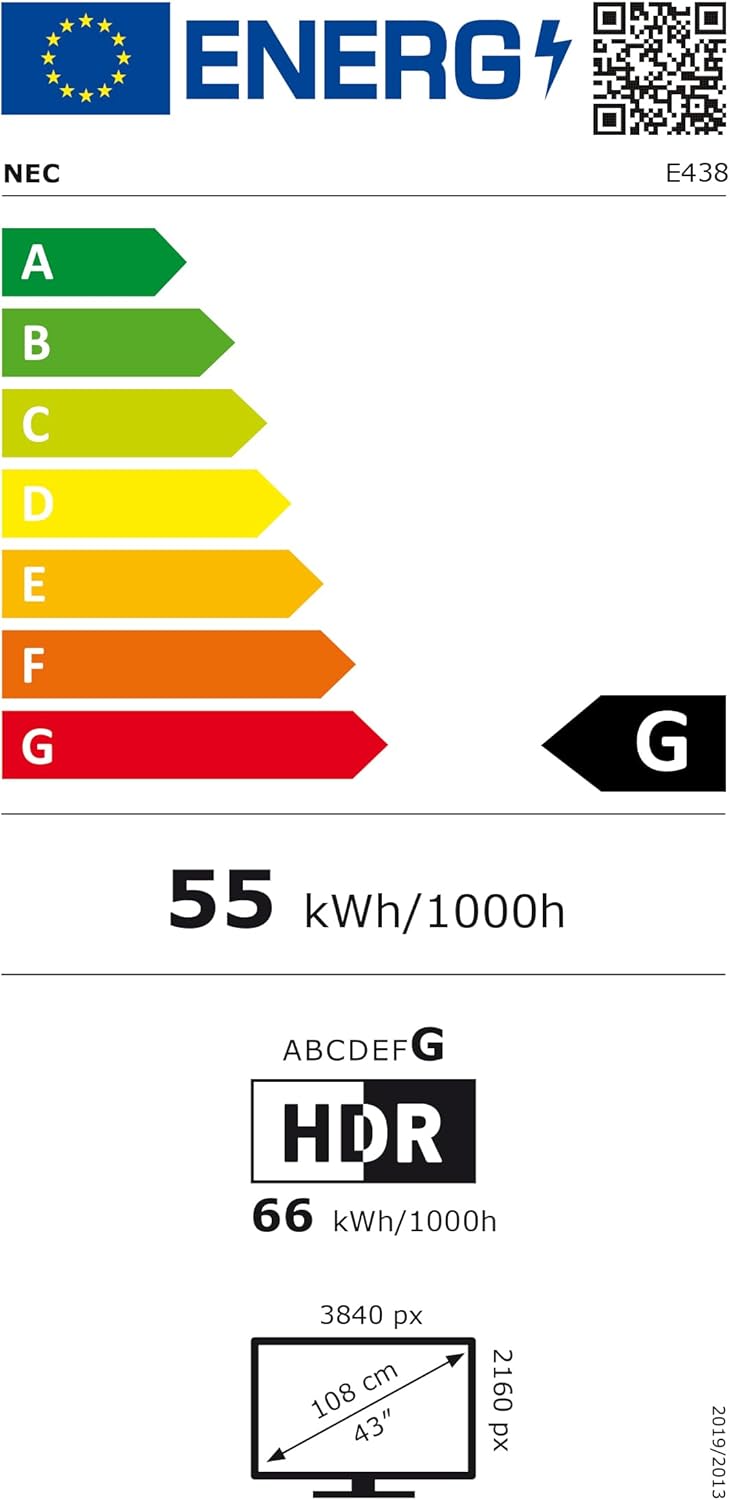
Figure 5: EU Energy Label for the NEC E438 monitor.
For more detailed energy information, please visit the EPREL database: https://eprel.ec.europa.eu/qr/429363
9. გარანტია და მხარდაჭერა
9.1 ინფორმაცია გარანტიის შესახებ
This NEC E438 monitor comes with a 3-year limited warranty. Please refer to the warranty card included in your package for specific terms and conditions. Keep your proof of purchase for warranty claims.
9.2 მომხმარებელთა მხარდაჭერა
For technical assistance, service, or further inquiries, please contact NEC customer support. Visit the official NEC webსაიტი საკონტაქტო ინფორმაციისა და დახმარების რესურსებისთვის.


