1. შესავალი
The BirdDog PF120 is a high-performance Full HD NDI box camera designed for professional video production environments. It features an Exmor R back-illuminated sensor, 20x optical zoom, and a full color matrix, all housed within a durable all-metal chassis. This manual provides essential information for the proper setup, operation, and maintenance of your PF120 camera.
2. პაკეტის შიგთავსი
გთხოვთ, დარწმუნდეთ, რომ ქვემოთ ჩამოთვლილი ყველა ნივთი შედის თქვენს პაკეტში. თუ რომელიმე ნივთი აკლია ან დაზიანებულია, დაუყოვნებლივ დაუკავშირდით თქვენს გამყიდველს.
- BirdDog PF120 Full HD NDI 20x Box Camera
- დენის ადაპტერი (DC 12V)
- ობიექტივის სახურავი
- დოკუმენტაცია (სწრაფი დაწყების სახელმძღვანელო, უსაფრთხოების ინფორმაცია)
3. პროდუქტი დასრულდაview
The BirdDog PF120 is engineered for versatility and robust performance. Key features include:
- Full NDI support for seamless integration into IP workflows.
- 20x optical zoom for detailed close-ups.
- Exmor R back-illuminated sensor for superior low-light performance.
- Durable all-metal housing.
- Multiple connectivity options including HDMI, NDI/PoE, RS-232, and USB2.0.
3.1 კამერა Views და კომპონენტები

სურათი 3.1: წინა მხარეს view of the BirdDog PF120 camera, showcasing the lens and the BirdDog logo on the side panel.
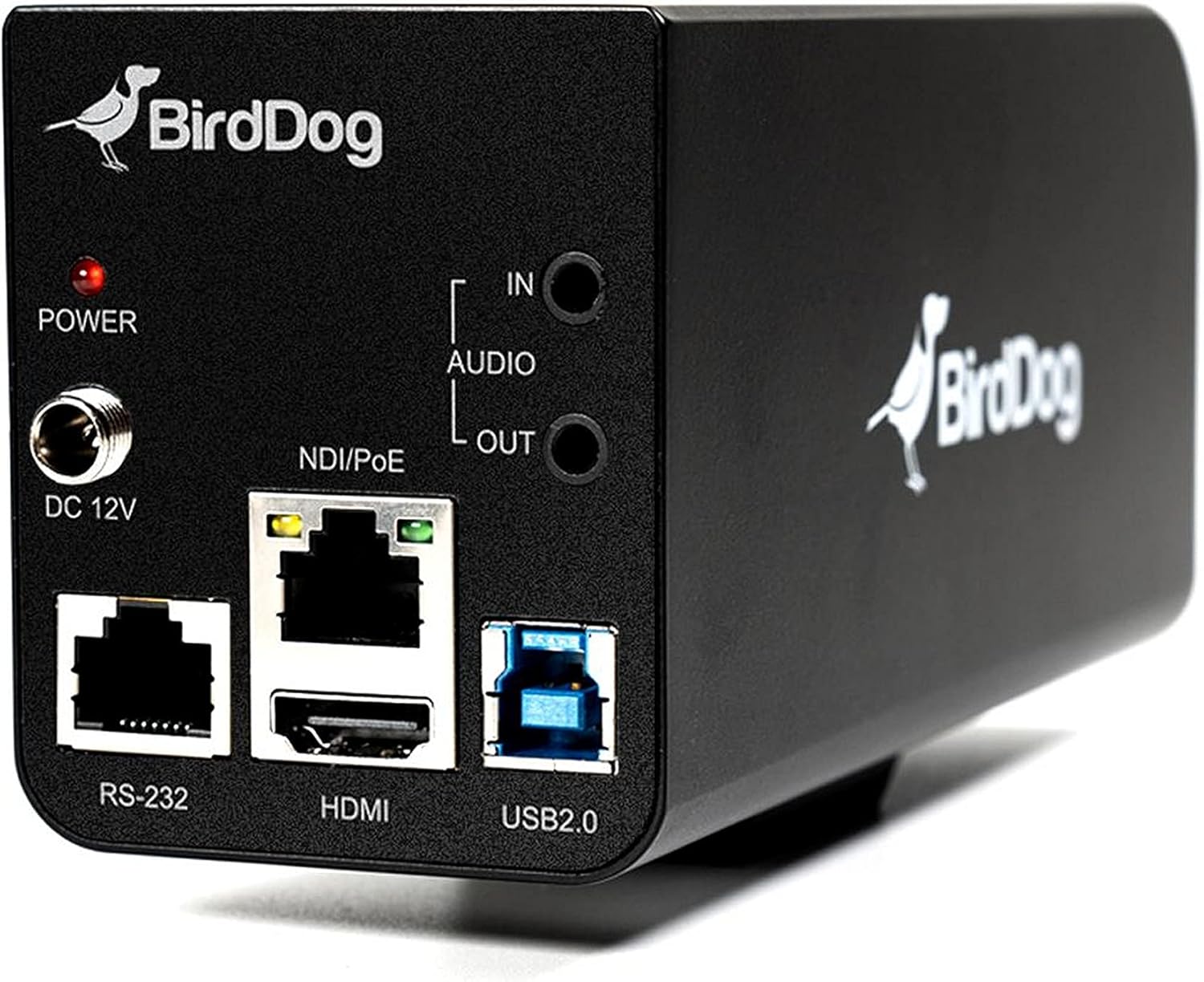
სურათი 3.2: Rear panel of the BirdDog PF120, displaying the power input (DC 12V), audio input/output, NDI/PoE port, HDMI output, RS-232 port, and USB2.0 port.
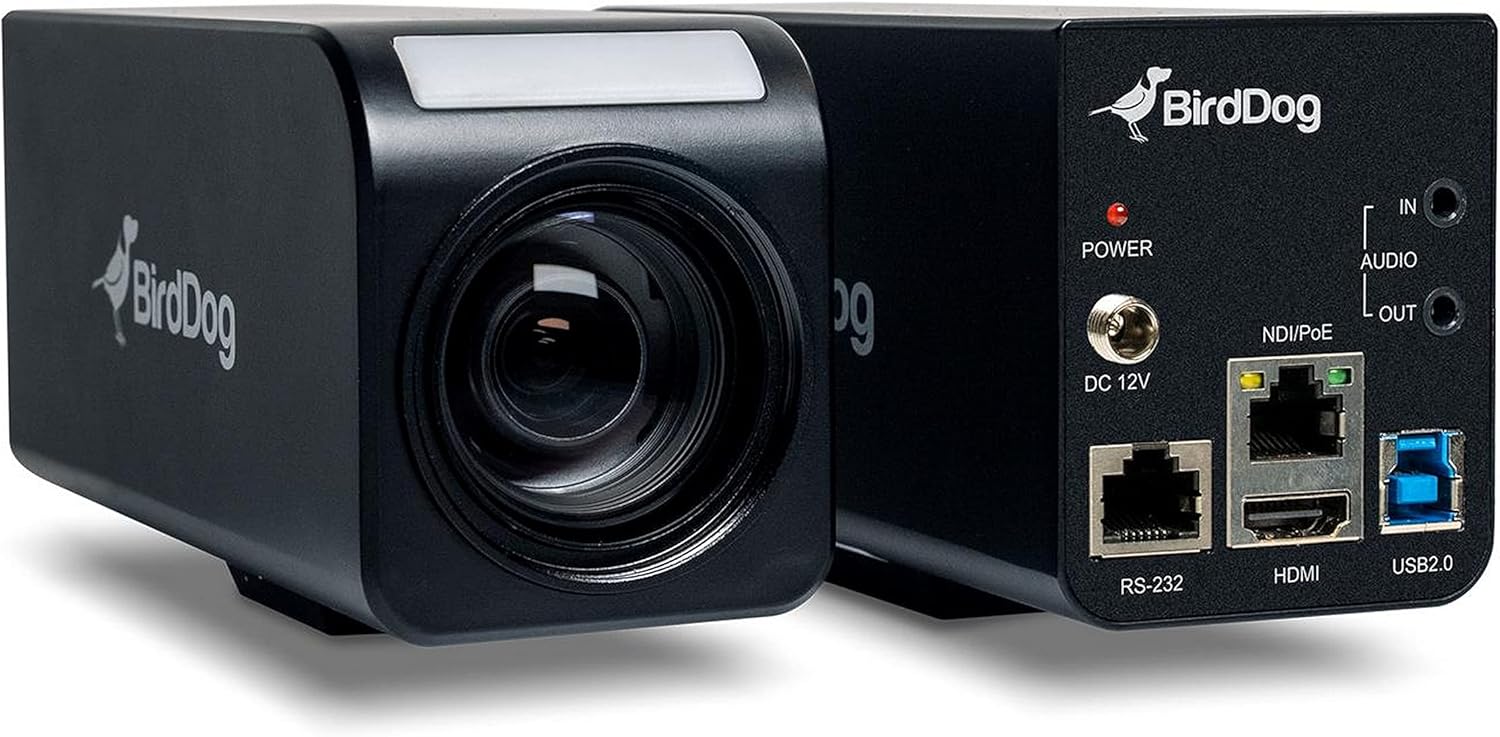
სურათი 3.3: კომბინირებული view of the BirdDog PF120, showing both the front lens assembly and the rear connectivity panel.

სურათი 3.4: ზედა view of the BirdDog PF120 camera, highlighting the sleek design and BirdDog branding.
4. დაყენება
4.1 ჩართვა
- Connect the supplied DC 12V power adapter to the "DC 12V" port on the rear of the camera.
- შეაერთეთ კვების ადაპტერი შესაფერის დენის განყოფილებაში.
- Alternatively, if using a PoE-enabled network switch, connect an Ethernet cable to the "NDI/PoE" port. The camera will power on via Power over Ethernet.
4.2 Network Connection (NDI)
- Connect an Ethernet cable from the "NDI/PoE" port on the camera to your network switch or router.
- Ensure your network is configured to support NDI protocols.
- The camera will obtain an IP address automatically via DHCP. For static IP configuration, refer to the BirdDog Central application or web ინტერფეისი.
4.3 ვიდეო გამომავალი
- NDI Output: The primary video output is via NDI over the Ethernet connection.
- HDMI გამომავალი: Connect an HDMI cable from the "HDMI" port on the camera to a monitor or video switcher for direct video monitoring.
5. კამერის მართვა
5.1 წვდომა Web ინტერფეისი
- Once connected to the network, use the BirdDog Central application or an IP scanner to discover the camera's IP address.
- გახსენით ა web ბრაუზერში და შეიყვანეთ კამერის IP მისამართი მის შესასვლელად web ინტერფეისი.
- საწყისი web interface, you can configure video settings, network parameters, and control camera functions.
5.2 კამერის კონტროლი
The PF120 can be controlled via:
- NDI Tools: Utilize NewTek NDI Tools (e.g., NDI Studio Monitor) for basic control.
- BirdDog Central / Cam Control: BirdDog's dedicated software provides comprehensive control over camera settings, including zoom, focus, iris, and color matrix.
- RS-232: Connect a compatible serial controller to the RS-232 port for hardware control.
- დისტანციური მართვა: The camera supports remote control methods as specified in the product documentation.
5.3 მასშტაბირება და ფოკუსირება
The PF120 features a 20x optical zoom lens. Zoom and focus adjustments are typically made through the web interface or compatible control software.
6. მოვლა
- დასუფთავება: Use a soft, dry cloth to clean the camera body. For the lens, use a specialized lens cleaning solution and microfiber cloth. Avoid abrasive cleaners.
- Firmware განახლებები: Periodically check the BirdDog webპროგრამული უზრუნველყოფის განახლებების საიტი. პროგრამული უზრუნველყოფის განახლების შენარჩუნება უზრუნველყოფს ოპტიმალურ მუშაობას და ახალ ფუნქციებზე წვდომას.
- შენახვა: ხანგრძლივი პერიოდის განმავლობაში არ გამოყენების შემთხვევაში, შეინახეთ კამერა გრილ, მშრალ ადგილას, მოარიდეთ მზის პირდაპირ სხივებს და ექსტრემალურ ტემპერატურას.
7. Დიაგნოსტიკა
7.1 ძალა არ არის
- დარწმუნდით, რომ კვების ადაპტერი საიმედოდ არის დაკავშირებული როგორც კამერასთან, ასევე მოქმედ დენის წყაროსთან.
- If using PoE, verify that the Ethernet cable is connected to a PoE-enabled port on your switch and that the switch is providing power.
7.2 No NDI Signal
- შეამოწმეთ Ethernet კაბელის კავშირი.
- Verify that the camera has obtained an IP address (check your router's DHCP client list or use BirdDog Central).
- Ensure your network firewall is not blocking NDI traffic.
- Confirm that NDI tools or software on your receiving device are correctly configured to discover NDI sources.
7.3 სურათის ხარისხის პრობლემები
- Check lens for smudges or dust and clean if necessary.
- Adjust focus settings via the web interface or control software.
- Review exposure, white balance, and color matrix settings in the camera's web ინტერფეისი.
8. სპეციფიკაციები
| ფუნქცია | დეტალი |
|---|---|
| მოდელის ნომერი | BD-BDPF120 |
| ვიდეო გადაღების გარჩევადობა | 1080p |
| ეფექტური ვიდეო რეზოლუცია | 720 პიქსელი |
| ოპტიკური ზუმი | 20x |
| მასშტაბირების ტიპი | Digital Zoom, Optical Zoom |
| დაკავშირების ტექნოლოგია | სადენიანი |
| დაკავშირების პროტოკოლი | Wi-Fi (for control/management, NDI is primary video) |
| კონტროლის მეთოდი | Remote, Iris, RS-232 |
| დენის წყარო | AC/DC, PoE |
| ვატtage | 5 ვატი |
| მასალა | მეტალი |
| ელემენტის ზომები (L x W x H) | 9.9 x 9 x 3.6 ინჩი |
| ნივთის წონა | 2.94 ფუნტი |
| სამონტაჟო ტიპი | Wall Mount (as per spec, but typically box cameras are versatile) |
| დაცვის საერთაშორისო რეიტინგი | IP65 |
| დაბალი განათების ტექნოლოგია | ღამის ფერი |
9. გარანტია და მხარდაჭერა
For warranty information and technical support, please refer to the official BirdDog website or contact your authorized BirdDog reseller. Keep your proof of purchase for warranty claims.
BirdDog Official Webსაიტი: www.bird-dog.tv


