1. შესავალი
This manual provides detailed instructions for the setup, operation, and maintenance of your Bytech BYMCWC101BLK PC Web Camera. Please read this manual thoroughly before using the product to ensure proper functionality and longevity.
2. პაკეტის შიგთავსი
დარწმუნდით, რომ ქვემოთ ჩამოთვლილი ყველა ნივთი შედის თქვენი პროდუქტის პაკეტში:
- Bytech BYMCWC101BLK PC Web კამერა
- მომხმარებლის სახელმძღვანელო (ეს დოკუმენტი)
- ინტეგრირებული USB კაბელი
3. დაყენება
Follow these steps to set up your Bytech BYMCWC101BLK PC Web კამერა:
- განთავსება: პოზიციონირება webcam on top of your computer monitor, laptop screen, or a flat surface. The adjustable clip allows for secure attachment.
- კომპიუტერთან დაკავშირება: Plug the integrated USB cable from the webკამერა თქვენს კომპიუტერში არსებულ USB პორტში.
- დრაივერის ინსტალაცია: The webcam is typically plug-and-play. Your operating system (Windows, macOS, Linux) should automatically detect and install the necessary drivers. Wait for the installation to complete.
- გადამოწმება: Open a video conferencing application (e.g., Zoom, Skype, Microsoft Teams) or your computer's camera application to confirm the webcam is recognized and displaying video.
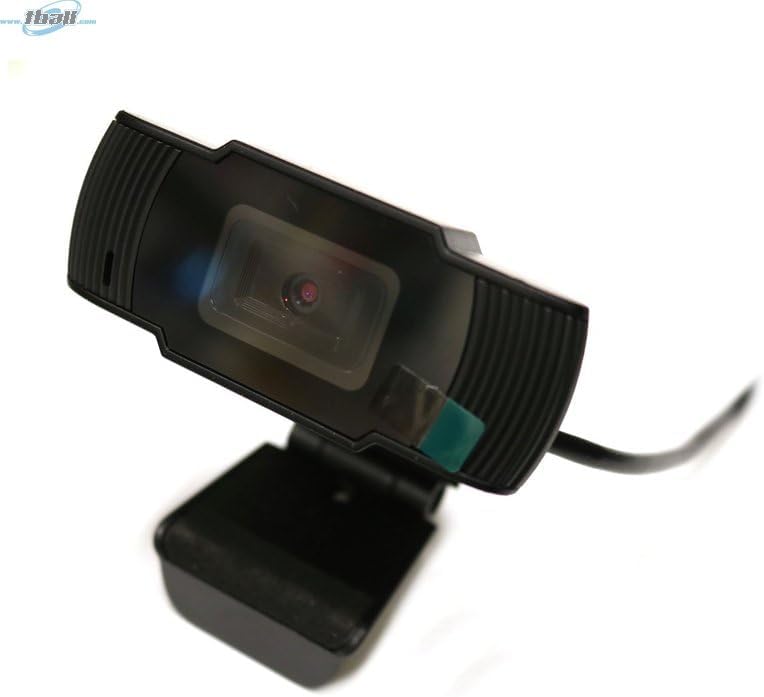
Image: The Bytech BYMCWC101BLK PC Web Camera securely mounted on top of a computer monitor, demonstrating its adjustable clip design.
4. საოპერაციო ინსტრუქციები
Once installed, the Bytech BYMCWC101BLK PC Web Camera can be used with various applications:
- ვიდეო კონფერენცია: Select the Bytech webcam as your video input device within your preferred video conferencing software (e.g., Zoom, Skype, Google Meet).
- სტრიმინგი: For live streaming platforms, configure the webcam as your primary video source in your streaming software (e.g., OBS Studio).
- ჩაწერა: Use your computer's built-in camera application or third-party software to record video.
- დაბალი განათების შესრულება: The webcam features BSI CMOS photo sensor technology and is designed to perform effectively in low-light conditions, providing clear video even with limited ambient lighting.
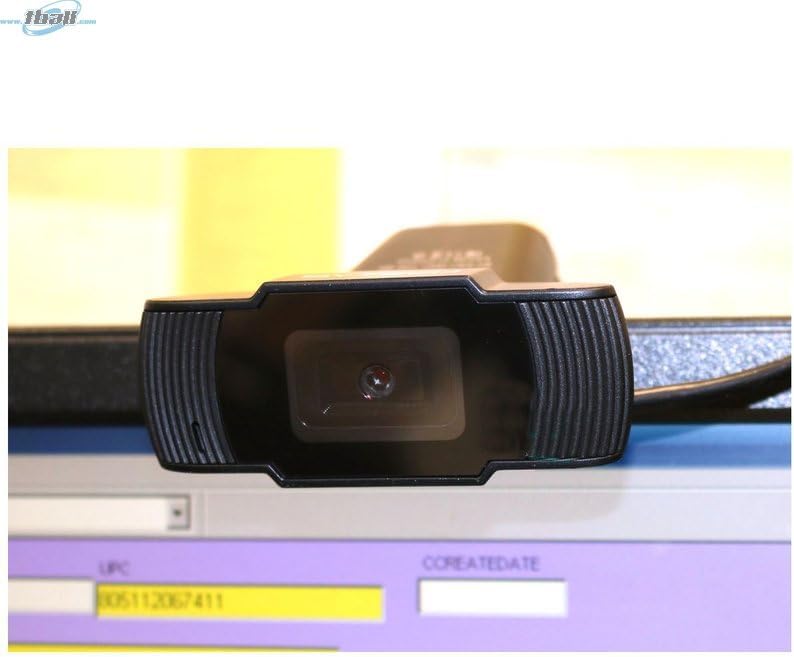
სურათი: ახლო ხედი view of the Bytech BYMCWC101BLK PC Web Camera's lens, highlighting its design and integrated privacy cover (if applicable, otherwise just lens).
5. მოვლა
To ensure optimal performance and extend the lifespan of your webკამერა:
- დასუფთავება: ფრთხილად გაწმინდეთ ლინზა რბილი, უბუტუსო ქსოვილით. მოერიდეთ უხეში ქიმიკატების ან აბრაზიული მასალების გამოყენებას.
- შენახვა: როდესაც არ იყენებთ, შეინახეთ webcam in a clean, dry environment away from direct sunlight and extreme temperatures.
- საკაბელო მოვლა: არ მოღუნოთ ან დააჭიროთ USB კაბელს ზედმეტად.
6. Დიაგნოსტიკა
თუ თქვენს webcam-თან დაკავშირებით, იხილეთ შემდეგი გავრცელებული პრობლემები და გადაწყვეტილებები:
- სურათი/ვიდეო არ არის:
- დარწმუნდით, რომ USB კაბელი საიმედოდ არის დაკავშირებული ორივე მოწყობილობასთან webკამერა და თქვენი კომპიუტერი.
- შეეცადეთ ჩართოთ webკამერა სხვა USB პორტში.
- გადატვირთეთ კომპიუტერი.
- Check your application settings to ensure the Bytech webკამერა არჩეულია ვიდეო შეყვანის მოწყობილობად.
- ვიდეოს ცუდი ხარისხი:
- უზრუნველყავით თქვენს გარემოში საკმარისი განათება.
- გაასუფთავეთ webკამერის ლინზა რბილი ქსოვილით.
- Check your application's video settings for resolution and frame rate.
- Microphone Not Working (if applicable):
- გადაამოწმეთ, რომ webcam's microphone is selected as the audio input device in your computer's sound settings and within your application.
- დარწმუნდით, რომ მიკროფონი არ არის გამორთული თქვენს სისტემაში ან აპლიკაციაში.
7. სპეციფიკაციები
| ფუნქცია | დეტალი |
|---|---|
| მოდელის სახელი | BYMCWC101BLK |
| ბრენდი | ბაიტექ |
| დაკავშირების ტექნოლოგია | USB |
| ფოტო სენსორის ტექნოლოგია | BSI CMOS |
| ვიდეო გადაღების ფორმატი | MP4 |
| სპეციალური ფუნქცია | დაბალი განათება |
| ფერი | შავი |
| ნივთის წონა | 4.9 უნცია |
| პაკეტის ზომები | 7.76 x 4.65 x 2.44 ინჩი |
8. გარანტია და მხარდაჭერა
For warranty information or technical support, please refer to the documentation included with your purchase or contact your retailer. Keep your proof of purchase for warranty claims.


