1. შესავალი
This manual provides essential information for the safe and efficient operation of your ACROJOY D501 Native 1080P Mini Projector. Please read it thoroughly before using the product and retain it for future reference.
2. უსაფრთხოების ინფორმაცია
- პროექტორის ლინზაში პირდაპირ არ შეხედოთ, როდესაც...amp ჩართულია. ინტენსიურმა სინათლემ შეიძლება თვალის დაზიანება გამოიწვიოს.
- უზრუნველყავით პროექტორის გარშემო სათანადო ვენტილაცია. არ დაბლოკოთ ვენტილაციის ღიობები.
- პროექტორი მოარიდეთ წყალს, ტენიანობას და ექსტრემალურ ტემპერატურას.
- გამოიყენეთ მხოლოდ პროექტორთან ერთად მოწოდებული კვების ადაპტერი.
- არ სცადოთ პროექტორის დამოუკიდებლად შეკეთება. ყველა სახის მომსახურება კვალიფიციურ პერსონალს მიანდეთ.
- შეინახეთ ბავშვებისთვის მიუწვდომელ ადგილას.
3. პაკეტის შიგთავსი
დარწმუნდით, რომ თქვენს პაკეტში ყველა ნივთია:
- 1x ACROJOY D501 Projector
- 1x User Manual/Quick Start/Warranty Information
- 1x საწმენდი ნაკრები
- 1x HDMI კაბელი
- 1x დენის კაბელი
- 1x პროექტორის ლინზის საფარი
- 1x 120-inch Projector Screen
- 1x დისტანციური მართვა
4. პროდუქტი დასრულდაview
Familiarize yourself with the main components of your ACROJOY D501 projector.

სურათი 4.1: ACROJOY D501 Projector and included 120-inch screen. The image highlights key features such as native 1080p resolution, 5G+2.4G WiFi, 9500 lumens (as indicated in image), and 4K support.

სურათი 4.2: მხარე view of the projector illustrating its connectivity options, including ports for PS5, Nintendo Switch, TV Stick, Phone/Tablet, USB, Laptop/PC, and Audio output.
5. დაყენება
5.1 პროექტორის განლაგება
Position the projector on a stable, flat surface or mount it (ceiling, tripod) according to your preference. Ensure the projector is perpendicular to the projection surface for optimal image quality.
- პროექციის მანძილი: The optimal projection distance ranges from 4 to 40 feet.
- ეკრანის ზომა: The projector can produce an adjustable display size from 35 inches to 400 inches. A 120-inch screen is included for convenience.

სურათი 5.1: The ACROJOY D501 Projector in an outdoor setting, demonstrating its portability and the use of the bundled 120-inch projector screen for an enjoyable viewგამოცდილება.
5.2 დენის კავშირი
- შეაერთეთ კვების კაბელი პროექტორის კვების შეყვანის პორტთან.
- Plug the other end of the power cord into a suitable electrical outlet (120 Volts).
- პროექტორზე დენის ინდიკატორის შუქი აინთება.
5.3 ფოკუსისა და ტონალობის რეგულირება
After powering on the projector, adjust the image for clarity and shape:
- ფოკუსური რგოლი: პროექტორის ლინზაზე ფოკუსირების რგოლი მოატრიალეთ მანამ, სანამ პროეცირებული გამოსახულება მკვეთრი და სუფთა არ გახდება.
- საკვანძო შესწორება: Use the keystone correction dial or digital adjustment (if available) to correct trapezoidal distortion, ensuring a rectangular image. The projector supports ±15 degrees keystone correction.
6. საოპერაციო ინსტრუქციები
6.1 ჩართვა/გამორთვა
- ჩართვა: დააჭირეთ ჩართვის ღილაკს პროექტორზე ან დისტანციურ მართვის პულტზე.
- Გამორთვა: კვლავ დააჭირეთ ჩართვის ღილაკს. მოთხოვნის შემთხვევაში დაადასტურეთ გამორთვა.
6.2 შეყვანის წყაროს შერჩევა
The projector supports multiple input sources. Use the 'Source' button on the projector or remote to select the desired input:
- HDMI: Connect devices like laptops, TV sticks, gaming consoles (PS5, Xbox) via HDMI cables. The projector has 2 HDMI ports.
- USB: მედიის დასაკრავად USB დისკის ჩასმა fileს პირდაპირ.
- AV: ძველი მოწყობილობების AV კაბელის გამოყენებით დაკავშირება.
6.3 უსადენო კავშირი (WiFi და Bluetooth)
6.3.1 WiFi ეკრანის ასახვა
The projector features 5G+2.4G dual-band WiFi for fast and stable screen mirroring from your smartphone or tablet.
- დარწმუნდით, რომ თქვენი პროექტორი და მობილური მოწყობილობა ერთსა და იმავე WiFi ქსელთან არის დაკავშირებული.
- Select the 'Screen Mirroring' or 'Wireless Display' option on the projector's menu.
- On your iOS device, use 'Screen Mirroring'. On Android, use 'Wireless Projection' or similar.
- აირჩიეთ პროექტორი ხელმისაწვდომი მოწყობილობების სიიდან.
შენიშვნა: Due to copyright restrictions, streaming services like Netflix, Amazon Prime Video, and Hulu cannot be wirelessly mirrored directly from your device. Use an HDMI-connected TV stick or similar device for these services.

სურათი 6.1: Demonstrates 5G WiFi screen mirroring for seamless video streaming from iOS, Android, or Windows devices to the projector.
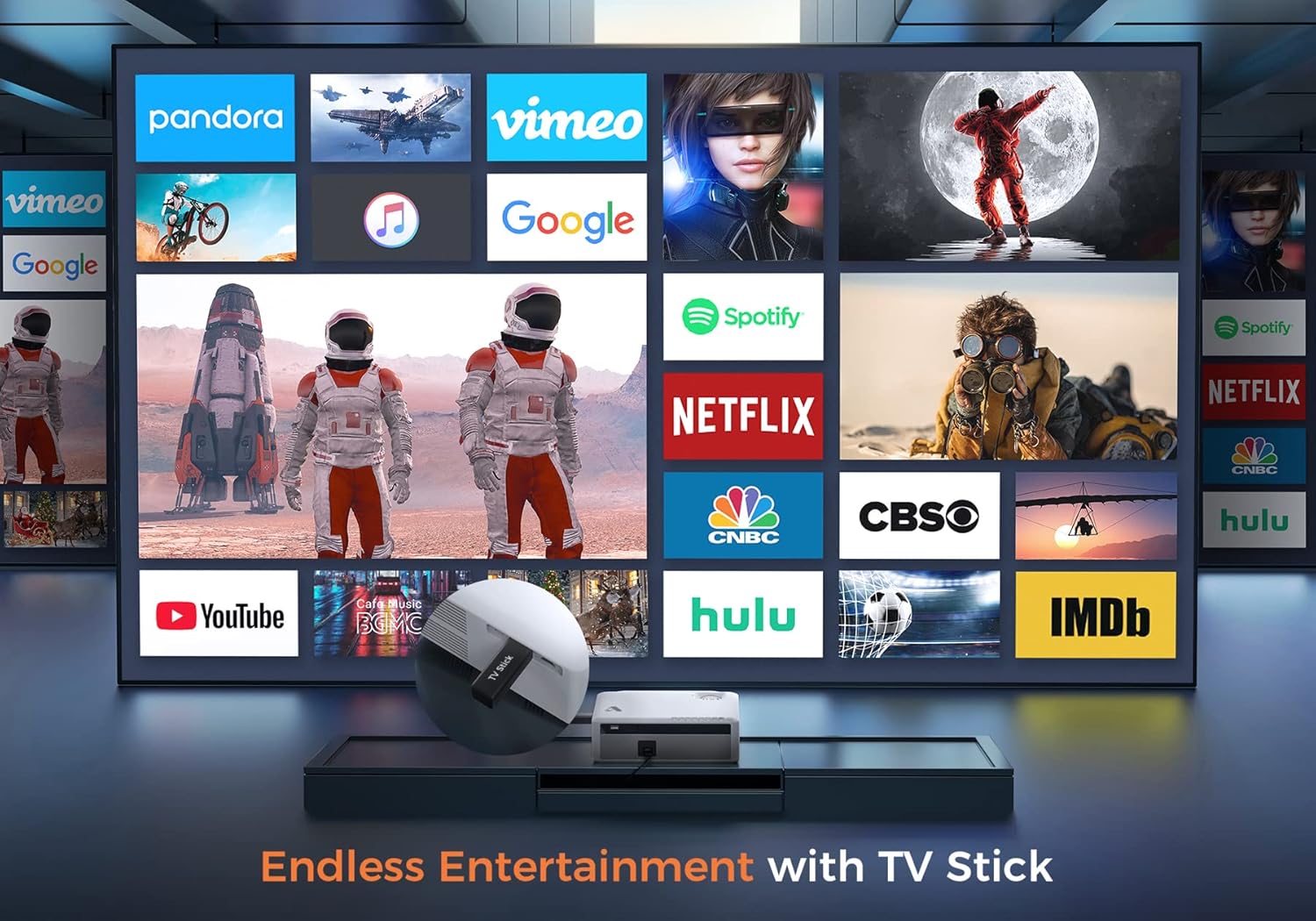
სურათი 6.2: Illustrates how to access various entertainment apps like YouTube, Netflix, and Hulu by connecting a TV stick to the projector.
6.3.2 Bluetooth კავშირი
გაუმჯობესებული აუდიოსთვის შეაერთეთ გარე Bluetooth დინამიკები ან ყურსასმენები.
- Enable Bluetooth on your external audio device and set it to pairing mode.
- On the projector's menu, navigate to 'Bluetooth Settings'.
- დასაწყვილებლად აირჩიეთ თქვენი მოწყობილობა სიიდან.
The projector also features a built-in Hi-Fi speaker for direct audio output.
6.4 Zoom ფუნქცია
Adjust the image size without moving the projector using the 50%-100% zoom function, typically found in the projector's display settings menu.
7. მოვლა
- ლინზების წმენდა: Use the provided cleaning kit or a soft, lint-free cloth specifically designed for optical lenses. Do not use abrasive cleaners.
- მტვრის მოცილება: Regularly clean the projector's exterior with a soft, dry cloth. Use a small brush or compressed air to gently clear dust from ventilation openings.
- შენახვა: When not in use, store the projector in a cool, dry place, protected from dust and direct sunlight. Always replace the lens cover.
8. Დიაგნოსტიკა
- ძალა არ არის: დარწმუნდით, რომ კვების კაბელი საიმედოდ არის შეერთებული როგორც პროექტორთან, ასევე დენის წყაროსთან. სცადეთ სხვა როზეტი.
- სურათის გარეშე: Check the input source selection. Ensure the connected device is powered on and sending a signal. Verify HDMI/USB cable connections.
- ბუნდოვანი სურათი: Adjust the focus ring. Ensure the projection distance is within the recommended range.
- სურათი ტრაპეციის ფორმისაა: დაარეგულირეთ კვარცხლბეკის კორექტირება.
- აუდიოს გარეშე: Check the volume settings on both the projector and the source device. If using external speakers, ensure they are properly connected or paired via Bluetooth.
- WiFi Mirroring Issues: Ensure both devices are on the same WiFi network. Some copyrighted content cannot be mirrored wirelessly.
9. სპეციფიკაციები
| ბრენდი | აკროოი |
| მოდელის ნომერი | D501 |
| მშობლიური რეზოლუცია | 1920 x 1080 (სრული HD) |
| მაქსიმალური რეზოლუცია | 3840 x 2160 (4K) |
| სიკაშკაშე | 5500 ლუმენი |
| კონტრასტის თანაფარდობა | 12000:1 |
| ჩვენების ტიპი | LCD |
| დაკავშირება | 5G+2.4G WiFi, Bluetooth 5.1 |
| შეყვანის პორტები | 2x HDMI, 1x USB, AV |
| გამომავალი პორტები | 3.5 მმ აუდიო გამომავალი |
| პროექციის ზომა | 35" - 400" |
| პროექციის მანძილი | 4 - 40 ft |
| ასპექტის თანაფარდობა | 4:3 / 16:9 |
| Keystone- ის კორექცია | ± 15 გრადუსი |
| მასშტაბის ფუნქცია | 50% - 100% |
| პროდუქტის ზომები | 22.86 x 17.75 x 7.62 სმ |
| ნივთის წონა | 3.19 კგ |
| დენის წყარო | სადენიანი ელექტროენერგია (120 ვოლტი, 600 ვატი) |
10. გარანტია და მხარდაჭერა
ACROJOY provides comprehensive support for your projector:
- გარანტია: A 3-year warranty covers manufacturing defects and malfunctions.
- ტექნიკური მხარდაჭერა: ხელმისაწვდომია პროფესიონალური ტექნიკური მხარდაჭერა მთელი ცხოვრების განმავლობაში.
- კონტაქტი: For any questions or assistance, please refer to the contact information provided in your Quick Start Guide or Warranty Information document.


