1. შესავალი
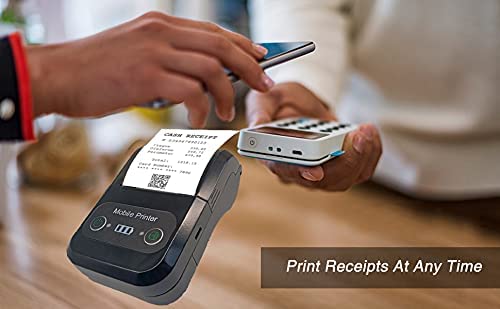
The Milestone MPT-II is a compact and portable 58mm thermal printer designed for various business applications, including retail, restaurants, and mobile logistics. It offers high-speed, clear printing and features Bluetooth connectivity for seamless integration with Android and iOS devices. Its lightweight design and long-lasting battery make it ideal for on-the-go printing needs.

2. ძირითადი მახასიათებლები
- Bluetooth ბეჭდვა: Supports Android and iOS devices for wireless printing.
- პორტაბელურობა: Light and compact design allows for printing anywhere, anytime.
- Low Operating Cost: Direct thermal printing eliminates the need for ink ribbons or cartridges, requiring only thermal paper.
- ბატარეის ხანგრძლივი ხანგრძლივობა: Built-in 7.4V/2500mAh rechargeable lithium battery provides up to 4 hours of continuous printing.
- Versatile Interface: Equipped with both USB and Bluetooth connectivity.
- ESC/POS თავსებადია: Supports standard ESC/POS print commands for broad software compatibility.

3. საწყისი დაყენება
3.1 ყუთის გახსნა და შიგთავსი
Carefully unpack the printer and verify all components are present:
- 1 x Milestone MPT-II Thermal Printer
- 1 x USB კაბელი
- 1 x USB ადაპტერი
- 1 x ქაღალდის რულონი
- 1 x მომხმარებლის სახელმძღვანელო (ეს დოკუმენტი)
3.2 პრინტერის დატენვა
- Connect the USB cable to the printer's charging port.
- Plug the USB adaptor into a standard power outlet.
- The charging indicator light will illuminate. Charge the printer fully before first use (approximately 2.5-3 hours for continuous printing).
3.3 თერმული ქაღალდის ჩატვირთვა
- Open the paper compartment cover by gently pushing the latch.
- Insert the thermal paper roll with the printing side facing outwards (as shown in Figure 2). Ensure the roll is seated correctly.
- Pull a small length of paper out beyond the cutting edge.
- ქაღალდის განყოფილების საფარი მჭიდროდ დახურეთ, სანამ არ ჩაჯდება.
4. საოპერაციო ინსტრუქციები
4.1 ჩართვა/გამორთვა
- ჩართვისთვის: დააჭირეთ და გეჭიროთ ჩართვის ღილაკი, სანამ ინდიკატორის შუქი არ აინთება.
- გამორთვისთვის: დააჭირეთ და გეჭიროთ ჩართვის ღილაკი, სანამ ინდიკატორის შუქი არ გაქრება.
4.2 Bluetooth კავშირი
The MPT-II printer supports Bluetooth connectivity for mobile devices.
- დარწმუნდით, რომ პრინტერი ჩართულია და თქვენი მობილური მოწყობილობის დიაპაზონშია.
- On your mobile device (Android/iOS), go to Bluetooth settings and turn Bluetooth on.
- ძიება available devices. The printer will appear as "MPT-II".
- Select "MPT-II" to pair. If prompted for a password, enter 1234 or 0000.
- Once paired, the printer is ready for use with compatible applications.
4.3 აპლიკაციებთან ერთად გამოყენება
For mobile printing, you will need a compatible application. Milestone recommends downloading RAWBT Printer App or MYXPrint App from the Google Play Store. For iOS, search for compatible thermal printer apps in the App Store.
- Open your chosen printing application.
- Navigate to the printer settings within the app.
- Select the "MPT-II" printer from the list of available Bluetooth devices.
- You can now send print commands from the application.

4.4 USB Connection (for PC)
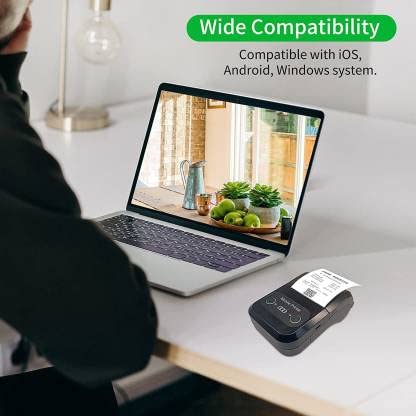
The printer can also be connected to a PC via USB. You may need to install a printer driver, which is typically available from the manufacturer's website or included on a CD with the product (if applicable).
5. მოვლა
5.1 პრინტერის გაწმენდა
To ensure optimal performance and print quality, regularly clean the printer:
- ბეჭდვის თავი: მსუბუქად გამოიყენეთ ბამბის ტამპონიampიზოპროპილის სპირტით გაჟღენთილი თერმული ბეჭდვის თავი ნაზად გაწმინდეთ. გამოყენებამდე სრულად გაშრობის საშუალება მიეცით.
- ქაღალდის გზა: Use a soft, dry cloth or a small brush to remove any paper dust or debris from the paper path.
- ექსტერიერი: გაწმინდეთ პრინტერის გარე ზედაპირი რბილი,...amp ქსოვილი. მოერიდეთ უხეში ქიმიკატების ან აბრაზიული საწმენდების გამოყენებას.
5.2 ბატარეის მოვლა
- ბატარეა სრულად დატენეთ პირველი გამოყენებამდე
- მოერიდეთ ბატარეის ხშირ სრულ დაცლას.
- If storing the printer for an extended period, charge it to about 50% and recharge every few months to prevent battery degradation.
6. Დიაგნოსტიკა
| პრობლემა | შესაძლო მიზეზი | გამოსავალი |
|---|---|---|
| პრინტერი არ ირთვება. | ბატარეა დაბალი ან დაცლილია. | Charge the printer using the provided USB cable and adaptor. |
| Bluetooth-ის საშუალებით დაკავშირება შეუძლებელია. | Bluetooth is off on device; incorrect pairing password; printer not discoverable. | Ensure Bluetooth is enabled on your device. Re-attempt pairing with password 1234 or 0000. Restart both printer and device. |
| ბეჭდვის შედეგი არ არის ან ცარიელი ქაღალდი არ არის. | Paper loaded incorrectly; out of paper; print head dirty. | Check paper orientation (printing side out). Replace paper roll if empty. Clean the thermal print head (refer to Maintenance section). |
| ცუდი ბეჭდვის ხარისხი (გაცვეთილი, ხაზები). | Print head dirty; low battery; poor quality thermal paper. | Clean the print head. Charge the printer fully. Use high-quality thermal paper. |
| Printer beeps continuously. | Paper alarm (out of paper or paper jam); low battery reminder. | Check and replace paper roll or clear jam. Charge the printer. |
7. ტექნიკური მახასიათებლები
| ფუნქცია | სპეციფიკაცია |
|---|---|
| ბეჭდვის მეთოდი | თერმული ხაზის ბეჭდვა |
| ბეჭდვის სიგანე | Paper width 58mm, effective width 58mm |
| ბეჭდვის სიმკვრივე | 576 წერტილი/ხაზი |
| რეზოლუცია | 8 dots/mm, 203 DPI |
| ბეჭდვის სიჩქარე | 70mm/s (Max Print speed Monochrome: 50 ppm) |
| Printer Core Life | 50KM (25% print density or less than 100 million pulses) |
| Printable Content | English, numbers, symbols, characters, pictures, 1D/2D barcode, multi-languages |
| მონაცემთა საკომუნიკაციო ინტერფეისი | USB / Bluetooth |
| ელექტრომომარაგება | Machine charging 9V-1.5A |
| ბატარეა | Built-in rechargeable 2600mAh lithium-ion battery (7.4V/2500mAh) |
| უწყვეტი ბეჭდვის დრო | 2.5-3 საათი |
| ინსტრუქციის ნაკრები | ESC/POS თავსებადი |
| ქაღალდის ჭრა | Manually tear |
| ოპერაციული სისტემის თავსებადობა | Android, iOS, Windows |
| პროდუქტის ზომები | 15D x 12W x 6H სანტიმეტრი |
| ნივთის წონა | 310 გრამი |
| მოყვება კომპონენტები | 1 x Thermal Printer, 1 x USB Cable, 1 x USB Adaptor, 1 x Paper Roll, 1 x User Manual |
8. გარანტია და მხარდაჭერა
This product comes with a 10-day warranty as per the purchase terms. For any technical assistance, troubleshooting beyond this manual, or warranty claims, please contact your retailer or the manufacturer's customer support. Refer to your purchase documentation for specific contact details.
მწარმოებელი: Milestone
იმპორტიორი: SB RETAILS, SECTOR 28, PRADHIKARAN, PUNE-44, +918888881631


