1. შესავალი
Thank you for choosing the Cecotec Popstar Glass Titanium Window Cleaner. This manual provides essential information for the safe and efficient operation, maintenance, and troubleshooting of your device. Please read it thoroughly before first use and keep it for future reference.
უსაფრთხოების ინსტრუქციები
- წაიკითხეთ ყველა ინსტრუქცია მოწყობილობის გამოყენებამდე.
- შეინახეთ მოწყობილობა ბავშვებისთვის მიუწვდომელ ადგილას.
- არ ჩაყაროთ მოწყობილობა წყალში ან სხვა სითხეში.
- გამოიყენეთ მხოლოდ მოწყობილობასთან ერთად მოწოდებული დამტენი.
- არ გამოიყენოთ მოწყობილობა, თუ კაბელი ან შტეფსელი დაზიანებულია.
- Ensure the dirty water tank is correctly installed before use.
- Do not use the appliance to vacuum flammable or explosive liquids.
- ყოველთვის გამორთეთ მოწყობილობა ელექტრომომარაგებიდან გაწმენდის ან მოვლის წინ.
2. პროდუქტის კომპონენტები
The Cecotec Popstar Glass Titanium Window Cleaner comes with the following components:
- 1x Window Vacuum Cleaner Unit
- 1x Large Nozzle (280 mm)
- 1x Narrow Nozzle (150 mm)
- 1x Extendable Tube (98 cm)
- 1x სპრეის ბოთლი
- 1x Mop Pad
- 1x დამტენი
- 1x ინსტრუქციის სახელმძღვანელო

Image: The main window cleaner unit, spray bottle, and extendable pole.

Image: All included components, including the main unit, spray bottle, mop pad, two nozzles, extendable pole, and charger.
3. დაყენება და პირველი გამოყენება
ბატარეის დატენვა
- პირველი გამოყენების წინ, მოწყობილობა სრულად დატენეთ.
- Connect the charger to the charging port on the window cleaner unit.
- შეაერთეთ დამტენი შესაფერის დენის განყოფილებაში.
- The charging indicator light will illuminate. Charging typically takes several hours.
- სრულად დატენვის შემდეგ გამორთეთ დამტენი.
Assembling the Spray Bottle and Mop
- Attach the mop pad to the spray bottle's cleaning head.
- Fill the spray bottle with water and your preferred window cleaning solution.
საქშენების დამაგრება
Select the appropriate nozzle (280 mm for larger surfaces, 150 mm for smaller areas) and securely attach it to the vacuum unit.
Using the Extendable Tube
For high windows or hard-to-reach areas, attach the window cleaner unit to the 98 cm extendable tube. Ensure it is securely fastened before use.
4. საოპერაციო ინსტრუქციები
The Cecotec Popstar Glass Titanium offers a 3-in-1 cleaning function: spray, clean, and vacuum.
Step-by-Step Cleaning Process
- სპრეი: Use the spray bottle to apply cleaning solution evenly onto the surface to be cleaned.
- სუფთა: Use the mop pad on the spray bottle to spread the solution and loosen dirt.
- ვაკუუმი: Turn on the window vacuum cleaner unit. Place the nozzle firmly against the top of the wet surface and draw it downwards in a straight, even motion. The vacuum will suction the dirty water into its 100 ml collection tank.
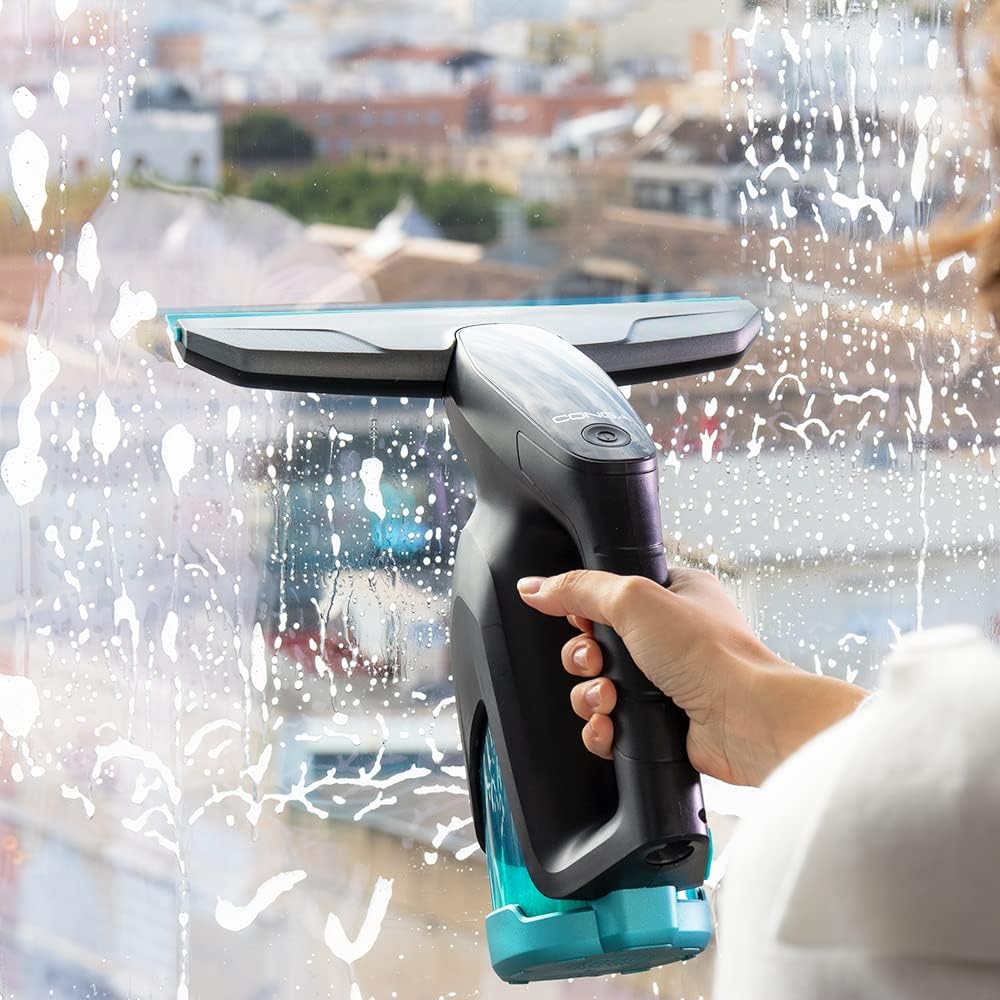
Image: A hand holding the window cleaner unit, actively vacuuming soapy water from a window.

Image: The window cleaner unit being used to vacuum liquid from a window, showing the suction action.

Image: A close-up of the cleaner's head on a window covered in cleaning solution, ready for vacuuming.

Image: A person using the window cleaner attached to the extendable pole to clean a large, tall window.

Image: A hand using the window cleaner unit to clean a glass table surface, demonstrating its versatility.
For optimal results, ensure the nozzle is always in full contact with the surface. Overlapping strokes slightly can help prevent streaks.
5. მოვლა და დასუფთავება
Regular maintenance ensures the longevity and performance of your window cleaner.
ბინძური წყლის ავზის დაცლა
- After each use, or when the tank is full, turn off the device.
- ამოიღეთ ჭუჭყიანი წყლის ავზი მთავარი ბლოკიდან.
- Empty the collected dirty water.
- Rinse the tank with clean water and allow it to air dry before reattaching.
Cleaning the Nozzles and Mop Pad
- Rinse the nozzles under running water to remove any residue.
- The mop pad can be hand-washed or machine-washed according to its care instructions.
- შენახვის წინ დარწმუნდით, რომ ყველა კომპონენტი მშრალია.
მოწყობილობის შენახვა
Store the window cleaner and its accessories in a cool, dry place, away from direct sunlight and extreme temperatures.
6. Დიაგნოსტიკა
If you encounter issues with your Cecotec Popstar Glass Titanium, refer to the following common problems and solutions:
| პრობლემა | შესაძლო მიზეზი | გამოსავალი |
|---|---|---|
| მოწყობილობა არ ჩართულია. | ბატარეა დაცლილია. | ბატარეის სრულად დატენვა. |
| ცუდი შეწოვის შესრულება. | Dirty water tank is full or improperly installed. Nozzle is clogged or not properly attached. | Empty and re-install the dirty water tank. Clean the nozzle and ensure it is securely attached. |
| Leaves streaks on surfaces. | Insufficient cleaning solution. Nozzle not in full contact with surface. Dirty nozzle or mop pad. | Apply more cleaning solution. Ensure firm, even pressure. Clean the nozzle and mop pad. |
| მოწყობილობიდან წყალი ჟონავს. | Dirty water tank is not properly sealed or is damaged. | Check the dirty water tank for proper installation and any damage. Replace if necessary. |
თუ პრობლემა ამ გადაწყვეტილებების მოსინჯვის შემდეგაც არ მოგვარდება, გთხოვთ, დაუკავშირდეთ მომხმარებელთა მხარდაჭერის სამსახურს.
7. ტექნიკური მახასიათებლები
- ბრენდი: ცეკოტეკი
- მოდელის ნომერი: 05722
- პროდუქტის დასახელება: ფანჯრის მტვერსასრუტი
- დენის წყარო: ბატარეით იკვებება
- ტtage: 5 ვოლტი
- სიმძლავრე: 18 ვატი
- ავტონომია: 40 წუთამდე
- Cleaning Area per Charge: 100 მ²-მდე
- ჭუჭყიანი წყლის ავზის ტევადობა: 100 მლ
- Nozzle Widths: 280 mm (large), 150 mm (narrow)
- Extendable Tube Length: 98 სმ
- ზომები (L x W x H): 13.2 x 28.3 x 64.6 სმ
- ნივთის წონა: 2 კგ
- წარმოშობის ქვეყანა: ესპანეთი
8. გარანტია და მხარდაჭერა
საგარანტიო ინფორმაცია
This product is covered by a manufacturer's warranty. Please refer to the warranty card included in the packaging for specific terms and conditions, including the warranty period and coverage details. Keep your proof of purchase for warranty claims.
მომხმარებელთა მხარდაჭერა
For technical assistance, spare parts, or any questions regarding your Cecotec Popstar Glass Titanium Window Cleaner, please contact Cecotec customer support.
Refer to the official Cecotec webსაიტი უახლესი საკონტაქტო ინფორმაციისა და დახმარების რესურსებისთვის.


