1. შესავალი
The Apple 67W USB-C Power Adapter is designed to provide fast and efficient charging for compatible USB-C devices, including MacBook Pro, MacBook Air, iPhone, and iPad models. This manual provides important information regarding the proper setup, operation, maintenance, and safety of your power adapter.
2. პაკეტის შიგთავსი
დარწმუნდით, რომ თქვენი პაკეტი შეიცავს შემდეგ ნივთს:
- Apple 67W USB-C დენის ადაპტერი
Note: A USB-C charging cable is sold separately and is required for use with this power adapter.
3. მახასიათებლები
- სწრაფი, ეფექტური დატენვა: Delivers 67 watts of power for rapid charging.
- უნივერსალური USB-C თავსებადობა: Works with a wide range of USB-C enabled devices.
- Recommended Pairing: Ideal for 13-inch MacBook Pro (2016 and later) and 14-inch MacBook Pro with Apple M1 Pro chip (8-core CPU).
- Fast-Charging for MacBook Air: Enables 0 to 50 percent charge in approximately 30 minutes with MacBook Air M2 chip models.
- კომპაქტური დიზაინი: Lightweight and portable for use at home, office, or while traveling.
4. უსაფრთხოების ინფორმაცია
Read all safety information below before using the power adapter to avoid injury or damage to your device.
- ელექტრო უსაფრთხოება:
- Use only with compatible power outlets (120 Volts AC).
- Do not use the adapter if it is damaged, frayed, or has exposed wires.
- Avoid using in wet environments or near liquids.
- არ სცადოთ ადაპტერის დაშლა ან მოდიფიცირება.
- სითბო: The power adapter may become warm during normal operation. Ensure adequate ventilation and do not cover it.
- ბავშვები: Keep the power adapter and cables out of reach of children.
- სათანადო კავშირი: Ensure the adapter is fully inserted into the power outlet and the USB-C cable is securely connected to both the adapter and your device.
5. დაყენება
- გახსენით ადაპტერი: Carefully remove the Apple 67W USB-C Power Adapter from its packaging.
- USB-C კაბელის შეერთება: Obtain a compatible USB-C charging cable (sold separately). Connect one end of the USB-C cable to the USB-C port on the power adapter.
- შეაერთეთ დენის განყოფილებაში: Extend the prongs on the power adapter and plug it firmly into a standard electrical wall outlet (120V).
- მოწყობილობასთან დაკავშირება: Connect the other end of the USB-C cable to the charging port on your compatible device (e.g., MacBook, iPhone, iPad).
The device should indicate that it is charging. If not, ensure all connections are secure and the power outlet is active.

Image: Apple 67W USB-C Power Adapter with its foldable prongs extended.
6. საოპერაციო ინსტრუქციები
Once connected, the Apple 67W USB-C Power Adapter will automatically begin charging your device. The charging speed will depend on your device's battery level and its power management system.
- სწრაფი დატენვა: For devices that support fast charging, such as the MacBook Air with M2 chip, the adapter can charge the battery from 0% to 50% in approximately 30 minutes.
- ოპტიმალური შესრულება: For best results, use the adapter with Apple-recommended USB-C charging cables.
- გათიშვა: To disconnect, first unplug the USB-C cable from your device, then unplug the adapter from the wall outlet.
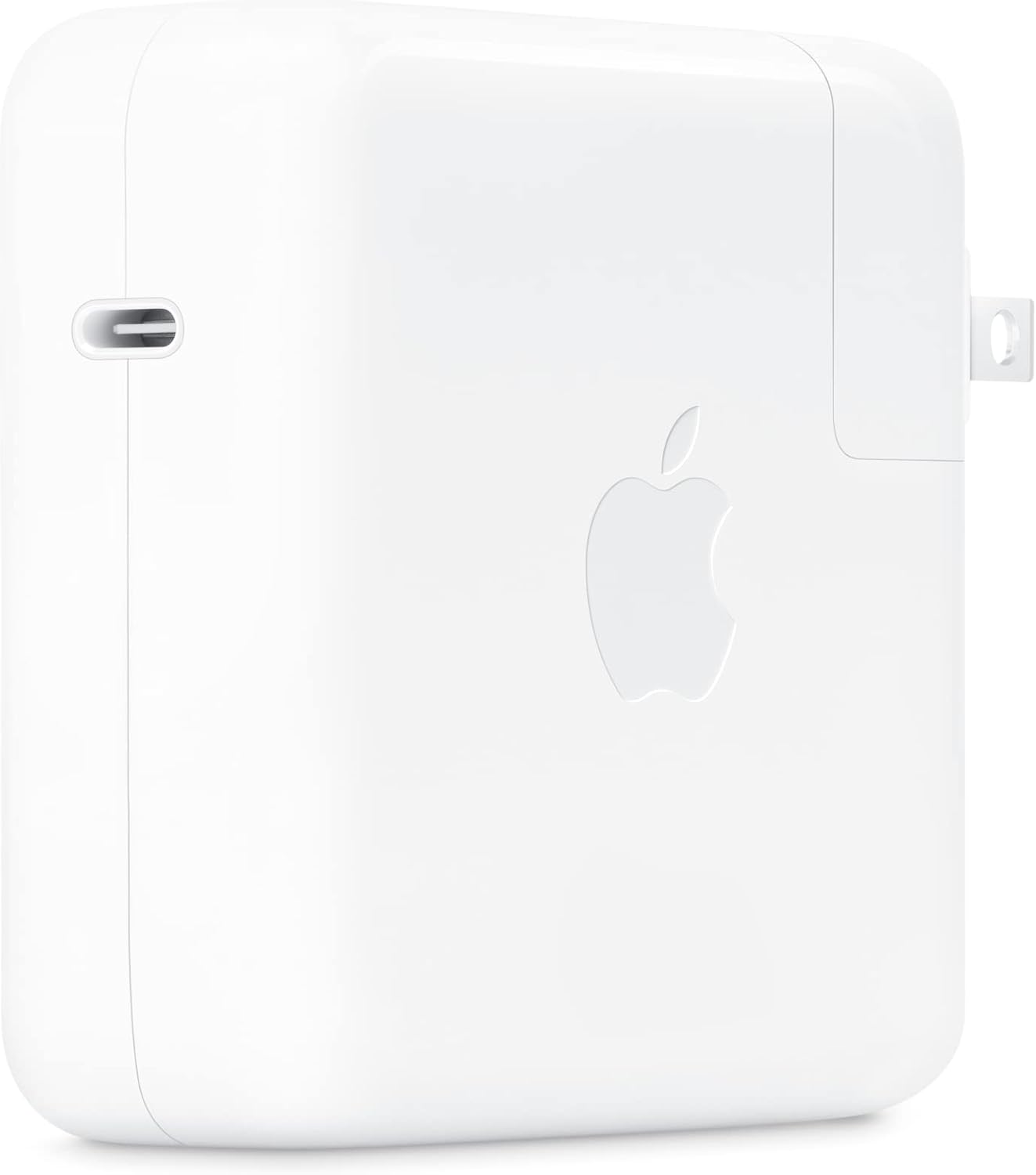
სურათი: გვერდი view of the Apple 67W USB-C Power Adapter, highlighting the USB-C port.
7. მოვლა
- დასუფთავება: Disconnect the adapter from power before cleaning. Use a soft, dry, lint-free cloth. Do not use liquid cleaners or aerosols.
- შენახვა: ადაპტერი, როდესაც არ იყენებთ, გრილ, მშრალ ადგილას შეინახეთ. მოერიდეთ ექსტრემალურ ტემპერატურას.
- საკაბელო მოვლა: Avoid bending or crimping the charging cable excessively, as this can damage the internal wires.
8. Დიაგნოსტიკა
| პრობლემა | გამოსავალი |
|---|---|
| მოწყობილობა არ იტენება. |
|
| ნელი დატენვა. |
|
| ადაპტერი ცხელდება. |
|
9. სპეციფიკაციები
| მოდელის ნომერი | MKU63AM/A |
| ვატtage | 67 W |
| შეყვანის მოცულობაtage | 120 ვოლტი |
| კონექტორის ტიპი | USB Type-C |
| სულ USB პორტები | 1 |
| პროდუქტის ზომები | 4.21 x 4.21 x 1.28 ინჩი |
| ნივთის წონა | 8.8 უნცია |
| თავსებადი მოწყობილობები | Phone, tablet, computer (e.g., iPhone 15/16 series, MacBook Pro, MacBook Air, iPad) |
| განსაკუთრებული თვისებები | Fast Charging, Lightweight Design, Retractable Plug, Travel-friendly |
10. გარანტია და მხარდაჭერა
The Apple 67W USB-C Power Adapter typically comes with a ერთწლიანი შეზღუდული გარანტია შეძენის დღიდან. ეს გარანტია ფარავს წარმოების დეფექტებს ნორმალური გამოყენების პირობებში.
For detailed warranty terms, technical support, or service, please visit the official Apple Support webსაიტზე ან პირდაპირ დაუკავშირდით Apple-ის მომხმარებელთა მომსახურების სამსახურს. შეინახეთ შეძენის დამადასტურებელი საბუთი გარანტიის მოთხოვნებისთვის.
Apple მხარდაჭერა Webსაიტი: support.apple.com


