1. პროდუქტი დასრულდაview
The Apple iPhone 13 Pro Max, released in September 2021, is a high-performance smartphone designed for advanced users. This device combines a powerful processor with an exceptional camera system and a vibrant display, all encased in a durable design.
ძირითადი მახასიათებლები:
- ჩვენება: 6.7-inch Super Retina XDR display with ProMotion, offering superfast downloads and high-quality streaming.
- პროცესორი: A15 Bionic chip with a new 6-core CPU (2 performance, 4 efficiency cores), new 5-core GPU, and new 16-core Neural Engine.
- კამერის სისტემა: Advanced triple-camera system with Cinematic mode for professional video, Dolby Vision HDR video recording up to 4K at 60 fps, and 6X optical zoom range.
- ბატარეა: ვიდეოს ყურების ხანგრძლივობა 28 საათამდე.
- გამძლეობა: Ceramic Shield front cover and surgical-grade stainless steel frame, with IP68 water and dust resistance.
- უსაფრთხოება: Face ID for secure authentication.
Ფიზიკური აღწერა:
The iPhone 13 Pro Max features a sleek design with flat edges and a textured matte glass back. The device weighs approximately 7 ounces (200 grams) and has dimensions of 5.78 x 2.81 x 0.3 inches. It is available in various colors, including Gold, Graphite, Silver, and Sierra Blue.
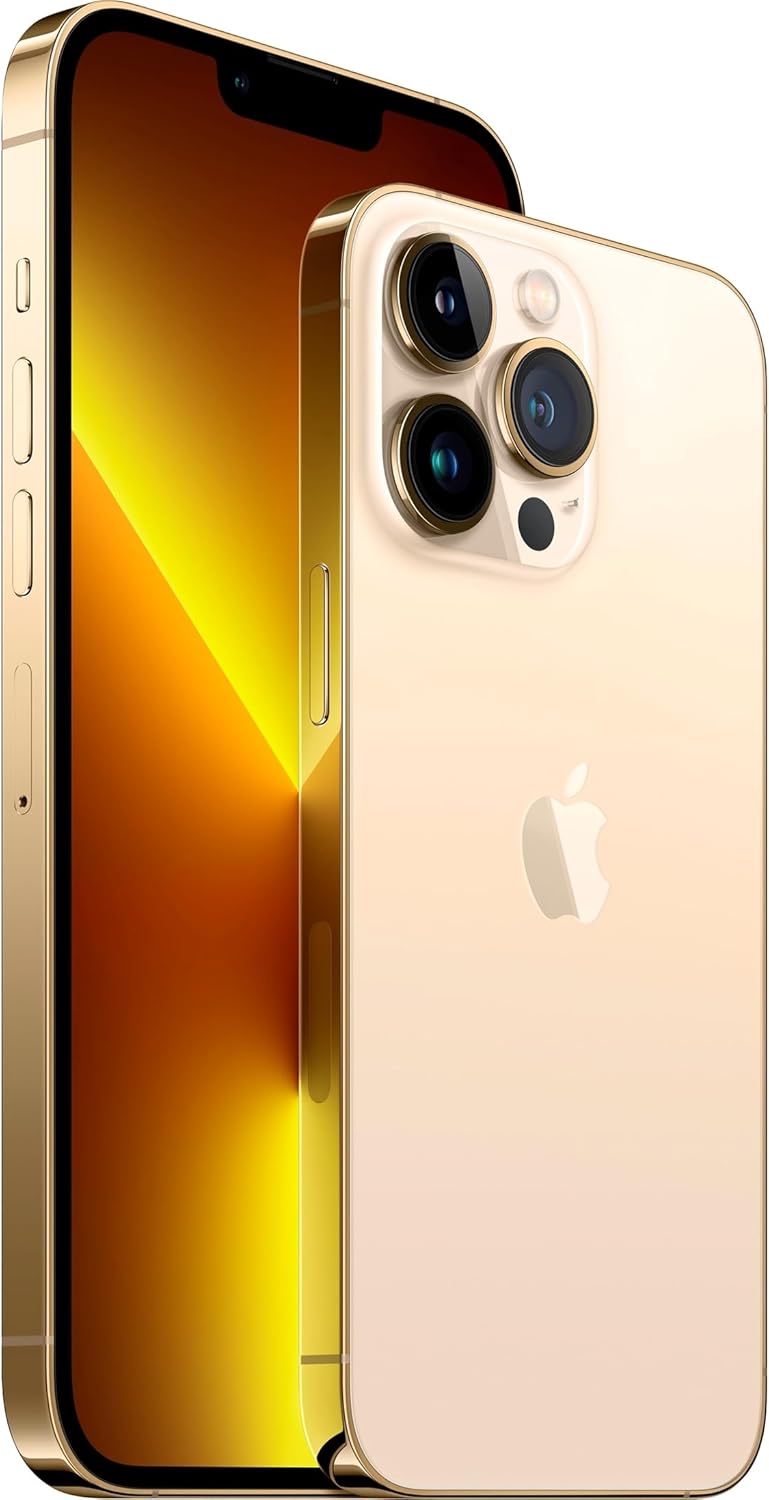
სურათი: წინა და უკანა მხარე view of the Apple iPhone 13 Pro Max in Gold, showcasing its triple camera system and display.
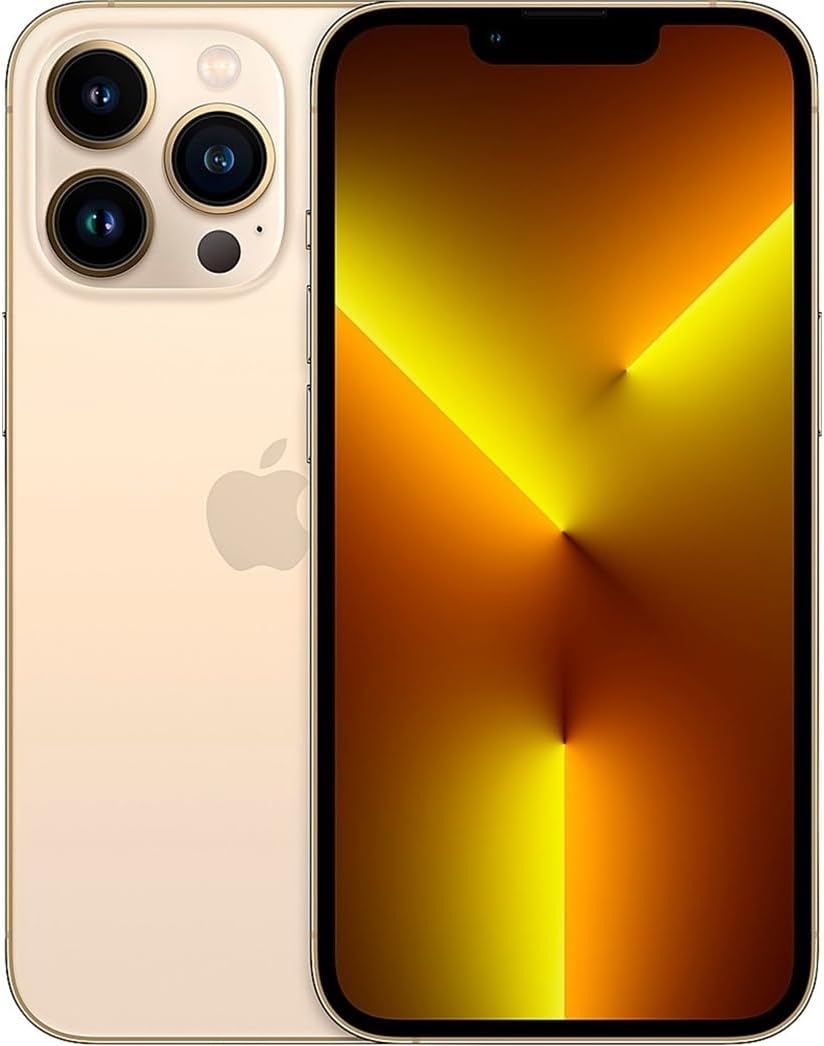
სურათი: წინა მხარე view of the Apple iPhone 13 Pro Max in Gold, displaying the screen.
2. რა არის ყუთში
Upon unboxing your Apple iPhone 13 Pro Max, you should find the following items:
- Apple iPhone 13 Pro Max device
- Charging Cable (USB-C to Lightning)
- SIM Removal Tool
Note: Power adapter and headphones are sold separately.
3. დაყენების გზამკვლევი
3.1 საწყისი ჩართვა
- დააჭირეთ და გააჩერეთ გვერდითი ღილაკი on the right side of the device until the Apple logo appears.
- მიჰყევით ეკრანზე მითითებებს თქვენი ენისა და რეგიონის ასარჩევად.
3.2 ჩადეთ SIM ბარათი
- Locate the SIM tray on the left side of the iPhone.
- Insert the SIM removal tool into the small hole on the SIM tray and press firmly until the tray ejects.
- Place your nano-SIM card into the tray with the gold contacts facing down.
- ფრთხილად ჩადეთ SIM ბარათის უჯრა iPhone-ში.
3.3 ძირითადი დაყენება
After inserting the SIM card, continue with the on-screen setup process:
- დაუკავშირდით Wi-Fi ქსელს.
- Set up Face ID (facial recognition) for secure unlocking and purchases.
- Create a passcode for additional security.
- Restore data from a previous iPhone backup (iCloud or computer) or set up as a new iPhone.
- შედით თქვენი Apple ID-ით ან შექმენით ახალი.
- Configure location services, Siri, and other settings as prompted.
4. საოპერაციო ინსტრუქციები
4.1 ნავიგაცია და ჟესტები
- საწყისი ეკრანი: მთავარ ეკრანზე გადასასვლელად, ეკრანის ქვედა კიდიდან ზემოთ გადაფურცლეთ.
- აპის გადამრთველი: ქვედა კიდიდან ზემოთ გადაფურცლეთ და ეკრანის შუაში გააჩერეთ view open apps. Swipe left or right to switch between them, or swipe up on an app to close it.
- საკონტროლო ცენტრი: სწრაფი პარამეტრების, როგორიცაა Wi-Fi, Bluetooth, სიკაშკაშე და ხმის სიმძლავრე, სანახავად გადაფურცლეთ ეკრანის ზედა მარჯვენა კუთხიდან ქვემოთ.
- შეტყობინებები: ეკრანის ზედა ცენტრიდან ქვემოთ გადაფურცლეთ view თქვენი შეტყობინებები.
4.2 კამერის გამოყენება
The iPhone 13 Pro Max features a versatile camera system:
- გახსენით კამერის აპლიკაცია.
- Swipe left or right to switch between modes (Photo, Video, Cinematic, Portrait, Pano, Slo-Mo, Time-Lapse).
- შეეხეთ ჩამკეტის ღილაკი ფოტოს გადასაღებად ან ვიდეოჩანაწერის დასაწყებად/შესაჩერებლად.
- Use the zoom options (0.5x, 1x, 3x) or pinch the screen to adjust zoom.
- For Cinematic mode, tap the icon to enable depth-of-field effects in videos.
4.3 ბატარეის მართვა
ბატარეის მუშაობის ოპტიმიზაციისთვის:
- ჩართვა დაბალი სიმძლავრის რეჟიმი via Control Center or Settings > Battery.
- Adjust screen brightness (lower brightness consumes less power).
- გამორთეთ Wi-Fi ან Bluetooth, როდესაც არ იყენებთ.
- შეამოწმეთ ბატარეის ჯანმრთელობა in Settings > Battery > Battery Health & Charging.
5. მოვლა
5.1 თქვენი iPhone-ის გაწმენდა
- Unplug all cables and turn off your iPhone.
- Use a soft, lint-free cloth (e.g., a lens cloth) to gently wipe the screen and exterior.
- Avoid using abrasive materials, aerosols, solvents, or ammonia-based cleaners.
- Do not spray cleaners directly onto the iPhone.
5.2 პროგრამული უზრუნველყოფის განახლებები
Regularly update your iPhone's software to ensure optimal performance, security, and access to new features:
- გადადით პარამეტრები > ზოგადი > პროგრამული უზრუნველყოფის განახლება.
- If an update is available, tap ჩამოტვირთეთ და დააინსტალირეთ. Ensure your iPhone is connected to Wi-Fi and has sufficient battery charge or is connected to power.
5.3 წყლისა და მტვრისადმი მდგრადობა
The iPhone 13 Pro Max is rated IP68, meaning it can withstand submersion in water up to 6 meters for up to 30 minutes. However, water and dust resistance are not permanent conditions and may decrease over time with normal wear. To prevent liquid damage:
- Avoid swimming or bathing with your iPhone.
- Avoid exposing your iPhone to pressurized water or high-velocity water.
- Avoid using your iPhone in a sauna or steam room.
- Avoid intentionally submerging your iPhone in water.
- If your iPhone gets wet, wipe it with a soft, lint-free cloth. Do not charge it until it is completely dry.
6. Დიაგნოსტიკა
6.1 საერთო საკითხები და გადაწყვეტილებები
- მოწყობილობა არ რეაგირებს: Press and quickly release the Volume Up button. Press and quickly release the Volume Down button. Then, press and hold the Side button until you see the Apple logo.
- ბატარეის სწრაფად დაცლა: Check battery usage in Settings > Battery to identify apps consuming the most power. Enable Low Power Mode.
- Wi-Fi/Bluetooth-ის დაკავშირების პრობლემები: Try toggling Wi-Fi/Bluetooth off and on in Control Center or Settings. Restart your iPhone and/or your router.
- აპლიკაციების გაჭედვა: Ensure apps are updated to their latest versions. Restart the app or your iPhone.
6.2 ქარხნული პარამეტრების გადატვირთვა
A factory reset erases all data and settings from your iPhone and restores it to its original state. This should be considered a last resort for persistent software issues.
- გადადით პარამეტრები > ზოგადი > iPhone-ის გადატანა ან გადატვირთვა > ყველა კონტენტისა და პარამეტრის წაშლა.
- Follow the on-screen prompts. You may need to enter your Apple ID password.
7. სპეციფიკაციები
| ფუნქცია | დეტალი |
|---|---|
| მოდელის სახელი | iPhone 13 Pro Max |
| ეკრანის ზომა | 6.7 ინჩი |
| მეხსიერების შენახვის მოცულობა | 128 GB |
| პროდუქტის ზომები | 5.78 x 2.81 x 0.3 ინჩი |
| ნივთის წონა | 7 უნცია |
| ბატარეები | საჭიროა 1 ლითიუმ-იონის ბატარეა (შედის) |
| უსადენო გადამზიდავი | T-Mobile |
| ფიჭური ტექნოლოგია | 5G |
| დაკავშირების ტექნოლოგია | Wi-Fi, CDMA, GSM, LTE |
| SIM card slot count | ორმაგი SIM |
| ფერი | ოქრო |
| მწარმოებელი | Apple კომპიუტერი |
| პირველი ხელმისაწვდომი თარიღი | 11 წლის 2021 ნოემბერი |
8. გარანტია და მხარდაჭერა
8.1 Amazon-ის განახლებული გარანტია
This Apple iPhone 13 Pro Max is an Amazon Renewed product. It comes with the Amazon Renewed Guarantee, which provides a replacement or refund within 90 days of receipt if the product does not work as expected.
8.2 Apple-ის მხარდაჭერა
For technical assistance, software issues, or further product information, you can visit the official Apple Support webსაიტზე ან დაუკავშირდით Apple-ის მომხმარებელთა მომსახურების სამსახურს.