1. უსაფრთხოების მნიშვნელოვანი ინსტრუქციები
Please read all instructions carefully before using the Baseus A7 Handheld Vacuum. Keep this manual for future reference.
- Do not use the vacuum cleaner near water or in wet conditions.
- არ გაწმინდოთ მტვერსასრუტით აალებადი ან აალებადი მასალები, ცხელი ფერფლი ან ბასრი საგნები.
- შეინახეთ თმა, თავისუფალი ტანსაცმელი, თითები და სხეულის ყველა ნაწილი ღიობებისა და მოძრავი ნაწილებისგან მოშორებით.
- გამოიყენეთ მხოლოდ მწარმოებლის მიერ მოწოდებული დამტენი კაბელი.
- არ გამოიყენოთ მტვერსასრუტი დაზიანებული კაბელით ან შტეფსელით.
- Ensure the filter is properly installed before use.
- ეს მოწყობილობა არ არის განკუთვნილი შემცირებული ფიზიკური, სენსორული ან გონებრივი შესაძლებლობების ან გამოცდილების და ცოდნის ნაკლებობის მქონე პირების (მათ შორის ბავშვების) გამოსაყენებლად, გარდა იმ შემთხვევისა, როდესაც მათ არ მიეცათ ზედამხედველობა ან ინსტრუქცია მოწყობილობის გამოყენების შესახებ მათ უსაფრთხოებაზე პასუხისმგებელი პირის მიერ.
- ბავშვები უნდა იყვნენ მეთვალყურეობის ქვეშ, რათა უზრუნველყონ, რომ ისინი არ თამაშობენ მოწყობილობას.
2. პაკეტის შიგთავსი
დარწმუნდით, რომ შეფუთვაში ყველა ნივთია:

სურათი 2.1: ჩართული კომპონენტები
- Baseus A7 Handheld Vacuum Cleaner
- Flagship Flexible Extender Tube
- Silicone Brush / Precision Extensions (2-in-1 Crevice Tool)
- USB-C დამტენი კაბელი
- Storage Cloth Bag
- HEPA ფილტრი (წინასწარ დამონტაჟებული ან სათადარიგო)
- მომხმარებლის სახელმძღვანელო
- საგარანტიო ბარათი
3. პროდუქტი დასრულდაview
The Baseus A7 is a portable, cordless handheld vacuum designed for efficient cleaning in various environments, including cars, carpets, and other small areas. It features two suction levels and a USB-C rechargeable battery.

Figure 3.1: Suction Power and Runtime
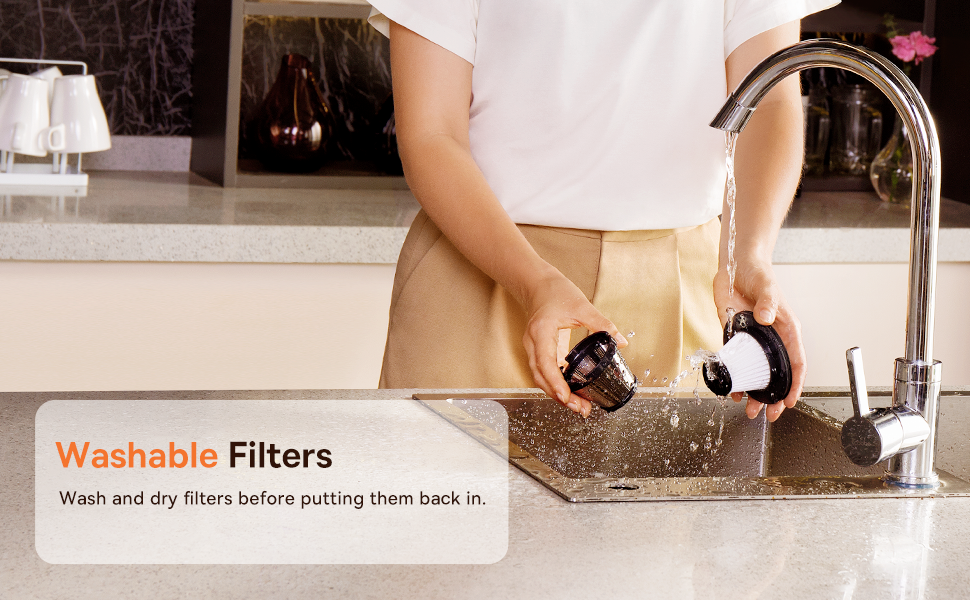
Figure 3.2: Powerful and Portable Design
ძირითადი მახასიათებლები:
- უკაბელო და პორტატული: Designed for easy handling and use in various locations.
- ორი შეწოვის დონე: Standard (4500PA) for general cleaning and High (8000PA) for tougher debris.
- USB-C დატენვადი: Convenient charging with a modern USB-C port.
- HEPA ფილტრაცია: შთანთქავს წვრილ მტვერს და ალერგენებს.
- 500ml Dust Box: დიდი ტევადობა ხანგრძლივი დასუფთავების სესიებისთვის.
4. დაყენება და დატენვა
4.1 საწყისი გადასახადი
Before first use, fully charge the vacuum cleaner. The charging time is approximately 3 to 3.5 hours.
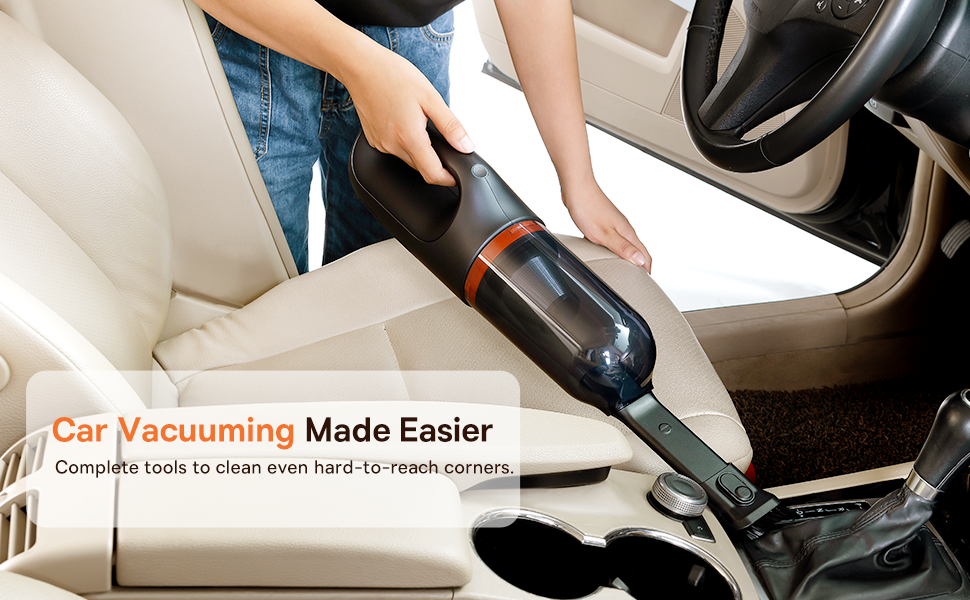
Figure 4.1: USB-C Charging
- Connect the provided USB-C charging cable to the charging port on the vacuum cleaner.
- კაბელის მეორე ბოლო შეაერთეთ თავსებად USB კვების ადაპტერში (არ მოყვება) ან USB პორტში.
- The indicator light will show charging status (refer to the device for specific light patterns).
- Once fully charged, disconnect the vacuum from the power source.
4.2 აქსესუარების მიმაგრება
Select the appropriate attachment for your cleaning task and firmly attach it to the vacuum's suction inlet.
- Flexible Extender Tube: For reaching deep or awkward spaces.
- 2-in-1 Crevice Tool (Silicone Brush/Precision Extensions): Use the narrow end for tight corners and crevices, or slide the brush attachment forward for delicate surfaces.
5. საოპერაციო ინსტრუქციები
5.1 Power On/Off and Suction Levels
- To turn on the vacuum, press the power button. It will start in Standard suction mode (4500PA).
- Press the power button again to switch to High suction mode (8000PA).
- დააჭირეთ ჩართვის ღილაკს მესამედ, რათა გამორთოთ ვაკუუმი.
5.2 დასუფთავების გამოყენება
The Baseus A7 is versatile for various cleaning tasks:

Figure 5.1: Versatile Cleanups

Figure 5.2: Car Vacuuming Made Easier
- ავტომობილის ინტერიერი: Use the crevice tool for tight spots between seats and the flexible tube for under seats.
- Household Surfaces: Effective for quick cleanups on tables, countertops, and furniture.
- შინაური ცხოველების ბეწვი: Can be used for light pet hair removal on upholstery.
- Keyboards and Electronics: Use the brush attachment for delicate cleaning.
For optimal performance, ensure the dust box is not overfilled and the filter is clean.
6. მოვლა
6.1 მტვრის კონტეინერის დაცლა
Empty the dust box regularly to maintain suction power and prevent blockages.
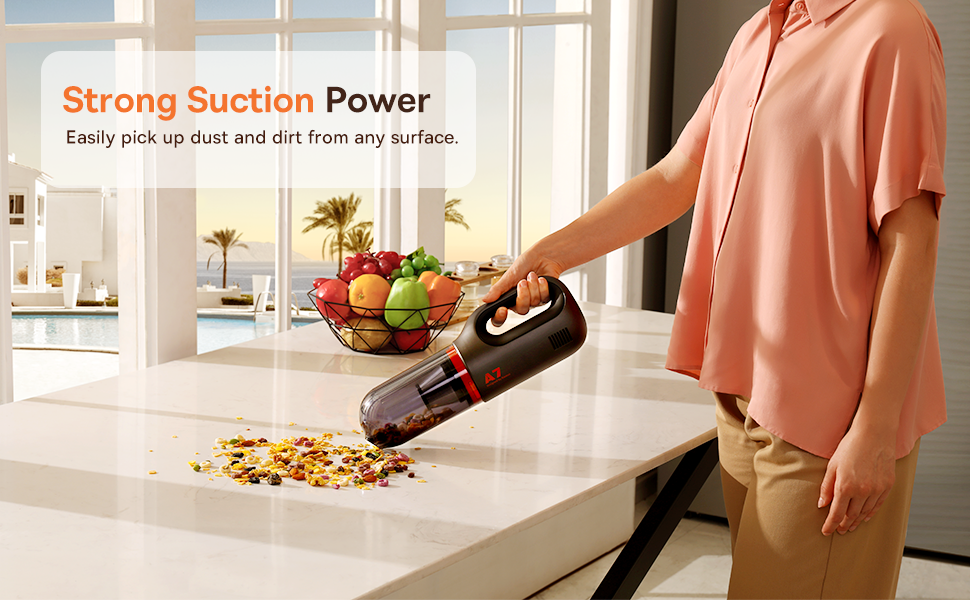
Figure 6.1: Easy to Empty Dust Box
- დარწმუნდით, რომ მტვერსასრუტი გამორთულია.
- Twist or unlatch the dust box from the main body of the vacuum (refer to device for specific mechanism).
- Carefully empty the collected debris into a trash receptacle.
- Reattach the dust box securely.
6.2 ფილტრის გაწმენდა
The HEPA filter is washable and should be cleaned periodically to ensure efficient filtration and suction.

Figure 6.2: Washing the HEPA Filter
- Remove the dust box and then carefully remove the HEPA filter.
- Rinse the filter under cool, running water until clean. Do not use detergents.
- მტვერსასრუტში ხელახლა ჩადებამდე, ფილტრი მინიმუმ 24 საათის განმავლობაში სრულად გაშრეს ჰაერზე. არ გამოიყენოთ მტვერსასრუტი სველი ფილტრით.
- Ensure the filter is fully dry and properly seated before reassembling the vacuum.
7. Დიაგნოსტიკა
If you encounter issues with your Baseus A7 vacuum, refer to the following common problems and solutions:
| პრობლემა | შესაძლო მიზეზი | გამოსავალი |
|---|---|---|
| დენი არ არის / არ ირთვება | ბატარეა დაცლილია. | Charge the vacuum fully (approx. 3-3.5 hours). |
| სუსტი შეწოვის ძალა | მტვრის ყუთი სავსეა. ფილტრი ჩაკეტილია. Attachment is not properly sealed. | დააცალეთ მტვრის ყუთი. Clean and dry the HEPA filter. Ensure attachments are firmly connected. |
| მტვერსასრუტი მოულოდნელად ჩერდება | ბატარეა დაბალია. გადახურებისგან დაცვა გააქტიურებულია. | დატენეთ ბატარეა. Turn off the vacuum and let it cool down for 30 minutes before resuming use. |
| დატენვის ინდიკატორი არ მუშაობს | დამტენის კაბელის ან ადაპტერის პრობლემა. დამტენის პორტის პრობლემა. | Try a different USB-C cable and power adapter. Ensure the cable is fully inserted. If the issue persists, contact customer support. |
თუ პრობლემა ამ გადაწყვეტილებების მოსინჯვის შემდეგაც არ მოგვარდება, გთხოვთ, დაუკავშირდეთ Baseus-ის მომხმარებელთა მხარდაჭერის სამსახურს.
8. სპეციფიკაციები
| ფუნქცია | დეტალი |
|---|---|
| ბრენდი | ბასეუსი |
| მოდელის სახელი | A7 |
| სპეციალური ფუნქცია | HEPA, Portable |
| ფილტრის ტიპი | კარტრიჯი (HEPA) |
| უკაბელო | დიახ |
| ტევადობა | 500 მილილიტრი |
| ვატtage | 120 ვატი |
| დატენვის დრო | 3 - 3.5 საათი |
| რეკომენდებული გამოყენება | Car, Carpet, Household |
| ფორმის ფაქტორი | ხელის |
| ფერი | შავი |
| პროდუქტის ზომები | 4" სიგრძე x 3" სიგანე x 13" სიმაღლე |
| ბატარეის ტიპი | Lithium-Ion (2 batteries included) |
| ხმაურის დონე | 75 დეციბელი |
| Ampგაბრაზება | 1.4 Amps |
| სიჩქარის რაოდენობა | 2 |
| ნივთის წონა | 3.43 ფუნტი |
| დენის წყარო | იკვებება ბატარეით |
9. გარანტია და მხარდაჭერა
The Baseus A7 Handheld Vacuum comes with a warranty to ensure your satisfaction.
- გარანტია: Includes a 1-year warranty card and a 3-year guarantee. Please refer to the warranty card included in your package for specific terms and conditions.
- მომხმარებელთა მხარდაჭერა: For any questions, technical assistance, or warranty claims, please contact Baseus customer support through their official webსაიტზე ან თქვენს საგარანტიო ბარათზე მითითებული საკონტაქტო ინფორმაციით.
10. პროდუქტის ვიდეო
Watch the official product video for a visual guide on the Baseus A7 Handheld Vacuum's features and usage.
Video 10.1: Baseus A7 Handheld Vacuum Overview and Demonstration. This video showcases the vacuum's design, suction capabilities, and how to use its various attachments for different cleaning scenarios.


