შესავალი
Thank you for choosing the Nedis SmartLife Wireless Camera System SLNVR201CWT. This system is designed to provide comprehensive home security with advanced features. This manual will guide you through the installation, operation, and maintenance of your new camera system, ensuring optimal performance and security.
The system includes a Network Video Recorder (NVR) and two Full HD (1080p) wireless cameras. Key features include motion and sound detection with adjustable sensitivity, instant smartphone notifications, a wide 180-degree viewing angle, night vision capabilities up to 5 meters, and two-way audio communication. Recordings are stored on a Micro SD card (not included) for convenient playback.
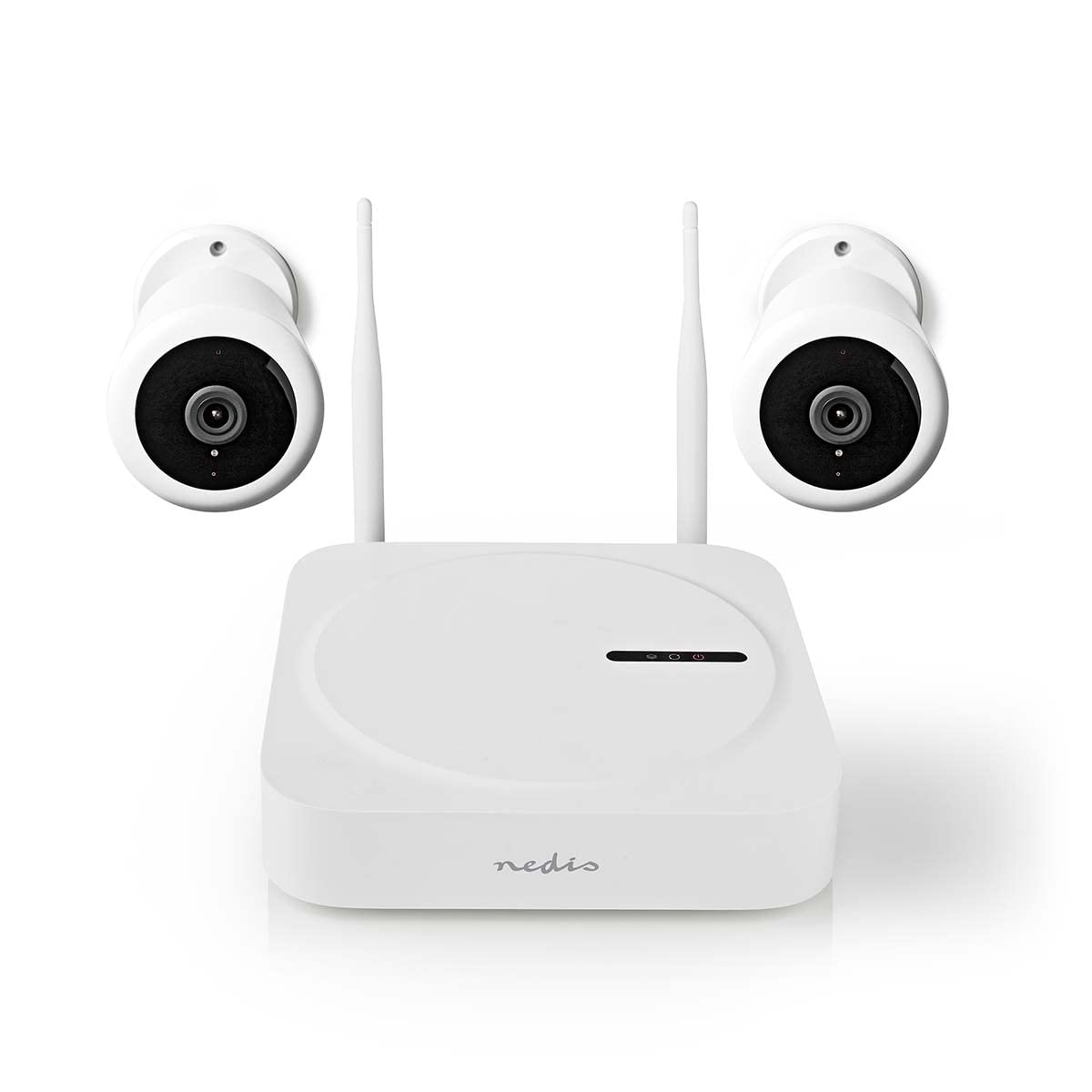
Image: The Nedis SmartLife Wireless Camera System, showing the central NVR unit and two wireless cameras.
უსაფრთხოების ინფორმაცია
- გამოყენებამდე ყურადღებით წაიკითხეთ ყველა ინსტრუქცია.
- შეინახეთ ეს სახელმძღვანელო მომავალი მითითებისთვის.
- Use only the power adapters supplied with the product. Using unauthorized power sources may damage the device and void the warranty.
- არ დაუშვათ მოწყობილობა ექსტრემალურ ტემპერატურაზე, ტენიანობაზე ან მზის პირდაპირ შუქზე.
- Ensure proper ventilation around the NVR unit to prevent overheating.
- Avoid placing the cameras in locations where they could be easily tampered with or damaged.
- ეს პროდუქტი არ არის სათამაშო. შეინახეთ ბავშვებისთვის მიუწვდომელ ადგილას.
- For indoor and outdoor use. Ensure outdoor cameras are installed in a sheltered location to protect from direct heavy rain.
პაკეტის შიგთავსი
ფრთხილად გახსენით ყუთი და დარწმუნდით, რომ ყველა ნივთი ადგილზეა და კარგ მდგომარეობაშია. თუ რომელიმე ნივთი აკლია ან დაზიანებულია, გთხოვთ, დაუკავშირდეთ თქვენს გამყიდველს.
- 1 x Nedis SmartLife Wireless NVR Unit
- 2 x Nedis SmartLife Wireless Cameras
- 3 x Power Adapters (for NVR and cameras)
- 1 x USB მაუსი
- სამონტაჟო ხრახნები და კედლის შტეფსელები
- საბურღი შაბლონები
- მომხმარებლის სახელმძღვანელო (ეს დოკუმენტი)
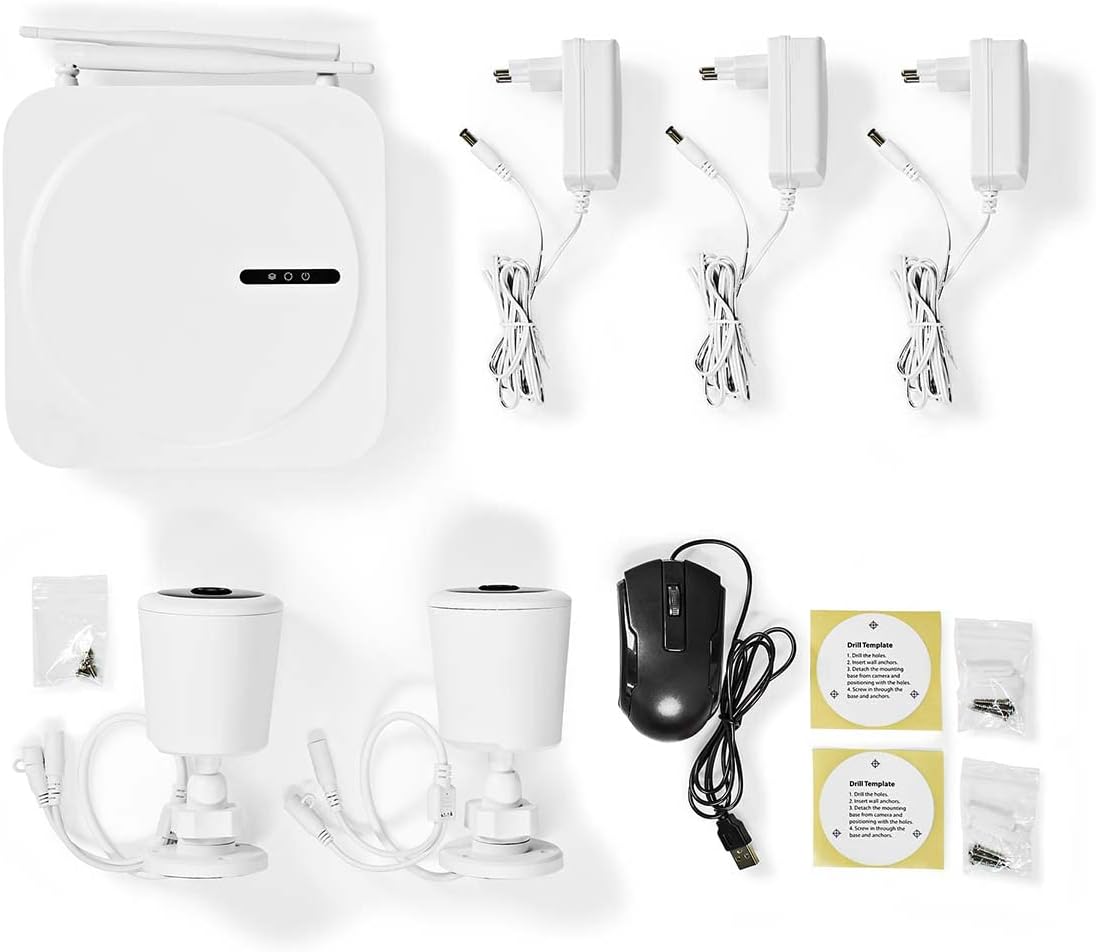
Image: All components included in the Nedis SmartLife Wireless Camera System package.
დაყენება
1. NVR Unit Connection
- Place the NVR unit in a central location, ensuring good Wi-Fi signal strength for the cameras.
- Connect the NVR to a power outlet using one of the provided power adapters.
- შეაერთეთ USB მაუსი NVR-ის USB პორტთან.
- If desired, connect the NVR to your router via an Ethernet cable for a stable network connection.

სურათი: წინა მხარე view of the Nedis SmartLife NVR unit with indicator lights.
2. კამერის დაყენება
- Choose suitable locations for your cameras, considering the 180-degree viewing angle and night vision range (up to 5 meters).
- Use the drill templates to mark the screw positions on the wall or ceiling.
- Drill holes, insert wall plugs, and secure the camera mounts with screws.
- Attach the cameras to their mounts and adjust the angle as needed.
- Connect each camera to a power outlet using the remaining power adapters.

Image: Close-up of a Nedis SmartLife camera, highlighting the lens and sensor.
3. აპლიკაციის ინსტალაცია და დაწყვილება
- Download the 'Nedis SmartLife' app from your smartphone's app store (available for Android and iOS).
- დარეგისტრირდით ახალ ანგარიშზე ან შედით სისტემაში, თუ უკვე გაქვთ ერთი.
- Follow the in-app instructions to add your NVR system. The app will guide you through the pairing process for the cameras.
- Insert a Micro SD card (up to 128GB, not included) into the NVR for local storage of recordings.
სისტემის ფუნქციონირება
ცოცხალი View და დაკვრა
- Open the Nedis SmartLife app on your smartphone.
- Select your camera system to view პირდაპირი ტრანსლაციები ყველა დაკავშირებული კამერიდან.
- Use the app interface to switch between cameras, access recorded footage, and adjust settings.
- რომ view ჩაწერილი ფუtage, navigate to the playback section in the app and select the desired date and time.
მოძრაობისა და ხმის ამოცნობა
- The system is equipped with motion and sound detection. When triggered, it sends instant notifications to your smartphone.
- Adjust the sensitivity of both motion and sound detection within the Nedis SmartLife app settings for each camera to minimize false alarms.
- You can set specific detection zones for motion detection to focus on critical areas.
ორმხრივი აუდიო
- The cameras feature built-in microphones and speakers, enabling two-way communication.
- ცოცხალიდან view in the app, tap the microphone icon to speak through the camera's speaker. Tap again to end.
- This feature allows you to communicate with visitors or deter intruders remotely.
ღამის ხედვა
- The cameras automatically switch to night vision mode in low-light conditions.
- Night vision provides clear black-and-white video footage up to 5 meters, ensuring 24-hour surveillance.
მოვლა
დასუფთავება
- დასუფთავებამდე დარწმუნდით, რომ მოწყობილობა გამორთულია და გამორთულია.
- Use a soft, dry cloth to clean the NVR unit and camera bodies.
- For camera lenses, use a specialized lens cleaning cloth to avoid scratches.
- Do not use liquid or aerosol cleaners, as they may damage the components.
Firmware განახლებები
- Periodically check the Nedis SmartLife app for available firmware updates.
- Keeping your system's firmware up-to-date ensures optimal performance, security, and access to new features.
- Follow the in-app instructions carefully when performing updates.
შენახვა
- If storing the system for an extended period, ensure it is clean and dry.
- შეინახეთ გრილ, მშრალ ადგილას, მზის პირდაპირი სხივებისა და ექსტრემალური ტემპერატურისგან მოშორებით.
პრობლემების მოგვარება
| პრობლემა | შესაძლო მიზეზი | გამოსავალი |
|---|---|---|
| კამერიდან სურათი/ვიდეო არ არის | Camera not powered on; Wi-Fi signal too weak; Camera not paired. | Check power connection; Move camera closer to NVR/router; Re-pair camera via app. |
| არ არის მიღებული შეტყობინებები | Notifications disabled in app/phone settings; Detection sensitivity too low. | Enable notifications in Nedis SmartLife app and phone settings; Increase motion/sound sensitivity. |
| ღამის ხედვის ცუდი ხარისხი | Obstruction in front of camera; Camera too far from subject. | Clear any obstructions; Ensure subject is within 5-meter night vision range. |
| ორმხრივი აუდიო არ მუშაობს | Microphone/speaker permissions not granted; Volume too low. | Check app permissions for microphone; Adjust volume settings in app. |
| System offline in app | NVR not connected to internet; NVR powered off. | Check NVR's internet connection (Ethernet/Wi-Fi); Ensure NVR is powered on. |
სპეციფიკაციები
| ფუნქცია | სპეციფიკაცია |
|---|---|
| მოდელის ნომერი | SLNVR201CWT |
| ბრენდი | ნედისი |
| ვიდეო გადაღების გარჩევადობა | 1080p (სრული HD) |
| ფერი | თეთრი |
| არხების რაოდენობა | 4 |
| უკაბელო ტექნოლოგია | Wi-Fi |
| Viewing კუთხე | 180 გრადუსი |
| კადრების სიხშირე | 30 კადრი წამში |
| ტtage | 220 ვოლტი |
| ვატtage | 48 ვატი |
| ოპერაციული სისტემის თავსებადობა | Android, iOS |
| მოყვება ბატარეები | არა |
| რეკომენდებული გამოყენება | Night Vision, Home Security |
| განსაკუთრებული თვისებები | High Definition, Motion Sensor, Two-Way Audio |
| გამოყენების გარემო | შიდა, გარე |
| თავსებადი მოწყობილობები | სმარტფონი |
| დენის წყარო | კაბელიანი ელექტრო |
| კომუნიკაციის პროტოკოლი | Wi-Fi |
გარანტია და მხარდაჭერა
Nedis products are manufactured to high quality standards and are covered by a warranty period from the date of purchase. For detailed warranty terms and conditions, please refer to the warranty card included with your product or visit the official Nedis webსაიტი.
For technical support, troubleshooting assistance, or to report any issues with your product, please contact Nedis customer service. Contact information can typically be found on the Nedis webსაიტზე ან თქვენი პროდუქტის შეფუთვაში.
Please have your model number (SLNVR201CWT) and proof of purchase ready when contacting support.


