შესავალი
This manual provides detailed instructions for the installation, operation, and maintenance of your Lorex 4K Spotlight Indoor/Outdoor Wi-Fi 6 Technology Security Camera. Please read this manual thoroughly before using the product to ensure proper functionality and safety. Keep this manual for future reference.
რა არის ყუთში
- Lorex 4K Spotlight Wi-Fi 6 Security Camera
- 32 გბ MicroSD ბარათი (წინასწარ დაინსტალირებული)
- Mounting Kit (screws, plastic anchors)
- Power Adapter (with 19.5 ft cable)
- სამონტაჟო შაბლონი
- ფანჯრის სტიკერები
- სწრაფი დაწყების სახელმძღვანელო
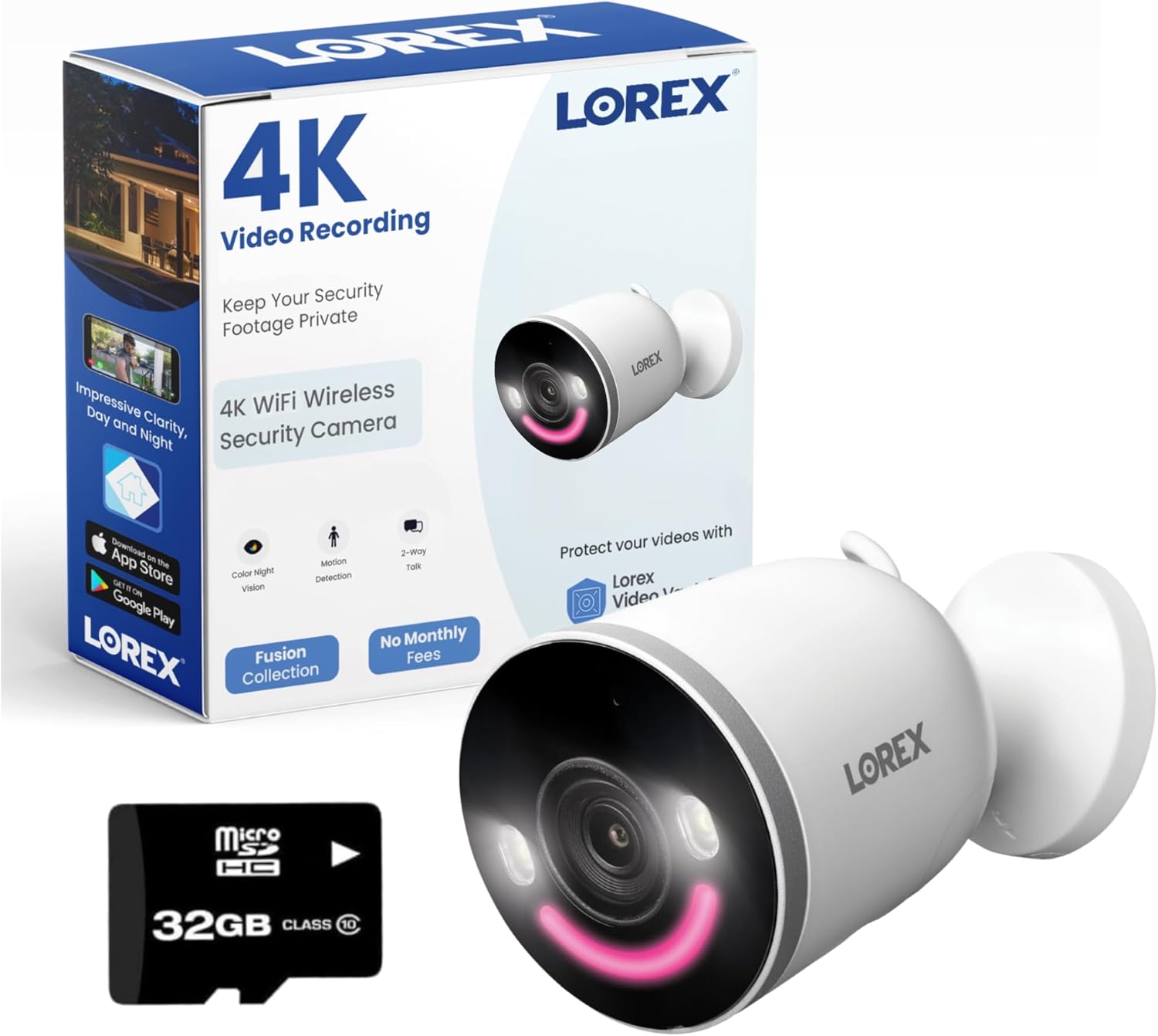
Image: The Lorex 4K Spotlight Wi-Fi 6 Security Camera, its packaging, and the included 32GB MicroSD card.
ძირითადი მახასიათებლები
- 4K Ultra HD გარჩევადობა: Provides exceptionally sharp 4K video (3840x2160 @ 15fps) and superior digital zoom capabilities for clear day and night viewინგ.
- Next-generation Wi-Fi 6 Technology: Ensures smoother and clearer 4K resolution live viewing and playback without impacting overall network performance. Supports both 2.4 GHz and 5.0 GHz Wi-Fi bands.
- Smart Security Lighting: Features motion-activated LED warning lights and exterior sirens. The customizable smart LED light band offers 16.7 million color options, assignable to pre-set camera modes like "Welcome" or "Panic".
- ფერადი ღამის ხედვა და ინფრაწითელი ღამის ხედვა: Experience clear images in the dark with both Color Night Vision and traditional IR Night Vision. Includes a revolutionary Color Night Vision (CNV) Booster for vivid, full-color nighttime video.
- Motion Detection Plus: Advanced surveillance detects and distinguishes between a person, face, vehicle, animal, and package. Receive mobile notifications when motion is detected.
- 2-Way Talk with Quick Response: Listen and speak to anyone on your property using the built-in microphone and speaker. Use quick response options for pre-recorded messages.
- Lorex Video Vault (Local Storage): Keep video recordings private and secure with the pre-installed 32GB MicroSD card, expandable up to 256GB. No subscription fees for local storage.
- Weather-resistant (IP65): The IP65 weather-resistant enclosure ensures robust security year-round, withstanding various weather conditions including rain, wind, and extreme temperatures (-4°F to 131°F).
- ჭკვიანი სახლის თავსებადობა: Integrates with Amazon Alexa and Google Assistant for hands-free voice control and camera feature activation.

Image: A child playing on a lawn, with a magnified inset demonstrating the camera's 4K Ultra HD resolution and digital zoom capabilities.
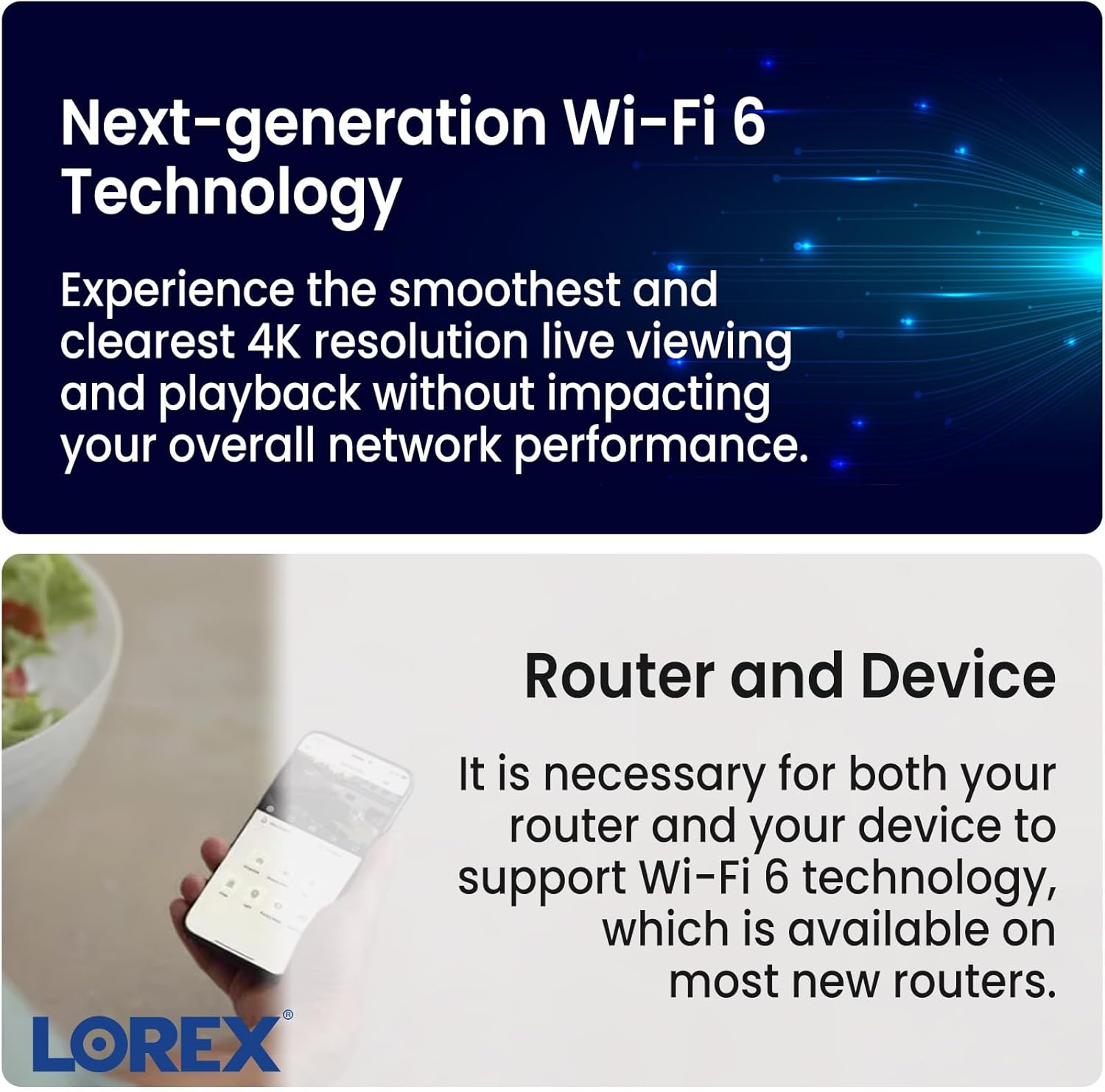
Image: A hand holding a smartphone, illustrating the camera's compatibility with next-generation Wi-Fi 6 technology for enhanced network performance.

Image: The Lorex camera featuring its smart security lighting with a customizable LED light band, alongside a smartphone screen displaying color selection options within the app.

Image: A smartphone displaying a push notification from the Lorex Home app, indicating a person was detected by the camera, highlighting its Smart Motion Detection Plus feature.
დაყენების სახელმძღვანელო
Follow these steps to set up your Lorex 4K Spotlight Security Camera:
- Download the Lorex Home App: ძიება "Lorex Home" in your device's app store (App Store for iOS or Google Play Store for Android) and download the application.
- ჩართეთ კამერა: Connect the camera's power cable to the included power adapter, and then plug the adapter into a wall outlet. The camera's LED light will illuminate.
- მოწყობილობის დამატება აპლიკაციაში: Open the Lorex Home app. Tap the '+' icon in the top right corner to add a new device. Select "Wi-Fi Camera" from the list of device types.
- QR კოდის სკანირება: The app will prompt you to scan the QR code located on the bottom of your camera. Ensure the camera's LED is flashing green and you hear an audio prompt before proceeding.
- დაუკავშირდით Wi-Fi-ს: Follow the in-app instructions to connect your camera to your Wi-Fi network. You will need to select your Wi-Fi network (supports 2.4 GHz and 5.0 GHz) and enter the password.
- Create Device Password: Set a strong, unique password for your camera within the app.
- დაასახელეთ თქვენი კამერა: Assign a name to your camera (e.g., "Front Door", "Backyard") for easy identification.
- კამერის დამონტაჟება:
- Separate the mounting bracket from the camera base by pushing the two tabs on the side.
- Use the mounting template to mark and drill pilot holes on your desired wall or surface.
- Secure the mounting bracket to the wall using the provided screws and plastic anchors.
- Screw the ball head part of the camera mount to the back of the camera.
- Push the camera with its ball head mount into the secured mounting bracket until it clicks and locks into place.
- დაარეგულირეთ კამერა თქვენთვის სასურველი viewპოზიცია.

Image: A Lorex camera securely mounted on an exterior wall, demonstrating a typical installation scenario.
ოპერაცია
Access and control your camera's features through the Lorex Home app:
- ცოცხალი View: გახსენით აპლიკაცია და აირჩიეთ თქვენი კამერა view live video. You can take snapshots or record video directly from the live view ეკრანი.
- ორმხრივი საუბარი: Initiate two-way communication by tapping the microphone icon in live view. The feature supports full-duplex audio.
- Quick Responses: Utilize pre-recorded messages to respond quickly to visitors without speaking directly.
- სირენის გააქტიურება: Tap the siren icon to remotely activate the camera's built-in siren for deterrence.
- ჭკვიანი განათების კონტროლი: Control the integrated LED lights. You can choose between a simple light mode (black and white video) or a bright light mode (full-color video). Customize colors and brightness for different detection events.
- მოძრაობის გამოვლენის პარამეტრები: Adjust motion sensitivity (levels 1-5) and enable specific Smart Detection types (Person, Vehicle, Animal, Package, Package Removed). Set up custom motion zones for each detection type.
- ხმის აღმოჩენა: Enable sound detection and adjust sensitivity levels to receive alerts for audio events.
- კონფიდენციალურობის რეჟიმი: Activate privacy mode to temporarily disable live view, recording, and notifications for enhanced privacy.
- ვიდეოს დაკვრა: Access recorded events via the "View Events" or "Timeline" options. You can record and download footage to your phone.
მოვლა
- დასუფთავება: რეგულარულად გაწმინდეთ კამერის ლინზა და კორპუსი რბილი ქსოვილით.amp cloth to remove dust and debris. Avoid harsh chemicals or abrasive cleaners.
- Firmware განახლებები: Ensure your camera's firmware is up-to-date through the Lorex Home app to benefit from the latest features and security enhancements.
- MicroSD ბარათის მენეჯმენტი: Periodically check the device storage status in the app. Back up important footage and format the MicroSD card as needed to maintain optimal recording performance.
- გარემოსდაცვითი მოსაზრებები: While the camera is IP65 weather-resistant, avoid direct exposure to high-pressure water jets or prolonged submersion. Ensure proper ventilation if installed in enclosed spaces.
პრობლემების მოგვარება
- ძალა არ არის: Ensure the power adapter is securely connected to the camera and a working power outlet. Check the power indicator light on the camera.
- Wi-Fi კავშირის პრობლემები: Verify your Wi-Fi network is active and within range. Ensure your router supports Wi-Fi 6 for optimal performance. Try restarting your router and the camera.
- ვიდეოს ცუდი ხარისხი: Check your Wi-Fi signal strength. Ensure the camera lens is clean. Adjust video quality settings in the app (e.g., switch from 4K to 2K or 1080p if network is unstable).
- მოძრაობის ამოცნობა არ მუშაობს: Verify motion detection is enabled in the app settings. Adjust motion sensitivity. Ensure motion zones are correctly configured. Check for obstructions in the camera's field of view.
- ღამის ხედვის პრობლემები: Ensure the Auto Night Vision setting is correctly configured. If you desire full-color night vision, ensure there is sufficient ambient light or that the spotlight is triggered.
- აპლიკაციის გაყინვა/გათიშვა: Close and restart the Lorex Home app. Ensure your smartphone's operating system is up-to-date. Reinstall the app if the issue persists.
სპეციფიკაციები
| მოდელის სახელი | W881AAD-E |
| ვიდეო გადაღების გარჩევადობა | 4K (3840 x 2160) |
| Სფეროში View | 140 გრადუსი |
| დაკავშირების ტექნოლოგია | Wi-Fi 6 (2.4 GHz, 5.0 GHz) |
| შიდა/გარე გამოყენება | შიდა, გარე |
| დაცვის საერთაშორისო რეიტინგი | IP65 |
| დენის წყარო | სადენიანი ელექტროენერგია (12 ვოლტი, 10 ვატი) |
| ლოკალური საცავი | 32GB MicroSD (included), Up to 256GB supported |
| ოპერაციული ტემპერატურა | -20°C-დან 55°C-მდე (-4°F-დან 131°F-მდე) |
| ზომები (L x W x H) | 9.45 x 4.65 x 4.33 ინჩი |
| ნივთის წონა | 1.69 ფუნტი |
გარანტია და მხარდაჭერა
Your Lorex 4K Spotlight Security Camera comes with a standard manufacturer's warranty. For detailed warranty information, please refer to the official Lorex webსაიტზე ან თქვენს პროდუქტთან ერთად მოწოდებულ საგარანტიო ბარათზე.
For additional support, troubleshooting, or to access the full user guide and troubleshooting guide, please visit the official Lorex support page or download the PDF documents:


