შესავალი
The WOLFBOX i07 is a high-performance 3-channel dash camera system designed to provide comprehensive video surveillance for your vehicle. It simultaneously records footage from the front, interior, and rear of your car, ensuring 360-degree protection. Equipped with advanced features such as 4K resolution, infrared night vision, built-in GPS, Wi-Fi connectivity, and multiple parking modes, the i07 offers reliable evidence collection and enhanced driving safety.

სურათი: მეტიview of the WOLFBOX i07 Dash Cam system, including the main unit, rear camera, and mobile app interface.
რა არის ყუთში
გთხოვთ, ყუთიდან ამოღებისას დარწმუნდეთ, რომ ყველა კომპონენტი ადგილზეა და კარგ მდგომარეობაშია:
- i07 Dash Cam (Main Unit)
- 1080P IP68 Rear Camera
- GPS მოდული
- 32 GB MicroSD ბარათი
- 20-foot Rear Camera Cable
- Type-C Power Supply Cable with Car Charger
- მომხმარებლის სახელმძღვანელო
- ელექტროსტატიკური სტიკერი
- მანქანის მავთულის მოჭრის ხელსაწყო

Image: Contents of the WOLFBOX i07 package.
დაყენება
1. მეხსიერების ბარათის ჩასმა
Before initial use, insert the provided 32GB MicroSD card into the dash cam's card slot. Ensure the card is inserted correctly until it clicks into place. It is recommended to format the card within the dash cam's settings before first use.

Image: Inserting the 32GB MicroSD card.
2. მთავარი ბლოკის მონტაჟი
- გაწმინდეთ საქარე მინის ის ადგილი, სადაც დაფის კამერა დამონტაჟდება.
- Apply the electrostatic sticker to the clean windshield.
- Attach the main unit onto the electrostatic sticker using the adhesive mount. Ensure it does not obstruct your driving view.
- Connect the Type-C power cable to the dash cam and route it along the windshield edge and A-pillar to the car's cigarette lighter socket.
3. უკანა კამერის მონტაჟი
- უკანა საქარე მინაზე დაამონტაჟეთ უკანა კამერა, რათა უზრუნველყოთ მკაფიო ხედვა. view.
- Connect the 20-foot rear camera cable to the main unit and route it discreetly along the vehicle's interior trim to the rear camera.
- Ensure the rear camera's headphone jack is firmly inserted for proper detection.

Image: Easy installation and cable routing for the dash cam and rear camera.
ოპერაციული ინსტრუქციები
1. ჩართვა/გამორთვა
The dash cam will automatically power on and begin recording when connected to the car's power supply and the vehicle is started. It will power off automatically when the car is turned off.
2. ჩაწერის რეჟიმები
The WOLFBOX i07 supports various recording configurations:
- 3-არხიანი ჩაწერა: Simultaneously records Front (2.5K), Interior (1080P), and Rear (1080P) footage.
- ორარხიანი ჩაწერა: Records Front (4K UHD) and Interior (1080P FUD) footage.

Image: Triple Channel Recording overview.

Image: Dual Channel Recording overview.
3. ღამის ინფრაწითელი ხედვა
The interior camera features 6 infrared LED lights and advanced STARVIS technology to capture clear and balanced video in low-light conditions, ensuring visibility inside the cabin even at night.

Image: Infrared Night Vision capability.
4. Parking Modes (24/7 Protection)
The i07 offers two parking monitoring modes for continuous vehicle protection:
- Collision Boot Recording: The dash cam will automatically power on and record when an impact is detected while the vehicle is parked.
- Time-Lapse Record: Captures 24-hour time-lapse footage at 1 frame per second (FPS) when the vehicle is parked. Note: Collision Boot Recording does not function in Time-Lapse Mode.
A hardwire kit (sold separately) is required for 24/7 parking monitoring functionality.

Image: Parking Modes (Collision Boot Recording and Time-Lapse).
5. Built-in GPS & Wi-Fi
The integrated GPS module accurately records driving routes, speeds, and times, embedding this data into video files for evidence. Built-in Wi-Fi allows you to connect the dash cam to your smartphone via the WOLFBOX app for easy management, video playback, editing, and sharing.

Image: Built-in Wi-Fi and GPS features with app connectivity.
6. G-Sensor & Loop Recording
- G-სენსორი: Detects sudden impacts or collisions and automatically locks the current video footage, რათა თავიდან იქნას აცილებული მისი გადაწერა.
- მარყუჟის ჩაწერა: Continuously records video in short segments. When the memory card is full, the oldest unlocked footage is automatically overwritten by new recordings.
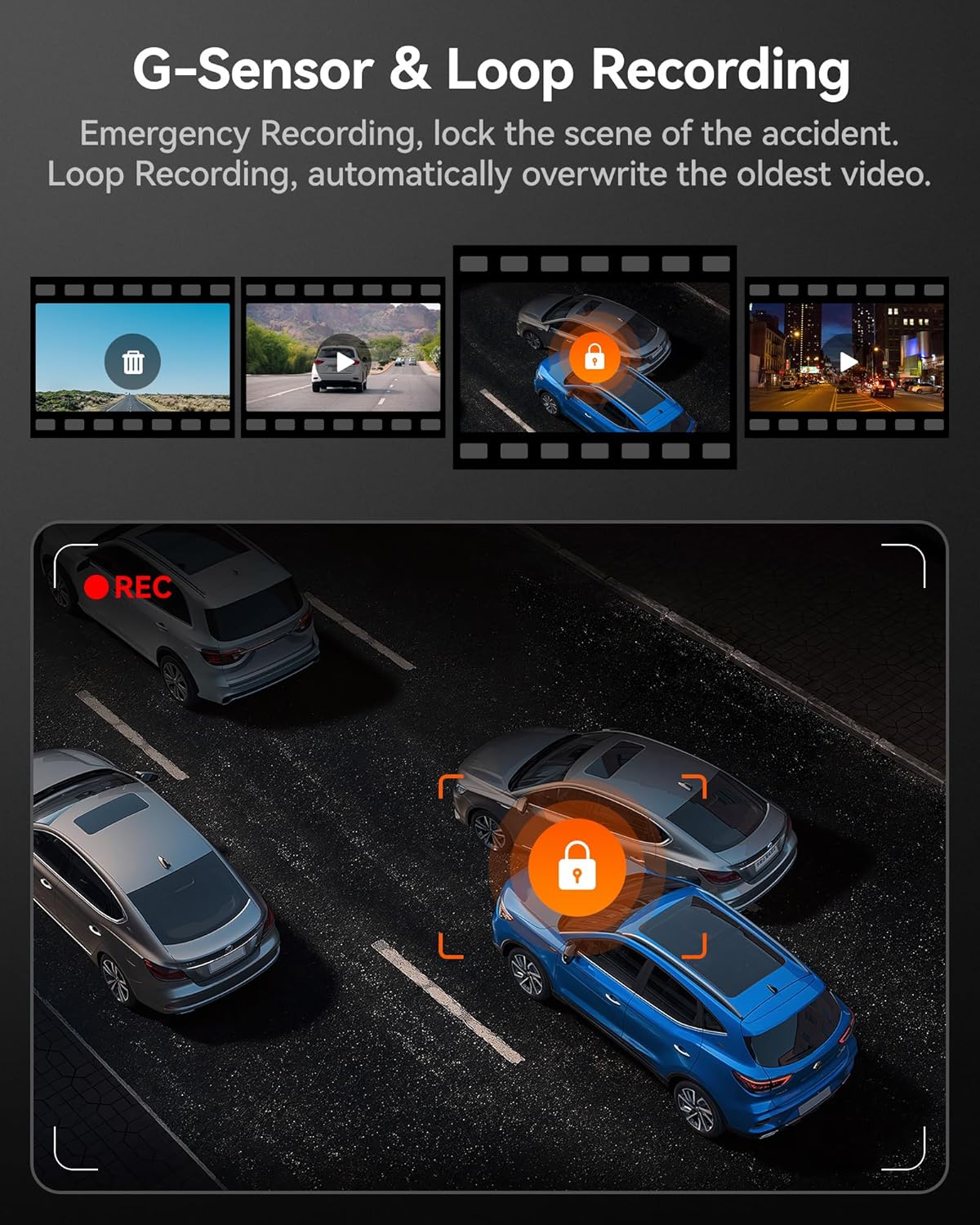
Image: G-Sensor and Loop Recording functionality.
მოვლა
- ჩვეულებრივი ფორმატირება: To maintain optimal performance and prevent data corruption, it is recommended to format the MicroSD card every 2-4 weeks using the dash cam's settings.
- ლინზების წმენდა: Gently clean the camera lenses with a soft, lint-free cloth to ensure clear video quality. Avoid abrasive materials.
- Firmware განახლებები: Check the official WOLFBOX webპერიოდულად ეწვიეთ საიტს პროგრამული უზრუნველყოფის განახლებების მისაღებად, რათა დარწმუნდეთ, რომ თქვენს ვიდეოკამერას აქვს უახლესი ფუნქციები და გამოსწორებული შეცდომები.
- ტემპერატურის გათვალისწინება: The dash cam is designed to operate within a wide temperature range due to its supercapacitor. However, extreme prolonged heat or cold can affect battery life (if applicable) and overall longevity.
პრობლემების მოგვარება
| პრობლემა | შესაძლო მიზეზი | გამოსავალი |
|---|---|---|
| ვიდეორეგისტრატორი არ ირთვება. | No power supply; faulty cable; car charger issue. | Check power connection; try a different USB port or car charger; ensure vehicle's ignition is on. |
| ჩაწერა ჩერდება ან იყინება. | Memory card full/corrupted; low-quality SD card; firmware issue. | Format the SD card; use a high-speed (Class 10 or U3) MicroSD card; update firmware. |
| Rear camera not detected. | Loose connection; damaged cable. | Ensure the rear camera cable's headphone jack is firmly inserted into the main unit. Check cable for damage. |
| Wi-Fi კავშირის პრობლემები. | Incorrect app usage; interference. | Ensure Wi-Fi is enabled on the dash cam and your phone; restart both devices; try connecting in a different location. |
| GPS არ იღებს სიგნალს. | Poor satellite reception; GPS module obstructed. | დარწმუნდით, რომ GPS მოდულს აქვს სუფთა view of the sky; move the vehicle to an open area. |
სპეციფიკაციები
| ფუნქცია | დეტალი |
|---|---|
| მოდელის სახელი | i07 |
| პროდუქტის ზომები | 4.72 x 1.38 x 3.07 ინჩი |
| ნივთის წონა | 5 უნცია |
| წინა კამერის გარჩევადობა | 4K-მდე (2160p) |
| ინტერიერის კამერის გარჩევადობა | 1080P |
| უკანა კამერის გარჩევადობა | 1080P |
| ჩვენება | 3 დიუმიანი LCD ეკრანი |
| Lens Angle (Front/Interior/Rear) | 150 ° / 160 ° / 155 ° |
| ღამის ხედვა | 6 Infrared LEDs (Interior Camera) |
| დენის წყარო | Type-C Power Input, Supercapacitor |
| დაკავშირება | Built-in Wi-Fi, Built-in GPS |
| შენახვა | Supports MicroSD Card (32GB included) |
| განსაკუთრებული თვისებები | 4K HDR, 3-channel All-round Protection, App Control, Parking Monitor, Compact Design, WDR, G-Sensor, Loop Recording |
| ავტომობილის სერვისის ტიპი | ავტობუსი, მსუბუქი ავტომობილი, მინივენი, სატვირთო მანქანა |
გარანტია და მხარდაჭერა
WOLFBOX-ი ორიენტირებულია მაღალი ხარისხის პროდუქციის მიწოდებასა და შესანიშნავი მომხმარებელთა მომსახურების გაწევაზე.
- გარანტია: The WOLFBOX i07 Dash Cam comes with a 12-month assurance from the date of purchase.
- დაბრუნების პოლიტიკა: A 7-day return policy is available for defects.
- მომხმარებელთა მომსახურება: For any queries, technical support, or warranty claims, please contact our dedicated after-sale service team.
ელფოსტა: service@wolfbox.com
ტელეფონი: +1 888 296 8399
მხარდაჭერის სამსახურთან დაკავშირებისას, გთხოვთ, მზად გქონდეთ თქვენი პროდუქტის მოდელი და შეძენის ინფორმაცია.


