1. შესავალი
Welcome to the user manual for your Yamaha TW-ES5A True Wireless Sport Earbuds. These earbuds are designed to provide high-quality audio with features tailored for an active lifestyle, including advanced noise cancellation, ambient sound modes, and a waterproof design. Please read this manual thoroughly to ensure proper use and maintenance of your device.

2. რა არის ყუთში
დარწმუნდით, რომ თქვენს პაკეტში შედის ყველა შემდეგი ნივთი:
- TW-ES5A Earbuds (Left and Right)
- დამცავი დამტენი ქეისი
- USB AC დამუხტვის კაბელი
- 5 sets of Eartips (XS, S, M, L, XL)
- 4 sets of Stabilizer Ear Fins (XS, S, M, L)

3. პროდუქტი დასრულდაview
The Yamaha TW-ES5A earbuds are designed for comfort and performance. Familiarize yourself with the earbud and charging case components.
ყურსასმენის დიზაინი

Each earbud features a compact design with integrated controls and a stabilizer ear fin for a secure fit during physical activity. The earbuds are lightweight, weighing approximately 0.28 ounces each.
დამუხტვის ქეისი
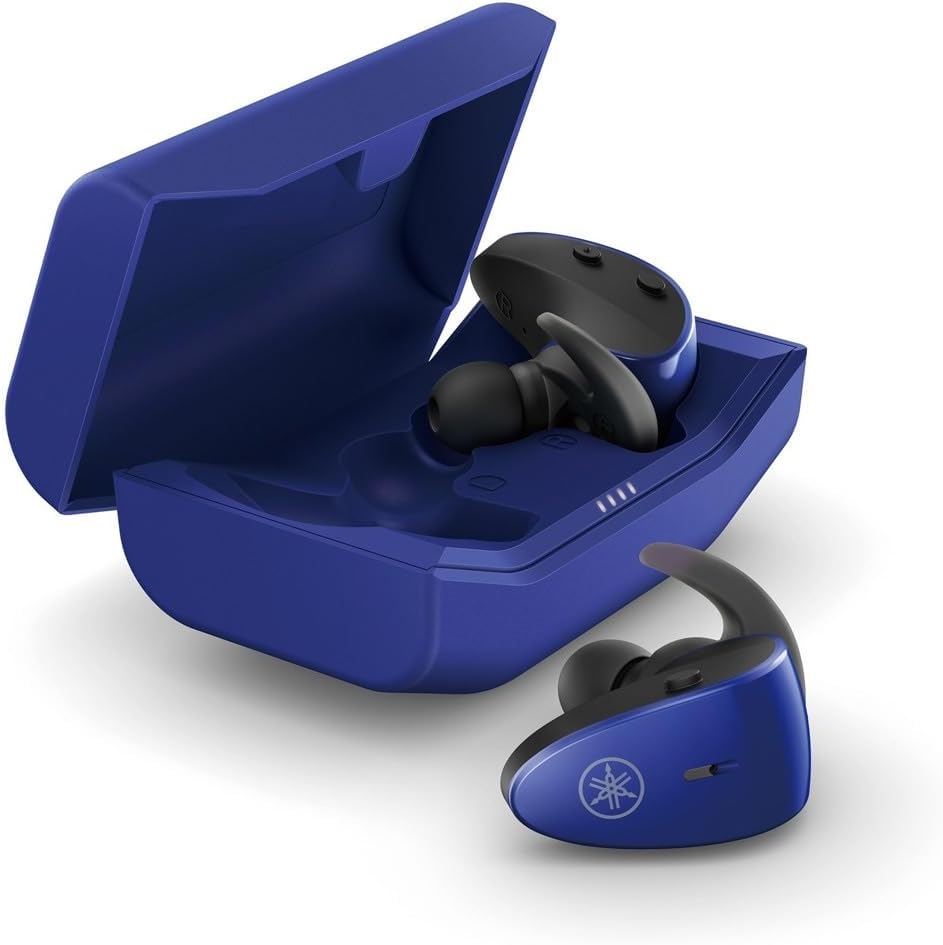
The protective charging case not only stores your earbuds but also recharges them, providing extended battery life. LED indicators on the case show the charging status.
წყალგაუმტარი ფუნქცია
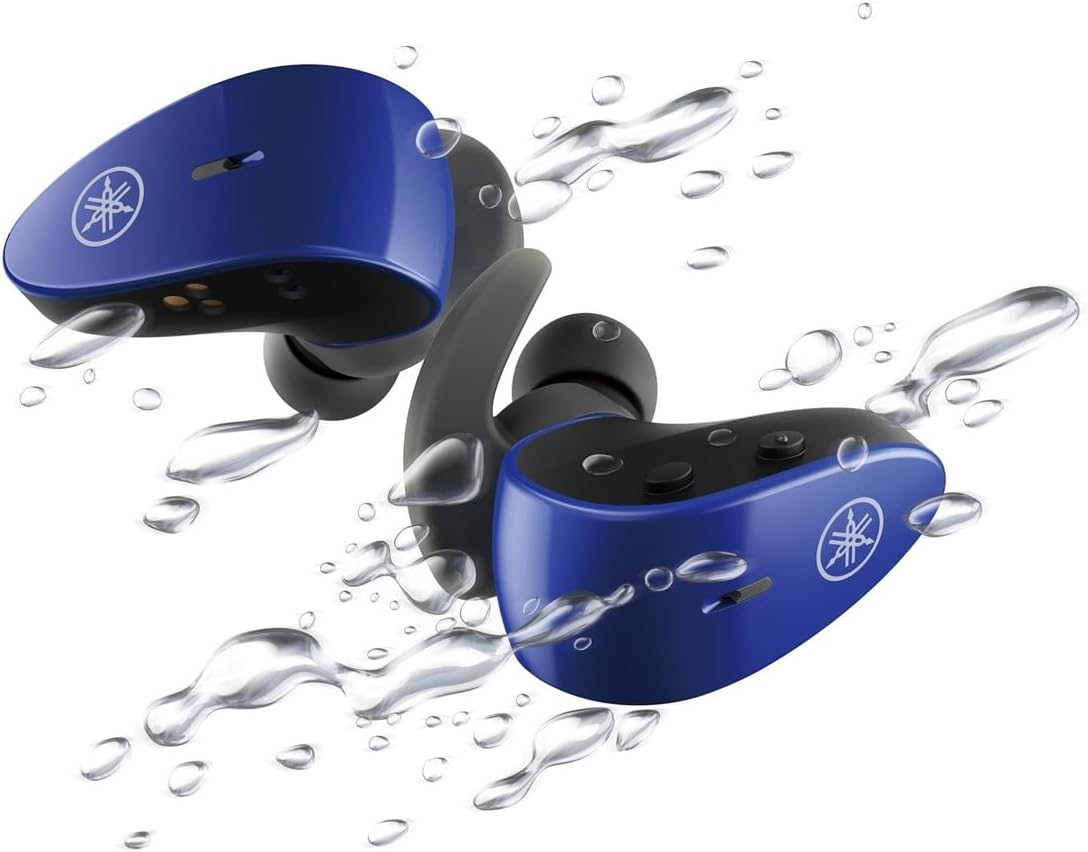
With an IPX7 waterproof rating, these earbuds are protected against immersion in water up to 1 meter for 30 minutes, making them ideal for workouts and outdoor activities.
ოფიციალური პროდუქტის ვიდეო
4. დაყენება
4.1 ყურსასმენებისა და ქეისის დატენვა
- მოათავსეთ ყურსასმენები დამტენ ქეისში. დარწმუნდით, რომ ისინი სწორად არის დამაგრებული; ყურსასმენებზე LED ინდიკატორები აინთება დატენვის დასადასტურებლად.
- Connect the USB A-C charging cable to the charging case and then to a USB power source (e.g., computer, USB wall adapter).
- The charging case LEDs will indicate the charging status. A full charge provides up to 34 hours of total battery life (earbuds + case).
4.2 Selecting Eartips and Stabilizer Ear Fins
For optimal sound quality, comfort, and a secure fit, it is crucial to select the correct size of eartips and stabilizer ear fins.
- ყურსასმენები: Experiment with the 5 provided sizes (XS, S, M, L, XL). The correct size should create a good seal in your ear canal, blocking out external noise and providing rich bass.
- Stabilizer Ear Fins: Choose from the 4 provided sizes (XS, S, M, L). The fin should fit snugly into the concha of your ear, preventing the earbud from falling out during movement.
4.3 Bluetooth დაწყვილება
- გახსენით დამტენი ქეისი. ყურსასმენები ავტომატურად გადავა დაწყვილების რეჟიმში (LED ინდიკატორები აციმციმდება).
- თქვენს მოწყობილობაზე (სმარტფონი, პლანშეტი, ლეპტოპი) გადადით Bluetooth-ის პარამეტრებში და ჩართეთ Bluetooth.
- ძიება available devices and select "Yamaha TW-ES5A" from the list.
- დაკავშირების შემდეგ, ყურსასმენის LED ინდიკატორები შეწყვეტენ ციმციმს და თქვენი მოწყობილობა დაადასტურებს კავშირს.
- შემდგომი გამოყენებისთვის, ყურსასმენები ქეისიდან ამოღების შემდეგ ავტომატურად დაუკავშირდება ბოლოს დაწყვილებულ მოწყობილობას.
5. საოპერაციო ინსტრუქციები
The TW-ES5A earbuds feature touch controls for various functions.
5.1 ჩართვა/გამორთვა
- ჩართვა: გახსენით დამტენი ჩანთა და ყურსასმენები ავტომატურად ჩაირთვება.
- Გამორთვა: ყურსასმენები დააბრუნეთ დამტენ ქეისში და დახურეთ სახურავი. ისინი ავტომატურად გამოირთვება.
5.2 მუსიკის დაკვრა
- დაკვრა/პაუზა: ერთი შეხებით ორივე ყურსასმენზე.
- შემდეგი სიმღერა: ორჯერ შეეხეთ მარჯვენა ყურსასმენს.
- წინა ჩანაწერი: ორჯერ შეეხეთ მარცხენა ყურსასმენს.
- მოცულობა: სამჯერ შეეხეთ მარჯვენა ყურსასმენს.
- Ხმის დაწევა: სამჯერ შეეხეთ მარცხენა ყურსასმენს.
5.3 ზარების მართვა
- ზარის პასუხი/დასრულება: ერთი შეხებით ორივე ყურსასმენზე.
- ზარის უარყოფა: ხანგრძლივად დააჭირეთ რომელიმე ყურსასმენს 2 წამის განმავლობაში.
5.4 ხმაურის კონტროლის რეჟიმები
The TW-ES5A offers two noise control modes:
- აქტიური ხმაურის გაუქმება (ANC): ამცირებს გარემოს ხმაურს ჩამთრევი მოსმენის გამოცდილებისთვის.
- ატმოსფერული ხმა: Allows you to hear your surroundings while listening to audio, enhancing awareness.
გადართვის რეჟიმები: Press and hold the touch control on the left earbud for 2 seconds to cycle between ANC, Ambient Sound, and Off modes.
5.5 ხმის ასისტენტი
Activate your device's voice assistant (Siri or Google Assistant) by pressing and holding the touch control on the right earbud for 2 seconds. This allows for hands-free control of your device.
6. მოვლა
6.1 დასუფთავება
- Regularly clean the earbuds, eartips, and charging contacts with a soft, dry, lint-free cloth.
- Remove eartips and wash them with mild soap and water if necessary. Ensure they are completely dry before reattaching.
- არ გამოიყენოთ აბრაზიული გამწმენდები ან გამხსნელები.
6.2 შენახვა
- ყურსასმენები ყოველთვის შეინახეთ დამტენ ქეისში, როდესაც არ იყენებთ, რათა დაიცვათ ისინი და დატენილი იყოს.
- შეინახეთ მოწყობილობა გრილ, მშრალ ადგილას, მოარიდეთ ექსტრემალურ ტემპერატურას და მზის პირდაპირ სხივებს.
7. Დიაგნოსტიკა
If you encounter issues with your TW-ES5A earbuds, try the following solutions:
| პრობლემა | შესაძლო მიზეზი | გამოსავალი |
|---|---|---|
| Earbuds won't power on | დაბალი ბატარეა | ყურსასმენები დამტენ ქეისში მოათავსეთ და სრულად დატენეთ. |
| მოწყობილობასთან დაწყვილება შეუძლებელია | Bluetooth off, earbuds not in pairing mode, or previously paired device interference | Ensure Bluetooth is on. Open case to enter pairing mode. Forget device on your phone and re-pair. Turn off Bluetooth on other nearby devices. |
| არ არის ხმა ან დაბალი ხმა | Volume too low, improper fit, or earbud obstruction | Increase volume on earbuds and device. Adjust eartips for a secure seal. Clean earbud mesh. |
| ზარის ხარისხი ცუდია | Microphone obstruction or environmental noise | Ensure microphone is clear. Try moving to a quieter environment. |
| ყურსასმენები ხშირად წყდება | Distance from device, interference, or low battery | Keep earbuds close to your device. Avoid strong electromagnetic interference. Charge earbuds fully. |
If the issue persists, please refer to the Warranty & Support section for further assistance.
8. სპეციფიკაციები
Key technical specifications for the Yamaha TW-ES5A True Wireless Sport Earbuds:
| ფუნქცია | დეტალი |
|---|---|
| მოდელის სახელი | TW-ES5A |
| დაკავშირების ტექნოლოგია | Bluetooth 5.2, Qualcomm aptX Adaptive TrueWireless Mirroring with Clear Voice |
| წყლის წინააღმდეგობის დონე | IPX7 (წყალგამძლე) |
| ხმაურის კონტროლი | Active Noise Cancellation, Ambient Sound |
| ბატარეის ხანგრძლივობა | Up to 34 hours total (earbuds + charging case) |
| ნივთის წონა | 0.28 უნცია (თითო ყურსასმენზე) |
| პროდუქტის ზომები | 1.32 x 2.78 x 0.67 ინჩი |
| აუდიო დრაივერის ტიპი | დინამიური დრაივერი |
| მხარდაჭერილი კოდეკები | AptX Adaptive, AAC |
| თავსებადი მოწყობილობები | Android, Laptops, Mac Book, Tablets, iPhone |
| განსაკუთრებული თვისებები | Android Phone Control, iOS Phone Control, Fast Charging, Microphone included, Sweatproof, Volume Control, Sports & Exercise, Lightweight, Wireless, Firm Secure Fit |
9. გარანტია და დახმარება
For detailed warranty information, product registration, and technical support, please visit the official Yamaha webსაიტზე ან დაუკავშირდით მათ მომხმარებელთა მომსახურების სამსახურს. შეინახეთ შეძენის დამადასტურებელი საბუთი გარანტიის ნებისმიერი მოთხოვნისთვის.
ასევე შეგიძლიათ განიხილოთ შეძენაasing extended protection plans for your device. Details on available protection plans can often be found at the point of purchase or on the retailer's webსაიტი.


