შესავალი
Thank you for choosing the Varmilo Minilo VXB67 65% Bluetooth Mechanical Keyboard. This manual provides detailed instructions for setting up, operating, and maintaining your new keyboard. The VXB67 offers a compact 65% layout, dual-mode connectivity (wired USB-C and Bluetooth), and a comfortable typing experience with Varmilo EC Daisy V2 switches and durable ABS double-shot keycaps. It also features a Type-Cool sound dampening structure for a clear typing sound.

Image: The Varmilo Minilo VXB67 keyboard, showcasing its compact design and color scheme.
პაკეტის შიგთავსი
გთხოვთ, შეამოწმოთ პაკეტის შიგთავსი, რათა დარწმუნდეთ, რომ ყველა ნივთი ადგილზეა:
- Varmilo Minilo VXB67 Mechanical Keyboard
- USB-C კაბელი
- კლავიშის გამწევი
- გადამრთველი Puller
- მტვრის საფარი
- მომხმარებლის სახელმძღვანელო (ეს დოკუმენტი)

Image: The Varmilo Minilo VXB67 keyboard alongside its USB-C cable, keycap puller, switch puller, and a clear dust cover.
დაყენება
1. სადენიანი კავშირი
- იპოვეთ USB-C პორტი კლავიატურაზე.
- მოწოდებული USB-C კაბელის ერთი ბოლო კლავიატურას შეაერთეთ.
- USB-C კაბელის მეორე ბოლო შეაერთეთ თქვენი კომპიუტერის თავისუფალ USB პორტთან.
- კლავიატურას თქვენი ოპერაციული სისტემა ავტომატურად ამოიცნობს.
2. Bluetooth კავშირი
The VXB67 keyboard can connect to up to 3 devices via Bluetooth.
- დარწმუნდით, რომ კლავიატურა დატენილია ან დაკავშირებულია USB-C-ის საშუალებით.
- Turn on Bluetooth on your device (computer, tablet, or smartphone).
- კლავიატურაზე დააჭირეთ და გააჩერეთ Fn key and one of the Bluetooth keys (Q, W, ან E) for 3-5 seconds to enter pairing mode. The indicator light will flash.
- On your device, search for Bluetooth devices and select "Varmilo VXB67" (or similar) from the list.
- დაწყვილების შემდეგ, კლავიატურაზე ინდიკატორის შუქი შეწყვეტს ციმციმს და უცვლელი დარჩება.
- Repeat for up to two additional devices using the other Bluetooth keys.
3. კლავიატურის კუთხის რეგულირება
The keyboard features 3-level adjustable kickstands on the bottom to customize your typing angle for comfort.

Image: The underside of the keyboard, highlighting the foldable kickstands for ergonomic adjustment.
Video: Demonstrates the features of the Varmilo Minilo Eucalyptus keyboard, including the adjustable kickstands and multi-device connectivity.
ოპერაციული ინსტრუქციები
1. კლავიშის თავსახურის და ჩამრთველის შეცვლა
The VXB67 features hot-swappable switches, allowing you to change switches without soldering. Use the provided keycap and switch pullers for this process.
- კლავიშების მოხსნა: Use the keycap puller to gently grip the keycap and pull upwards.
- გადამრთველების მოხსნა: Use the switch puller to carefully grip the top and bottom clips of the switch and pull upwards.
- გადამრთველების დაყენება: Align the pins of the new switch with the holes on the PCB. Press down firmly until the switch clicks into place. Ensure pins are not bent.
- კლავიშების დაყენება: Place the keycap over the switch stem and press down gently until it is secure.
Video: Demonstrates the process of changing switches and keycaps on the Varmilo Minilo 67 keyboard.
2. განათების კონტროლი
The keyboard features white LED backlighting. Use the following key combinations to control the backlight:
- Fn + \ |: უკანა განათების ეფექტებს შორის ციკლური გადართვა.
- Fn + ↑: განათების სიკაშკაშის გაზრდა.
- Fn + ↓: შეამცირეთ უკანა განათების სიკაშკაშე.
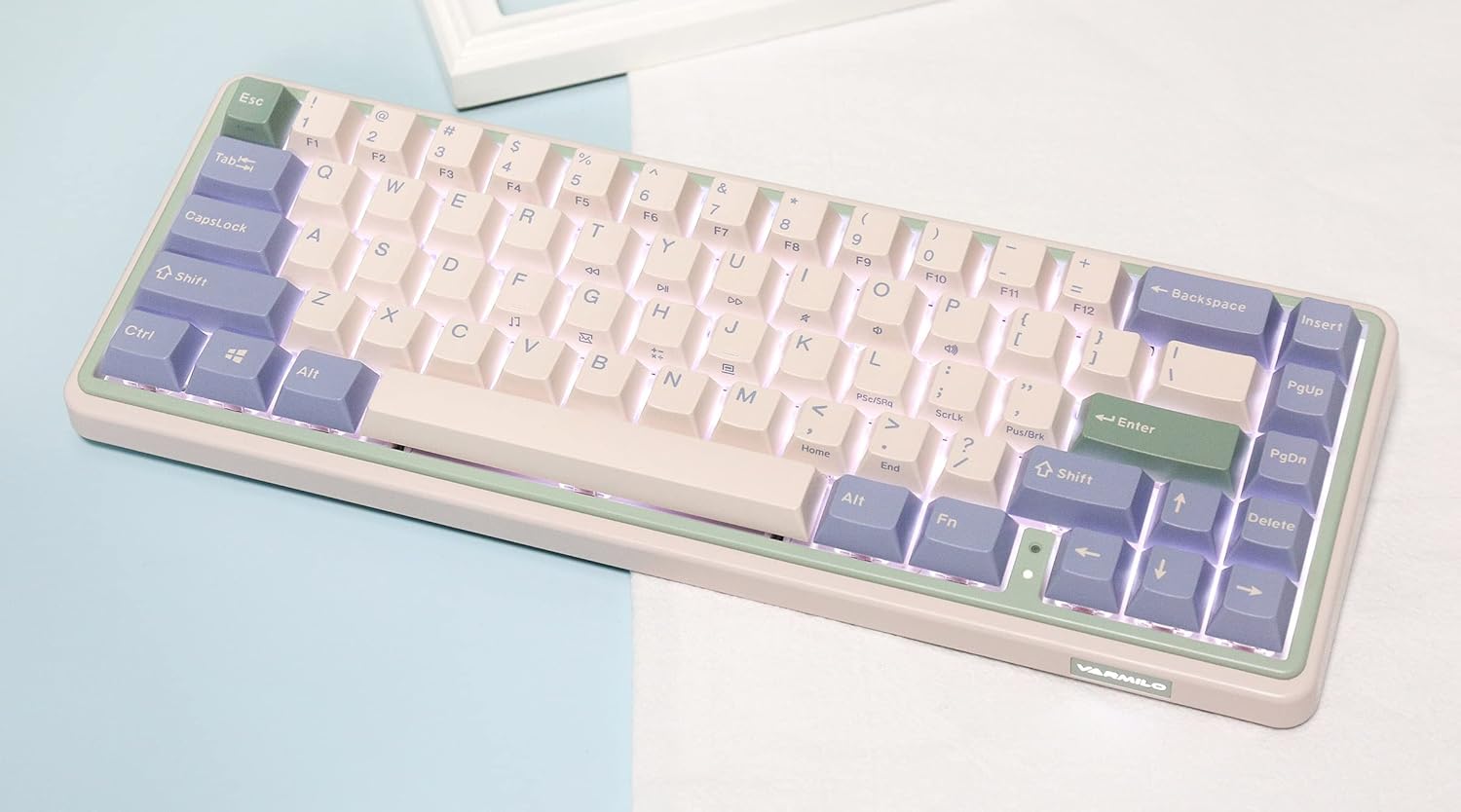
Image: The Varmilo Minilo VXB67 keyboard illuminated by its white LED backlighting.
3. მრავალმოწყობილობაზე გადართვა
To switch between paired Bluetooth devices:
- დააჭირეთ Fn + Q Bluetooth მოწყობილობა 1-ზე გადასასვლელად.
- დააჭირეთ Fn + W Bluetooth მოწყობილობა 2-ზე გადასასვლელად.
- დააჭირეთ Fn + E Bluetooth მოწყობილობა 3-ზე გადასასვლელად.
The keyboard will quickly connect to the selected device.
მოვლა
- დასუფთავება: Use a soft, dry cloth to wipe the keyboard surface. For deeper cleaning, remove keycaps using the provided keycap puller and use compressed air to clear debris.
- ბატარეის დატენვა: Connect the keyboard via the USB-C cable to a power source (computer USB port or USB wall adapter). The Escape key will light up while charging and flash when the battery is low.
- შენახვა: When not in use, store the keyboard in a cool, dry place. Use the provided dust cover to protect it from dust and spills.
პრობლემების მოგვარება
- კლავიატურა არ რეაგირებს (სადენიანი):
- დარწმუნდით, რომ USB-C კაბელი საიმედოდ არის დაკავშირებული როგორც კლავიატურასთან, ასევე კომპიუტერთან.
- სცადეთ სხვა USB პორტი თქვენს კომპიუტერში.
- სცადეთ სხვა USB-C კაბელი.
- კლავიატურა არ რეაგირებს (Bluetooth):
- დარწმუნდით, რომ Bluetooth ჩართულია თქვენს მოწყობილობაზე.
- დარწმუნდით, რომ კლავიატურა დატენულია.
- Re-enter pairing mode (Fn + Q/W/E) and attempt to re-pair with your device.
- Forget the device on your computer/tablet/phone and try pairing again.
- გასაღებები არ რეგისტრირდება:
- Ensure the keycap and switch are properly seated. Remove and re-install if necessary.
- If using hot-swappable switches, ensure the switch pins are not bent.
- უკანა განათება არ მუშაობს:
- შეამოწმეთ უკანა განათების სიკაშკაშის პარამეტრები ()Fn + ↑/↓).
- Ensure the keyboard is not in a low power state.
სპეციფიკაციები
| მოდელი | VXB67 |
| განლაგება | 65% (67 გასაღები) |
| დაკავშირება | Bluetooth 5.0, USB-C სადენიანი |
| გადამრთველები | Varmilo EC Daisy V2 (Hot-swappable) |
| კლავიშები | 1.5mm thick ABS Double Shot |
| უკანა განათება | თეთრი LED |
| ბატარეის ტევადობა | 3400 mAh |
| თავსებადი მოწყობილობები | PC (and other Bluetooth-enabled devices) |
| მასალა | აკრილონიტრილის ბუტადიენ სტირინი (ABS) |
| ზომები | დაახლოებით 15 x 7 x 2.5 ინჩი (შეფუთვის ზომების მიხედვით) |
| წონა | 3.21 ფუნტი |
გარანტია და მხარდაჭერა
For warranty information and technical support, please refer to the official Varmilo webადგილზე ან დაუკავშირდით თქვენს საცალო მოვაჭრეს. შეინახეთ შეძენის დამადასტურებელი საბუთი გარანტიის მოთხოვნებისთვის.
ვარმილოს ოფიციალური Webსაიტი: www.varmilo.com


