1. შესავალი
The DIGITUS DN-45004 Mobile Desktop Charging Cabinet is designed for storing and charging portable devices such as tablets and smartphones. It features 10 USB-C charging ports and an integrated UV-C lamp for enhanced hygiene. This cabinet is suitable for public institutions like schools, providing a centralized and secure location for device management and charging.
2. უსაფრთხოების გაფრთხილებები
- This product must be placed on a flat, stable surface to prevent slipping or tipping.
- Ensure the power cable is securely connected to a grounded outlet.
- არ გადატვირთოთ ელექტრული წრე.
- Keep the cabinet away from water or excessive moisture.
- Do not attempt to open or repair the cabinet yourself. Refer to qualified service personnel.
- UV-C ლamp emits ultraviolet light. Avoid direct exposure to eyes and skin. Ensure the cabinet door is closed during UV-C operation.
3. პაკეტის შიგთავსი
დარწმუნდით, რომ შეფუთვაში ყველა ნივთია:
- 1 x Digitus DN-45004 Charging Cabinet
- 2 x Keys for the front door
- 1 x Power Cable (C19 to protective contact plug, 2m)
- 1 x მომხმარებლის სახელმძღვანელო
4. დაყენება
- შეფუთვა: Carefully remove the charging cabinet from its packaging.
- განთავსება: Place the cabinet on a flat, stable, and dry surface. Ensure adequate ventilation around the unit. The anti-slip feet provide stability.
- დენის კავშირი: Connect the provided power cable to the C19 input on the rear of the cabinet and then to a suitable electrical outlet (110/220 VAC, 50/60 Hz).
- Initial Power Check: If the unit does not power on, check the internal circuit breaker located behind the rear panel. This breaker may trip during transport. To access, unscrew the four screws on the rear panel, remove it, and reset the blue lever on the circuit breaker to the 'On' position.

5. საოპერაციო ინსტრუქციები
5.1 დამტენი მოწყობილობები
- Გააღე კარი: Use the provided keys to unlock and open the front door of the cabinet.
- მოწყობილობების ჩასმა: Place your tablets or smartphones into the designated slots. Note that this cabinet is primarily designed for tablets and smartphones; larger laptops may not fit.
- Connect to USB-C Ports: Connect your devices to the USB-C charging ports located at the front of each slot.
- მონიტორის დატენვის სტატუსი: Integrated LED indicators above each port show the charging status:
- წითელი: Device is currently charging.
- მწვანე: Charging process is complete, or no device is connected.
- დახურვა და ჩაკეტვა: Once devices are connected, close and lock the front door for security.
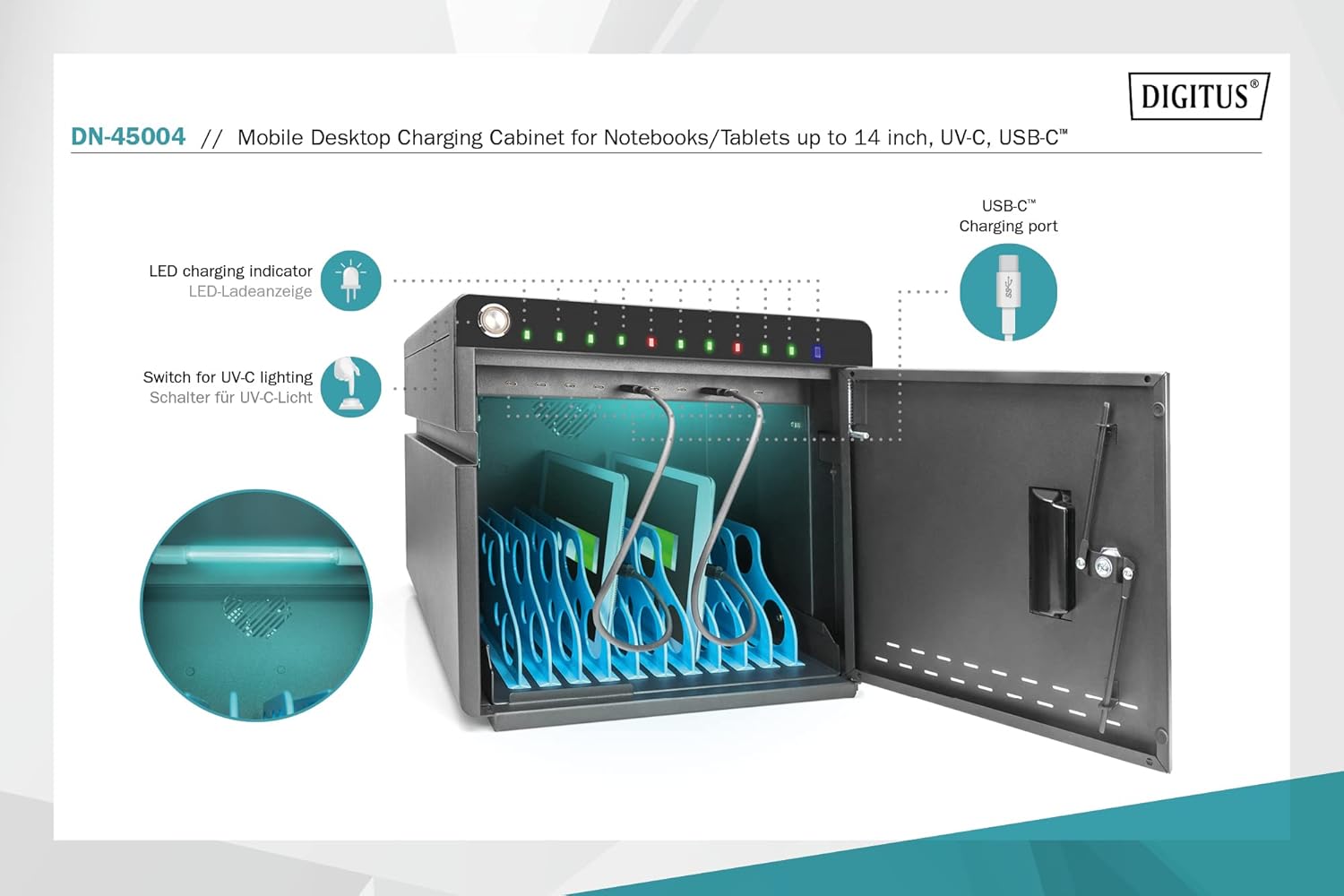
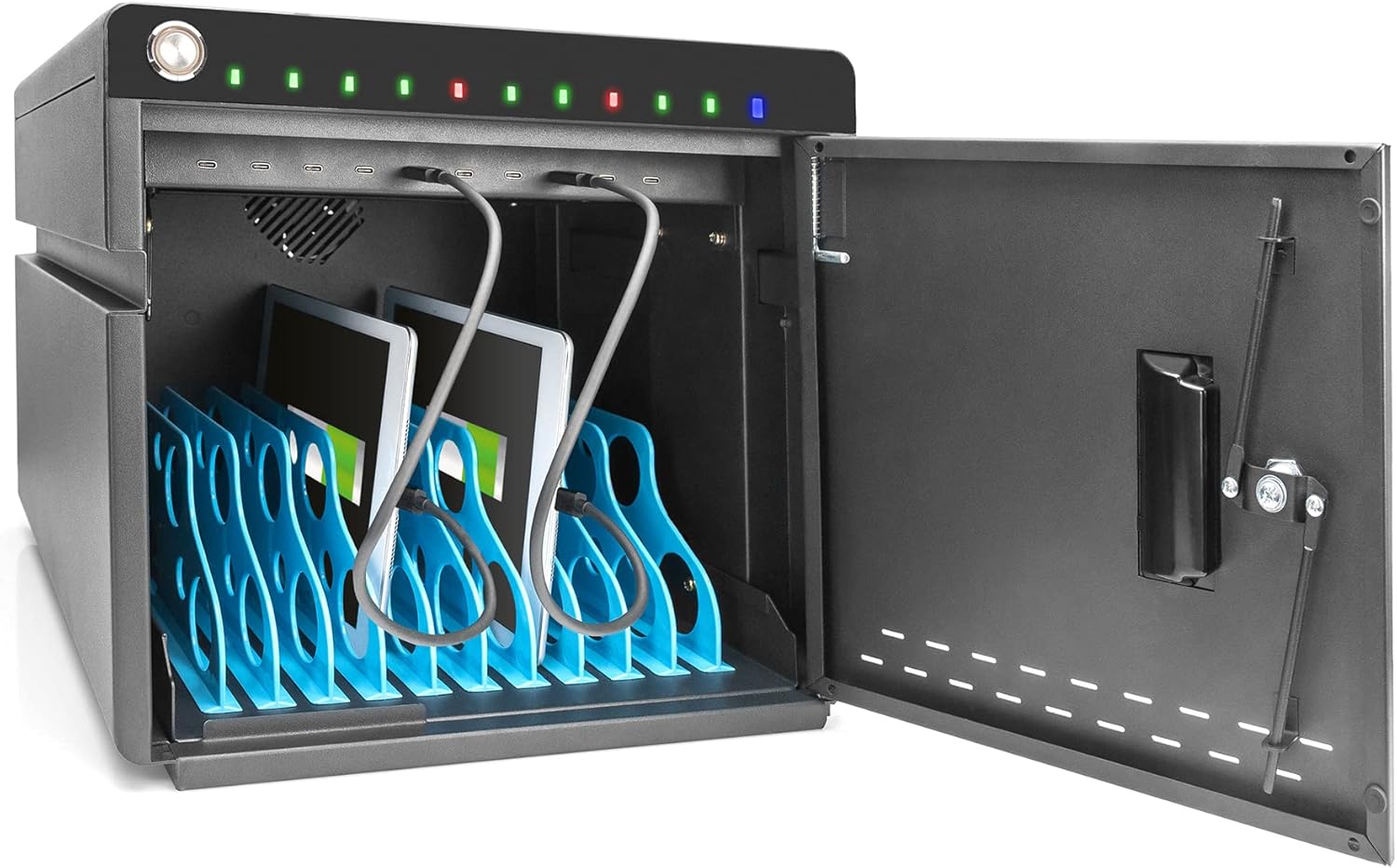
5.2 UV-C Lamp ოპერაცია
The integrated UV-C lamps provide a sterile environment for your devices.
- Activate UV-C: Locate the switch for UV-C lighting (refer to Figure 5.1). Toggle the switch to activate the UV-C lamps.
- Ensure Door is Closed: For safety and effective sanitation, ensure the cabinet door is securely closed while the UV-C lamp აქტიურია.
- Deactivate UV-C: Toggle the switch again to turn off the UV-C lamps.


5.3 გაგრილების სისტემა
The cabinet includes an integrated fan and ventilation slots for active cooling. The fan automatically activates when the internal temperature exceeds 40°C to prevent overheating of devices and internal components.
6. მოვლა
- დასუფთავება: გაწმენდის წინ გამორთეთ დენი. გარე ზედაპირების გასაწმენდად გამოიყენეთ რბილი, მშრალი ქსოვილი. არ გამოიყენოთ აბრაზიული საწმენდები ან გამხსნელები.
- ვენტილაცია: Ensure ventilation slots are not obstructed to maintain proper airflow.
- UV-C Lamp: UV-C ლamp შეზღუდული სიცოცხლის ხანგრძლივობა აქვს. თუ ლamp stops working, contact customer support for replacement options.
7. Დიაგნოსტიკა
| პრობლემა | შესაძლო მიზეზი | გამოსავალი |
|---|---|---|
| Cabinet does not power on. | Power cable not connected, power outlet issue, or internal circuit breaker tripped. | Ensure power cable is firmly connected. Test the power outlet. Check and reset the internal circuit breaker (refer to Section 4. Setup). |
| მოწყობილობა არ იტენება. | Device not properly connected, faulty USB-C cable, or device issue. | Ensure the device is correctly plugged into the USB-C port. Try a different USB-C cable. Test the device with another charger. Check the LED indicator (should be red when charging). |
| UV-C ლamp არ ირთვება. | UV-C switch off, lamp failure, or door not fully closed. | Ensure the UV-C switch is in the 'On' position. Verify the cabinet door is securely closed. If the issue persists, the lamp შეიძლება საჭირო გახდეს ჩანაცვლება. |
| Laptops do not fit in the slots. | The cabinet is designed for smaller portable devices. | This model is optimized for tablets and smartphones. Please check device dimensions against cabinet specifications. |
8. სპეციფიკაციები
| ფუნქცია | დეტალი |
|---|---|
| ბრენდი | დიგიტუსი |
| მოდელის ნომერი | DN-45004 |
| ფერი | შავი (RAL 9005) |
| მასალა | შენადნობის ფოლადი |
| ზომები (H x W x D) | 345 x 360 x 370 მმ |
| Internal Shelf Depth | 294 მმ |
| USB-C დატენვის პორტები | 10 |
| USB-C Output per Port | 18 W (5 V / 3 A, 9 V / 2 A, 12 V / 1.5 A) |
| მაქსიმალური USB-C გამომავალი | 180 W |
| დენის შეყვანა | C19; 110 / 220 VAC, 50/60 Hz, 16 A |
| ენერგიის მთლიანი გამომავალი | 3500 W |
| გაგრილება | Integrated fan, automatic activation at >40°C |
| უსაფრთხოება | Steel front door with 3-point lock |
| განსაკუთრებული თვისებები | UV-C ლamps for hygiene, LED charging indicators |
| თავსებადი მოწყობილობები | სმარტფონები, პლანშეტები |
9. გარანტია და მხარდაჭერა
Warranty information for the Digitus DN-45004 Mobile Desktop Charging Cabinet is not available in the provided product data. Please refer to the manufacturer's official webდეტალური გარანტიის პირობებისა და პირობებისთვის იხილეთ საიტი ან თქვენი შეძენის წერტილი.
For technical support, troubleshooting assistance, or inquiries regarding spare parts, please contact DIGITUS customer service directly. You can often find contact information on the manufacturer's webადგილზე ან პროდუქტის შეფუთვაში.
For more information about DIGITUS solutions, visit: Assmann Solutions


